
In an era where digital surveillance, data harvesting, and cyber threats are increasingly common, many users turn to Virtual Private Networks (VPNs) as a shield for their online activity. The promise is simple: encrypt your internet traffic, mask your IP address, and browse anonymously. But does a VPN truly hide your data from prying eyes? The answer is more nuanced than marketing slogans suggest. While a well-configured VPN enhances privacy significantly, it is not an impenetrable cloak. Understanding its real capabilities—and limitations—is essential for anyone serious about protecting personal information online.
How a VPN Works: The Basics of Encryption and Tunneling
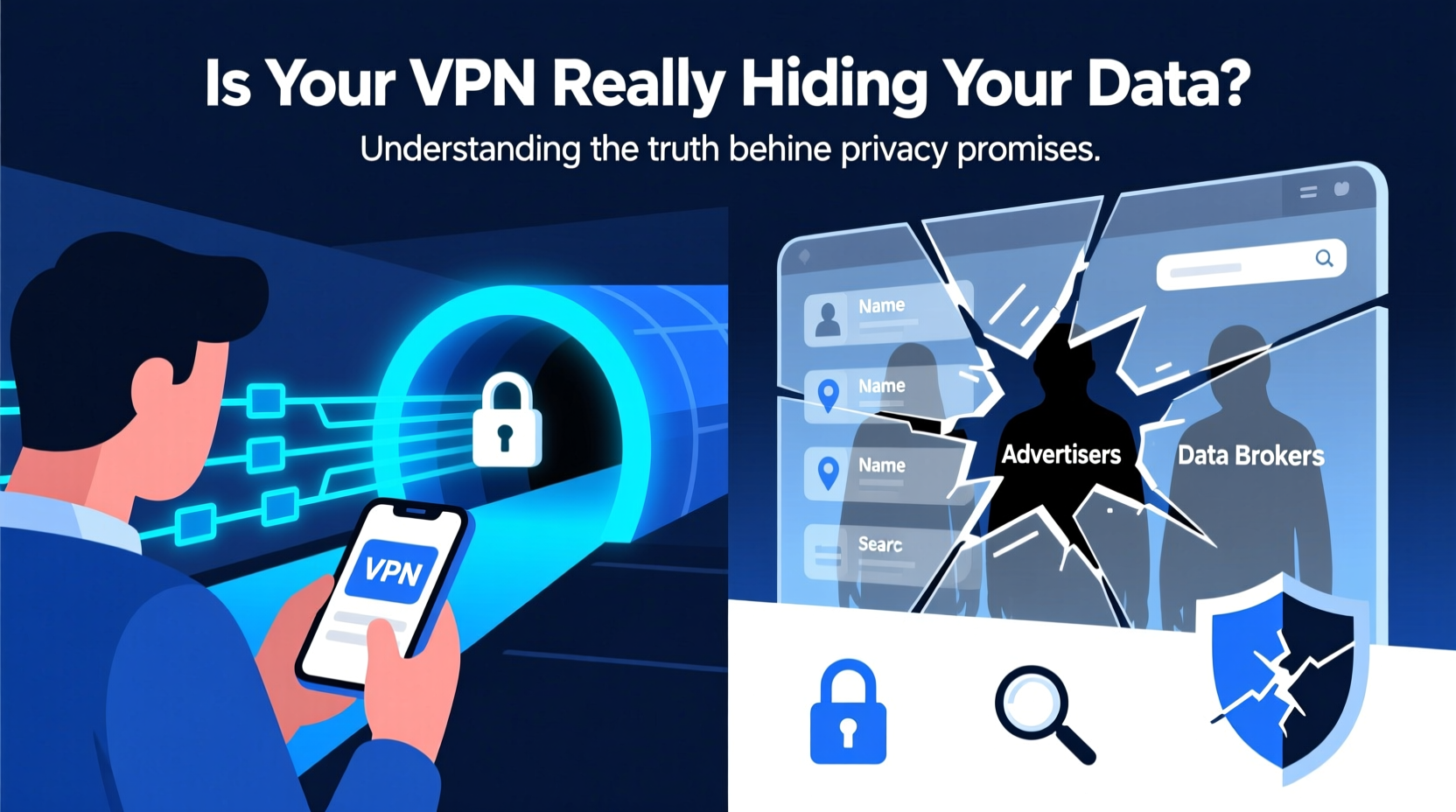
A VPN creates a secure, encrypted tunnel between your device and a remote server operated by the VPN provider. All data passing through this tunnel—whether you're browsing websites, streaming video, or sending emails—is encrypted, making it unreadable to third parties like your Internet Service Provider (ISP), public Wi-Fi operators, or network snoopers.
When you connect to a website via a VPN, your request first goes through the encrypted tunnel to the VPN server. The server then forwards the request to the destination site using its own IP address. To the website, it appears that the traffic originates from the VPN server—not your actual location. This process effectively hides your real IP address and geolocation.
The encryption protocols used by reputable services—such as OpenVPN, WireGuard, or IKEv2—are robust enough to resist interception by most attackers, including state-level actors under normal circumstances. However, the level of protection depends heavily on the provider’s policies, infrastructure, and software integrity.
What a VPN Actually Hides (And What It Doesn’t)
It's crucial to separate myth from reality when assessing what a VPN can conceal. Below is a clear breakdown of what is protected and what remains exposed:
| Data Type | Hidden by VPN? | Explanation |
|---|---|---|
| Your IP Address | ✅ Yes | The website sees the IP of the VPN server, not your real one. |
| Browsing Activity (within the tunnel) | ✅ Yes | Encrypted traffic prevents ISPs and local networks from seeing which sites you visit. |
| Downloaded Content (e.g., torrents) | ✅ Yes (if no leaks) | Provided there are no DNS or IP leaks, your ISP cannot see file transfers. |
| Cookies & Tracking Scripts | ❌ No | VPNs don’t block cookies; websites still track you via browser fingerprinting and scripts. |
| Account Logins (Google, Facebook, etc.) | ❌ No | If you’re logged into accounts, those platforms know it’s you—regardless of IP. |
| Malware or Phishing Attempts | ❌ No | A VPN doesn’t scan files or filter malicious websites unless it includes built-in ad/malware blocking. |
| Device Fingerprinting | ❌ No | Advanced tracking methods can identify your device based on screen size, fonts, plugins, etc. |
This means that while a VPN protects your connection at the network level, it does nothing to stop online services from recognizing you if you're logged in or tracked through other digital footprints. For example, logging into Facebook over a VPN doesn’t make you anonymous to Facebook—it just makes your access appear to come from a different country.
Common Misconceptions About VPN Privacy
Many users believe that installing a VPN makes them completely invisible online. This belief leads to risky behaviors, such as visiting dangerous sites or sharing sensitive information without additional safeguards. Here are some widespread myths:
- Myth: A VPN makes me anonymous.
Reality: You remain identifiable through login credentials, payment details, and behavioral patterns. True anonymity requires tools like Tor, strict operational security, and disassociated identities. - Myth: My ISP can't see anything I do.
Reality: Your ISP sees that you’ve connected to a VPN server but cannot decrypt the traffic. They know you're using a service, just not the specifics—unless metadata analysis is used. - Myth: All VPNs are equally private.
Reality: Free or poorly managed providers may log user data, inject ads, or sell bandwidth. Some even operate honeypot servers designed to collect user behavior.
“Encryption only works if trust is placed in the right hands. A compromised or untrustworthy VPN provider becomes the weakest link.” — Dr. Marcus Lin, Cybersecurity Researcher at Stanford University
Real-World Example: Journalist Using a VPN in a Censored Region
Consider a journalist working in a country with heavy internet censorship and surveillance. She uses a trusted no-logs VPN to communicate with sources and publish articles abroad. Her connection is encrypted, so local ISPs cannot see the content of her messages or identify the news platforms she accesses.
However, one day she clicks on a phishing email disguised as a source submission. The malicious attachment installs spyware that logs her keystrokes and captures screenshots. Despite being connected to a secure VPN, the malware bypasses encryption entirely by operating inside her device. Within days, authorities seize her laptop and recover incriminating evidence collected locally.
This scenario illustrates a critical point: a VPN secures the pipe, not the endpoints. If your device is compromised, no amount of tunneling will protect your data. Endpoint security—antivirus software, updated systems, cautious browsing—is equally important.
Choosing a Trustworthy VPN: A Practical Checklist
Selecting a reliable provider is foundational to achieving meaningful privacy. Use this checklist before signing up:
- ✅ Confirmed no-logs policy audited by independent third parties.
- ✅ Based in a privacy-friendly jurisdiction (e.g., Switzerland, Iceland—not Five Eyes countries).
- ✅ Uses strong encryption (AES-256) and modern protocols like WireGuard.
- ✅ Offers DNS and IPv6 leak protection.
- ✅ Has a kill switch to prevent data exposure if the connection drops.
- ✅ Open-source apps for transparency and community verification.
- ✅ Does not rely on external investors known for data monetization.
- ✅ Provides clear documentation on how support requests are handled without compromising user identity.
Enhancing Privacy Beyond the VPN: A Layered Approach
A single tool cannot guarantee full privacy. Instead, adopt a layered defense strategy combining multiple techniques:
1. Use Privacy-Focused Browsers
Pair your VPN with browsers like Brave or Firefox configured with anti-tracking settings. Enable strict cookie controls and disable third-party scripts where possible.
2. Install Tracker Blockers
Extensions like uBlock Origin, Privacy Badger, or Ghostery prevent invisible trackers from profiling your behavior across websites—even when using a masked IP.
3. Employ Two-Factor Authentication (2FA)
Protect accounts with 2FA, preferably using authenticator apps or hardware keys instead of SMS, which can be intercepted.
4. Minimize Personal Data Exposure
Use pseudonyms when possible, avoid linking real-world information to online profiles, and limit social media oversharing.
5. Regularly Audit Device Security
Keep operating systems and applications updated, run periodic malware scans, and remove unused software that could serve as attack vectors.
Used alone, a VPN offers partial protection. Combined with these practices, it becomes part of a resilient privacy framework.
Frequently Asked Questions
Can my employer track me if I use a company-provided VPN?
Yes. Company-managed VPNs are designed for secure access to internal resources, not employee privacy. Your employer can monitor all traffic passing through their servers, including websites visited and files accessed. Never assume privacy when using corporate infrastructure.
Do law enforcement agencies bypass VPNs?
They can, but not easily. If a provider keeps logs and operates in a jurisdiction with legal cooperation, authorities may obtain user records via subpoena. However, if the service maintains a verified no-logs policy and uses strong encryption, there is typically no data to seize. In rare cases, vulnerabilities in software or endpoint compromise (e.g., malware served via spear-phishing) allow infiltration.
Is it safe to use a VPN for banking or shopping?
Generally yes—especially on public Wi-Fi. A VPN adds encryption between you and the server, reducing the risk of man-in-the-middle attacks. However, always ensure the website uses HTTPS. A VPN complements, but does not replace, secure website practices.
Conclusion: Taking Control of Your Digital Footprint
A VPN is a powerful tool for enhancing online privacy, but it is not magic. It effectively hides your IP address and encrypts your internet traffic from local eavesdroppers, making it harder for ISPs, advertisers, and hackers to monitor your activity. Yet, it cannot erase your digital identity once you log into accounts, accept tracking cookies, or fall victim to malware.
True privacy requires awareness, discipline, and a combination of technologies. A trustworthy no-logs VPN should be one component of your strategy—not the entire solution. By understanding both its strengths and limits, you move closer to genuine control over your personal data.




 浙公网安备
33010002000092号
浙公网安备
33010002000092号 浙B2-20120091-4
Comments
No comments yet. Why don't you start the discussion?