
Mechanical keyboards have gained a loyal following among typists, programmers, gamers, and productivity enthusiasts for their tactile feedback, durability, and customization options. Yet one of the most common complaints—and curiosities—about them is their volume. Compared to the near-silent keystrokes of modern laptop keyboards, mechanical models can be strikingly loud. This contrast raises a natural question: why are mechanical keyboards so much noisier?
The answer lies in design philosophy, engineering mechanics, and material choices. Unlike the compact, low-profile systems used in laptops, mechanical keyboards prioritize responsiveness and user experience over silence. Understanding the root causes of this difference not only demystifies the noise but also empowers users to make informed decisions about their typing environment.
How Keyboard Switches Work: The Core Difference
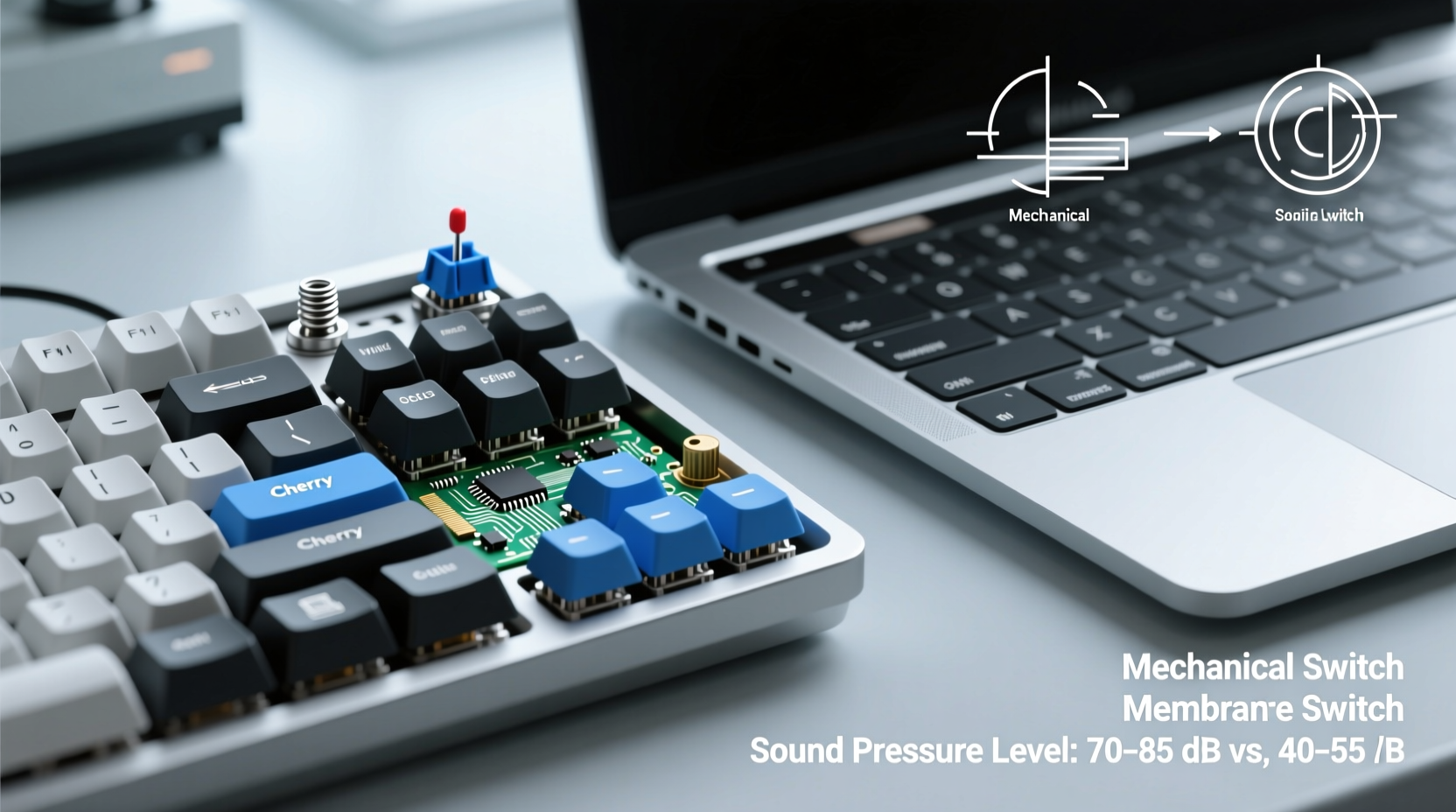
The fundamental reason mechanical keyboards are louder than laptop keyboards comes down to their internal switching mechanism. Mechanical keyboards use individual mechanical switches beneath each keycap, while most laptop keyboards rely on rubber dome or scissor-switch mechanisms.
In a mechanical switch, pressing a key activates a physical spring-loaded contact that registers the input. This movement produces audible clicks or clacks depending on the switch type. In contrast, laptop keyboards use soft rubber domes or scissor stabilizers that collapse quietly when pressed, absorbing much of the impact sound.
The mechanical switch’s construction—metal contacts, springs, and plastic housings—creates multiple points where sound can be generated. When a key is pressed, the stem hits the bottom housing (bottoming out), and upon release, the spring rebound may cause additional noise. Some switches, like Cherry MX Blues, even include an extra click bar designed specifically to produce an audible feedback signal.
Switch Types and Their Sound Profiles
Not all mechanical keyboards are equally loud. The level of noise depends heavily on the type of switch used. Manufacturers offer three primary categories: linear, tactile, and clicky—each with distinct acoustic characteristics.
| Switch Type | Sound Level | Typical Use Case | Example Models |
|---|---|---|---|
| Linear | Moderate | Gaming, fast typing | Cherry MX Red, Gateron Yellow |
| Tactile | Moderate to High | Typing with feedback | Cherry MX Brown, Zealios V2 |
| Clicky | High (audible click) | Precision typing | Cherry MX Blue, Kailh Box White |
Clicky switches are engineered to produce a sharp, high-pitched \"click\" sound at the actuation point, providing both auditory and tactile confirmation. This dual feedback enhances typing accuracy but increases ambient noise significantly. Linear switches, by comparison, move smoothly from top to bottom with minimal sound beyond the keycap hitting the plate or case.
“Clicky switches were originally designed for typewriters and early data entry terminals where auditory feedback reduced errors. That legacy carries into today’s mechanical designs.” — Dr. Alan Reeves, Human-Computer Interaction Researcher, MIT Media Lab
Physical Design and Materials Amplify Noise
Beyond switch mechanics, the overall build of a mechanical keyboard contributes to its volume. Most mechanical keyboards feature rigid metal or thick plastic plates that transmit vibrations efficiently. When a key is pressed, especially with force, these materials resonate and amplify the sound.
Laptop keyboards, on the other hand, are embedded within a tightly sealed chassis with foam padding and flexible circuits. These dampen vibrations and isolate keystroke noise. Additionally, laptop keys have shorter travel distances—typically 1–1.5mm—compared to 3–4mm on mechanical boards, reducing kinetic energy and thus sound output.
Other factors that increase mechanical keyboard noise include:
- Case material: Aluminum cases ring more than plastic ones.
- Mounting style: Top-mounted or tray-mounted keyboards transfer more sound than gasket-mounted ones.
- Keycap material: Thin ABS keycaps can rattle; thicker PBT keycaps with tight tolerances reduce noise.
- No damping: Lack of O-rings or silicone pads allows full bottom-out impact.
Enthusiasts often modify their keyboards with foam inserts inside the case, silicone washers under switches, or O-rings on stems to deaden sound. These tweaks can reduce perceived loudness by up to 50%, making a mechanical board far more office-friendly.
Real-World Example: Office vs. Home Setup
Consider Sarah, a software developer who transitioned from a corporate office to remote work. In her office, she used a standard ultrabook with a quiet scissor-switch keyboard. Her colleagues appreciated the low noise floor, and IT provided uniform equipment across teams.
After moving to remote work, Sarah invested in a custom mechanical keyboard with Cherry MX Blue switches for improved comfort during long coding sessions. While she loved the precision and feel, her partner complained about the constant clicking during video calls and early mornings.
Sarah experimented with solutions: first adding thick desk mats, then replacing her keycaps with doubleshot PBT versions, and finally installing switch dampeners. She later switched to a silent linear switch variant. Each change reduced noise incrementally, allowing her to keep the benefits of mechanical typing without disturbing her household.
This scenario illustrates how context shapes perception of keyboard noise. What feels empowering in a private workspace can become disruptive in shared environments.
Step-by-Step Guide to Quieting a Mechanical Keyboard
If you love your mechanical keyboard but need to reduce its volume, follow this actionable sequence:
- Add case foam: Insert thin EVA or neoprene foam sheets inside the keyboard case to absorb internal echoes.
- Install O-rings or dampeners: Place silicone O-rings around key stems to cushion bottom-out impact.
- Replace keycaps: Upgrade to heavier PBT keycaps with tighter fit to minimize wobble and ping.
- Lube the switches: Apply switch lubricant (e.g., Krytox) to stems and springs to smooth motion and reduce friction noise.
- Use a soft surface: Place the keyboard on a padded mat or wrist rest to prevent surface resonance.
- Consider switch swapping: Replace loud switches with quieter equivalents (e.g., from Blue to Red or Silent Red).
Note: Lubing and foam modding require disassembly and some technical care. For pre-built keyboards, stick to external modifications like dampeners and mats.
Do’s and Don’ts of Managing Keyboard Noise
| Do | Don’t |
|---|---|
| Use a thick desk pad to absorb vibrations | Place the keyboard directly on glass or hardwood |
| Choose linear or silent tactile switches for shared spaces | Select clicky switches without testing them first |
| Regularly clean switches to prevent scratchy sounds | Ignore rattling keycaps—they indicate poor fit |
| Try hot-swappable keyboards for easy switch changes | Assume all mechanical keyboards are equally loud |
Frequently Asked Questions
Can I make my mechanical keyboard as quiet as a laptop keyboard?
While you may not achieve identical silence, significant reductions are possible. Combining foam lining, O-rings, lubed switches, and PBT keycaps can bring noise levels close to those of a quiet membrane keyboard. However, some mechanical sound will remain due to the inherent design.
Are there mechanical keyboards designed to be quiet?
Yes. Many manufacturers now offer “silent” mechanical switches that incorporate internal dampening mechanisms. Brands like Logitech (Romax switches), ZSA (Moonlander), and Keychron (Low-Profile Silent switches) produce models aimed at office users. These often use shortened travel and built-in rubber cushions to minimize noise.
Why do people prefer loud mechanical keyboards if they’re disruptive?
For many users, the sound is part of the experience. Auditory feedback improves typing rhythm and accuracy. Gamers and writers often report increased focus and satisfaction from the tactile and sonic response. In personal or acoustically controlled environments, the noise becomes a feature, not a flaw.
Checklist: Choosing a Quiet Mechanical Keyboard
- ☐ Prioritize linear or silent tactile switches (e.g., Cherry MX Silent Red)
- ☐ Look for pre-installed foam or sound-dampening features
- ☐ Choose a plastic or rubberized case over aluminum
- ☐ Opt for lower-profile switches if available
- ☐ Test the keyboard in person or buy from retailers with return policies
- ☐ Consider a wireless model with customizable actuation to reduce unnecessary presses
Conclusion: Embracing the Sound—Or Reducing It Wisely
The loudness of mechanical keyboards isn't a flaw—it's a byproduct of their superior engineering and user-centric design. The satisfying clack of a well-tuned switch reflects decades of refinement in human-computer interaction. But in shared homes, open offices, or late-night work sessions, that same sound can become a liability.
The good news is that knowledge and small adjustments go a long way. Whether you're drawn to the crisp feedback of a clicky switch or simply want the durability of a mechanical build without the racket, modern options and mods let you tailor your experience. You don’t have to sacrifice performance for peace.




 浙公网安备
33010002000092号
浙公网安备
33010002000092号 浙B2-20120091-4
Comments
No comments yet. Why don't you start the discussion?