
There’s nothing quite like the warm glow of Christmas lights to bring holiday cheer. But when that glow starts to flicker unpredictably, it can be more frustrating than festive. Flickering lights don’t just disrupt the ambiance—they can also signal underlying issues that, if left unaddressed, might shorten the lifespan of your display or even pose safety risks. The good news? Most causes of flickering are fixable with basic troubleshooting and a few household tools. Whether you're dealing with indoor string lights or an elaborate outdoor setup, understanding the root causes—and how to resolve them—can restore your display to its full brilliance.
Understanding Why Christmas Lights Flicker
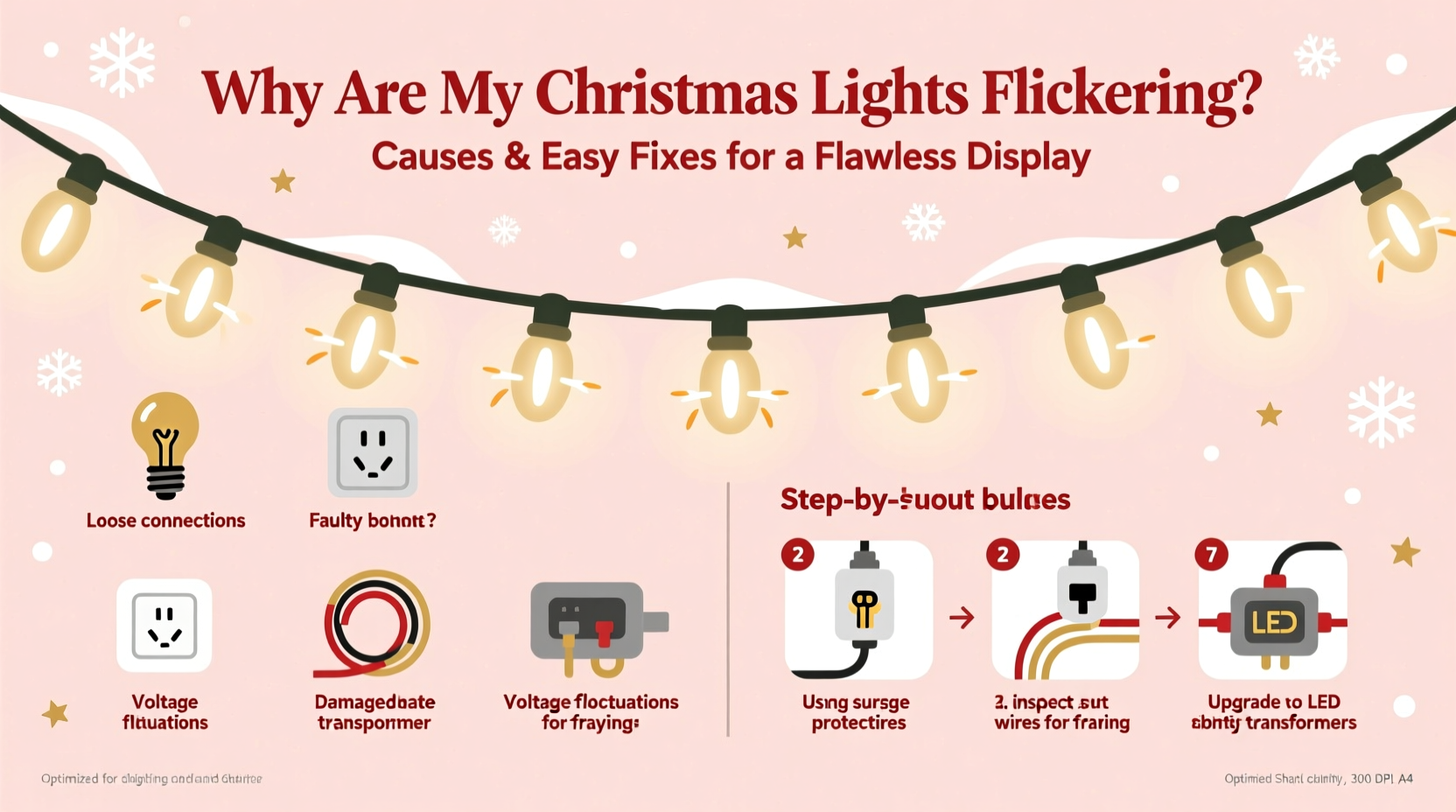
Flickering in Christmas lights isn't always random. It typically stems from one of several identifiable causes, ranging from loose connections to outdated bulb types. Modern LED strings behave differently than traditional incandescent sets, so diagnosing the issue requires knowing what kind of lighting system you’re working with. The most common reasons include voltage fluctuations, poor bulb-to-socket contact, damaged wires, incompatible dimmer switches (for indoor setups), or aging components.
One frequent misconception is that all flickering indicates a fire hazard. While some causes are benign—like twinkling modes designed into certain strands—others, such as frayed wiring or overloaded circuits, demand immediate attention. Identifying whether the flicker is uniform across the strand or isolated to a single section helps narrow down the culprit.
Common Causes of Flickering and How to Diagnose Them
Not all flickers are created equal. Below are the most prevalent causes, along with diagnostic clues to help identify each.
1. Loose Bulb or Poor Socket Contact
In older incandescent strands, bulbs must make solid electrical contact within their sockets. Over time, vibrations during storage or installation can loosen bulbs slightly, interrupting the circuit. This often results in intermittent flickering or entire sections going dark.
2. Faulty or Burnt-Out Bulb
Many traditional series-wired light strings rely on each bulb completing the circuit. If one bulb burns out or fails, it breaks the flow, causing downstream flickering or shutdown. Some newer models feature shunt technology that bypasses dead bulbs, but not all do.
3. Damaged Wiring or Insulation
Cuts, kinks, or chew marks (often from pets or rodents) in the wire can expose conductors or create short circuits. These may cause erratic behavior, including flickering, partial illumination, or complete failure.
4. Overloaded Circuit or Voltage Drop
Plugging too many light strands into a single outlet or power strip can overload the circuit, especially outdoors where extension cords add resistance. This leads to insufficient voltage reaching the far end of the string, resulting in dim or flickering lights.
5. Incompatible Dimmer Switches or Smart Plugs
If your indoor lights are controlled by a dimmer or smart plug not rated for low-wattage LED loads, they may flicker due to inconsistent current regulation. LEDs draw far less power than incandescents, and many older dimmers can't handle this difference.
6. Temperature and Moisture Effects
Outdoor lights exposed to freezing temperatures or moisture may develop condensation inside sockets or connectors. This can temporarily disrupt conductivity until the area dries or warms up.
“Flickering is often the first warning sign of a deeper electrical issue. Don’t ignore it—especially with older sets.” — Daniel Reeves, Electrical Safety Inspector, National Fire Protection Association
Step-by-Step Guide to Fix Flickering Christmas Lights
Follow this systematic approach to diagnose and repair flickering lights safely and effectively.
- Unplug the lights immediately. Never work on live electrical equipment. Safety comes first.
- Inspect the entire strand visually. Look for cracked bulbs, frayed wires, corroded connectors, or signs of animal damage.
- Check each bulb. Gently press each bulb into its socket to ensure a snug fit. Remove and reinsert any that feel loose. Replace visibly burnt or darkened bulbs with spares of the same voltage and type.
- Test with a light tester (optional). For older incandescent sets, a non-contact circuit tester or dedicated light keeper tool can identify which bulb is causing the break in the circuit.
- Examine connections between strands. If using multiple connected strings, disconnect them one by one to isolate where the flickering begins or stops.
- Verify power source capacity. Count how many strands are plugged into one outlet or circuit. Most residential circuits support only 1,440 watts (on a 15-amp breaker). Exceeding this causes voltage drop and flickering.
- Replace or upgrade extension cords. Use heavy-duty, outdoor-rated cords no longer than 25 feet. Avoid daisy-chaining multiple cords.
- Try a different outlet. Plug the strand into a separate circuit to rule out issues with the original outlet or breaker.
- For LED lights on dimmers: replace or bypass the dimmer. Install a standard switch or use a dimmer specifically rated for LED loads.
- Dry damp connectors. If moisture is suspected, disconnect and allow the unit to air-dry completely before reuse.
Do’s and Don’ts When Troubleshooting Flickering Lights
| Do | Don’t |
|---|---|
| Use lights rated for their environment (indoor vs. outdoor) | Mix indoor-only lights with outdoor setups |
| Replace bulbs with identical specifications | Use higher-wattage bulbs than recommended |
| Limit connected strands to manufacturer guidelines (usually 3–5) | Daisy-chain more than five sets without checking load limits |
| Use a surge protector for outdoor displays | Plug directly into unprotected outlets during storms |
| Store lights on reels or cardboard tubes to prevent tangling | Yank tangled strands apart forcefully |
Real Example: A Homeowner’s Outdoor Display Rescue
When Sarah in Portland installed her rooftop icicle lights last December, everything worked perfectly at first. By day three, however, the lower half began flickering erratically. She unplugged the set and began testing each section. After ruling out loose bulbs and faulty plugs, she noticed one extension cord running under a garden path was slightly crushed. Replacing it with a new 16-gauge outdoor-rated cord eliminated the flickering entirely. Later, she realized her old power strip wasn’t surge-protected—a risk during Pacific Northwest winter storms. Upgrading to a weatherproof GFCI outlet box not only stabilized the display but also improved long-term safety.
Sarah’s experience highlights how environmental wear and overlooked accessories can undermine even the most careful installations. A small investment in quality components paid off in reliability and peace of mind.
Preventative Maintenance Checklist
Keep future displays problem-free with this seasonal checklist:
- ✅ Inspect all light strands before installation for damage
- ✅ Test each set individually before hanging
- ✅ Use only outdoor-rated extension cords and connectors
- ✅ Limit connected strings to manufacturer recommendations
- ✅ Install outdoor lights on a GFCI-protected circuit
- ✅ Avoid sharp bends or pinching wires during setup
- ✅ Clean plugs and connectors with a dry cloth before connecting
- ✅ Store lights properly after the season (avoid heat, moisture, and compression)
- ✅ Consider upgrading older incandescent sets to modern LED alternatives
- ✅ Keep spare bulbs, fuses, and zip ties on hand for quick fixes
When to Upgrade: Knowing the Limits of Old Lights
Some flickering problems stem not from user error but from age and design limitations. Incandescent mini-lights from the 1990s or early 2000s often lack shunt technology, meaning one dead bulb kills the whole string. They also consume significantly more energy and generate excess heat, increasing fire risk over time.
Modern LED alternatives solve many of these issues. They use up to 90% less energy, produce minimal heat, last 25,000–50,000 hours, and frequently come with built-in rectifiers that stabilize current flow. Many are also designed with parallel circuits, so a single failed bulb won’t affect the rest.
While replacing entire displays represents an upfront cost, the long-term savings in energy, maintenance, and replacement parts usually justify the switch—especially for large or permanent installations.
FAQ: Common Questions About Flickering Christmas Lights
Why do only half my Christmas lights work?
This usually indicates a broken circuit, often caused by a single burnt-out bulb or loose connection in series-wired strings. Check each bulb in the non-working section and ensure all are seated properly. If the set uses two parallel circuits, one fuse may have blown—check the plug for a removable panel containing spare fuses.
Can I leave flickering Christmas lights on overnight?
No. Any flickering caused by damaged wiring, loose connections, or overloaded circuits poses a fire hazard. Even minor arcing can generate heat over time. Always resolve flickering issues before leaving lights unattended or operating them while sleeping.
Are LED Christmas lights less likely to flicker?
Generally, yes—but not always. Quality LED strings with proper drivers and constant-current circuits resist flickering better than older types. However, cheap LEDs or those used with incompatible dimmers may still flicker. Look for UL-listed products and avoid no-name brands sold at deep discounts.
Final Thoughts: Achieving a Flawless, Worry-Free Display
A flicker-free Christmas light display is more than just aesthetic—it’s a sign of a safe, well-maintained setup. By understanding the common causes of flickering and applying practical fixes, you can enjoy a reliable, radiant holiday glow year after year. Start with inspection and prevention, invest in quality components, and never underestimate the value of a simple bulb check. Small efforts now can prevent frustration later and keep your home shining brightly throughout the season.
As you prepare your lights for next year, remember that maintenance doesn’t end when you take them down. Proper storage, timely upgrades, and seasonal testing are key habits of those who consistently achieve flawless displays without last-minute surprises.




 浙公网安备
33010002000092号
浙公网安备
33010002000092号 浙B2-20120091-4
Comments
No comments yet. Why don't you start the discussion?