
You're lying in bed, scrolling through social media or reading the news. The content flows smoothly across your screen—swipe, scroll, tap. Suddenly, a wave of dizziness hits. Your head feels heavy, your balance wavers, and you pause, blinking at the ceiling. You’re not dehydrated. You haven’t stood up too fast. So why do you feel so disoriented?
This experience is increasingly common—and it has a name: digital motion sickness. Also known as cybersickness or virtual motion sickness, it’s a growing side effect of our screen-saturated lives. While it doesn't involve physical movement, your brain interprets visual cues from scrolling interfaces as motion, triggering symptoms similar to car or sea sickness.
Understanding this condition isn’t just about comfort—it’s about reclaiming control over your digital habits and protecting long-term cognitive well-being.
What Is Digital Motion Sickness?
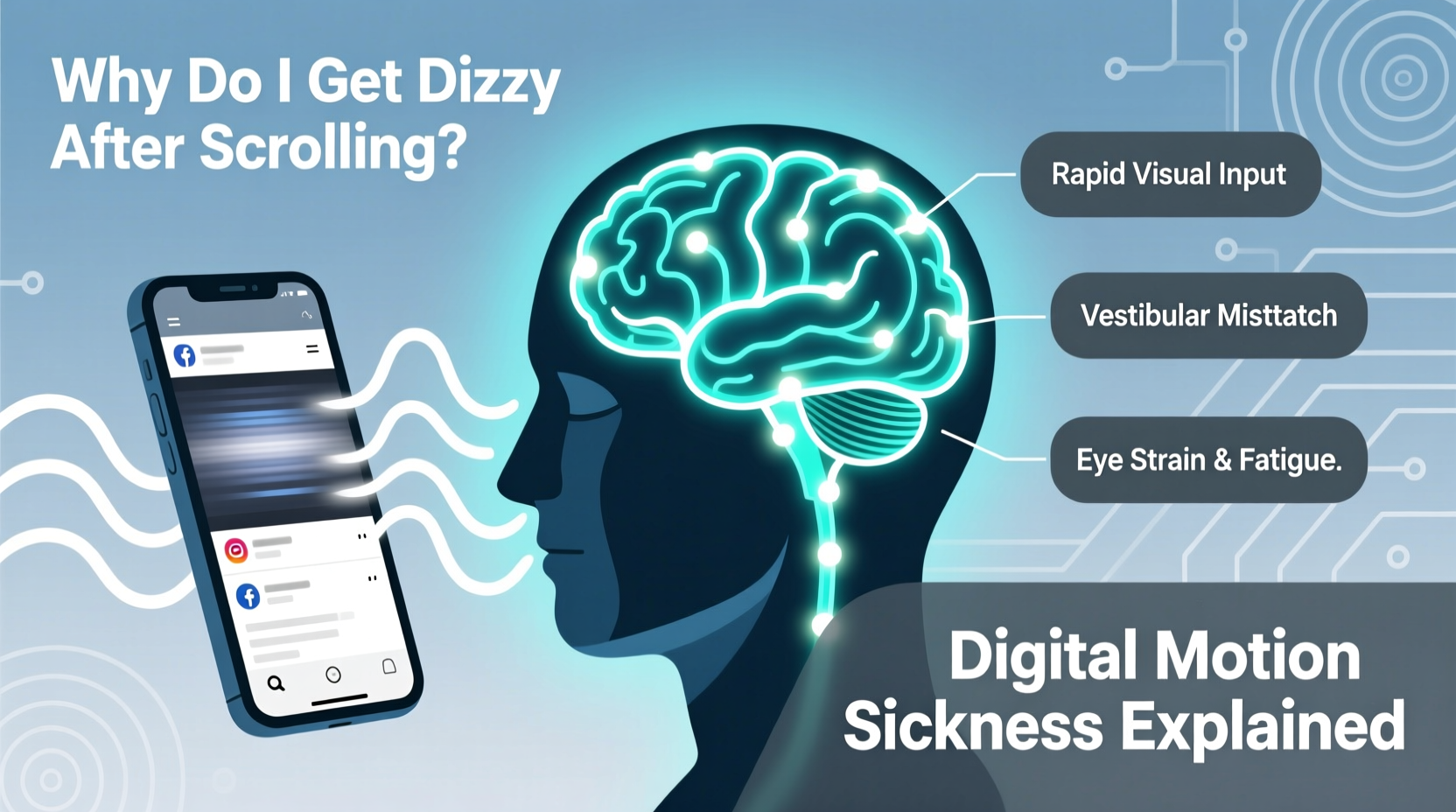
Digital motion sickness occurs when there's a mismatch between what your eyes see and what your inner ear (vestibular system) senses. When you scroll rapidly through content on a phone, especially with parallax effects, animations, or video backgrounds, your visual system perceives motion. However, your body remains physically still.
This sensory conflict confuses the brain. Evolutionarily, such discrepancies were rare—and often linked to neurotoxins (like those causing hallucinations). As a result, the brain may respond defensively: by inducing nausea, dizziness, fatigue, or headaches.
“Digital motion sickness is a modern neurological paradox: our brains evolved for real-world navigation, but now must interpret artificial motion cues that don’t align with bodily input.” — Dr. Lena Patel, Neurovestibular Researcher, Johns Hopkins Medicine
The condition mirrors traditional motion sickness but arises entirely from visual stimuli. It’s more prevalent with vertical scrolling, auto-playing videos, and apps using 3D-like transitions or depth effects (e.g., iOS zoom animations).
Why Scrolling Triggers Dizziness: The Science Behind It
When you scroll down a webpage or feed, your retina detects downward movement. Neurons in the visual cortex process this as forward motion through space—similar to walking forward while looking down a hallway. But your vestibular system, located in the inner ear, reports no actual acceleration or movement.
This disconnect activates the same neural pathways involved in motion sickness. Studies using fMRI scans show increased activity in the insular cortex—a region tied to nausea and autonomic responses—during prolonged exposure to simulated motion without physical movement.
Additionally, small eye movements called saccades become fatigued during rapid scrolling. These micro-adjustments help stabilize vision during motion. When forced to track fast-moving content on screens, they strain, contributing to mental fatigue and spatial disorientation.
Key Factors That Worsen Digital Motion Sickness
- High contrast and flickering elements: Bright flashes, pop-ups, or rapidly changing visuals increase sensory load.
- Poor refresh rates: Screens with low Hz can create perceptible lag, making motion appear jittery.
- Small text and dense layouts: Force your eyes to work harder, increasing cognitive strain.
- Blue light exposure: Especially at night, disrupts circadian rhythms and heightens sensitivity to visual stimuli.
- Holding the phone too close: Increases peripheral visual field stimulation, amplifying perceived motion.
Who Is Most at Risk?
While anyone can experience digital motion sickness, certain groups are more vulnerable:
- People with a history of migraines or vestibular disorders (e.g., Meniere’s disease)
- Individuals prone to motion sickness in cars or boats
- Those with uncorrected vision issues (e.g., astigmatism, convergence insufficiency)
- Children and adolescents, whose visual systems are still developing
- Frequent users of immersive technologies (VR/AR), even briefly
A 2022 study published in Neurology Today found that nearly 43% of adults reported dizziness or disorientation after more than 30 minutes of continuous smartphone use—especially during late-night browsing sessions.
Real Example: Sarah’s Late-Night Scroll Spiral
Sarah, a 29-year-old graphic designer, began experiencing weekly bouts of dizziness. She assumed it was stress-related until she noticed a pattern: every episode occurred after scrolling Instagram Reels before bed. She’d lie in the dark, watching full-screen vertical videos with rapid cuts and motion effects. Within 15 minutes, her head would feel “floaty,” sometimes accompanied by nausea.
After consulting a neuro-ophthalmologist, she learned that the combination of dim lighting, high-motion content, and sustained near-focus was overwhelming her visual processing system. By switching to grayscale mode, reducing brightness, and limiting Reels to 10-minute sessions, her symptoms resolved within two weeks.
How to Prevent and Manage Digital Motion Sickness
The good news: digital motion sickness is largely preventable. With mindful adjustments to device settings and usage habits, most people can significantly reduce or eliminate symptoms.
Step-by-Step Guide to Reduce Screen-Induced Dizziness
- Adjust your display settings: Enable \"Reduce Motion\" in iOS or \"Remove Animations\" in Android. This disables parallax effects and app transition animations.
- Lower screen brightness: Match ambient lighting. Use auto-brightness or night mode to reduce glare.
- Increase text size: Reduces eye strain and saccadic fatigue during reading.
- Use dark mode: High-contrast white backgrounds can trigger overstimulation, especially in low light.
- Take visual breaks: Follow the 20-20-20 rule—every 20 minutes, look at something 20 feet away for 20 seconds.
- Hold your phone farther away: At least 16–18 inches from your face to minimize peripheral motion perception.
- Avoid scrolling in moving vehicles: The brain already processes real motion; adding visual motion increases sensory conflict.
- Limit auto-play videos: Disable autoplay on social platforms to reduce unexpected motion triggers.
Checklist: Daily Habits to Prevent Digital Dizziness
- ✅ Enable \"Reduce Motion\" in accessibility settings
- ✅ Set screen timeout to 30 seconds or less
- ✅ Use blue light filter after sunset
- ✅ Keep phone at arm’s length while scrolling
- ✅ Take a 5-minute break every 25 minutes of screen time
- ✅ Avoid full-screen video feeds right before sleep
- ✅ Blink consciously to prevent dry eyes and visual fatigue
Device Settings Comparison: iOS vs. Android
| Feature | iOS Setting | Android Equivalent | Benefit |
|---|---|---|---|
| Motion Reduction | Settings > Accessibility > Motion > Reduce Motion | Developer Options > Window Animation Scale → Off | Removes parallax and transition effects |
| Auto-Brightness | Settings > Accessibility > Display & Text Size > Auto-Brightness | Settings > Display > Adaptive Brightness | Prevents sudden light changes that strain eyes |
| Dark Mode | Settings > Display & Brightness > Dark | Settings > Display > Dark Theme | Reduces visual contrast and glare |
| Text Size | Settings > Accessibility > Display & Text Size > Larger Text | Settings > Accessibility > Font Size | Lowers eye tracking effort during reading |
| Color Filters | Settings > Accessibility > Display & Text Size > Color Filters | Settings > Accessibility > Color Correction | Helps reduce overstimulation for sensitive users |
When to Seek Medical Advice
Occasional dizziness after prolonged screen use is common and usually resolves with rest. However, persistent or worsening symptoms warrant professional evaluation. See a doctor if you experience:
- Frequent vertigo unrelated to screen use
- Hearing changes or ringing in ears (tinnitus)
- Double vision or difficulty focusing
- Loss of balance when standing or walking
- Nausea that lasts beyond screen exposure
These could indicate underlying conditions like vestibular migraine, benign paroxysmal positional vertigo (BPPV), or convergence insufficiency. An ophthalmologist or neurologist can perform tests to assess eye coordination, inner ear function, and neurological response to motion stimuli.
“Don’t dismiss recurrent dizziness as ‘just screen fatigue.’ Chronic digital motion sickness can be a red flag for treatable visual or vestibular dysfunction.” — Dr. Marcus Tran, Director of Vestibular Diagnostics, UCLA Health
FAQ: Common Questions About Digital Motion Sickness
Can digital motion sickness cause long-term damage?
No evidence suggests permanent harm from digital motion sickness itself. However, chronic visual strain may contribute to eye fatigue, headaches, or disrupted sleep patterns. Addressing root causes—such as poor ergonomics or excessive screen time—can prevent ongoing discomfort.
Is it worse on certain types of phones or screens?
Yes. OLED displays with high refresh rates (90Hz or 120Hz) may feel smoother but can increase motion perception. Conversely, older LCD screens with lower refresh rates may cause flicker-induced strain. The key factor is not the screen type alone, but how content is designed—especially animation intensity and scroll velocity.
Does wearing glasses help prevent it?
If you have an undiagnosed vision issue—like mild astigmatism or difficulty focusing at close range—corrective lenses can make a significant difference. Even non-prescription blue-light glasses may reduce glare and improve visual comfort during extended use.
Conclusion: Regaining Control in a Hyper-Visual World
Dizziness after scrolling isn’t a personal failing—it’s a physiological response to an environment our brains aren’t fully adapted to. As digital interfaces grow more dynamic and immersive, recognizing the signs of sensory overload becomes essential.
You don’t need to abandon your smartphone to avoid digital motion sickness. Small, intentional changes—reducing animations, adjusting viewing distance, taking regular breaks—can restore equilibrium. Think of it as digital hygiene: just as we wash our hands to prevent illness, we must care for our visual and vestibular systems in the digital age.




 浙公网安备
33010002000092号
浙公网安备
33010002000092号 浙B2-20120091-4
Comments
No comments yet. Why don't you start the discussion?