
LED strip lights have transformed modern lighting with their energy efficiency, flexibility, and sleek design. Whether used under kitchen cabinets, behind TVs, or along staircases, they offer both function and ambiance. But when they start flickering—subtly pulsing or rapidly flashing—the experience turns frustrating. Flickering isn’t just annoying; it can indicate deeper electrical issues that, if ignored, may shorten the lifespan of your lights or even pose safety risks. The good news is that most causes of flickering are diagnosable and fixable with the right approach. Understanding the root causes—from incompatible dimmers to power supply instability—allows you to address the problem at its source and restore smooth, consistent illumination.
Understanding How LED Strip Lights Work
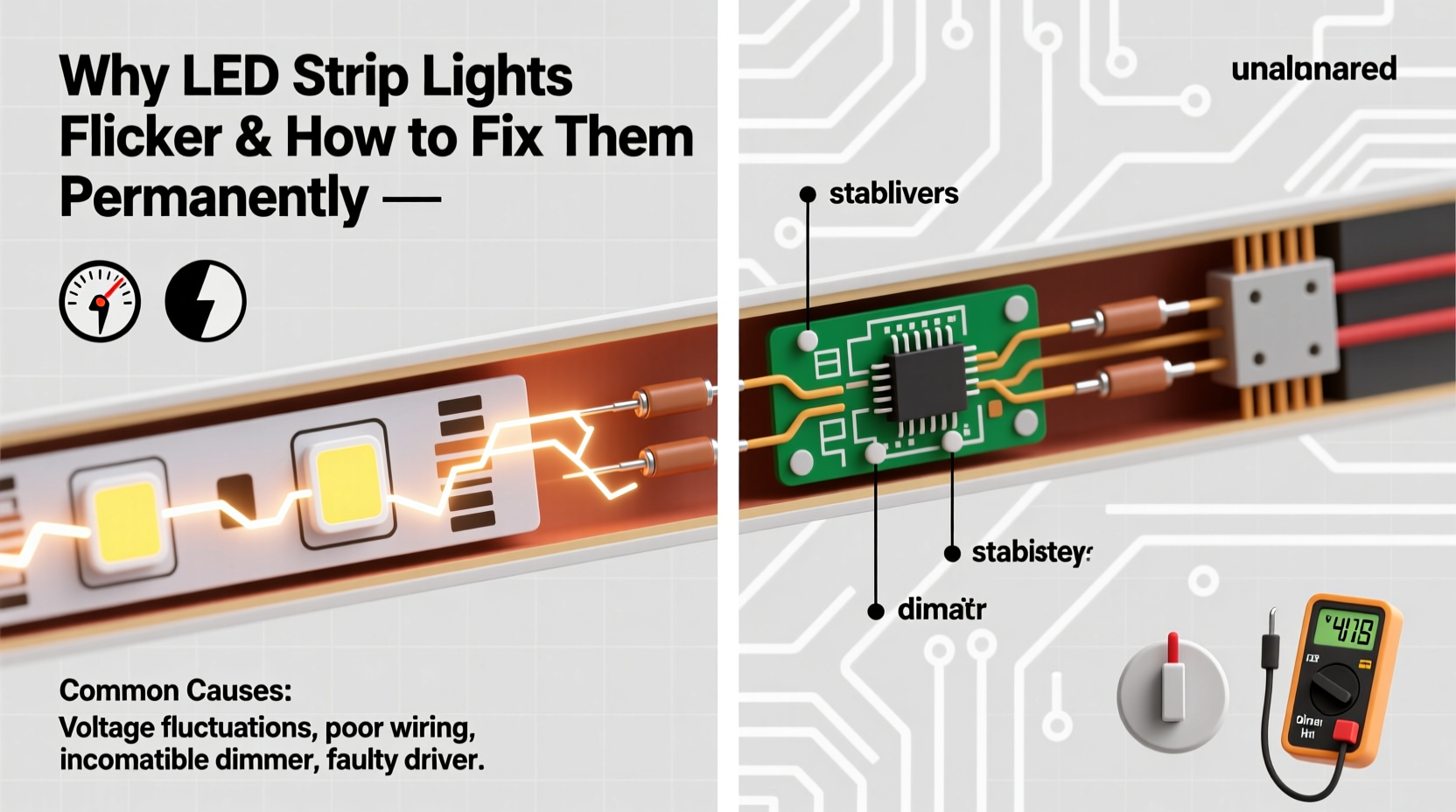
Unlike traditional incandescent bulbs, LED strips operate on low-voltage DC (direct current) power, typically 12V or 24V. They require a driver (also called a transformer or power supply) to convert standard household AC (alternating current) into usable DC power. Each LED on the strip is a semiconductor diode that emits light when current passes through it. Because LEDs respond instantly to changes in voltage, any fluctuation—no matter how minor—can result in visible flicker.
This sensitivity makes LED systems more prone to flickering than older lighting technologies, especially when components aren’t properly matched or installed. A stable power supply, correct wiring, and compatible controls are essential for flicker-free performance.
Common Causes of LED Strip Light Flickering
Flickering isn’t random—it’s a symptom. Identifying the underlying cause is critical to fixing it permanently. Below are the most frequent culprits:
1. Incompatible or Low-Quality Dimmer Switches
Many homes use trailing-edge (ELV) or leading-edge (TRIAC) dimmers designed for incandescent bulbs. These dimmers modulate AC power by cutting parts of the waveform, which works poorly with low-wattage LEDs. The mismatch can cause erratic current flow, leading to visible flickering, especially at lower brightness levels.
2. Insufficient or Overloaded Power Supply
If the power supply cannot deliver consistent voltage due to being undersized or overloaded, the LEDs will flicker. This often happens when users extend LED strips beyond the manufacturer’s recommended length without upgrading the driver.
3. Voltage Drop Across Long Runs
As current travels down a long LED strip, resistance in the copper traces causes a gradual decrease in voltage. By the end of the strip, the voltage may be too low for the LEDs to operate correctly, resulting in dimming and flickering. This is especially common in 12V strips over 16 feet (5 meters).
4. Poor Electrical Connections
Loose wire connections, corroded terminals, or poorly soldered joints create intermittent contact. Even a tiny gap can interrupt current flow, causing the lights to flicker unpredictably.
5. PWM Frequency Interference
Pulse Width Modulation (PWM) is how most LED dimmers control brightness. If the PWM frequency is too low (below 200 Hz), some people can perceive the rapid on-off cycling as flicker. Additionally, electromagnetic interference from nearby electronics (like Wi-Fi routers or motors) can disrupt the signal.
6. Faulty or Aging Components
Like all electronics, LED drivers and strips degrade over time. Capacitors in power supplies dry out, reducing their ability to smooth voltage ripples. A failing component may cause flickering that worsens over time.
“Flickering in LED systems is rarely about the LEDs themselves—it’s almost always a power delivery or compatibility issue.” — David Lin, Electrical Systems Engineer at BrightEdge Lighting
Step-by-Step Guide to Fix LED Flickering Permanently
Resolving flickering requires a systematic approach. Follow these steps to identify and eliminate the root cause:
- Turn off power at the circuit breaker before inspecting any wiring.
- Inspect all connections between the power supply, controller, and LED strip. Look for loose wires, bent pins, or signs of overheating.
- Verify power supply compatibility: Confirm the output voltage (12V/24V) and wattage match your LED strip’s requirements. Add up the total wattage of all connected strips and ensure the driver provides at least 20% more capacity.
- Check dimmer compatibility: If using a dimmer, confirm it’s designed for LED loads. Replace outdated TRIAC dimmers with trailing-edge or digital (DALI/Zigbee) models rated for low-wattage LEDs.
- Test without the dimmer: Bypass the dimmer temporarily by connecting the power supply directly to the strip. If flickering stops, the dimmer is the culprit.
- Measure voltage at both ends of the strip using a multimeter. If voltage drops more than 0.5V from start to end, consider shortening the run or injecting power at multiple points.
- Upgrade to a constant-voltage driver with high ripple suppression and over-current protection.
- Install a smoothing capacitor (e.g., 1000µF) across the output terminals of the power supply to reduce voltage fluctuations.
Power Injection for Long Runs
For strips longer than 16 feet (5m), inject power at both ends or every 16 feet. This prevents voltage drop and ensures uniform brightness. Use the same power supply or a second identical one, connecting positive and negative leads to the strip at intermediate points.
Do’s and Don’ts: Quick Reference Table
| Do’s | Don’ts |
|---|---|
| Use a power supply with 20% higher wattage than needed | Overload the power supply beyond its rated capacity |
| Choose LED-compatible dimmers (e.g., ELV, digital) | Use old incandescent dimmers with LED strips |
| Inject power for runs over 5 meters | Run 12V strips longer than 16 feet without injection |
| Secure all wire connections with screw terminals or soldering | Leave wires loose or twisted together without insulation |
| Test system before final installation | Operate flickering lights for extended periods |
Mini Case Study: Kitchen Under-Cabinet Flicker Fixed
A homeowner installed 20 feet of 12V LED strip lighting under kitchen cabinets using a single 60W power supply. Initially, the lights worked well, but after a few weeks, the far end began flickering, especially when dimmed. The installer assumed the strip was defective and replaced it—twice—without success.
An electrician diagnosed the issue: the 20-foot run exceeded the recommended length for 12V operation, causing significant voltage drop. Additionally, the wall dimmer was an old TRIAC model not rated for LEDs. The solution involved replacing the dimmer with a trailing-edge model and adding a second power feed at the midpoint of the strip. After reconnection, the flickering stopped completely, and brightness became uniform.
This case highlights how multiple factors—voltage drop and dimmer incompatibility—can combine to create persistent flickering. Addressing only one issue would not have resolved the problem permanently.
Expert Checklist: Eliminate Flickering for Good
- ✅ Confirm power supply matches LED voltage and wattage requirements
- ✅ Replace outdated dimmers with LED-compatible models
- ✅ Secure all electrical connections with proper terminals
- ✅ Inject power every 16 feet on long runs
- ✅ Test the system without the dimmer to isolate the issue
- ✅ Use a multimeter to check for voltage drop
- ✅ Install a smoothing capacitor if ripple is detected
- ✅ Upgrade to a higher-quality, regulated power supply if needed
Frequently Asked Questions
Can Wi-Fi or Bluetooth signals cause LED strip flickering?
No, wireless signals themselves don’t interfere with LED operation. However, poorly shielded controllers or power supplies can be affected by electromagnetic interference from nearby devices. Using high-quality, shielded components minimizes this risk.
Why do my LED strips flicker when I turn on other appliances?
This indicates voltage fluctuations in your home’s electrical system. Large appliances like refrigerators or air conditioners draw significant current when starting up, causing a temporary dip in voltage. A dedicated circuit or a regulated power supply with surge protection can stabilize performance.
Is LED flickering harmful to health?
Prolonged exposure to perceptible flickering (especially below 100 Hz) has been linked to eye strain, headaches, and fatigue in sensitive individuals. While modern LEDs should operate above safe thresholds, persistent flicker may affect comfort and concentration, particularly in workspaces or bedrooms.
Final Thoughts and Permanent Solutions
Flickering LED strip lights are not something you should simply live with. While temporary fixes might mask the symptom, lasting results come from addressing the core issue—whether it’s a mismatched dimmer, inadequate power supply, or poor installation practice. Investing time in proper setup pays off in reliability, longevity, and visual comfort.
Always prioritize quality components. A slightly more expensive, fully compatible power supply or dimmer will outperform budget alternatives and prevent recurring issues. Regular inspection and maintenance—such as tightening connections and monitoring for heat buildup—can catch problems early.
Lighting shapes our environment and mood. When done right, LED strips provide seamless, ambient illumination that enhances any space. With the knowledge and steps outlined here, you’re equipped to diagnose, fix, and prevent flickering—ensuring your lights perform flawlessly for years to come.




 浙公网安备
33010002000092号
浙公网安备
33010002000092号 浙B2-20120091-4
Comments
No comments yet. Why don't you start the discussion?