
It’s a familiar annoyance: you're on an important call, listening to a podcast, or enjoying music during a walk, and suddenly—silence. Your Bluetooth earbuds cut out the moment you speak, chew, or even yawn. You haven’t moved far from your phone, yet the audio drops as if the connection were severed by a ghost. After testing different scenarios, you realize a pattern: every time you move your jaw, the sound stutters or cuts out completely.
This issue affects users across brands—Apple AirPods, Samsung Galaxy Buds, Sony WF series, and others. While it may seem like faulty hardware or poor design, the root causes are often physical, environmental, or software-related. The good news? Most of these problems can be diagnosed and resolved with targeted troubleshooting.
The Jaw Movement Connection: What’s Really Happening?
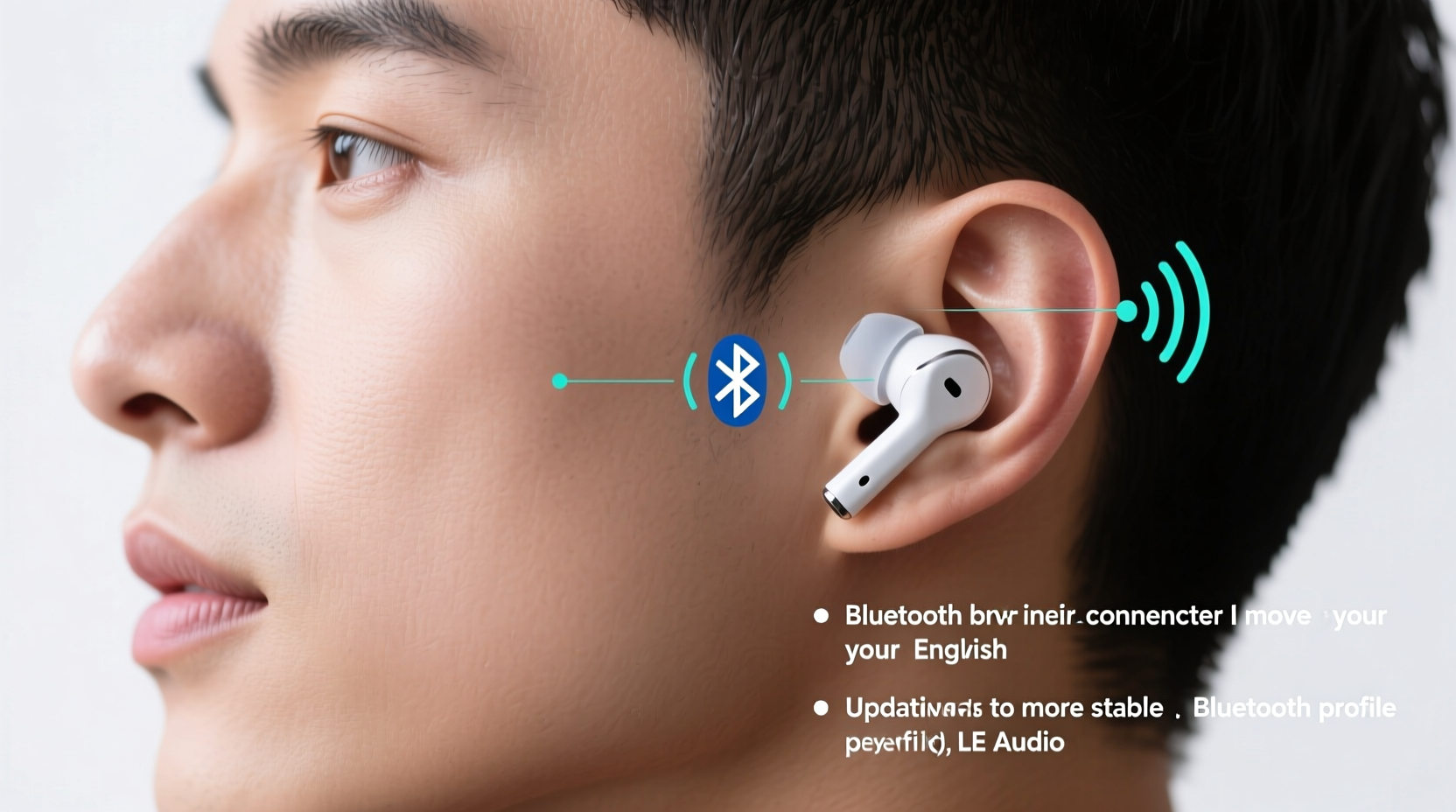
At first glance, it sounds implausible that chewing gum could interfere with wireless audio. But the explanation lies in anatomy, physics, and signal transmission. When you open your mouth, chew, or talk, several things occur simultaneously:
- Your jaw muscles contract and shift position.
- Bones in the skull and mandible vibrate slightly.
- The position of your ear canal changes subtly.
- The fit of the earbud inside your ear shifts due to muscle movement.
These small mechanical changes can affect how well the earbud maintains its position in the ear canal. If the earbud shifts even slightly, it can disrupt the internal antenna alignment or weaken the Bluetooth signal path between the earbud and your connected device (usually in your pocket or bag).
“Physical movement of the head and jaw alters the local RF environment around the ear. Even minor displacement can degrade signal integrity, especially with compact antennas.” — Dr. Lena Torres, Wireless Communications Engineer at MIT Media Lab
In many modern earbuds, the Bluetooth antenna is embedded within the body of the earpiece, often near the stem or base. Movements that shift this component—even by millimeters—can temporarily block or reflect the radio signal, leading to brief disconnections or audio dropouts.
Common Causes Behind Jaw-Movement Disconnections
Not all disconnection issues are created equal. Below are the most frequent culprits behind jaw-motion-related Bluetooth disruptions:
1. Poor Ear Tip Fit
If the ear tips don’t form a secure seal in your ear canal, any jaw motion can cause micro-shifts. Over-ear designs may pull outward when you open your mouth wide, while in-ear models may rotate or tilt.
2. Antenna Placement and Design Limitations
Smaller earbuds have limited space for robust antenna systems. Many rely on the device chassis itself as part of the radiating structure. When your hand, head, or even saliva conducts interference, signal strength drops.
3. Interference from Body Tissues
The human head absorbs and reflects 2.4 GHz radio waves—the frequency band used by Bluetooth. Chewing increases blood flow and muscle activity, which can marginally increase signal absorption near the ear.
4. Low Battery or Power-Saving Modes
Some earbuds reduce transmission power when battery levels are low or when they detect inactivity. This makes them more susceptible to disconnection under stress, such as movement-induced signal fluctuation.
5. Outdated Firmware or Software Bugs
Manufacturers regularly release firmware updates to improve stability, optimize antenna performance, and fix known bugs. Running outdated software can leave your earbuds vulnerable to avoidable glitches.
Step-by-Step Fixes to Stop Disconnections
Before replacing your earbuds, try this systematic approach to diagnose and resolve the problem.
- Check and Adjust Ear Tip Size
Swap out the default ear tips for a larger or smaller size. A proper seal ensures minimal movement. Try foam tips (like Comply) for a more adaptive fit that dampens vibration. - Reposition the Earbuds
Insert the earbuds and gently twist them forward or backward until they lock into place. Some models perform better when angled toward the nose rather than straight in. - Update Firmware
Use the manufacturer’s app (e.g., Apple’s H1 chip settings, Samsung Galaxy Wearable, Sony Headphones Connect) to check for available updates. Do this weekly if the issue persists. - Reset Bluetooth Settings
On your phone: Go to Settings > Bluetooth > [Your Earbuds] > Forget Device. Then restart your phone and re-pair the earbuds from scratch. - Test with Another Device
Pair the earbuds with a different smartphone or tablet. If the issue disappears, the original device may have Bluetooth stack problems. - Minimize Obstructions
Keep your phone in a jacket pocket or on a table instead of your back pocket. The farther the device is and the more obstacles (like your body) in the way, the weaker the signal becomes. - Disable Power-Saving Features
In some apps, you can turn off automatic pause when removing earbuds or disable “smart pause” features that may misinterpret movement as removal.
Do’s and Don’ts: Bluetooth Stability Best Practices
| Do’s | Don’ts |
|---|---|
| Use memory foam ear tips for better grip and isolation | Use worn-out or ill-fitting silicone tips |
| Keep your phone within 3 feet and in front of your body | Carry your phone in a metal-lined bag or back pocket |
| Update firmware monthly | Ignore update notifications for months |
| Store earbuds in a dry, cool place | Leave them exposed to moisture or extreme heat |
| Clean earbuds weekly with a dry cloth | Use alcohol or liquids directly on speaker mesh |
Real-World Example: Commuter Solves Daily Disconnects
Jamal, a daily commuter in Chicago, experienced constant audio dropouts on his AirPods Pro during morning calls. Every time he took a bite of breakfast sandwich or sipped coffee, the other person would hear static or lose his voice entirely. He assumed the earbuds were defective and considered returning them.
After researching the issue, he tried switching to medium-sized Comply foam tips. He also updated his iPhone to the latest iOS version and reset network settings. Finally, he started keeping his phone in his coat pocket instead of his backpack.
The result? No disconnections during meals or conversations. “I didn’t need new earbuds—I just needed the right tips and placement,” Jamal said. “Now I use them confidently while eating, walking, and even jogging.”
Expert Tips for Long-Term Stability
Solving jaw-motion disconnections isn’t always about one magic fix—it’s about optimizing multiple variables. Here are advanced strategies used by audiophiles and tech professionals:
- Use AAC or aptX Codecs When Possible: These offer more stable streaming than basic SBC, especially in noisy RF environments. Check your device settings to ensure optimal codec usage.
- Avoid Crowded Bluetooth Zones: Gyms, trains, and busy offices have dozens of active Bluetooth devices. This congestion can amplify sensitivity to movement-based interference.
- Try Mono Mode for Calls: If you’re mainly using one earbud for phone calls, switch to mono audio mode. This reduces processing load and improves connection resilience.
- Monitor Signal Strength via Developer Options (Android): Enable Bluetooth HCI snoop log in Developer Options to analyze packet loss during jaw movement.
Frequently Asked Questions
Can jaw movement really break a Bluetooth signal?
Yes. While the signal doesn’t literally “break,” jaw motion alters the position of the earbud and surrounding tissue, which can obstruct the antenna’s line of sight or change the electromagnetic environment. This leads to temporary signal degradation or dropout.
Are certain earbud models more prone to this issue?
Yes. Models with long stems (like AirPods) or those that sit shallowly in the ear are more likely to shift during talking or eating. In-ear monitors with deep seals (such as Shure SE215) tend to remain stable. However, even premium models can suffer if the fit isn't customized.
Will using only one earbud fix the problem?
It might help, but not always. Using one earbud reduces data load and can improve stability, but if that single bud moves during jaw motion, the same issue can persist. Also, stereo separation and noise cancellation may be compromised.
Comprehensive Checklist: Fix Jaw-Motion Disconnections
- ✅ Try different ear tip sizes (small, medium, large)
- ✅ Switch to memory foam tips for better grip
- ✅ Re-insert earbuds with a twisting motion for secure fit
- ✅ Update earbud firmware via manufacturer app
- ✅ Reset Bluetooth pairing on your phone
- ✅ Carry your phone in a front pocket or on a table
- ✅ Avoid metal cases or thick phone covers that block signals
- ✅ Clean earbud stems and sensors weekly
- ✅ Test with another device to isolate the issue
- ✅ Disable auto-pause and wear detection if problematic
Conclusion: Take Control of Your Wireless Experience
Jaw-motion disconnections are frustrating, but they’re rarely a permanent flaw. With careful attention to fit, firmware, and environment, most users can eliminate the issue entirely. The key is understanding that Bluetooth stability depends on more than just distance—it's influenced by anatomy, materials, and smart configuration.
Don’t accept intermittent audio as normal. Experiment with tips, placements, and settings. Track what works. Share your findings. Small adjustments today can lead to seamless listening tomorrow.




 浙公网安备
33010002000092号
浙公网安备
33010002000092号 浙B2-20120091-4
Comments
No comments yet. Why don't you start the discussion?