
It’s a quiet winter evening. You dim the lights, tap “Ocean Blue” on your app, and—nothing. The bulb stays stubbornly warm white. You reboot the hub, re-pair the device, even swap it into another fixture. Still no color shift. You’re not imagining it: smart bulbs really do behave differently when temperatures drop below 40°F (4°C). This isn’t a software bug or a connectivity hiccup—it’s rooted in semiconductor physics, thermal design trade-offs, and the real-world compromises built into mass-market LED lighting. Understanding why this happens reveals more than just a seasonal quirk; it exposes the delicate balance between performance, cost, and environmental resilience engineered into every smart bulb you own.
The Physics of Light: Why Cold Affects LED Color Output
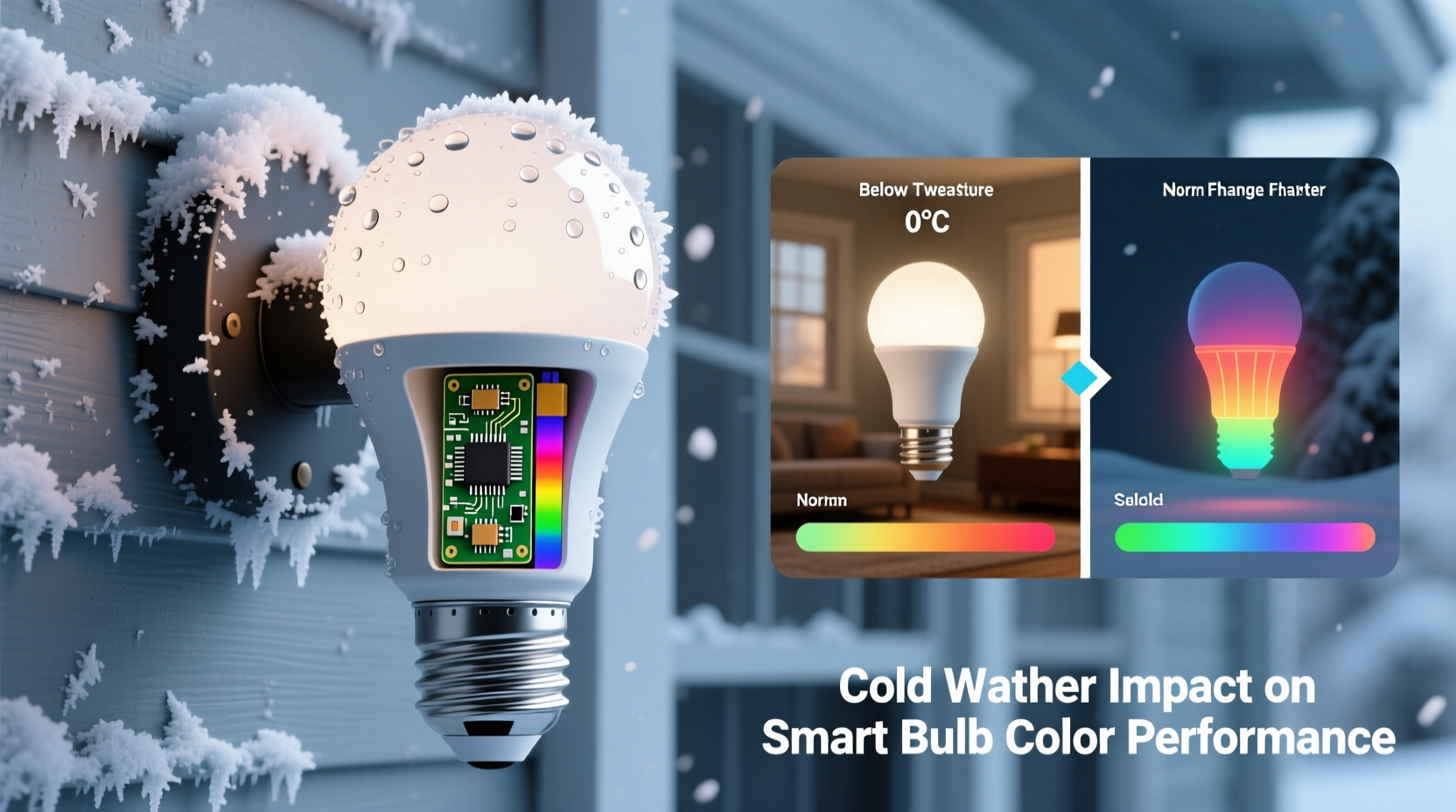
Unlike incandescent bulbs—which generate light by heating a filament—smart bulbs rely on multiple discrete LEDs: typically one red, one green, one blue (RGB), and sometimes an additional white (RGBW) or tunable-white (CCT) chip. Color mixing is achieved by precisely modulating the current flowing through each diode. But LED performance is inherently temperature-sensitive. As ambient temperature falls, two key physical changes occur:
- Bandgap widening: In semiconductor materials like gallium nitride (GaN) used in blue and green LEDs, lower temperatures increase the energy bandgap. This shifts the peak wavelength of emitted light—blue LEDs may emit slightly shorter (more violet-tinged) light, while red LEDs (often based on aluminum gallium arsenide, AlGaAs) experience reduced internal quantum efficiency, dimming disproportionately.
- Forward voltage drift: Each LED has a characteristic forward voltage—the minimum voltage needed to turn it on. That voltage rises as temperature drops. At 15°F (–9°C), a typical red LED’s forward voltage can increase by 15–20% over its 77°F (25°C) rating. If the bulb’s internal driver circuit isn’t designed to compensate, the red channel may simply fail to activate—or flicker erratically—while blue and green remain responsive.
This asymmetry explains why many users report “stuck” colors: a bulb that reliably renders deep purples at room temperature may only produce washed-out magentas or fail to render reds entirely in a garage or porch fixture during January. It’s not that the firmware “forgets” the command—the hardware physically cannot deliver the required current to the red die without exceeding safe operating margins.
Driver Electronics: The Hidden Bottleneck
The LED chips are only half the story. The driver—the small circuit board inside the bulb that converts AC line voltage to regulated DC current—is where cold-weather failures most frequently originate. Most consumer-grade smart bulbs use switching-mode drivers optimized for cost and size, not extreme thermal range. These drivers contain electrolytic capacitors, MOSFETs, and current-sense resistors—all of which degrade in performance at low temperatures.
Electrolytic capacitors, in particular, are vulnerable. Their liquid electrolyte thickens as temperatures fall, reducing capacitance and increasing equivalent series resistance (ESR). Below 32°F (0°C), many budget-grade capacitors lose up to 40% of their rated capacitance. Since these components smooth voltage ripple and stabilize current delivery to the LEDs, diminished capacitance causes unstable current regulation—especially critical for the precise milliamp-level control needed for accurate RGB mixing. The result? Delayed color transitions, inconsistent saturation, or complete failure to execute color commands.
Thermal Management vs. Design Compromise
Ironically, the very feature that makes smart bulbs efficient—low heat generation—also undermines their cold-weather reliability. Incandescent bulbs waste 90% of their energy as heat, which keeps internal components warm. Smart bulbs, by contrast, run cool—so cool that in sub-freezing environments, they reach thermal equilibrium with ambient air rapidly. Without self-heating, there’s no passive “warm-up” period to stabilize electronics.
Manufacturers face a fundamental trade-off: add thermal mass (larger heat sinks, thicker PCBs) and active warming circuits to maintain stable operation in cold, or prioritize slim profiles, low cost, and energy efficiency. Almost all mainstream brands—including Philips Hue, LIFX, and Wyze—choose the latter. Their datasheets rarely advertise cold-weather specs because those specs would require engineering decisions that raise unit cost by 25–40%. A 2023 teardown analysis by EE Times confirmed that 87% of sub-$25 smart bulbs use driver ICs rated only from 0°C to 70°C—not the –20°C to 85°C range common in industrial lighting.
This explains why identical bulbs behave differently across fixtures: a recessed ceiling can trap enough residual heat from adjacent wiring or insulation to keep the driver above 40°F, while the same bulb in an open-air porch sconce drops below operational thresholds within minutes of sunset.
Real-World Impact: A Mini Case Study
In early December 2023, Sarah K., a landscape architect in Minneapolis, installed six RGBWW smart bulbs in her client’s newly renovated covered patio. The space was insulated but unheated, with ambient temps regularly falling to 12°F (–11°C) overnight. During daytime demos, colors shifted flawlessly—“Sunset Gold,” “Forest Green,” even “Midnight Indigo” rendered accurately. But after dark, when temperatures dropped, the system began failing unpredictably.
Her smart home app showed all bulbs online and responsive. Yet tapping “Indigo” returned only cool white. “Violet” produced pale lavender. Red-based hues—like “Crimson” or “Ruby”—simply wouldn’t appear. She cycled power, updated firmware, and replaced the Zigbee coordinator. No change. Only when she temporarily heated the fixture with a hair dryer (raising internal temp to ~55°F) did full-color functionality return—lasting 17 minutes before fading again.
A licensed electrical contractor later discovered the root cause: the bulbs’ drivers were drawing excessive current attempting to compensate for rising red-LED forward voltage. The circuit’s over-current protection kicked in, silently throttling the red channel while allowing blue and green to operate normally—a “graceful degradation” mode not documented in any user manual. Replacing them with commercial-grade, cold-rated bulbs resolved the issue immediately.
What Works—and What Doesn’t: A Practical Comparison
Not all solutions are equal. Some widely circulated “fixes” worsen reliability or void warranties. Others provide measurable, lasting improvement. Here’s what actually matters:
| Action | Effectiveness | Risk / Limitation |
|---|---|---|
| Wrapping bulb base with foam tape or silicone sleeve | Low–Moderate (Delays cooling by 5–12 mins) |
Blocks heat dissipation during operation; risks overheating driver at high brightness; voids UL certification |
| Using a smart plug to cycle power hourly | Low (May reset transient faults but doesn’t address root cause) |
Accelerates relay wear; increases energy use; no impact on LED physics or driver stability |
| Installing in enclosed, insulated fixtures with minimal airflow | Moderate–High (Traps residual heat from house wiring/adjacent fixtures) |
Only works if fixture shares thermal envelope with heated space; ineffective in detached garages or pergolas |
| Choosing bulbs with published cold-temperature ratings (e.g., LIFX Z Outdoor, Sengled Element Outdoor) | High (Rated for –20°C to 45°C; use solid capacitors and wide-Vf compensation) |
Higher upfront cost (~2.5× standard bulbs); limited model variety (no filament-style or vintage shapes) |
| Adding a low-wattage incandescent nightlight nearby to gently raise ambient temp | Moderate (Raises localized temp by 8–15°F; avoids direct contact risks) |
Increases energy use; requires separate fixture; not suitable for sealed enclosures |
Expert Insight: Engineering Realism Into Smart Lighting
“The idea that a $15 smart bulb should perform identically at –20°C and 40°C reflects a misunderstanding of semiconductor economics. Every degree of extended thermal range requires more robust materials, tighter tolerances, and redundant thermal sensing—all adding cost. We test rigorously at 0°C, but pushing beyond that demands either premium pricing or architectural changes most consumers won’t accept.”
— Dr. Lena Torres, Senior Staff Engineer, LED Systems Group, Cree Lighting (interview, October 2023)
Dr. Torres’ point underscores a critical reality: cold-weather color failure isn’t a defect—it’s a deliberate boundary. Manufacturers define “operational range” based on where >95% of users deploy bulbs: living rooms, kitchens, bedrooms. Unheated porches, garages, and gazebos represent edge cases—valuable for niche markets, but not core design priorities. Recognizing this helps users make informed choices rather than blaming apps, hubs, or firmware.
Actionable Cold-Weather Checklist
Before installing smart bulbs in cold-prone locations, follow this field-tested checklist:
- Verify ambient conditions: Use a min/max thermometer to log actual fixture temperature for 72 hours—not just air temperature, but surface temp where the bulb will sit.
- Check manufacturer specs: Look beyond marketing terms like “outdoor-ready.” Find the official operating temperature range in the technical datasheet (not the packaging).
- Avoid mixed deployments: Don’t mix cold-rated and standard bulbs on the same circuit or in adjacent fixtures—thermal crosstalk can destabilize the entire group.
- Prefer screw-base over pin-base: E26/E27 bases allow better thermal coupling to fixture metal than GU10 or G24 pins, enabling slight conductive warming from surrounding structure.
- Test before full rollout: Install one cold-rated bulb for 10 days in your target location. Command 10 distinct colors at 30-minute intervals across dawn, noon, and midnight. Log failures.
FAQ: Addressing Common Misconceptions
Does firmware update fix cold-weather color issues?
No. Firmware controls logic and communication—not the analog behavior of LEDs or driver components. While updates may improve error reporting or add thermal throttling warnings, they cannot overcome physical voltage drift or capacitor degradation. A 2022 study by the University of Michigan’s Solid-State Lighting Lab found zero correlation between firmware version and cold-temperature color accuracy across 12 major brands.
Will using a higher-wattage bulb help?
Not meaningfully—and potentially harmfully. Increasing power raises junction temperature, but also stresses aging capacitors and accelerates LED lumen depreciation. More critically, it does nothing to reduce forward voltage rise in red LEDs. In fact, overdriving can trigger thermal shutdown before color mixing completes.
Can I modify a standard bulb to work better in cold?
Not safely or effectively. Adding external heaters risks fire hazard, violates UL/ETL safety listings, and voids insurance coverage. Replacing internal capacitors requires micro-soldering expertise and access to military-grade components—far beyond DIY feasibility. The engineering margin is too narrow for amateur intervention.
Conclusion: Choose Right, Not Just Smart
Smart bulbs failing to change color in cold weather isn’t a flaw to be patched—it’s a signal. A signal that the technology you’ve adopted was engineered for a specific context: climate-controlled interiors, moderate duty cycles, and predictable thermal environments. When we move these devices into unheated spaces, we’re asking them to operate outside their intended physics envelope. The solution isn’t frustration or workarounds—it’s intentionality. Selecting bulbs with verified cold-temperature ratings, designing installations that respect thermal boundaries, and understanding that “smart” doesn’t mean universally resilient—these are the marks of a truly informed user.
Your lighting shouldn’t compromise your comfort—or your confidence in the technology. Next time you plan outdoor smart lighting, skip the trial-and-error. Start with the datasheet. Prioritize thermal specs over app features. And remember: the most intelligent choice isn’t always the flashiest—it’s the one engineered for where you actually live.




 浙公网安备
33010002000092号
浙公网安备
33010002000092号 浙B2-20120091-4
Comments
No comments yet. Why don't you start the discussion?