
As holiday lighting becomes increasingly sophisticated, many homeowners are noticing a new ritual: updating the firmware on their smart Christmas light controllers each year before the season begins. While it may seem like an unnecessary hassle—especially when last year’s setup worked perfectly—the reality is that these updates serve critical roles in performance, compatibility, security, and innovation. Understanding why annual firmware updates are required helps users make informed decisions about their holiday tech and ensures smoother, safer, and more dazzling light shows.
The Evolution of Holiday Lighting Technology
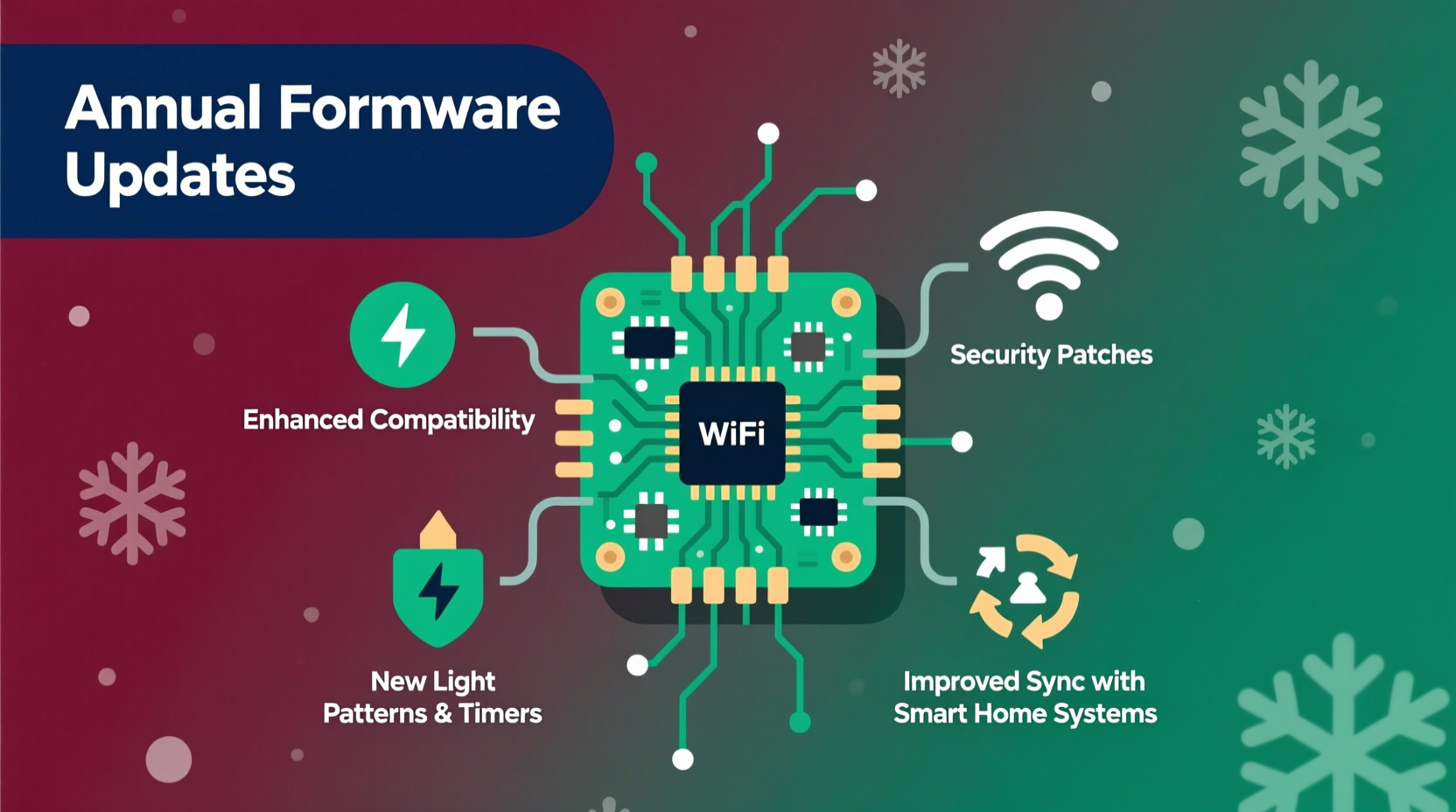
Gone are the days of simple plug-in strings with basic on/off switches. Modern Christmas light controllers—especially those used in synchronized light displays—are essentially small embedded computers. They connect to Wi-Fi or Bluetooth, receive timing signals from network sources, interpret music-sync data, and control hundreds or even thousands of individual LEDs through protocols like DMX or E1.31.
These capabilities rely on software—firmware—that dictates how the hardware behaves. Unlike traditional lights, which degrade over time due to physical wear, smart controllers age primarily through technological obsolescence. As networks evolve, apps update, and user expectations grow, manufacturers must release firmware patches to keep devices functional and secure.
This shift mirrors trends in consumer electronics: just as smartphones receive yearly OS updates, so too must specialized devices adapt to changing digital environments. The difference is that while phone updates are expected, holiday gear sits unused for 11 months, making unexpected update requirements feel sudden or inconvenient.
Key Reasons for Annual Firmware Updates
Firmware updates for Christmas light controllers aren’t arbitrary. They address real-world issues and opportunities that emerge between holiday seasons. Below are the primary drivers behind the need for regular updates:
1. Network Protocol Changes and Compatibility Fixes
Many smart controllers connect via home Wi-Fi or local networks using standard communication protocols. Over time, router firmware, network encryption standards (like WPA3 adoption), or DHCP configurations change. A controller designed for WPA2 may fail to connect if the home network upgrades—unless its firmware is updated to support newer standards.
Additionally, synchronization platforms such as xLights or Falcon Player frequently refine how they broadcast timing and color data. Controllers must stay compatible with these evolving formats. An outdated device might misinterpret commands, leading to flickering, desynchronization, or complete failure during a display.
2. Bug Fixes and Stability Improvements
No software is perfect at launch. Manufacturers often release initial firmware with known limitations or undiscovered bugs. For example, a controller might crash after 48 hours of continuous operation or fail to reboot correctly after a power cycle. These flaws only become apparent during extended seasonal use.
Annual updates patch these stability issues. One well-documented case involved a popular brand whose controllers would lose network connectivity when ambient temperatures dropped below freezing—a critical flaw in outdoor winter setups. The fix was delivered via firmware update the following year, preventing widespread failures.
3. Enhanced Features and User Experience
Manufacturers use annual updates to roll out new features based on customer feedback. Examples include:
- Support for additional animation effects (e.g., meteors, twinkle variations)
- Improved scheduling options (sunrise/sunset tracking, dynamic timers)
- Better integration with voice assistants or mobile apps
- More granular brightness controls for energy efficiency
These enhancements don't just add convenience—they expand creative possibilities. A homeowner who once had five preset patterns might, after an update, gain access to dozens of customizable sequences, transforming their display without purchasing new hardware.
4. Security Vulnerabilities and Data Protection
Smart controllers connected to home networks can pose cybersecurity risks if left unpatched. Researchers have demonstrated that poorly secured holiday devices can be exploited as entry points into broader home networks. In one study, a team showed how a compromised outdoor light node could be used to intercept internal traffic or launch denial-of-service attacks.
“Any internet-connected device is a potential attack surface. Holiday controllers are no exception—especially when they’re left online year-round.” — Dr. Lena Patel, Cybersecurity Researcher at Northeastern University
Annual firmware updates often include security patches for known vulnerabilities, such as weak default passwords, unencrypted configuration pages, or exposed API endpoints. While not all users run full-time connections, those managing permanent installations benefit significantly from these protections.
5. Regulatory and Certification Compliance
In rare cases, regulatory bodies issue new requirements affecting electronic emissions, power usage, or wireless signal strength. If a previously compliant controller no longer meets regional standards (such as FCC or CE regulations), a firmware update may adjust transmission behavior to remain legal for use.
This is particularly relevant for radio-based controllers operating in shared frequency bands (like 2.4 GHz). Interference concerns or updated spectrum rules may necessitate changes in how devices communicate, enforced through software rather than hardware replacement.
Case Study: The Johnson Family’s Pre-Light Troubles
The Johnsons in suburban Minnesota maintain a beloved 10,000-light holiday display viewed by thousands each December. In 2022, they experienced repeated outages mid-show despite thorough pre-season testing. After ruling out weather and wiring issues, they discovered that two of their six controllers were running outdated firmware.
The root cause? A silent bug in version 1.07 caused memory leaks during long sequences, eventually crashing the device after several hours. The manufacturer had released version 1.09 in early 2023 with a fix—but since the controllers were stored offline, the update wasn’t automatic.
After manually applying the update via USB and re-uploading their show file, the system ran flawlessly throughout the 2023 season. The experience prompted the family to create a checklist: every October, they now verify firmware versions across all units before installation.
Best Practices for Managing Firmware Updates
To avoid last-minute surprises and ensure reliable performance, follow this structured approach to firmware management:
Step-by-Step: Annual Firmware Maintenance Timeline
- Early October – Inventory Check: Unpack all controllers and label them by model and location.
- Mid-October – Connect & Diagnose: Power each unit and connect to your network or computer. Use the manufacturer’s app or web interface to check current firmware version.
- Late October – Download & Apply Updates: Visit the official support site, download the latest firmware, and follow instructions precisely. Avoid third-party tools unless verified.
- Early November – Test Thoroughly: Run full sequences, including longest animations and music syncs, to confirm stability.
- Mid-November – Document & Backup: Record firmware versions and store backup configuration files in cloud storage or external drive.
Firmware Do’s and Don’ts
| Action | Recommended? | Reason |
|---|---|---|
| Update before installing outdoors | ✅ Yes | Ensures reliability in cold/wet conditions |
| Use unofficial firmware mods | ❌ No | Risks bricking the device or voiding warranty |
| Skip updates if last year worked | ❌ Not advised | Hidden bugs may resurface under new conditions |
| Backup config files pre-update | ✅ Yes | Allows quick recovery if settings are lost |
| Leave controllers online off-season | ⚠️ With caution | Enables remote updates but increases exposure to cyber threats |
FAQ: Common Questions About Christmas Light Controller Updates
Do all smart Christmas light controllers need annual updates?
No—not all do. Basic Wi-Fi plugs or RGB strips with simple apps may never require updates. However, advanced controllers used in large or synchronized displays almost always benefit from periodic firmware improvements. Devices marketed as “prosumer” or “commercial-grade” are most likely to receive annual updates due to their complexity.
Can I automate firmware updates?
Some high-end systems support over-the-air (OTA) updates if the controller remains powered and connected year-round. However, automation carries risk—if an update fails mid-process, the device may become unresponsive. Most experts recommend manual supervision during critical updates, especially for mission-critical display nodes.
What happens if I don’t update my controller?
You may experience degraded performance, loss of connectivity, or incompatibility with new control software. In extreme cases, unpatched security flaws could expose your home network. While many devices continue working without updates, doing so increases operational risk and limits access to new features.
Conclusion: Embrace the Update, Enhance the Experience
Annual firmware updates for Christmas light controllers may seem like an unwelcome addition to holiday prep, but they reflect the growing intelligence and integration of modern lighting systems. Far from being mere nuisances, these updates preserve functionality, unlock creativity, and protect investments in seasonal technology.
By treating firmware maintenance as part of routine display care—akin to checking extension cords or cleaning lens covers—enthusiasts can ensure their lights shine brightly and reliably year after year. The few hours spent updating software can prevent weeks of frustration and disappointment during the most magical time of the year.




 浙公网安备
33010002000092号
浙公网安备
33010002000092号 浙B2-20120091-4
Comments
No comments yet. Why don't you start the discussion?