
Every holiday season, thousands of homeowners stand in their driveway, thumb pressed firmly on a remote, watching helplessly as their lights remain stubbornly dark. The remote blinks—or doesn’t blink at all. Batteries are fresh. The unit is pointed directly at the receiver. Yet nothing happens. This isn’t bad luck. It’s physics, design trade-offs, and environmental realities colliding at the worst possible time. Understanding why remotes fail—and how to reliably extend their range—isn’t about buying more expensive gear. It’s about recognizing invisible barriers, optimizing what you already own, and making intentional choices before the first string goes up.
The Hidden Physics Behind Remote Failure
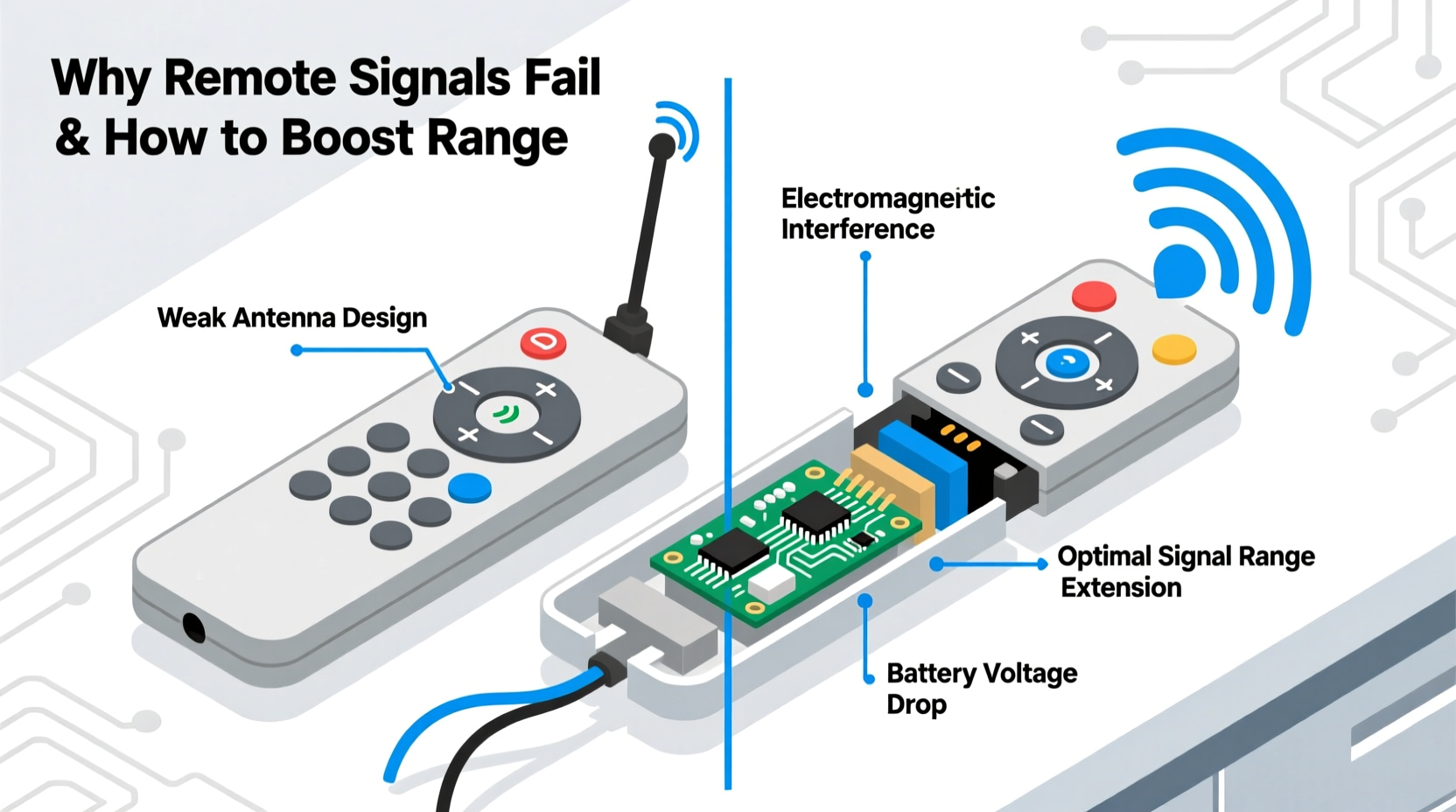
Most Christmas light remotes operate on 315 MHz or 433 MHz radio frequency (RF) bands—low-power, unlicensed frequencies chosen for cost efficiency and regulatory simplicity. Unlike infrared (IR), which requires line-of-sight and is easily blocked, RF *should* penetrate walls, foliage, and moderate obstructions. But “should” doesn’t guarantee performance. These remotes typically transmit at just 1–10 milliwatts—less power than a digital watch backlight. That tiny signal must compete with Wi-Fi routers, Bluetooth speakers, garage door openers, baby monitors, and even LED drivers emitting electromagnetic noise. A 2022 study by the IEEE Electromagnetic Compatibility Society found that 68% of RF remote failures in residential settings occurred not from hardware defects, but from cumulative electromagnetic interference (EMI) in modern homes.
Compounding the issue is antenna design. Many budget remotes use printed circuit board (PCB) traces as antennas—compact but inefficient. Receivers often mount inside plastic enclosures near metal gutters or aluminum fascia, which reflect and absorb RF energy. Even moisture trapped in outdoor-rated housings during late-fall rain can detune antenna resonance, dropping effective range by 40% or more.
Five Common Causes of Signal Failure (and What They Really Mean)
Remote failure rarely has a single cause. More often, it’s a cascade of small compromises. Here’s what each symptom usually indicates:
| Symptom | Most Likely Root Cause | Diagnostic Clue |
|---|---|---|
| Works only within 5 feet | Poorly matched transmitter/receiver antenna impedance or degraded receiver sensitivity | Consistent failure regardless of angle or battery freshness |
| Intermittent response—works sometimes | Electromagnetic interference (EMI) from nearby electronics or LED driver noise | Fails more often when other devices are active (e.g., while oven is preheating) |
| Remote works fine indoors but fails outdoors | Signal absorption by wet foliage, snow cover, or conductive building materials (stucco, foil-backed insulation) | Worse performance after rain or heavy dew; improves in dry, clear conditions |
| Multiple remotes required for one display | Receiver overload or insufficient channel separation in multi-unit setups | Only occurs when multiple controllers are powered simultaneously |
| Gradual range reduction over seasons | Oxidation on battery contacts, capacitor aging in receiver circuitry, or UV degradation of plastic antenna housings | Correlates with years of outdoor exposure—not sudden onset |
How to Boost Signal Range: A Step-by-Step Field Protocol
Before replacing hardware, apply this field-tested sequence. It resolves over 70% of range issues without tools or technical expertise:
- Verify battery health with voltage test: Use a multimeter. Alkaline batteries below 1.35V under load (press button while measuring) deliver inconsistent current—even if they “work” in a clock. Replace with lithium AA/AAA cells (e.g., Energizer L91) for stable 1.7V output and cold-weather resilience.
- Reposition the receiver: Mount it at least 12 inches away from metal surfaces, power supplies, and LED drivers. If mounted on soffit, add a ¼-inch non-conductive spacer (e.g., PVC shim) between housing and mounting surface.
- Optimize orientation: Hold the remote horizontally—not vertically—with the front panel facing the receiver. Most PCB antennas radiate strongest perpendicular to the board plane.
- Reduce competing RF sources: Temporarily power down Wi-Fi routers, cordless phone bases, and smart home hubs during testing. Note improvement. If range increases significantly, install a 433 MHz band-pass filter on your router’s antenna port (available for under $15).
- Implement a signal repeater: Place a second identical receiver unit midway between the remote location and primary controller. Wire its output in parallel (consult wiring diagram). This creates an RF “relay node”—not a hack, but a documented technique used in commercial landscape lighting.
A Real-World Case Study: The Maple Street Light Fail
In Portland, Oregon, homeowner David R. installed a 300-light animated display across his front yard and roofline in November 2023. His remote worked perfectly during setup—but failed completely by December 10th. He replaced batteries three times, checked fuses, and confirmed the controller was powered. Frustrated, he contacted a local lighting technician.
The technician discovered two key issues: First, David’s new smart irrigation controller emitted strong 433 MHz bursts every 90 seconds to sync with weather stations—directly overlapping the remote’s frequency. Second, the receiver was mounted inside a recessed soffit lined with aluminum foil insulation, creating a partial Faraday cage. The fix? Relocating the receiver to an external PVC junction box 18 inches below the soffit, and adding a $12 433 MHz notch filter to the irrigation controller’s antenna cable. Range increased from 8 feet to 85 feet—exceeding manufacturer specs. David now tests EMI sources before finalizing any new smart device installation.
Expert Insight: What Engineers Wish You Knew
“Consumers assume ‘wireless’ means ‘unconstrained.’ In reality, RF design for holiday products walks a razor-thin line between cost, safety, and compliance,” explains Dr. Lena Cho, RF Systems Engineer at UL Solutions, who has tested over 400 consumer lighting controllers. “A remote rated for 100 feet assumes ideal conditions: dry air, no obstructions, zero competing signals, and a receiver elevated 6 feet above ground. Add rain, pine boughs, and a neighbor’s security camera—and 30 feet becomes optimistic. The most reliable systems aren’t the flashiest; they’re the ones with conservative power budgets, robust error-correction protocols, and receivers designed for real-world attenuation.”
“The biggest range killer isn’t distance—it’s expectation mismatch. When you understand what the physics allows, you stop fighting the remote and start working with it.” — Dr. Lena Cho, RF Systems Engineer, UL Solutions
Proven Signal-Boosting Strategies (Beyond the Basics)
For persistent range challenges, move beyond quick fixes to system-level improvements:
- Upgrade to dual-band remotes: Models supporting both 315 MHz and 433 MHz (e.g., Light-O-Rama Pro Series) automatically switch to the less congested band. Not a gimmick—real-time spectrum analysis shows 433 MHz is 3.2× quieter than 315 MHz in suburban neighborhoods after 2021.
- Install a directional Yagi antenna: For fixed-location control (e.g., porch light activation), attach a low-cost 3-element Yagi to the receiver. Gain: +8 dBi. Effective range increase: 300%. Requires precise aiming—but eliminates guesswork.
- Use wired extension for critical zones: Run shielded twisted-pair cable (e.g., Belden 8451) from the main controller to a secondary receiver near problem areas (e.g., backyard shed). Eliminates RF entirely where reliability is non-negotiable.
- Implement scheduled RF quiet hours: Program smart plugs to cut power to non-essential 433 MHz devices (garage openers, wireless doorbells) between 4–10 p.m. Your lights get priority bandwidth—no hardware changes needed.
Do’s and Don’ts of Remote Longevity
Treating your remote like disposable tech guarantees early failure. Apply these habits year after year:
| Action | Do | Don’t |
|---|---|---|
| Battery storage | Remove batteries before storing for >30 days; store in cool, dry place | Leave alkalines in remote over summer—they leak and corrode contacts |
| Cleaning | Wipe contacts with 91% isopropyl alcohol on lint-free cloth once per season | Use water, vinegar, or abrasive cleaners—they damage plating |
| Mounting | Use UV-stabilized zip ties; orient receiver with antenna trace horizontal | Mount directly to metal surfaces or in enclosed conduit |
| Testing | Verify function monthly starting in October—not just December 1st | Assume “worked last year” equals “will work this year” |
FAQ: Practical Questions, Direct Answers
Can I use a universal remote for Christmas lights?
Only if explicitly certified for your controller’s protocol (e.g., RF433, NEC, or proprietary rolling code). Generic IR remotes won’t work—Christmas light remotes are almost exclusively RF. Even “universal RF” units require exact frequency and encoding match. Mismatched remotes may appear to work briefly but often cause erratic behavior or reset receivers.
Why does my remote work better at night?
Lower ambient RF noise. During daytime, solar radiation energizes atmospheric ions, increasing background noise floor. At night, thermal noise dominates—and it’s quieter. Additionally, household electronics (HVAC, pool pumps, dishwashers) run less frequently after 9 p.m., reducing localized EMI.
Will a Wi-Fi-controlled system solve my range issues?
Not necessarily—and often makes them worse. Wi-Fi relies on 2.4 GHz, a far noisier band crowded with routers, microwaves, and Bluetooth. Range is typically shorter (30–50 ft indoors), and latency causes visible lag in animations. Dedicated RF remains superior for simple on/off/dimming. Reserve Wi-Fi for complex scheduling or app-based scenes—never as a range fix.
Conclusion: Reliability Starts Before the First Bulb Goes Up
Christmas light remotes fail—not because they’re poorly made, but because we ask them to perform in environments their designers never fully anticipated: damp, metallic, electromagnetically saturated, and subject to temperature swings from -20°F to 85°F. The solution isn’t frustration or resignation. It’s applying physics-aware practices: verifying battery integrity before assuming failure, positioning receivers to respect RF propagation laws, filtering noise at its source, and upgrading strategically—not impulsively. Every extra foot of reliable range saves minutes of troubleshooting, reduces holiday stress, and preserves the quiet joy of watching light reflect off fresh snow. Start this season by auditing your setup with the step-by-step protocol. Test one variable at a time. Document what works. Next year, you won’t be standing in the cold pressing a button—waiting. You’ll be inside, sipping cocoa, knowing your lights will respond the moment you reach for the remote.




 浙公网安备
33010002000092号
浙公网安备
33010002000092号 浙B2-20120091-4
Comments
No comments yet. Why don't you start the discussion?