
That low, persistent buzz—sometimes a faint 60 Hz hum, other times an erratic, grating whine—is more than just holiday background noise. It’s a telltale sign of electrical inefficiency, component stress, or design compromise. While many assume buzzing lights are harmless, they often indicate underlying issues that can shorten bulb life, increase energy use, pose fire risks in extreme cases, and significantly erode seasonal enjoyment. Understanding *why* lights buzz isn’t about technical curiosity—it’s about safety, longevity, and reclaiming peace during what should be a joyful time.
Buzzing occurs across all major light types: traditional incandescent mini-lights with built-in rectifiers, older C7/C9 plug-in sets, modern LED strings with internal drivers, and even high-end commercial-grade installations. The root causes vary—but so do the solutions. This article cuts through marketing claims and anecdotal fixes to deliver grounded, electrically sound guidance based on real-world troubleshooting, manufacturer specifications, and insights from lighting engineers and certified electricians.
The Physics Behind the Buzz: What’s Really Vibrating?
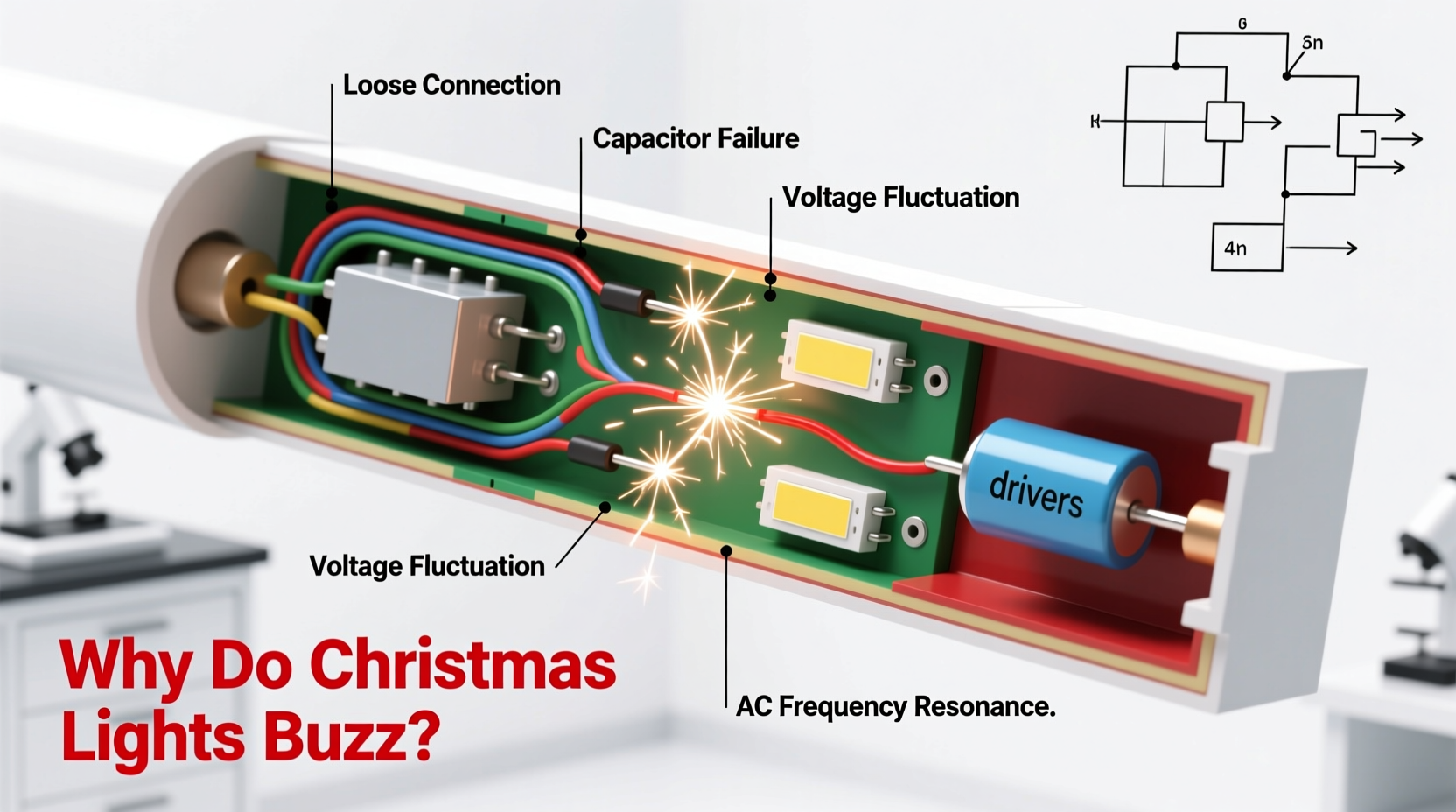
Christmas light buzz originates from electromagnetic forces acting on physical components—not from air movement or loose wires rattling (though those can amplify it). In AC-powered systems, current alternates direction 50 or 60 times per second (depending on region). When magnetic fields rapidly expand and collapse around conductive materials—especially laminated iron cores in transformers or chokes—they induce minute mechanical vibrations. These vibrations transfer to surrounding housings, plastic casings, or even wire insulation, producing audible sound.
In LED sets, the culprit is rarely the diodes themselves. Instead, it’s the switching power supply (often called a “driver” or “rectifier module”) that converts household AC to low-voltage DC. Cheaply designed drivers operate at low switching frequencies (e.g., 1–20 kHz), placing their output harmonics squarely within human hearing range (20 Hz–20 kHz). Higher-quality drivers switch at 100+ kHz—well above audibility—making them silent in operation.
Incandescent sets buzz less frequently but more noticeably when they do: typically due to aging bimetallic thermal fuses vibrating under load or corroded socket contacts arcing microscopically with each AC cycle. Both generate heat and degrade faster under these conditions.
Five Primary Causes—and How to Diagnose Each
Not all buzz sounds alike—and the character of the noise offers diagnostic clues. A steady, low-pitched hum usually points to transformer or driver issues. A sputtering, intermittent buzz suggests poor connections or failing components. A high-pitched whine almost always indicates subpar LED driver design.
- Low-Quality or Overloaded Power Supplies: Budget LED strings often use undersized, unshielded switching regulators. When multiple sets are daisy-chained beyond manufacturer limits—or plugged into extension cords with voltage drop—the driver works harder, lowering its effective switching frequency and increasing audible noise.
- Aging or Failing Transformers (in Incandescent Sets): Older plug-in transformers contain laminated iron cores and copper windings. As insulation degrades or laminations loosen over years, magnetostriction intensifies, causing louder hum. Heat buildup accelerates this process.
- Poor Electrical Connections: Corrosion, bent pins, or worn sockets create micro-arcing. Each arc generates a tiny plasma burst, emitting both light (flicker) and sound (a sharp “tick” or “crackle”). In strings with dozens of bulbs, these accumulate into a continuous buzz.
- Dimmer Switch Interference: Using non-dimmable LED lights on circuits controlled by leading-edge (TRIAC) dimmers creates waveform distortion. The chopped AC signal forces the driver to misfire repeatedly, resulting in aggressive buzzing—and potential driver failure.
- Ground Loop or EMI Issues: When multiple light strings share a circuit with audio equipment, computers, or smart home hubs, stray electromagnetic interference (EMI) can couple into sensitive driver feedback loops, inducing oscillation and high-frequency whine.
Step-by-Step: How to Silence Your Lights (Without Replacing Everything)
Follow this methodical sequence before assuming replacement is necessary. Most buzzing issues resolve at steps 1–3.
- Verify Load Limits: Check the packaging or manufacturer website for maximum daisy-chain length (e.g., “max 210 bulbs” or “up to 5 sets”). Count bulbs—not just strings. If you’re over the limit, disconnect excess sets. Use a Kill-A-Watt meter to measure actual draw: if total load exceeds 80% of the outlet’s circuit rating (typically 12–15A), redistribute loads.
- Clean All Connections: Unplug everything. With a dry microfiber cloth, gently wipe metal contacts on plugs, sockets, and male/female connectors. For stubborn corrosion, dip a cotton swab in white vinegar, wipe contacts, then dry thoroughly. Never use sandpaper or steel wool—it removes plating and invites faster re-corrosion.
- Isolate and Test Individual Strings: Plug each string into a different outlet (preferably on separate circuits) using a heavy-duty, 12-gauge extension cord rated for outdoor use. If buzzing persists only on one outlet, suspect circuit-level EMI or grounding issues. If it follows a specific string, proceed to step 4.
- Check for Dimmer Compatibility: Locate your home’s lighting switches. If the outlet used for lights is controlled by a wall dimmer, turn the dimmer to 100% and test. If buzzing stops, the dimmer is incompatible. Replace with a trailing-edge (ELV) dimmer rated for LED loads—or better yet, install a dedicated non-dimmed outlet for holiday lighting.
- Upgrade the Power Supply (for LED Strings): Many premium LED strings allow driver replacement. Look for models with external, replaceable drivers (common in commercial-grade “pro series” lights). Swap in a UL-listed, constant-voltage driver with a minimum 150 kHz switching frequency and active PFC (power factor correction). Avoid generic “universal” drivers—they often introduce new noise.
Do’s and Don’ts: A Practical Comparison Table
| Action | Do | Don’t |
|---|---|---|
| Extension Cords | Use 12-gauge, outdoor-rated cords ≤ 50 ft. Keep connections off damp ground. | Daisy-chain multiple thin cords or use indoor-rated cords outdoors. |
| Storage | Store coiled loosely in climate-controlled space; avoid plastic bins that trap moisture. | Leave lights bundled tightly in attics or garages where temperature swings exceed 40°F–90°F. |
| Troubleshooting | Test with a known-good outlet (e.g., garage GFCI) before blaming the string. | Assume buzzing means “it’s fine”—ignoring heat buildup near plugs or visible discoloration. |
| Replacement | Choose UL-listed LED sets with “quiet driver” or “low-noise” certification (look for ETL or CSA marks). | Buy ultra-cheap bulk packs without safety certifications—many skip EMI filtering entirely. |
Real-World Example: The Case of the Humming Porch Lights
Mark, a homeowner in Portland, Oregon, installed six 100-light LED net lights along his front porch railing for the 2023 season. Within three days, a persistent 3 kHz whine became audible inside his living room—especially noticeable during quiet evenings. He initially blamed the outlet, then the breaker panel. After testing outlets throughout the house, he discovered the buzz vanished when he unplugged the third string in the chain—even though all strings were identical and purchased together.
Using a multimeter, Mark measured 12.4V at the first string’s input but only 10.8V at the third—a 13% voltage drop caused by undersized 16-gauge extension cords and excessive daisy-chaining (the manufacturer specified max 3 sets; he’d connected 6). He replaced the cords with 12-gauge outdoor-rated ones, limited the chain to four strings, and added a single 120V-to-24V DC converter for the final two strings. The whine disappeared immediately. Crucially, bulb lifespan increased: after 60 days of nightly use, none of the lights showed premature dimming or color shift—unlike previous years, when 15% failed before New Year’s.
“Buzzing isn’t just annoying—it’s a red flag for inefficient power conversion. Every decibel of audible noise represents wasted energy converted to heat and vibration instead of light. Silent operation correlates strongly with >90% driver efficiency and extended component life.” — Dr. Lena Torres, Senior Electrical Engineer, Philips Lighting R&D (retired)
FAQ: Clear Answers to Common Concerns
Can buzzing lights be dangerous?
Occasional, low-level hum from a quality transformer is generally safe. However, loud, escalating buzz—especially accompanied by warmth at the plug, flickering, or a burning odor—indicates arcing, insulation breakdown, or driver overload. These conditions can lead to overheating, melted insulation, or fire. Immediately unplug any set exhibiting these signs and discard it.
Why do brand-new LED lights sometimes buzz right out of the box?
Manufacturing variances in driver components (capacitors, inductors) mean some units operate just below the audible threshold while others cross it. This is especially common in budget lines where EMI filtering is minimized to cut costs. If a new set buzzes, return it within the retailer’s window—don’t assume “breaking it in” will help.
Will adding a surge protector stop the buzzing?
No. Standard surge protectors filter voltage spikes (transients), not continuous electromagnetic noise. Only EMI/RFI filters—often built into premium “audio-grade” or medical-grade surge protectors—can suppress buzzing frequencies. Even then, they treat the symptom, not the cause. Fix the root issue first.
Proven Prevention Checklist for Next Season
- ✅ Purchase only UL/ETL/CSA-certified lights with explicit “low-noise” or “quiet operation” labeling
- ✅ Limit daisy-chaining to 80% of the manufacturer’s stated maximum
- ✅ Use 12-gauge outdoor extension cords—and never exceed 50 feet per run
- ✅ Store lights loosely coiled in breathable fabric bags (not plastic) in temperature-stable spaces
- ✅ Before first use, inspect all plugs and sockets for discoloration, warping, or corrosion
- ✅ Plug holiday lights into dedicated circuits—not shared with refrigerators, HVAC, or audio systems
Conclusion: Peace Is Part of the Tradition
The holidays shouldn’t demand tolerance of persistent electronic noise. That buzz isn’t trivial background static—it’s evidence of compromised engineering, unnecessary energy waste, and preventable wear on components you’ve invested in. By understanding the physics behind the hum, diagnosing precisely, and applying targeted fixes—not blanket replacements—you transform a frustrating flaw into an opportunity for smarter, safer, and more sustainable seasonal lighting.
Start this year by auditing one light string using the step-by-step guide. Clean connections, verify load limits, and listen critically. You’ll likely silence it—and gain confidence to tackle the rest. Share your success in the comments: Did swapping a cord eliminate the buzz? Did a specific brand prove consistently quiet? Real experiences help others move beyond trial-and-error. Because peace, clarity, and reliability aren’t luxuries in holiday lighting—they’re fundamentals worth protecting.




 浙公网安备
33010002000092号
浙公网安备
33010002000092号 浙B2-20120091-4
Comments
No comments yet. Why don't you start the discussion?