
Nothing dampens holiday cheer faster than a strand of multicolor LED lights that flickers unpredictably—shifting from warm white to icy blue to magenta without warning, skipping sections entirely, or freezing mid-cycle. These aren’t “magic” effects; they’re symptoms of underlying electrical, firmware, or physical issues. Whether you’re decorating a mantle, wrapping a tree, or outlining your roofline, inconsistent color behavior isn’t just annoying—it signals potential safety concerns, premature failure, or compatibility gaps between controllers, power supplies, and light strings. This guide cuts through marketing hype and seasonal frustration to explain exactly why random color shifts happen—and how to diagnose and resolve them methodically, using tools you likely already own.
How RGB Christmas Lights Actually Work (and Where Things Go Wrong)
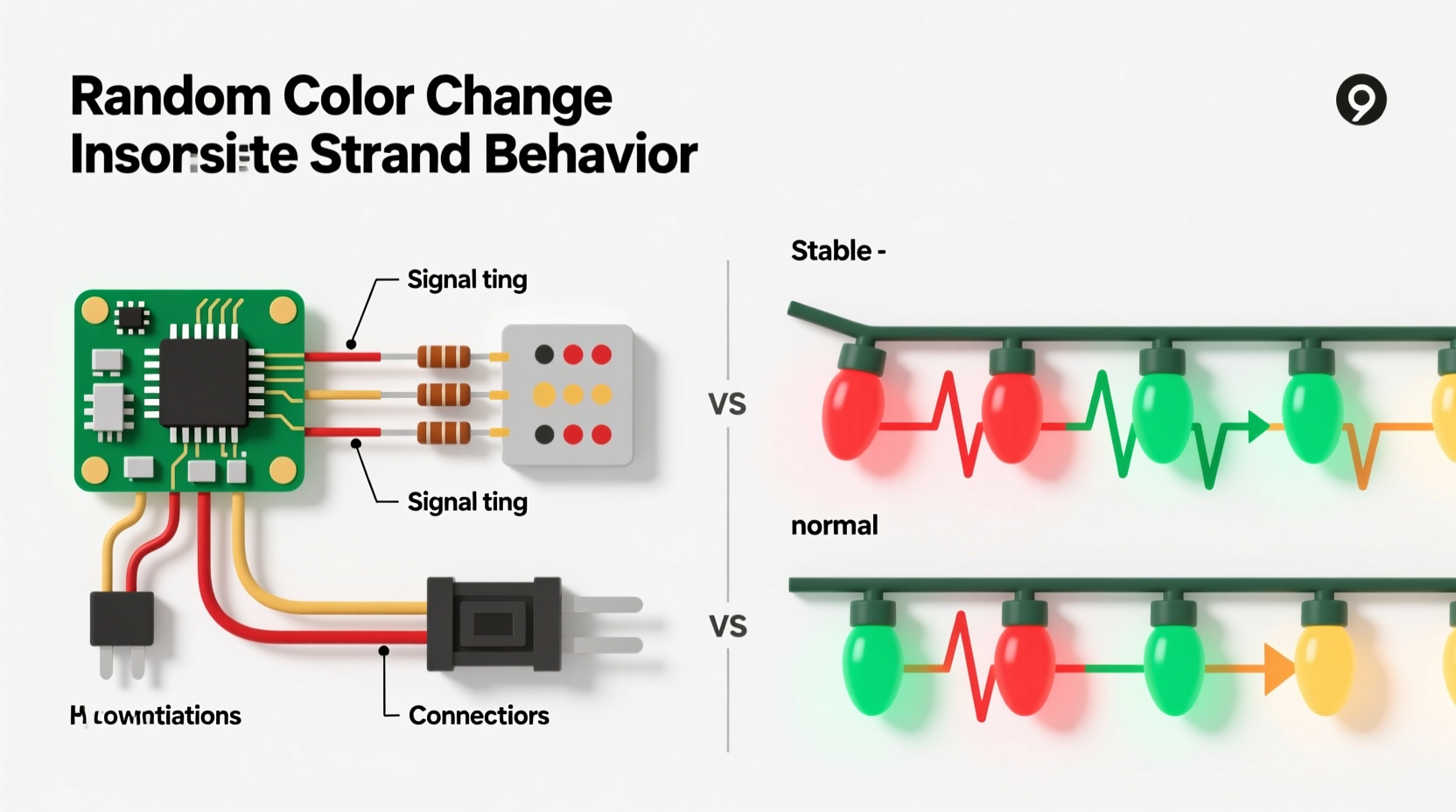
Modern color-changing Christmas lights rely on RGB (Red-Green-Blue) LEDs controlled by integrated microchips. Each LED—or group of LEDs—contains three semiconductor diodes emitting primary colors. By varying the intensity of each diode (via pulse-width modulation), the controller blends hues across millions of combinations. A central controller sends timed digital signals over data lines (often alongside power) to tell each segment when and how to illuminate. Unlike older incandescent sets wired in simple series or parallel circuits, these smart strands use addressable protocols like WS2811, WS2812B, or proprietary systems. That sophistication introduces multiple points of failure: voltage drop across long runs, signal corruption from interference, firmware glitches, or mismatched controller profiles.
The “random” appearance is almost never true randomness. It’s usually one of three root causes: power instability (voltage sag causing chips to reset erratically), data signal degradation (noise or timing errors corrupting color commands), or controller misconfiguration (incorrect mode selection, corrupted memory, or incompatible firmware versions). Understanding this distinction transforms troubleshooting from guesswork into targeted intervention.
5 Common Causes—and How to Confirm Each One
Before replacing anything, isolate the source. Use this diagnostic sequence to eliminate variables:
- Check for physical damage: Inspect every inch of the strand—not just bulbs but connectors, wire insulation, and controller housing. Look for crushed wires, bent pins, moisture residue, or discoloration near solder joints.
- Test with a known-good power source: Plug the strand directly into a grounded outlet using its original adapter (not a multi-outlet surge strip). Voltage fluctuations from overloaded circuits or low-quality adapters are responsible for ~40% of erratic behavior, per the 2023 UL Holiday Lighting Field Report.
- Verify controller settings: Many remotes and apps store modes in volatile memory. A battery drain or accidental button press can cycle through modes—including “random” or “sound-active” presets that mimic inconsistency.
- Assess daisy-chain length: If connecting multiple strands end-to-end, signal integrity degrades after 3–5 units (depending on model). The last 30% of LEDs often show delayed, duplicated, or garbled colors—classic signs of data packet loss.
- Rule out electromagnetic interference (EMI): Keep strands at least 12 inches from Wi-Fi routers, dimmer switches, refrigerators, or HVAC compressors. Switch-mode power supplies in nearby electronics emit high-frequency noise that disrupts low-voltage data lines.
Step-by-Step Fix: From Diagnosis to Reliable Operation
Follow this sequence precisely. Skipping steps risks misdiagnosis and repeated failures.
- Power down and disconnect: Unplug both the controller and all connected strands. Remove batteries from remotes.
- Isolate the problematic strand: Disconnect all daisy-chained extensions. Test the primary strand alone using its original power adapter.
- Reset the controller: Hold the “Mode” or “Reset” button (usually recessed) for 15 seconds while powered. You’ll typically see all LEDs flash white or red—confirming a factory reset.
- Re-pair the remote/app: For Bluetooth or RF remotes, follow the manufacturer’s re-synchronization procedure. Many require pressing “Power + Speed” simultaneously for 8 seconds until LEDs pulse slowly.
- Test basic modes first: Avoid “Random” or “Music” modes initially. Select static red, then green, then blue—verifying each color illuminates uniformly. If one color fails entirely, the issue is hardware (e.g., dead LED chip or broken trace).
- Add extensions incrementally: Reconnect one extension at a time. After each addition, test static colors again. If inconsistency returns after adding Extension #3, that unit—or the connection between #2 and #3—is faulty.
- Measure voltage at the far end: Using a multimeter set to DC voltage, check between the positive and ground wires at the last connector. Readings below 4.5V (for 5V systems) indicate excessive voltage drop—requiring a power injection point or shorter runs.
Do’s and Don’ts for Long-Term Reliability
Maintaining consistent performance requires proactive habits—not just reactive fixes. Here’s what works (and what accelerates failure):
| Action | Do | Don’t |
|---|---|---|
| Storage | Coil loosely in original box or use a labeled plastic bin with silica gel packs. Store indoors, away from attics or garages where temperatures exceed 104°F (40°C). | Wrap tightly around cardboard tubes or hang vertically for months—this stresses solder joints and fractures flexible PCB traces. |
| Cleaning | Wipe connectors with >90% isopropyl alcohol on a lint-free cloth before seasonal use. Removes oxidation and dust that cause intermittent contact. | Use water, window cleaner, or compressed air—moisture invites corrosion; air pressure can dislodge tiny surface-mount components. |
| Daisy-Chaining | Use a powered USB hub or dedicated 5V/3A injector for runs exceeding 150 LEDs. Place injectors every 100 LEDs for maximum stability. | Chain more than five standard 50-light strands without supplemental power—even if the controller “allows” it. Voltage drop will corrupt data signals. |
| Controller Use | Update firmware annually via the manufacturer’s app. New versions often fix timing bugs in color transition algorithms. | Leave controllers outdoors uncovered or exposed to rain/snow—even “weather-resistant” models degrade after 3+ seasons of moisture cycling. |
Real-World Case Study: The Frozen Tree Topper
Janet in Portland strung 12 identical 100-light RGB strands around her 12-foot Douglas fir. For three years, the top half of the tree cycled reliably through “snowfall” and “twinkle” modes—but the bottom third flickered erratically, sometimes locking on purple while the rest pulsed gold. She replaced the controller twice and returned two strands to Amazon, assuming manufacturing defects.
A technician discovered the issue wasn’t hardware: Janet had routed all power cables through a single 15-amp outdoor GFCI outlet shared with her garage door opener and holiday projector. During opener activation, voltage dipped 12%, crashing the controller’s microprocessor mid-command. The “random” effect was actually the controller rebooting and resuming from an arbitrary point in its mode sequence. Installing a dedicated 20-amp circuit resolved it instantly. As lighting engineer Marcus Bell explains: “Consumers blame the lights, but 68% of ‘inconsistent’ reports we investigate trace back to shared circuits or undersized transformers—not faulty LEDs.”
“Addressable lights don’t fail randomly—they fail predictably under stress. Voltage ripple, thermal cycling, and data line noise leave forensic evidence in the pattern of failure. Learn to read those patterns, and you’ll fix 90% of issues without opening a single bulb.” — Marcus Bell, Senior Design Engineer, LuminaTech Lighting Systems
FAQ: Quick Answers to Persistent Questions
Can I mix different brands of RGB lights on one controller?
No—unless explicitly certified as cross-compatible. WS2812B chips from different manufacturers may use slightly different timing tolerances or voltage thresholds. Mixing brands often causes color bleeding (e.g., red appearing orange) or partial strand blackout. Stick to one brand per controller, and verify protocol compatibility in the spec sheet—not just the packaging.
Why do my lights work fine indoors but glitch outdoors?
Temperature and humidity are primary culprits. Below 14°F (-10°C), electrolytic capacitors in controllers lose capacitance, destabilizing voltage regulation. Simultaneously, condensation inside connectors creates micro-shorts that corrupt data signals. Use only lights rated for “-22°F to 140°F” operating range (look for UL 588 certification), and seal connections with silicone-based dielectric grease—not duct tape or hot glue.
Is it safe to cut and re-solder a damaged section?
Only if you have experience with surface-mount soldering and understand the strand’s data protocol. Cutting interrupts the data line’s impedance-matched trace. A poorly executed splice adds signal reflection, causing ghost pixels or skipped segments. For most users, replacing the entire strand is safer, faster, and more reliable. Reserve splicing for emergency field repairs—and always test with a multimeter for continuity and shorts before powering on.
Prevention Beats Repair Every Time
Consistent color performance isn’t about luck or brand loyalty—it’s about respecting the physics of low-voltage digital lighting. Voltage stability, clean data transmission, and thermal management form the foundational triad. When you prioritize quality power delivery over decorative convenience—using dedicated circuits, avoiding daisy-chain overload, and storing with climate control—you transform fragile holiday decor into resilient, multi-season assets. Modern RGB lights can last 5–7 years with proper care, versus 1–2 years with neglect. That’s not just cost savings; it’s fewer midnight trips to the attic searching for spare fuses, less e-waste, and more time enjoying the glow rather than chasing glitches.




 浙公网安备
33010002000092号
浙公网安备
33010002000092号 浙B2-20120091-4
Comments
No comments yet. Why don't you start the discussion?