
LED string lights have become a staple in homes, patios, and seasonal decor thanks to their energy efficiency, long lifespan, and vibrant glow. But one common frustration often catches users off guard: an unexpected buzzing or humming noise when the lights are dimmed. While not dangerous, this sound can be irritating—especially in quiet environments like bedrooms or living rooms. The root of the issue lies in the interaction between your dimmer switch and the LED driver circuitry. Understanding the science behind the buzz and knowing how to address it makes all the difference between a serene ambiance and a constant low-frequency distraction.
The Science Behind LED Buzzing
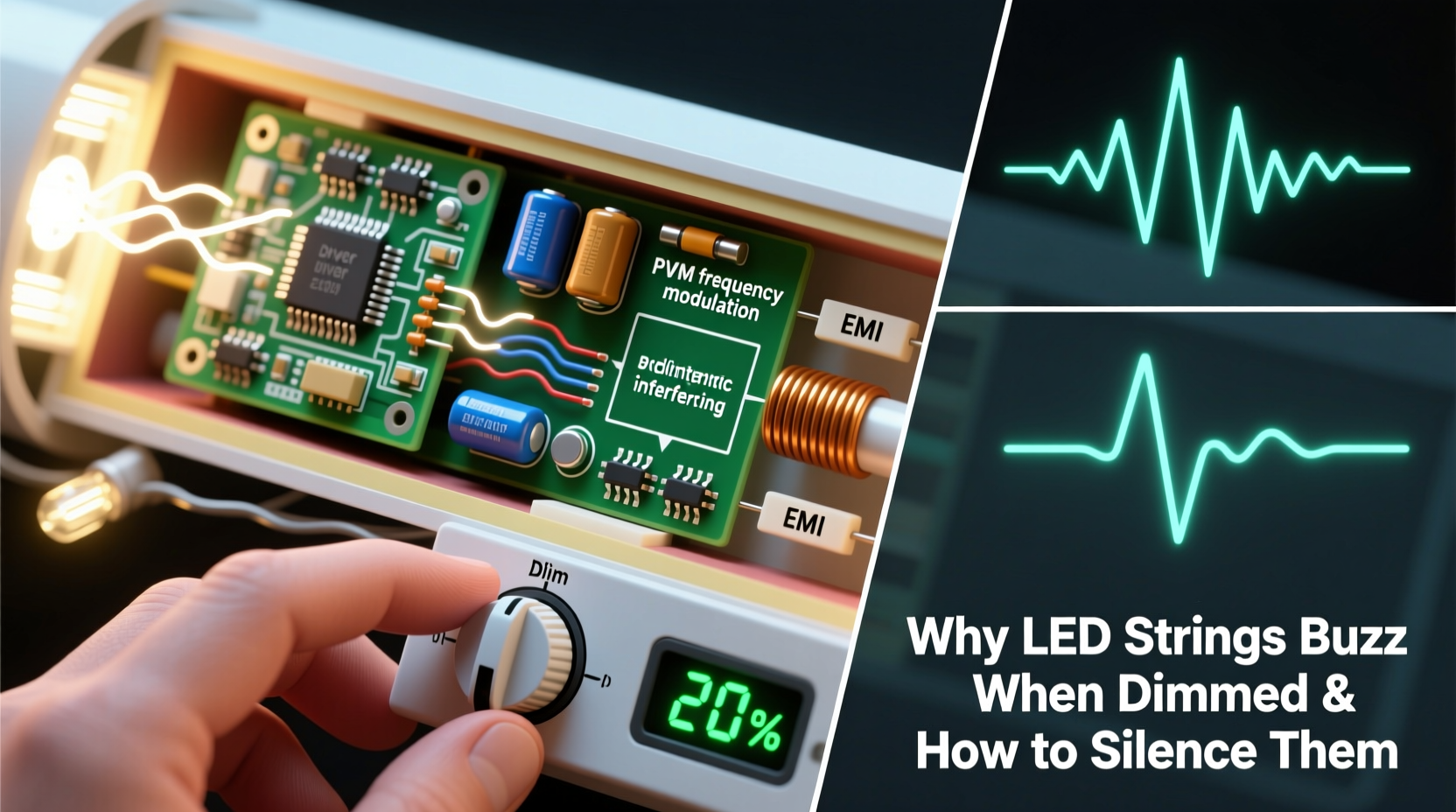
Unlike incandescent bulbs, which operate on simple resistive loads, LEDs rely on electronic drivers to convert AC power into the low-voltage DC current they require. When you dim an LED string, especially with traditional phase-cut dimmers designed for older lighting technologies, the dimmer doesn’t reduce voltage smoothly. Instead, it \"chops\" parts of the AC waveform, rapidly switching the power on and off many times per second. This method controls brightness but introduces electrical instability.
This rapid switching creates high-frequency electrical oscillations. Components within the LED driver—particularly coils, capacitors, and transformers—can physically vibrate in response to these fluctuations. This phenomenon is known as magnetostriction in magnetic cores or piezoelectric effects in certain ceramics. The result? An audible buzzing sound, typically between 50 Hz and 120 Hz, depending on your mains frequency and dimming technique.
The severity of the buzz depends on several factors: the quality of the LED string’s internal components, compatibility with the dimmer, load size, and even installation conditions such as wire length and electromagnetic interference from nearby devices.
“Many consumers don’t realize that not all dimmers are created equal. Using an incompatible dimmer with modern LEDs is like putting diesel fuel in a gasoline engine—it might run, but it won’t run well.” — Mark Reynolds, Electrical Systems Engineer at LightForm Dynamics
Common Causes of LED String Buzzing
Buzzing isn’t random—it’s a symptom of specific mismatches or limitations in your lighting setup. Identifying the cause is the first step toward eliminating the noise.
- Incompatible Dimmer Type: Most legacy wall dimmers use TRIAC-based phase-cutting (leading-edge), which works poorly with low-wattage LED loads. These dimmers expect higher current draw and can malfunction or oscillate when used with efficient LEDs.
- Poor-Quality LED Drivers: Budget LED strings often use minimal or unshielded driver circuits. These are more prone to vibration and electrical noise under dimming conditions.
- Low Load Issues: If the total wattage of your LED string falls below the dimmer’s minimum load requirement, the dimmer may not function correctly, causing flickering and buzzing.
- Electromagnetic Interference (EMI): Nearby appliances, power supplies, or unshielded wiring can induce noise in sensitive LED circuits.
- Daisy-Chained or Overloaded Circuits: Connecting multiple strings or mixing different types can create uneven current distribution and unstable performance.
How to Silence Buzzing LED Strings: A Step-by-Step Guide
Eliminating the buzz requires a systematic approach. Follow these steps to diagnose and resolve the issue effectively.
- Confirm Dimmability of Your LED Strings
Check product packaging or manufacturer specifications. Non-dimmable LEDs will buzz or fail prematurely when connected to any dimmer. - Identify Your Dimmer Type
Remove the wall plate and inspect the dimmer switch. Leading-edge (TRIAC) dimmers are common in older installations. Look for labels indicating compatibility with LEDs or terms like “trailing-edge,” “ELV,” or “MLV.” - Test Without the Dimmer
Temporarily bypass the dimmer by replacing it with a standard switch. If the buzz disappears, the dimmer is the culprit. - Verify Minimum Load Requirements
Calculate the total wattage of your LED string. For example, a 5-meter string with 30 LEDs at 0.1W each draws just 3 watts. Many TRIAC dimmers require at least 25–40W to operate correctly. Low load = instability. - Upgrade to an LED-Compatible Dimmer
Install a trailing-edge (electronic low-voltage) dimmer designed for capacitive loads like LEDs. Brands like Lutron, Leviton, and Philips Hue offer models specifically engineered for smooth, silent dimming. - Use a Dedicated LED Dimming Solution
Consider using low-voltage DC dimmers or PWM (pulse-width modulation) controllers if your LED strings are powered by an external transformer or adapter. These eliminate AC chopping entirely. - Add a Dummy Load (if necessary)
In rare cases where upgrading the dimmer isn't feasible, adding a physical shunt resistor or incandescent pilot lamp in parallel can raise the load above the dimmer’s threshold. However, this reduces energy efficiency and generates heat—use cautiously.
Do’s and Don’ts When Troubleshooting LED Buzz
| Do | Don’t |
|---|---|
| Use dimmers labeled “LED-compatible” or “trailing-edge” | Use old incandescent-only dimmers with LED strings |
| Check manufacturer-recommended dimmer pairings | Assume all “dimmable” LEDs work with all dimmers |
| Keep wiring runs short and clean to reduce EMI | Daisy-chain incompatible or mixed-brand LED strings |
| Use UL-listed components and follow local electrical codes | Modify drivers or dimmers unless qualified |
| Consider smart dimming systems with app control | Ignore persistent buzzing—it may indicate component stress |
Real-World Example: Fixing a Buzzing Patio Setup
Sarah installed 20 meters of warm-white LED string lights across her backyard pergola, connecting them to a central outlet controlled by a wall-mounted dimmer. Initially pleased, she noticed a persistent 100Hz hum whenever she lowered the brightness—loud enough to disrupt evening conversations.
After testing, she confirmed the LEDs were dimmable but discovered her dimmer was a 20-year-old TRIAC model rated for 600W incandescent loads. Her entire LED setup drew only 12 watts—well below the dimmer’s effective range. She replaced it with a Lutron Diva DVCL-153P, a trailing-edge dimmer rated for 15–150W LED loads. The buzz vanished immediately, and she gained smoother dimming control down to 1%. Additionally, she grouped her strings through a single high-quality power supply instead of multiple adapters, reducing electrical noise.
This case highlights how mismatched components—even when both appear functional—can degrade user experience. A small investment in compatible hardware resolved what seemed like a mysterious defect.
Smart Alternatives to Traditional Dimming
If rewiring or replacing dimmers isn’t practical, consider alternative dimming methods that avoid buzzing altogether:
- Smart Plugs with Dimming Support: Devices like the TP-Link Kasa KP400 allow dimming via smartphone apps without modifying wall switches. They use internal relays or semiconductor switching optimized for modern electronics.
- Remote-Controlled LED Strips: Many decorative strings come with built-in RF or IR remotes that adjust brightness using PWM at safe frequencies beyond human hearing.
- WiFi or Zigbee Controllers: Platforms like Philips Hue or Nanoleaf use digital protocols to communicate with hubs, enabling flicker-free, silent dimming through apps or voice assistants.
- DC Side Dimming: If your LED string uses a plug-in transformer (e.g., 12V or 24V), install a PWM dimmer between the power supply and the lights. Since no AC waveform is being chopped, there's no source of audible vibration.
FAQ: Common Questions About Buzzing LED Strings
Can buzzing damage my LED lights?
Occasional buzzing usually doesn’t cause immediate harm, but sustained electrical stress from incompatible dimmers can shorten the lifespan of the driver or LEDs. Persistent noise may indicate overheating components or voltage spikes.
Why do some LED strings buzz only at certain brightness levels?
Buzzing often occurs at mid-range dimming levels because that’s where phase-cut dimmers create the most irregular waveforms. At full brightness, the dimmer passes nearly full power; at very low levels, the signal becomes too fragmented, causing instability in the driver’s regulation circuit.
Are cheaper LED strings more likely to buzz?
Generally, yes. Lower-cost strings often cut corners on driver design, shielding, and filtering components. Higher-end brands invest in better magnetics, smoothing circuits, and compliance testing with various dimmers, resulting in quieter operation.
Expert Checklist: Silence Your Buzzing LEDs
Follow this concise checklist to systematically eliminate buzzing from your LED string lights:
- ✅ Confirm the LED strings are labeled “dimmable”
- ✅ Verify the dimmer is LED-compatible (preferably trailing-edge)
- ✅ Calculate total load to ensure it meets the dimmer’s minimum wattage
- ✅ Avoid mixing different LED string models on the same circuit
- ✅ Replace outdated TRIAC dimmers with modern electronic alternatives
- ✅ Consider using DC-side PWM dimming for low-voltage setups
- ✅ Test with a direct switch to isolate the source of noise
- ✅ Use shielded cables and minimize proximity to other electrical devices
“The future of home lighting is silent, seamless, and smart. As consumers shift away from legacy systems, we’re seeing a drop in noise complaints—but education remains key.” — Dr. Lena Patel, Lighting Research Institute, University of Michigan
Conclusion: Achieve Quiet, High-Quality Lighting
Buzzing LED strings aren’t inevitable—they’re a sign of mismatched technology. With the right knowledge, you can transform a noisy, frustrating setup into a smooth, silent lighting experience. Whether you upgrade your dimmer, switch to smart controls, or reconfigure your power delivery, the solution lies in alignment: matching components that are designed to work together. Modern lighting should enhance your space, not distract from it. Take the time to audit your current system, apply these fixes, and enjoy the calm, flicker-free glow you deserve.




 浙公网安备
33010002000092号
浙公网安备
33010002000092号 浙B2-20120091-4
Comments
No comments yet. Why don't you start the discussion?