
It’s a common household mystery: you store your remote-controlled lights, holiday decorations, or garage lighting system in the garage over winter, only to find that the remote won’t respond when you need it again in spring. The lights might flicker, the signal could be weak, or—most frustratingly—the remote does nothing at all. While it may seem like a simple battery failure, the real culprit is often more complex. Cold storage environments, especially unheated garages, can significantly impact the functionality of electronic remotes through a combination of temperature stress, condensation, and material degradation.
This article explores the science behind why cold storage affects light remotes, identifies vulnerable components, and offers actionable strategies to preserve their performance. Whether you're storing seasonal lighting, smart home devices, or outdoor fixtures, understanding these factors can save time, money, and frustration.
The Impact of Cold Temperatures on Electronics
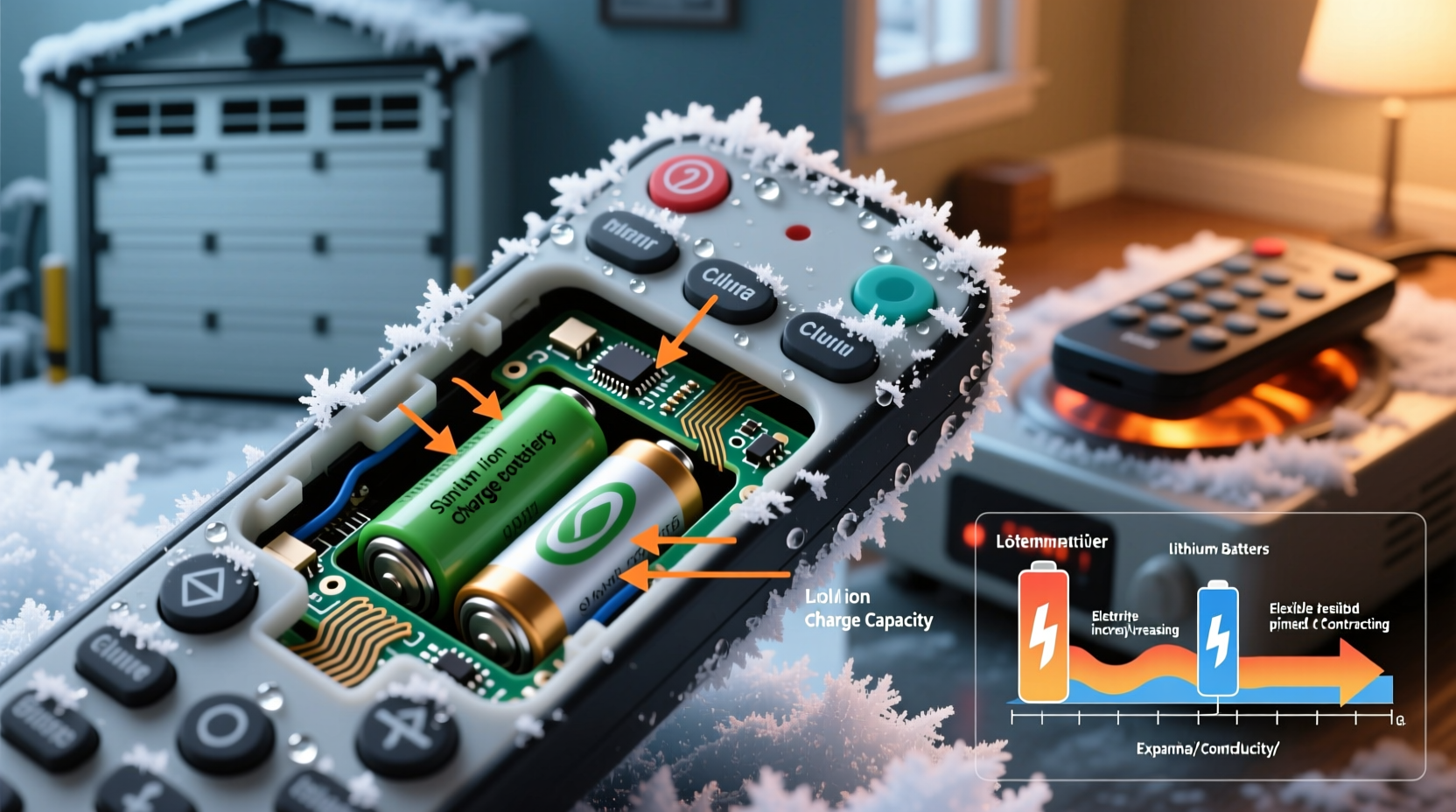
Electronics are designed to operate within specific temperature ranges. Most consumer-grade remote controls are built for indoor use, where temperatures remain relatively stable between 50°F and 86°F (10°C to 30°C). When exposed to colder conditions—especially below freezing—several physical and chemical changes occur inside the device.
Lithium and alkaline batteries, commonly used in remotes, experience reduced ion mobility at low temperatures. This doesn't destroy the battery immediately but drastically reduces its ability to deliver power. A remote might appear dead in the cold, even with fresh batteries, simply because the electrochemical reaction needed to generate current slows down.
Additionally, repeated exposure to extreme cold can cause microfractures in circuit boards. Materials expand and contract with temperature fluctuations. Plastic housings, solder joints, and conductive traces on printed circuit boards (PCBs) react differently to thermal stress. Over time, this leads to tiny cracks that disrupt electrical pathways, resulting in intermittent or complete failure.
Condensation and Moisture Damage
One of the most insidious threats to stored electronics isn’t the cold itself—it’s what happens when those devices return to warmer environments. When a cold remote is brought into a humid room, moisture condenses on and inside the unit, much like water forms on a cold drink can in summer.
Condensation introduces water into sensitive areas: battery compartments, button contacts, and internal circuits. Even small amounts of moisture can lead to corrosion of metal contacts, short circuits, or fungal growth on circuit boards. In many cases, the damage occurs not during storage, but during the warming phase.
Garages are particularly problematic because they lack climate control and often have poor ventilation. Humidity levels can spike after snow melts or during spring thaws, creating ideal conditions for condensation. If a remote is sealed in a plastic bin without desiccant, trapped moisture has nowhere to go, accelerating deterioration.
“Temperature cycling combined with humidity is one of the top causes of premature electronic failure in household devices.” — Dr. Alan Zhou, Electrical Reliability Engineer, Consumer Tech Institute
Vulnerable Components in Light Remotes
Not all parts of a remote are equally affected by cold. Some components are more susceptible due to their materials, design, or function. Understanding these vulnerabilities helps prioritize protection efforts.
| Component | Effect of Cold/Condensation | Potential Outcome |
|---|---|---|
| Batteries | Reduced voltage output; possible leakage in alkaline cells | Weak signal, no response, or corrosive residue |
| PCB Traces | Thermal expansion causing micro-cracks | Intermittent connection or total failure |
| Button Contacts | Moisture-induced oxidation or dirt adhesion | Unresponsive buttons or ghost inputs |
| Infrared (IR) or RF Emitter | Frost blocking lens; weakened signal strength | Short range or no transmission |
| Plastic Housing | Becomes brittle; warping from uneven contraction | Casing cracks, misalignment, poor seal |
For example, infrared remotes rely on clear optical paths. Frost or fog on the LED window—even microscopic—can block the signal. Radio frequency (RF) remotes fare slightly better but still depend on stable power and intact circuitry. Any compromise in signal generation or transmission renders them ineffective.
Step-by-Step Guide to Safely Store and Revive Cold-Exposed Remotes
Proper handling before, during, and after cold storage can dramatically increase a remote's lifespan. Follow this timeline to protect your devices and restore functionality if issues arise.
- Before Storage: Clean and Prepare
Remove batteries to prevent leakage. Wipe down the casing with a dry microfiber cloth. Ensure no crumbs, dust, or moisture are under buttons. - Use Climate-Safe Packaging
Place the remote in an airtight container with silica gel packets. Avoid vacuum sealing, as pressure changes can damage delicate parts. - Store Off the Floor
Elevate containers on shelves. Garages tend to collect cold air and moisture near the ground, increasing exposure risk. - When Retrieving: Warm Gradually
Bring the container indoors and let it sit unopened for 24 hours. This prevents condensation by allowing internal temperature to rise slowly. - Inspect and Test
After acclimation, open the container. Check for visible moisture, corrosion, or cracks. Insert fresh batteries and test each function. - Troubleshoot Issues
If unresponsive, clean contact points with isopropyl alcohol and a cotton swab. Replace damaged seals or buttons if possible.
Real-World Example: Holiday Lighting Failure
Consider the case of Maria, a homeowner in Minnesota who stores her outdoor string lights and remote controller in the garage every January. Each November, she retrieves the setup expecting seamless operation. But last year, the remote failed to turn on the lights despite new batteries.
She assumed the remote was broken and purchased a replacement—only to have the same issue weeks later. A technician discovered that both remotes had suffered internal condensation damage. The root cause? Rapid temperature shifts. The remotes were taken directly from a 20°F (-6°C) garage to a 70°F (21°C) living room, causing immediate condensation inside the units.
After switching to slow-acclimation storage using sealed bins with desiccants, Maria’s remotes worked perfectly the following season. She now keeps a log of storage conditions and acclimation times, avoiding repeat failures.
Do’s and Don’ts of Remote Storage in Cold Environments
To reinforce best practices, here’s a quick-reference table summarizing key actions.
| Do | Don’t |
|---|---|
| Remove batteries before storage | Leave batteries in during long-term storage |
| Use sealed containers with desiccants | Store loose in cardboard boxes |
| Allow 12–24 hours for temperature acclimation | Turn on immediately after bringing indoors |
| Inspect for corrosion before use | Ignore signs of moisture or residue |
| Store upright to prevent fluid pooling | Place in damp or leak-prone areas |
Following these guidelines minimizes risk and extends the usable life of remote controls, especially those used seasonally.
FAQ
Can I use hand warmers to speed up the warming process?
No. Applying direct heat—even mild sources like hand warmers—can create uneven temperature zones and increase condensation risk. Always allow passive, room-temperature acclimation.
Are some remotes more cold-resistant than others?
Yes. Industrial or outdoor-rated remotes often feature conformal-coated circuit boards, sealed housings, and wider operating temperature ranges. These are worth considering if you frequently store devices in unconditioned spaces.
What should I do if my remote works intermittently after cold storage?
Intermittent function suggests partial corrosion or a developing crack in the circuit. Disassemble carefully (if possible), clean contact points with 90%+ isopropyl alcohol, and inspect for visible damage. Consider replacing the unit if problems persist.
Checklist: Preparing Your Light Remote for Cold Storage
- ✓ Remove all batteries
- ✓ Clean surface and button areas with a dry cloth
- ✓ Place in airtight plastic container
- ✓ Add silica gel packets (2–3 per container)
- ✓ Label container with date and contents
- ✓ Store off the floor on a shelf
- ✓ Keep away from water pipes or exterior walls
- ✓ Record storage conditions (e.g., average garage temp)
Conclusion: Protect Your Investment with Smart Habits
Remote controls may seem disposable, but repeated replacements add up—both financially and environmentally. The failure of a light remote after cold storage isn’t inevitable; it’s often the result of overlooked environmental factors. By understanding how temperature, moisture, and material fatigue interact, you can take meaningful steps to prevent damage before it occurs.
Simple habits—like removing batteries, using desiccants, and allowing gradual warming—can preserve functionality for years. For those managing seasonal lighting, smart home systems, or outdoor decor, proper storage isn’t just maintenance; it’s essential care.




 浙公网安备
33010002000092号
浙公网安备
33010002000092号 浙B2-20120091-4
Comments
No comments yet. Why don't you start the discussion?