
As holiday seasons grow smarter, so do our decorations. Smart Christmas lights offer dynamic color control, synchronized music effects, and multi-zone programming—all from a smartphone. But many users have noticed an unexpected side effect: their phone battery drains significantly faster when managing multiple lighting zones. This isn’t just perception—it’s rooted in the way modern smart lighting systems communicate with mobile devices. Understanding the technical causes can help you enjoy festive automation without sacrificing your phone’s performance.
How Smart Lights Communicate With Your Phone
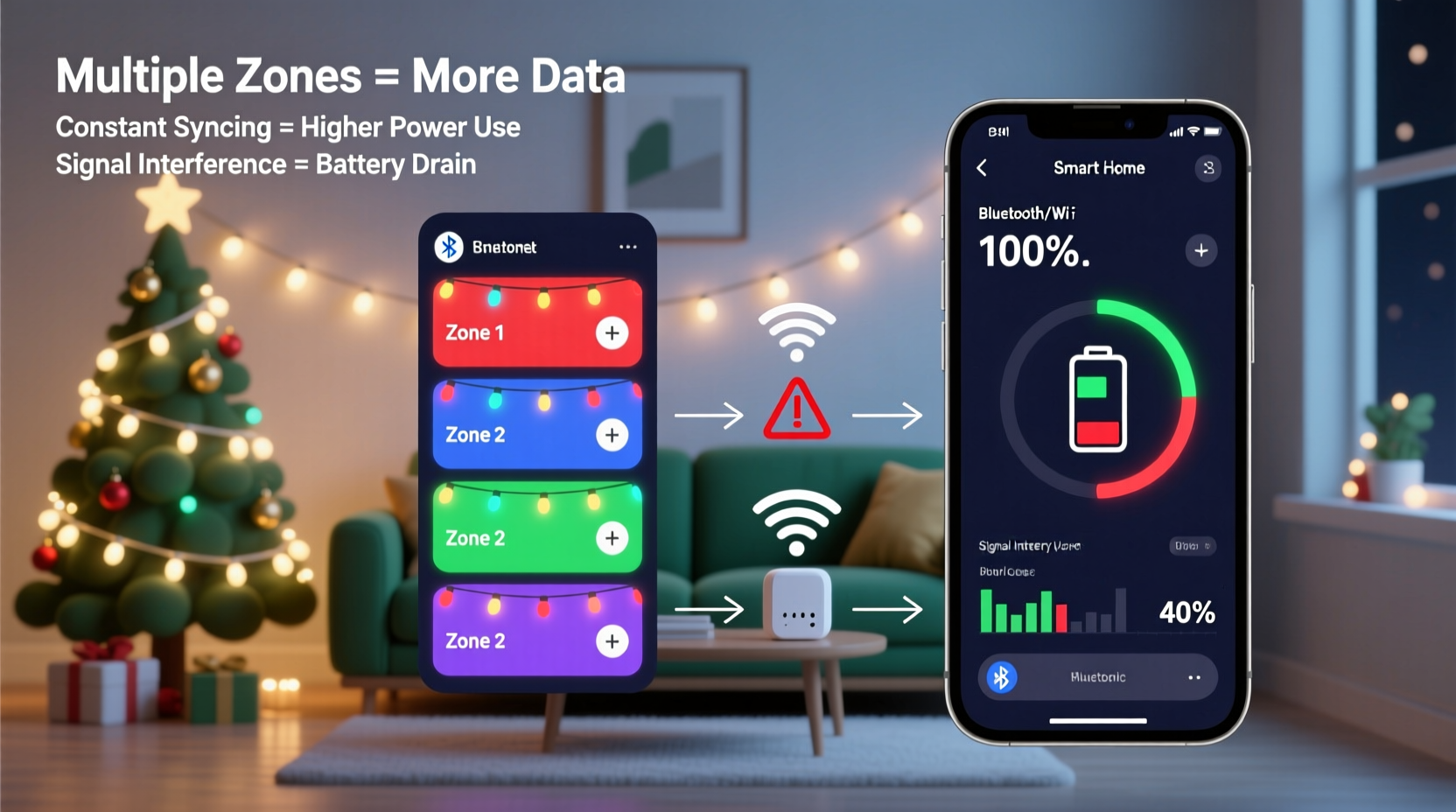
Most smart Christmas lights rely on wireless protocols such as Bluetooth, Wi-Fi, or proprietary mesh networks like Zigbee or Thread. When you use a smartphone app to control individual light zones—say, turning red on the front porch while keeping green on the roof—the device sends commands through one of these channels.
The key factor is that **real-time control requires continuous communication**. Unlike turning on a smart bulb once and forgetting it, multi-zone lighting often involves live adjustments, scene transitions, or synchronization with music. Each adjustment triggers data exchange between your phone and the controller hub or directly with the lights.
Bluetooth-based systems are especially relevant here. Many entry-level smart light strings use Bluetooth Low Energy (BLE), which is designed to be power-efficient. However, “low energy” refers to the peripheral device (the lights), not necessarily the central device (your phone). In fact, maintaining multiple BLE connections simultaneously can place a disproportionate load on smartphones.
“Smartphone radios don’t scale linearly with connected devices. One BLE connection might use 2% battery per hour; five could use 15% due to overhead.” — Dr. Lin Tao, Wireless Systems Engineer at MIT Media Lab
The Hidden Cost of Multi-Zone Control
When you divide a string of lights into three or more zones—such as windows, eaves, and trees—each zone becomes a separate addressable unit. The app must manage each independently, increasing processing demands both on the phone and in the network layer.
This complexity manifests in several ways:
- Increased App Activity: The app constantly polls device status, updates UI sliders for brightness/color per zone, and buffers animation previews.
- Background Services: Even when minimized, the app may run background tasks to maintain connection stability.
- Data Overhead: Sending individual commands to multiple endpoints multiplies signal traffic, especially if using uncompressed RGB values or timing-critical sequences.
In systems where the phone acts as a bridge—common in non-Wi-Fi setups—your device effectively becomes a temporary router. Every command flows through your phone’s processor, radio stack, and operating system layers before reaching the lights. This role consumes CPU cycles, keeps the screen awake during setup, and prevents deep sleep modes from activating.
Wi-Fi vs. Bluetooth: Which Drains More?
It’s tempting to assume Wi-Fi is always worse for battery life, but the reality depends on usage patterns. Here's a comparison of common connectivity types used by smart Christmas lights:
| Protocol | Battery Impact on Phone | Best For | Limits |
|---|---|---|---|
| Bluetooth (BLE) | Moderate to high under sustained use | Short-range, single-device control | Limited range (~30 ft), fewer simultaneous connections |
| Wi-Fi (2.4 GHz) | High during active control | Remote access, cloud integration | Constant polling increases drain; router dependency |
| Zigbee/Thread (via hub) | Low (phone only interacts briefly) | Whole-home setups, automation | Requires external hub; higher upfront cost |
| Proprietary RF (e.g., 433MHz) | Very low (no direct phone link) | Dedicated remotes only | No app support unless paired with bridge |
While Wi-Fi uses more power per transmission, its advantage lies in speed and reliability. A quick burst of data over Wi-Fi may complete faster than a prolonged BLE handshake, resulting in shorter antenna activity. However, if the app refreshes every few seconds or streams real-time feedback from each zone, cumulative impact adds up quickly.
Real-World Example: The Overloaded Holiday Display
Consider Mark, a homeowner in Denver who installed a 12-zone smart lighting system across his house exterior. He used a popular brand of Wi-Fi-enabled LED strings, all managed through a single mobile app. During initial setup, he spent about 45 minutes adjusting colors, testing chases, and syncing lights to holiday music.
Within that time, his iPhone battery dropped from 87% to 52%, despite being plugged into a car charger. Later, he noticed the same app continued using location services and background refresh—even overnight—leading to further drain.
After checking settings, Mark discovered the app was configured to “auto-refresh” every 10 seconds to detect changes from other household members. It also requested motion sensor access for gesture controls (unused). Disabling unnecessary permissions and closing the app reduced standby drain by 70%.
His experience illustrates how convenience features, when left unmanaged, turn festive tech into silent battery vampires.
Step-by-Step: Reduce Battery Drain When Using Smart Lights
You don’t need to give up dynamic lighting to preserve phone battery. Follow this sequence to optimize performance:
- Complete Setup Before Final Installation: Program all scenes, schedules, and music syncs indoors or near power sources. Avoid fine-tuning outside in cold weather, which already stresses battery chemistry.
- Use Scheduling Instead of Live Control: Once satisfied with your display, set timers or automations (e.g., “On at 5 PM, Off at 10 PM”) and minimize manual interaction.
- Force-Close the App After Use: Swipe away the lighting app from recent apps to stop background processes. On iOS, double-click Home or swipe up and hold; on Android, use Recents menu.
- Disable Background Refresh: Go to Settings > Apps > [Lighting App] > Battery > Background Usage and restrict it.
- Switch to Hub-Based Systems: If expanding your setup, consider brands that use a central hub (like Philips Hue or Nanoleaf). These reduce direct phone involvement after initial configuration.
- Update Firmware Regularly: Manufacturers often release optimizations that reduce command latency and improve connection efficiency.
“Think of your phone as a remote control—not a server. Once the show is programmed, it shouldn’t need constant supervision.” — Sarah Kim, IoT Product Designer at LIFX
Tips for Efficient Multi-Zone Management
Beyond basic optimization, advanced users can adopt strategies that balance functionality and efficiency:
- Group Zones Strategically: Instead of controlling eight small sections separately, combine adjacent areas (e.g., left and right windows) into shared zones. Fewer endpoints mean less overhead.
- Avoid Music Sync Mode for Long Periods: Real-time audio analysis requires continuous microphone access and rapid command bursts. Use pre-loaded music effects instead.
- Prefer Voice Commands Post-Setup: After configuring scenes like “Holiday Red & Gold” or “Winter Calm,” trigger them via Alexa or Google Assistant. This bypasses the app entirely.
- Limit Push Notifications: Some apps alert you when a zone disconnects or firmware updates. Disable non-critical alerts to reduce wake-ups.
Checklist: Optimize Your Smart Lighting Experience
Before the next holiday season, ensure your smart lights enhance celebration—not frustration. Use this checklist:
- ✅ Confirm all zones function correctly during daylight hours
- ✅ Program desired scenes and schedules in advance
- ✅ Disable background app refresh for lighting apps
- ✅ Turn off unused permissions (location, microphone, motion sensors)
- ✅ Install firmware updates on all light controllers
- ✅ Test voice command compatibility (Alexa/Google/Siri)
- ✅ Label physical units or zones for easier troubleshooting
- ✅ Uninstall the app after final setup if automation runs independently
Frequently Asked Questions
Can smart Christmas lights drain my phone battery even when the app is closed?
Yes—if the app runs background services, maintains Bluetooth connections, or checks for updates. Some apps re-launch automatically when nearby lights are detected. To fully stop this, disable background refresh and location access in your phone settings.
Do newer phones handle smart lights better?
Generally, yes. Newer smartphones feature more efficient radio chips, better thermal management, and optimized OS-level handling of BLE connections. However, intensive multi-zone control will still cause noticeable drain regardless of device age.
Is there a way to control multiple zones without using my phone at all?
Absolutely. Many systems support infrared remotes, physical wall switches, or integration with home automation hubs. Once configured, you can manage lights via routines triggered by time, sensors, or voice—eliminating phone use altogether.
Conclusion: Enjoy the Glow Without the Drain
Smart Christmas lights bring wonder and personalization to the holidays, but their convenience comes with hidden costs. The increased battery drain experienced during multi-zone control stems from real technical factors: persistent wireless communication, app overhead, and inefficient background processes. By understanding how these systems operate, you can take practical steps to minimize impact while preserving functionality.
Optimization doesn't mean compromise. With proper setup, strategic zoning, and disciplined app management, your phone can remain charged and ready—so you spend less time worrying about power and more time enjoying the sparkle. As smart home ecosystems evolve, user awareness remains the most effective tool for balancing innovation with everyday usability.




 浙公网安备
33010002000092号
浙公网安备
33010002000092号 浙B2-20120091-4
Comments
No comments yet. Why don't you start the discussion?