
If you’ve ever been startled by your Alexa device suddenly speaking without being prompted, you’re not alone. Thousands of users report their Echo devices activating unexpectedly—sometimes in the middle of the night or during quiet moments. While Amazon designed Alexa to respond to voice commands, random activations can be unsettling and disruptive. The good news is that most causes are fixable with a few targeted steps.
This guide breaks down the most common reasons behind unexplained Alexa activations, offers practical fixes, and provides preventative strategies to ensure your smart speaker behaves as intended. Whether it’s whispering responses, playing music out of nowhere, or lighting up for no reason, understanding the root cause is the first step toward regaining control.
Common Causes of Random Alexa Activations
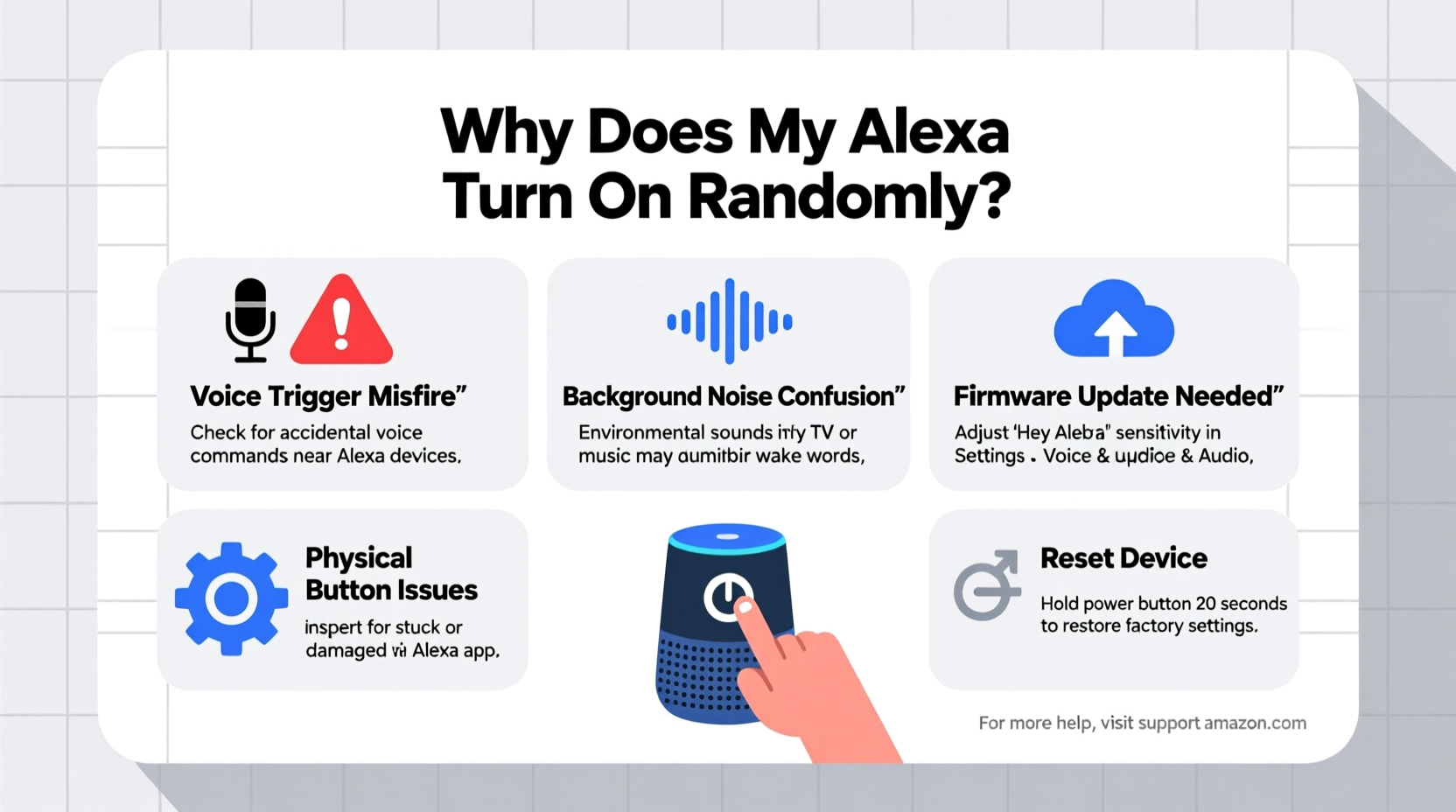
Alexa turning on by itself isn’t usually due to a single flaw but rather a combination of hardware sensitivity, software quirks, and environmental factors. Below are the primary culprits:
- False Wake Word Detection: Alexa listens for its wake word (e.g., “Alexa,” “Echo,” “Computer”). Background noise, similar-sounding words, or TV dialogue can trick the device into thinking it was called.
- Firmware Bugs: Outdated or buggy software may cause erratic behavior, including unintended responses or spontaneous audio playback.
- Connected Smart Device Triggers: Routines or automations tied to other smart home devices (like motion sensors or thermostats) can activate Alexa silently.
- Physical Button Presses: Accidental taps on the microphone or action button—by pets, children, or even vibrations—can trigger the device.
- Bluetooth Interference: A paired phone or tablet sending notifications can sometimes prompt Alexa to speak without a clear command.
- Digital Assistant Conflicts: If multiple voice assistants are nearby (e.g., Google Home), cross-talk may confuse device microphones.
Step-by-Step Troubleshooting Guide
Follow this structured approach to diagnose and resolve random Alexa activations. Work through each step methodically to identify the source of the issue.
- Review Your Alexa History
Open the Alexa app, go to Settings > History, and check recent interactions. Look for unrecognized voice inputs or unexpected routine triggers. This log often reveals whether Alexa heard something or if a scheduled automation fired. - Adjust Wake Word Sensitivity
In the Alexa app, navigate to Devices > Echo & Alexa > [Your Device] > Voice Detection. You’ll find options to adjust sensitivity. Try setting it to “Low” to reduce false positives, especially in noisy environments. - Disable Unnecessary Routines
Go to Routines in the app and disable any automations that might be triggering Alexa unintentionally. Pay special attention to routines based on time, motion sensors, or external events. - Check Bluetooth Connections
Disconnect any paired smartphones or tablets. Persistent Bluetooth links can cause Alexa to read messages or announce calls automatically. Turn off Bluetooth in device settings if unused. - Update Firmware
Ensure your Echo runs the latest software. Updates often include stability improvements and bug fixes. Check under Device Settings > About > Software Version. - Restart or Reset the Device
Perform a soft restart by unplugging the Echo for 30 seconds, then plugging it back in. If problems persist, consider a factory reset via the app or by holding the Action button for 25 seconds. - Test in a Different Location
Move the device to a quieter room to determine if ambient noise is the trigger. If activations stop, the original location likely has interfering sounds.
Do’s and Don’ts When Managing Alexa Behavior
| Do | Don’t |
|---|---|
| Place Alexa away from TVs and speakers | Set the wake word to “Alexa” in households with frequent use of similar names |
| Regularly review voice history and delete unwanted entries | Ignore firmware update notifications |
| Use physical mute buttons when privacy is critical | Enable all incoming notifications from connected apps |
| Customize wake word to less common options like “Echo” or “Ziggy” | Leave routines enabled without reviewing their triggers |
| Keep device microphones clean and unobstructed | Assume random behavior is always a sign of hacking |
Real-World Example: Fixing Midnight Activations
Sarah, a teacher from Portland, noticed her bedroom Echo Dot would light up and say “Okay” around 2:30 AM several times a week. No one was speaking, and the room was quiet. Concerned about privacy, she began investigating.
She reviewed her Alexa app history and discovered a pattern: each activation followed a brief sound clip—almost like a cough. After placing her phone farther from the Echo, the issue stopped. She realized her partner’s sleep-tracking app was sending silent vibrations that Alexa misinterpreted as a wake word. By disabling non-essential phone notifications and switching her Echo’s wake word to “Computer,” Sarah resolved the problem permanently.
This case highlights how subtle environmental cues—even imperceptible ones—can trigger voice assistants. Always consider indirect sources before assuming device failure.
Expert Insight on Voice Assistant Reliability
“Voice recognition systems are trained on vast datasets, but real-world acoustics introduce edge cases. False triggers aren’t bugs—they’re trade-offs between responsiveness and accuracy. Users should treat wake words like passwords: choose unique ones and manage permissions carefully.” — Dr. Alan Reyes, Senior Researcher in Human-Computer Interaction, MIT Media Lab
Preventative Checklist for Stable Alexa Performance
To maintain consistent, reliable behavior from your Alexa device, follow this monthly maintenance checklist:
- ✅ Review Alexa voice history for unrecognized commands
- ✅ Update all Echo devices to the latest firmware
- ✅ Audit active routines and disable unused ones
- ✅ Clean microphone ports gently with a dry brush
- ✅ Test wake word sensitivity in different conditions
- ✅ Reassess Bluetooth pairings and disconnect idle devices
- ✅ Evaluate placement: avoid high-traffic or echo-prone areas
- ✅ Consider changing the wake word if frequently triggered
When to Suspect Security Issues
While most random activations have benign explanations, it’s important to recognize signs of potential security breaches:
- Unfamiliar voices in the Alexa app history
- Unauthorized purchases or smart home actions
- Unknown devices linked to your Amazon account
- Alexa responding to commands you didn’t make and aren’t logged
If you observe these behaviors, act immediately:
- Log into your Amazon account and review Settings > Login & Security.
- Check Devices > Manage Devices for unfamiliar Echo units.
- Change your Amazon password and enable two-factor authentication.
- Factory reset affected Echo devices and reconfigure them securely.
According to Amazon, there have been no widespread reports of remote hacking causing random Alexa activations. Most incidents stem from user error, environmental noise, or misconfigured settings—not malicious access.
Frequently Asked Questions
Can someone remotely activate my Alexa without me knowing?
Amazon has not documented any vulnerabilities allowing unauthorized remote activation of Alexa. All commands must originate from a recognized voice, app interaction, or pre-approved routine. However, if someone gains access to your Amazon account, they could potentially set up new routines. Always protect your login with a strong password and two-factor authentication.
Why does my Alexa light up but say nothing?
This typically indicates that Alexa detected a partial wake word or a command it couldn’t process. It may also signal an incoming notification (like a drop-in request or message alert) that was canceled before playback. Check the Activity Log in the Alexa app to see what triggered the light ring.
Is it safe to leave Alexa on all the time?
Yes, Alexa devices are designed to remain powered on continuously. They only record and transmit audio after detecting the wake word. That said, using the physical mute button when privacy is a priority—such as during sensitive conversations—is a wise precaution.
Final Thoughts and Call to Action
Random Alexa activations are more common than many users realize, but they’re rarely a sign of serious malfunction. With thoughtful configuration, regular maintenance, and awareness of environmental influences, you can keep your smart speaker functioning reliably and discreetly.
The key is proactive management: don’t wait for odd behavior to escalate. Regularly audit your routines, update firmware, and fine-tune settings to match your household’s needs. Small adjustments today can prevent confusion—and frustration—tomorrow.




 浙公网安备
33010002000092号
浙公网安备
33010002000092号 浙B2-20120091-4
Comments
No comments yet. Why don't you start the discussion?