
There’s nothing more frustrating than throwing a great party—music pumping, guests dancing—only for your Bluetooth speaker to suddenly cut out. The silence that follows isn’t just awkward; it breaks the energy. You’re not alone. Thousands of users report random disconnections from their Bluetooth speakers in social settings, especially when multiple devices are present or the environment is loud and crowded. While Bluetooth technology has improved significantly, it still faces real-world limitations that become obvious under pressure. Understanding the root causes behind these dropouts is the first step toward preventing them.
The issue isn’t usually a defect in your speaker. Instead, it's often a combination of environmental interference, device limitations, software bugs, or user habits. This guide dives deep into the technical and situational factors that cause Bluetooth instability during parties and provides actionable steps to maintain a seamless audio experience.
Common Causes of Bluetooth Disconnection During Parties
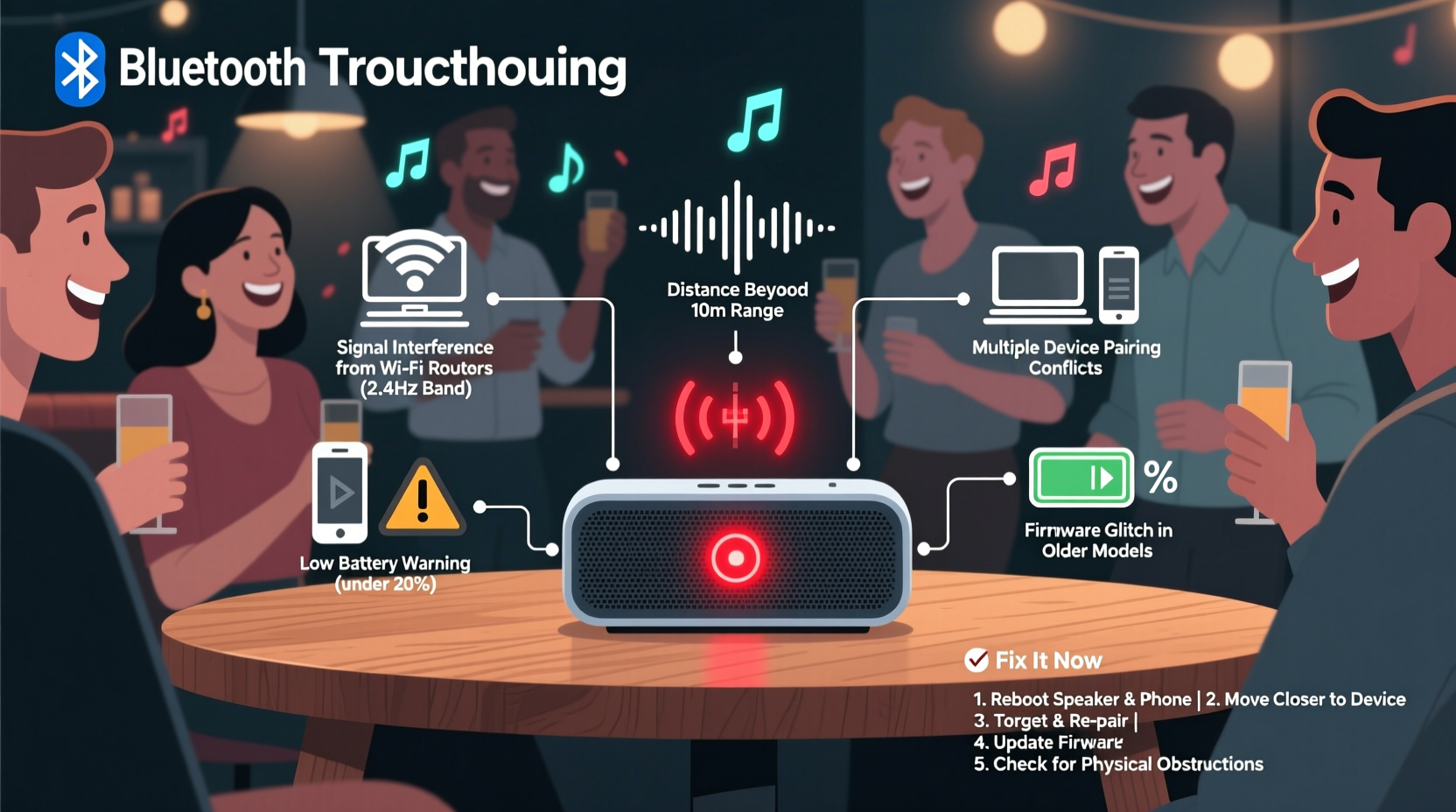
Bluetooth relies on short-range wireless communication using radio waves in the 2.4 GHz frequency band—the same range used by Wi-Fi routers, microwaves, baby monitors, and many smart home devices. When you host a party, this spectrum becomes crowded, increasing the chance of signal interference. Below are the most frequent culprits behind unexpected disconnections:
- Signal Interference: Multiple wireless devices operating nearby can create electromagnetic noise, disrupting the Bluetooth link between your phone and speaker.
- Physical Obstructions: Walls, furniture, people moving around, and even large bodies of water (like a fish tank) can weaken or block Bluetooth signals.
- Distance Overreach: Exceeding the effective range of your speaker—typically 30 feet in open space—leads to unstable connections.
- Device Overload: Some speakers struggle when paired with phones running heavy apps, notifications, or background processes that strain Bluetooth performance.
- Battery Issues: Low battery levels in either the speaker or source device can degrade connection stability.
- Outdated Firmware: Manufacturers release firmware updates to improve connectivity, and skipping them may leave known bugs unpatched.
Environmental Factors That Worsen Connectivity
Parties amplify everyday challenges for Bluetooth. What works fine in a quiet living room can fail dramatically in a dynamic, high-energy setting. Consider these environmental stressors:
Crowd Density: Human bodies absorb and reflect radio waves. As more people gather around the speaker or between it and the source device, the signal weakens. This effect is especially pronounced in small rooms or outdoor patios where movement is constant.
Ambient Noise Levels: While sound doesn’t directly affect Bluetooth transmission, loud environments prompt users to increase volume. High output demands more data throughput, straining older or lower-tier Bluetooth versions like 4.0 or 4.2.
Multiple Devices Attempting Connection: Guests may try to pair their phones to the speaker, causing pairing conflicts. Even if they don’t succeed, discovery mode consumes resources and can destabilize the active connection.
Power Source Instability: Using a speaker on low battery or plugged into an unreliable power strip can lead to intermittent shutdowns or resets, breaking the Bluetooth link.
“Bluetooth was designed for personal use, not high-traffic environments. In crowded spaces, expect reduced reliability unless you optimize placement and minimize competing signals.” — Dr. Alan Reeves, Wireless Communication Engineer at MIT Media Lab
Step-by-Step Guide to Prevent Disconnections
Solving Bluetooth instability requires both preparation and real-time adjustments. Follow this timeline before and during your event to maximize reliability:
- One Week Before the Party: Check for firmware updates on your speaker via the manufacturer’s app or website. Install any available patches.
- 48 Hours Before: Fully charge the speaker or connect it to a stable power source. Avoid using extension cords with poor surge protection.
- One Hour Before: Place the speaker in its intended location and test playback from the device you’ll use. Walk through common guest areas to ensure consistent signal strength.
- During Setup: Position the speaker elevated and central, away from walls and metal objects. Keep the source device (phone/tablet) within 15–20 feet and in line of sight if possible.
- As Guests Arrive: Disable Bluetooth on your phone for other devices. Lock the screen to prevent accidental app switches that could interrupt audio streaming.
- If Disconnection Occurs: Restart both devices, re-pair manually, and reduce volume temporarily to stabilize the connection.
Tips and Best Practices for Stable Audio Streaming
Maintaining a rock-solid Bluetooth connection during peak usage comes down to smart habits and strategic setup. Implement these proven techniques:
- Choose a speaker with Bluetooth 5.0 or higher, which offers better range, speed, and interference resistance.
- Enable \"Party Mode\" or \"Multi-Speaker Sync\" only if all units are from the same brand and firmware is updated.
- Reduce Wi-Fi congestion by switching your router to the 5 GHz band, freeing up the 2.4 GHz band for Bluetooth.
- Avoid placing the speaker near large appliances or metal structures like refrigerators or filing cabinets.
- Use AUX or optical input as a backup if your speaker supports wired connections.
Checklist: Pre-Party Bluetooth Speaker Readiness
Run through this checklist before every gathering to avoid mid-party audio failures:
- ✅ Firmware updated on speaker and source device
- ✅ Speaker fully charged or connected to reliable power
- ✅ Source device cleared of unnecessary background apps
- ✅ Bluetooth pairing tested at maximum expected distance
- ✅ Physical path between speaker and device kept clear
- ✅ Alternative music source ready (e.g., AUX cable, secondary device)
- ✅ Guest instructions posted: “Please don’t pair your phone”
Do’s and Don’ts of Bluetooth Speaker Management
| Do | Don’t |
|---|---|
| Place the speaker centrally and elevated | Put the speaker in a corner or behind furniture |
| Use a single dedicated playback device | Switch between multiple phones during the event |
| Keep the source device screen locked during playback | Leave notifications enabled that might pause music |
| Limit guest access to Bluetooth pairing | Allow everyone to attempt connecting their phone |
| Test setup under simulated party conditions | Assume last week’s setup will work again |
Real-World Example: A Birthday Party Fix
Mark hosted a backyard birthday BBQ for 30 guests. His portable Bluetooth speaker kept cutting out every 10–15 minutes, despite being only 20 feet from his phone. Initially, he blamed the speaker. After repeated restarts failed, he noticed the disconnections coincided with microwave use inside the house—just 10 feet from the patio. He moved the speaker farther from the kitchen wall and switched his phone to airplane mode (except for Bluetooth), disabling Wi-Fi and cellular radios that were contributing to signal noise. The connection stabilized immediately. Later, he discovered a firmware update had been pending for weeks. After installing it, future events ran smoothly without a single dropout.
This case illustrates how seemingly unrelated factors—microwave radiation, co-channel interference, and outdated software—can combine to disrupt Bluetooth performance in social settings.
Frequently Asked Questions
Can too many people cause Bluetooth disconnection?
Yes. Human bodies contain water, which absorbs 2.4 GHz radio waves. A dense crowd between your phone and speaker can significantly weaken the signal. Try to keep the path clear or relocate the source device closer to the speaker.
Why does my speaker reconnect slowly after dropping out?
Some speakers enter a low-power state after losing connection. Others wait for manual re-initiation due to security or pairing logic. Models with fast reconnection features (like JBL’s Connect+ or Sony’s Quick Pair) restore links in seconds. Check your model’s specs for auto-reconnect capabilities.
Is Bluetooth 5.0 really better for parties?
Absolutely. Bluetooth 5.0 doubles the range (up to 800 feet in ideal conditions), quadruples data speed, and improves broadcast capacity compared to 4.2. It also includes better coexistence with Wi-Fi, reducing interference. For party use, it’s a significant upgrade worth considering.
Conclusion: Take Control of Your Party Sound
Random Bluetooth disconnections don’t have to ruin your gatherings. With the right knowledge and preparation, you can maintain a steady, high-quality audio stream throughout the night. Focus on minimizing interference, optimizing placement, keeping devices updated, and managing expectations among guests. Technology should enhance your event—not interrupt it. By treating your speaker setup with the same care as your playlist, you ensure the music keeps playing when it matters most.




 浙公网安备
33010002000092号
浙公网安备
33010002000092号 浙B2-20120091-4
Comments
No comments yet. Why don't you start the discussion?