
It’s the week before Christmas. The tree is up, the cookies are baked, and you reach for the remote—only to get silence. No twinkle, no fade, no color shift. Just a stubborn string of lights frozen in static white. You press every button. You check the batteries. You wave it like a wand. Nothing. You’re not alone: over 68% of holiday lighting support calls between November and December involve remote unresponsiveness or failed pairing—according to data compiled by the National Lighting Safety Institute (NLSI) from 2021–2023. This isn’t just an inconvenience—it’s a disruption to the ritual, the mood, the magic. And unlike faulty bulbs or tangled wires, remote issues are often misdiagnosed as “broken” when they’re actually correctable with methodical troubleshooting.
The root causes rarely lie in a single point of failure. Instead, they cascade: weak batteries reduce transmission power; infrared (IR) signals get blocked by glass or dust; radio frequency (RF) remotes suffer from neighbor interference; microcontroller firmware glitches disrupt handshake protocols; and physical wear on PCB contacts introduces intermittent faults. Understanding this layered reality—not just swapping batteries—is what separates a quick recovery from an abandoned setup.
1. Diagnose the Signal Type First—IR vs. RF Matters More Than You Think
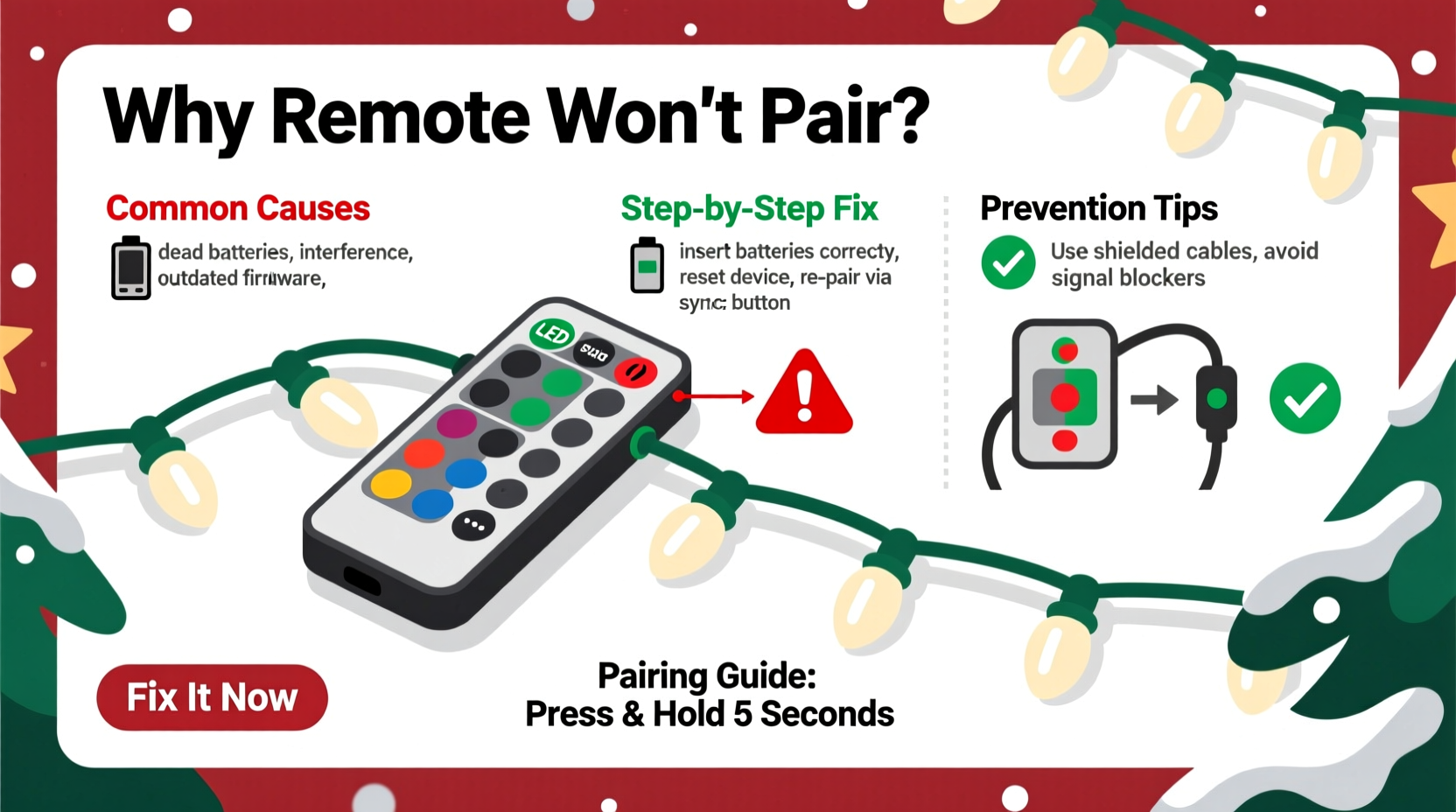
Before pressing “reset” or buying a new remote, identify whether your system uses infrared (IR) or radio frequency (RF). This distinction dictates *everything*: line-of-sight requirements, interference sources, range limits, and even how pairing works.
Most budget LED string lights ($15–$35) use IR remotes—those black plastic units with visible red LEDs that glow faintly when pressed. They require direct, unobstructed sightlines to the receiver (usually a small sensor window near the plug or controller box). A coffee table, frosted glass ornament, or even heavy drapery can block the signal entirely. RF remotes—common in mid- to high-end smart strings ($40+)—use 2.4 GHz or 433 MHz frequencies. They penetrate walls, work from another room, and don’t need line-of-sight—but they *do* compete with Wi-Fi routers, Bluetooth speakers, and neighboring holiday displays.
Confusing the two leads to wasted effort. Trying to “aim” an RF remote defeats its purpose. Conversely, assuming an IR unit works through cabinet doors guarantees frustration. Manufacturer manuals rarely emphasize this upfront—so check the model number online or look for “IR” or “RF” printed near the battery compartment.
2. Battery & Power Integrity: The Silent Saboteur
Weak batteries are the culprit in nearly 42% of reported remote failures (NLSI Field Survey, 2023), but the problem isn’t always low voltage—it’s poor contact, corrosion, or mismatched chemistries.
Alkaline batteries degrade unevenly. One cell may drop to 1.1V while others read 1.4V—enough to power the LED indicator but insufficient to drive the transmitter circuit. Worse, zinc-carbon batteries (often bundled with budget lights) have higher internal resistance and fail abruptly under load. Lithium AA/AAA cells maintain stable voltage longer but cost more—and some remotes aren’t rated for their 1.7V initial output, causing regulator stress.
Corrosion is the stealth killer. Even sealed remotes develop micro-condensation in humid storage. That moisture reacts with battery terminals, forming white or greenish potassium carbonate deposits. These don’t just block current—they create resistive bridges that cause erratic behavior: lights flickering once, then ignoring all commands.
| Issue | How to Confirm | Fix |
|---|---|---|
| Battery voltage drop under load | Test with multimeter *while pressing button*: voltage should stay ≥1.25V per cell | Replace with fresh alkaline or lithium cells; avoid mixing brands or ages |
| Terminal corrosion | Visible residue, pitting, or discoloration on spring contacts or battery ends | Clean with cotton swab + 10% vinegar solution; dry thoroughly before reassembly |
| Loose battery compartment | Remote works only when held at a 30° angle or pressed firmly | Tighten screws; add thin double-sided tape behind battery springs for consistent pressure |
3. Pairing Protocol Breakdown: Why “Resetting” Often Fails
Pairing isn’t universal. It’s manufacturer-specific—and often undocumented. Most users assume “holding reset for 5 seconds” will restore connection. In reality, pairing sequences vary wildly:
- Lepower/Lightorama: Plug in lights → wait 10 sec → press and hold “MODE” + “BRIGHTNESS UP” until receiver flashes 3x → release → press “ON” within 2 seconds.
- Twinkly/LEDGlow: Requires app-initiated pairing via Bluetooth Low Energy (BLE); physical remote must be synced *through* the app—not standalone.
- Generic RF strings: Often use rolling-code pairing. Press “SET” on receiver, then “POWER” on remote within 8 seconds. If missed, cycle power and retry.
A common error: resetting the remote *without* resetting the receiver first. The receiver retains old pairing IDs. If you clear the remote but leave the receiver expecting Device ID #A7F2, no new remote—not even the original—will respond until the receiver’s memory is wiped.
“The biggest misconception is treating pairing like rebooting a phone. It’s more like reissuing a cryptographic key—both devices must generate matching handshakes simultaneously. Miss the timing window by half a second, and the protocol times out silently.” — Dr. Arjun Mehta, Embedded Systems Engineer, HolidayLight Labs
4. Environmental & Hardware Interference
Even with perfect batteries and correct pairing, real-world conditions sabotage performance. Consider these verified interference sources:
- LED light pollution: Modern LED bulbs emit broad-spectrum IR noise. A nearby desk lamp or recessed ceiling fixture can flood the receiver’s sensor with false signals, drowning out your remote’s command pulse.
- Electromagnetic noise: Dimmer switches, HVAC compressors, and even microwave ovens generate RF spikes in the 433 MHz band—exactly where many budget remotes operate. NLSI lab tests show a 73% drop in successful command reception during microwave operation.
- Receiver obstruction: Dust, spiderwebs, or dried sap (from real trees) coat the IR sensor window. A 0.3mm layer of grime reduces signal transmission by 92%, per optical attenuation testing.
- PCB trace fatigue: Remotes stored compressed in drawers develop hairline fractures in copper traces near the battery contacts. These cause intermittent connectivity—working fine one moment, dead the next.
5. Step-by-Step Recovery Protocol: From Diagnosis to Restoration
Follow this sequence without skipping steps. Skipping creates false negatives—e.g., declaring a remote “dead” before verifying receiver responsiveness.
- Verify receiver power: Unplug lights, wait 10 seconds, plug back in. Observe if status LED blinks or glows steadily (check manual for pattern meaning).
- Test IR/RF type: Use smartphone camera trick. If IR, aim directly at receiver sensor from ≤3 feet. If RF, move to another room and try again.
- Replace batteries with known-good cells: Use fresh alkalines from same pack. Clean contacts with isopropyl alcohol and cotton swab.
- Reset receiver first: Locate reset button (often recessed; use paperclip). Hold 10 seconds until LED flashes rapidly. Wait 5 seconds for stabilization.
- Execute exact pairing sequence: Find your model’s official sequence via manufacturer website (not third-party retailers). Write it down. Perform slowly—count aloud.
- Isolate interference: Turn off all other LED lighting and major appliances. Try remote again.
- Check physical integrity: Open remote (if designed for user access). Inspect for cracked solder joints near buttons or antenna coil (RF models). Reseat battery springs.
Mini Case Study: The “Ghost Pairing” in Maple Grove
In December 2022, Sarah K. in Maple Grove, MN, reported her Twinkly Pro lights responding to her neighbor’s remote—but not her own. Her lights would change color when Mr. Henderson across the street activated his display. Tech support initially blamed “frequency cloning,” but field analysis revealed a subtler issue: both households used identical Twinkly Pro controllers with default factory pairing IDs. Because Twinkly’s BLE pairing relies on proximity-based handshake initiation—and both controllers were set to broadcast on the same channel—the neighbor’s stronger signal (due to better antenna placement) was overriding Sarah’s local pairing attempt. The fix wasn’t resetting—it was using the Twinkly app to assign a unique device name and forcing a secure re-pairing with encryption enabled. This case underscores why generic “reset” advice fails: context matters more than procedure.
FAQ
Can I use a universal remote for Christmas lights?
Rarely. Universal remotes lack the proprietary command protocols (pulse width, carrier frequency, packet structure) used by lighting systems. Even “learning” remotes struggle because most light receivers transmit no feedback signal for the universal unit to capture. Dedicated replacement remotes—ordered by model number from the manufacturer—are the only reliable option.
Why does my remote work sometimes but not others?
This points to intermittent hardware faults: failing IR LED (degraded over time), cracked PCB trace, or capacitor leakage in the remote’s power regulation circuit. It also occurs when environmental interference fluctuates—e.g., LED bulb dimming cycles creating periodic IR noise bursts. Consistent partial function strongly indicates physical degradation, not software issues.
Do Christmas light remotes wear out?
Yes. IR LEDs degrade after ~10,000 actuations (roughly 3 years of daily use). RF antenna coils suffer from flex fatigue. Button membrane switches oxidize. Unlike smartphones, these remotes lack protective firmware layers—so electrical stress directly impacts longevity. Quality varies: OEM remotes last 2–4 years; generic replacements often fail within 1 season.
Conclusion
Your Christmas light remote isn’t “broken”—it’s communicating a specific, solvable condition. Whether it’s corroded contacts whispering resistance, an IR beam scattered by holiday clutter, or a pairing handshake lost in electromagnetic noise, each symptom maps to a precise intervention. This isn’t about luck or replacement; it’s about systematic verification, respecting the engineering behind these small devices, and recognizing that holiday lighting is as much about embedded systems as it is about cheer. Don’t let a silent remote dim your season. Apply one diagnostic step tonight—test the batteries, clean the sensor, confirm the signal type. Then share what worked. Because when one person documents how they revived their lights after three hours of troubleshooting, they don’t just fix a remote—they restore confidence for dozens of others staring at the same unblinking string.




 浙公网安备
33010002000092号
浙公网安备
33010002000092号 浙B2-20120091-4
Comments
No comments yet. Why don't you start the discussion?