
Electric blankets are a modern comfort essential, especially during colder months. They provide soothing warmth, help reduce heating costs, and can even ease muscle tension. But when your electric blanket starts beeping at random intervals—without warning or apparent cause—it’s more than just an annoyance. It can disrupt sleep, create anxiety, and raise concerns about safety.
The beeping is not arbitrary. Most electric blankets use audio signals to communicate specific conditions, such as timer alerts, overheating warnings, or system malfunctions. While the sound may seem mysterious, it usually points to a logical issue that can be diagnosed and resolved. This guide breaks down the most common causes of random beeping, offers practical steps for troubleshooting, and helps you determine when it’s time to replace the unit.
Understanding How Electric Blankets Communicate
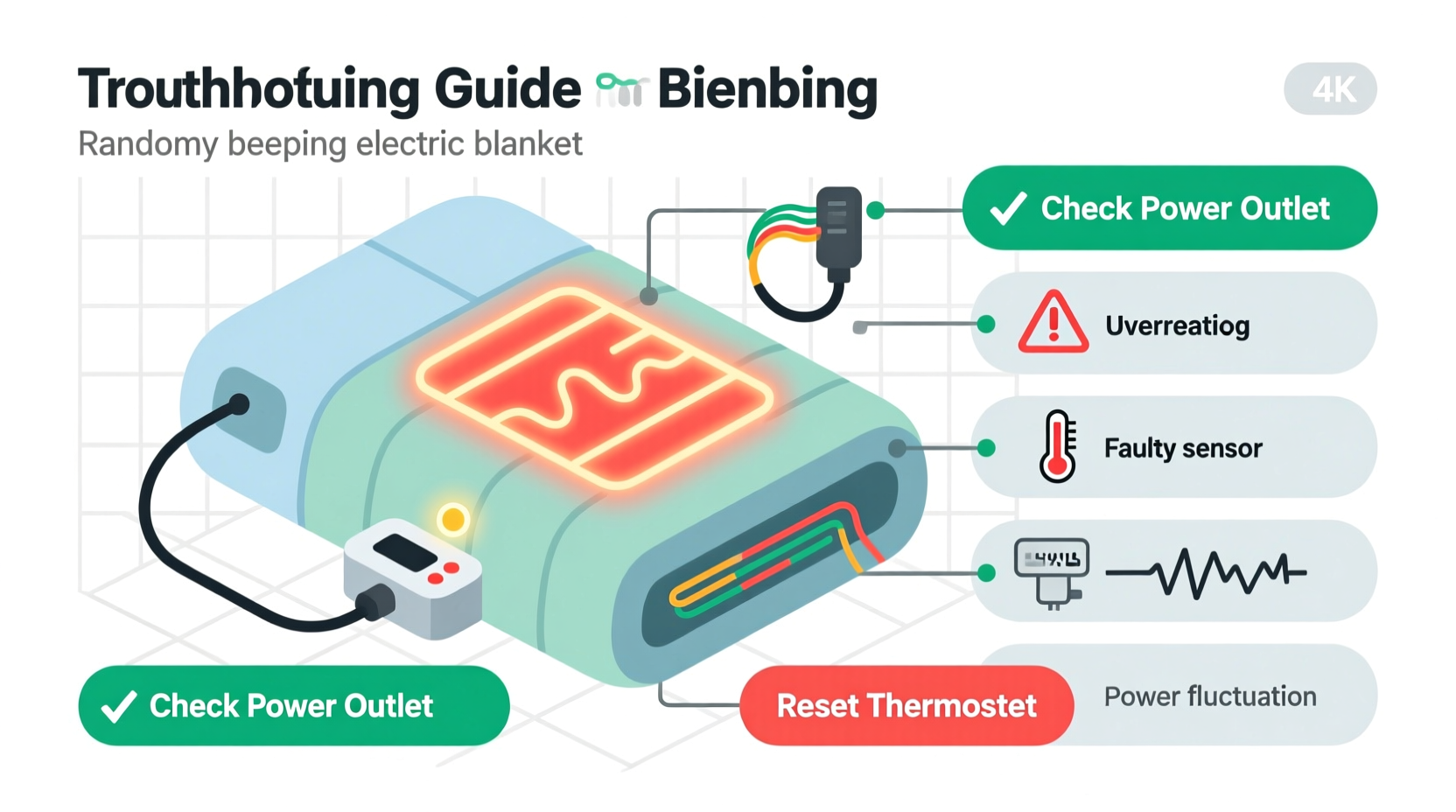
Modern electric blankets are equipped with digital controllers that manage heat settings, timers, and safety protocols. These controllers often include audible alerts—beeps—to notify users of changes or issues. Unlike older models that operated on simple thermostats, today’s heated blankets use microprocessors to monitor performance in real time.
Each beep pattern carries meaning. For example:
- A single short beep typically confirms a button press or setting change.
- Repeated beeps (e.g., three quick beeps) may indicate a fault in the system.
- Intermittent beeping after initial use could signal an overheating sensor activation.
Manufacturers design these alerts to enhance safety. According to the U.S. Consumer Product Safety Commission, over 5,000 residential fires annually are linked to electric blankets, many due to malfunctioning controls or damaged wiring. The beeping serves as an early warning system, prompting users to inspect their devices before risks escalate.
“Beeping isn’t just noise—it’s feedback. Ignoring it can compromise both comfort and safety.” — Dr. Alan Prescott, Electrical Appliance Safety Researcher, National Home Tech Institute
Common Causes of Random Beeping and How to Diagnose Them
Random beeping rarely happens without reason. Below are the most frequent culprits and how to identify them.
1. Timer or Auto-Shutoff Alert
Many electric blankets have built-in timers that turn off the heat after 1–10 hours. When the timer ends, the controller emits a series of beeps to alert you. Some models continue beeping every few minutes until acknowledged.
2. Overheating Protection Activation
If the blanket detects abnormal temperature spikes—due to folding, covering with heavy bedding, or malfunctioning wires—it triggers a thermal cutoff. The controller responds with persistent beeping until the unit cools down or power is disconnected.
3. Loose or Damaged Connection
The connection between the blanket’s internal wiring and the control unit is critical. If the plug is partially dislodged, corroded, or frayed, the system may register an intermittent fault, causing irregular beeping. This is especially common in older models or blankets that have been frequently washed.
4. Faulty Control Unit
The control module itself can degrade over time. Internal circuitry may short, buttons may stick, or moisture damage may occur. A failing control unit often produces erratic behavior, including unexplained beeping, flashing lights, or failure to respond to input.
5. Power Supply Issues
Voltage fluctuations from the wall outlet or using an extension cord can destabilize the controller. Inconsistent power delivery may trigger error codes interpreted as random beeps.
Troubleshooting Checklist: Step-by-Step Guide to Silence the Beep
Follow this systematic approach to diagnose and resolve the source of the beeping. Perform each step in order to avoid overlooking simple fixes.
- Unplug the blanket immediately. Safety first. Disconnect from the power source before inspection.
- Inspect the controller display. Look for flashing icons, error codes (like “E1” or “LO”), or unusual light patterns. Refer to the user manual for code meanings.
- Check the timer setting. Reset the timer or disable it temporarily to see if beeping stops.
- Examine the connection point. Ensure the plug from the blanket is fully inserted into the controller. Look for bent pins, discoloration, or debris.
- Run a visual inspection of the blanket. Lay it flat and look for kinks, folds, or areas where wires may be exposed. Do not use if any damage is visible.
- Test with a different outlet. Plug into a known-working wall socket, avoiding power strips or surge protectors.
- Reset the system. Unplug for at least 5 minutes to allow the controller to reboot internally.
- Reconnect and test without settings. Turn on the blanket at the lowest heat setting without enabling the timer. Observe for 10–15 minutes.
- Wipe the controller contacts. Use a dry cotton swab to clean metal connectors on both the blanket lead and controller port.
- Contact the manufacturer. If beeping persists, reach out with your model number for technical support.
Do’s and Don’ts When Dealing With a Beeping Electric Blanket
| Do’s | Don’ts |
|---|---|
| Unplug the blanket when not in use | Ignore repeated or prolonged beeping |
| Consult the user manual for error codes | Use the blanket if wires are exposed or damaged |
| Clean the controller connections gently | Submerge the controller or wiring in water |
| Store the blanket loosely rolled, not folded | Place heavy objects on top while in use |
| Replace units older than 7–10 years | Attempt to repair internal wiring yourself |
Real-World Example: Sarah’s Midnight Mystery Beep
Sarah, a teacher from Vermont, began hearing her electric blanket beep around 2 a.m. nightly. Initially, she assumed it was a glitch and unplugged it, only for the issue to return the next week. Frustrated and concerned about fire risk, she followed a methodical process.
She started by checking the timer—set to 8 hours, which matched her usual bedtime. After disabling the timer, the beeping stopped for two nights but returned with a new pattern: three rapid beeps every 30 seconds.
Upon closer inspection, she noticed the blanket had been folded tightly at the foot of the bed, compressing the internal wires. After laying it flat and ensuring no sharp bends, the beeping ceased entirely. The system had triggered an overheating alert due to restricted airflow around the heating elements.
Sarah’s experience highlights how environmental factors—not just hardware faults—can prompt alerts. Simply adjusting how the blanket was positioned resolved the issue safely and permanently.
When to Replace vs. Repair Your Electric Blanket
Not all issues can be fixed. Knowing when to retire your electric blanket is crucial for long-term safety.
Minor problems like loose connections or dirty contacts are often repairable through cleaning or resetting. However, signs of deeper failure—such as continuous beeping after reset, visible scorch marks, inconsistent heating, or a burning smell—indicate irreversible damage.
The average lifespan of a quality electric blanket is 7 to 10 years. Beyond this point, insulation degrades, wires become brittle, and safety sensors lose accuracy. Even if the blanket still heats, its reliability diminishes significantly.
“Age alone doesn’t make a blanket dangerous—but combined with erratic behavior like random beeping, it’s a strong indicator for replacement.” — National Fire Protection Association, Home Heating Safety Bulletin
If your model is discontinued and replacement parts aren’t available, continuing to use it poses unnecessary risk. Modern electric blankets come with improved safety features, including auto-shutoff, dual thermostats, and better moisture resistance.
Frequently Asked Questions
Why does my electric blanket beep even when turned off?
This usually indicates residual power in the controller or a stuck button sending false signals. Try unplugging it for 10 minutes. If beeping continues after reconnection, the control unit is likely faulty and should be replaced.
Can I wash my electric blanket if it’s beeping?
No. Washing will not fix electronic issues and may worsen them. Water exposure can damage circuits and create short circuits. Only clean according to the manufacturer’s instructions—typically spot-cleaning the surface fabric. Never immerse the controller or wiring.
Is it safe to cut the beeper off the control unit?
No. Disabling the beeper removes a critical safety feature. Even if the sound is annoying, it exists to warn you of potential hazards. Instead, address the root cause or replace the unit if repairs fail.
Conclusion: Take Control of Your Comfort and Safety
Random beeping from your electric blanket is not something to ignore or tolerate. It’s a signal—a voice from your device trying to tell you something important. Whether it’s a simple timer alert or a warning of internal damage, each beep deserves attention.
By understanding the communication system of your blanket, following a structured troubleshooting process, and knowing when to walk away, you protect not just your sleep but your home and well-being. Don’t let confusion or inconvenience lead to risky decisions. Apply the steps in this guide, consult your manual, and prioritize safety over convenience.




 浙公网安备
33010002000092号
浙公网安备
33010002000092号 浙B2-20120091-4
Comments
No comments yet. Why don't you start the discussion?