
Heart rate monitoring is one of the most valuable features of modern fitness trackers, offering insights into cardiovascular health, workout intensity, and recovery. But if you’ve noticed erratic or fluctuating heart rate data on your Fitbit—such as sudden spikes, drops, or missing readings—you’re not alone. Inconsistent heart rate tracking can be frustrating, especially when you're relying on it for training zones, stress tracking, or sleep analysis. The good news: most inconsistencies are fixable with proper device handling, placement, and understanding of how optical sensors work. This guide breaks down the root causes and delivers actionable solutions to help you get accurate, reliable readings every time.
How Fitbit’s Optical Heart Rate Sensor Works
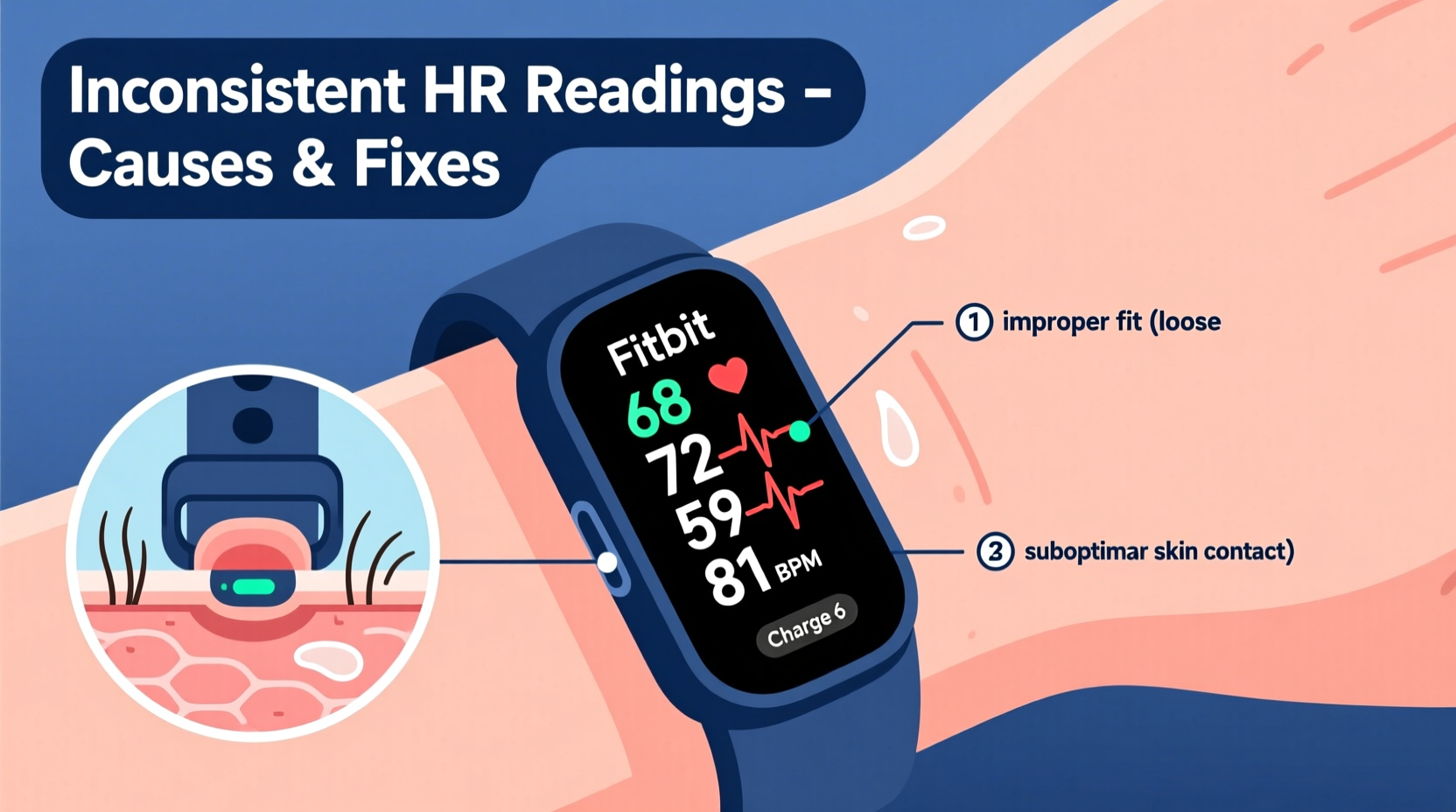
Fitbit devices use photoplethysmography (PPG), a non-invasive optical technology that measures blood flow beneath the skin. Tiny green LEDs shine light into your wrist, and photodiodes detect how much light is absorbed or reflected by moving blood. With each heartbeat, blood volume in the capillaries increases slightly, changing how much light is reflected back. The sensor interprets these fluctuations to calculate your beats per minute (BPM).
While this method is effective under optimal conditions, it’s sensitive to movement, skin tone, tattoos, ambient lighting, and even hydration levels. Unlike chest strap monitors that measure electrical signals directly from the heart (ECG-based), wrist-based optical sensors infer heart rate indirectly, making them more prone to variability—especially during dynamic activities.
“Optical sensors are convenient but inherently noisier than ECG. Motion artifacts and poor contact are the top reasons for inaccurate readings.” — Dr. Lena Patel, Biomedical Engineer & Wearable Technology Researcher
Common Causes of Inconsistent Heart Rate Readings
Inconsistencies don’t always mean your device is faulty. More often, they stem from environmental, physiological, or usage factors. Understanding these can help you troubleshoot effectively.
1. Improper Wrist Placement
If the Fitbit is too loose, it moves around during activity, breaking consistent skin contact. If it’s too tight, it restricts blood flow, distorting readings. The ideal fit allows one finger to slide underneath comfortably.
2. Excessive Movement During Exercise
High-intensity interval training (HIIT), weightlifting, or trail running create motion artifacts—rapid shifts in position that interfere with light detection. The sensor may misinterpret movement as heartbeats or fail to capture pulses altogether.
3. Skin Tone, Tattoos, and Hairy Wrists
Dark ink from tattoos absorbs green LED light, reducing signal clarity. Similarly, dense hair or very dark skin pigmentation can weaken reflection. While newer Fitbits have improved algorithms for diverse skin tones, extreme cases still pose challenges.
4. Cold Temperatures and Poor Circulation
In cold environments, blood vessels constrict, reducing peripheral blood flow to the wrists. This diminishes the pulsatile signal the sensor relies on, leading to gaps or low readings—even if your actual heart rate is normal.
5. Charging or Device Sleep Mode
Some users report missing data during charging. While newer models support passive tracking while plugged in, older versions may disable continuous heart rate monitoring during charging to conserve power.
6. Software Glitches or Outdated Firmware
Bugs in the operating system or syncing errors between the device and app can cause data dropouts. Regular firmware updates often resolve known issues related to sensor performance.
Actionable Sensor Tips to Improve Accuracy
You don’t need to replace your device to get better readings. Implementing a few practical adjustments can dramatically improve consistency.
Wear Position and Fit Optimization
- Position the tracker on the underside of your wrist, just below the wrist bone, where arteries run closer to the surface.
- Avoid wearing it over prominent tendons or bony areas where contact is unstable.
- Tighten the band so it stays flush with your skin during movement but doesn’t leave marks or restrict circulation.
Clean the Sensor Regularly
Sweat, lotions, dirt, and dead skin build up on the back of the device, blocking light transmission. Use a soft, dry cloth or slightly dampened wipe weekly to clean the sensor window.
Enable High Sensitivity Mode (When Needed)
For intense workouts, go to your Fitbit app settings > Devices > [Your Device] > Exercise > Heart Rate > set to “High Sensitivity.” This increases sampling frequency and improves responsiveness during fast-paced intervals.
Warm Up Before Recording
If exercising in cold weather, warm up indoors first. Increased blood flow enhances signal detection. Consider wearing gloves with fingerless ends to keep hands warm without removing the tracker.
Use Manual Start for Workouts
Relying solely on automatic exercise detection may miss early phases of activity. Manually start workouts in the app to ensure continuous HR monitoring from the beginning.
Do’s and Don’ts: Quick Reference Table
| Do’s | Don’ts |
|---|---|
| Wear the device snugly, 1–2 cm above the wrist bone | Wear it loosely or over a tattooed area |
| Clean the sensor weekly with a dry microfiber cloth | Use alcohol, acetone, or rough scrubbing pads |
| Update firmware regularly via the Fitbit app | Ignore software update notifications |
| Start workouts manually for critical sessions | Assume auto-detection caught everything |
| Try a chest strap for high-intensity training | Compare wrist readings directly to medical devices |
When to Consider a Chest Strap Monitor
For athletes or those focused on precise training metrics, pairing your Fitbit with a Bluetooth-compatible chest strap (like the Polar H10 or Garmin HRM-Pro) offers superior accuracy. These straps measure electrical impulses from the heart muscle itself, eliminating optical interference.
You can sync compatible chest straps with the Fitbit app during workouts for real-time data. While less convenient for all-day wear, they’re ideal for interval training, VO₂ max estimation, or validating performance trends.
“I switched to using a chest strap with my Fitbit Charge 6 for HIIT classes. The difference in consistency was night and day.” — Marcus T., endurance coach and tech reviewer
Real-World Example: Solving Erratic Readings During Spin Class
Jamila, a 34-year-old spin instructor, noticed her Fitbit Sense frequently showed resting heart rates mid-class or erratic jumps from 90 to 180 BPM within seconds. Frustrated, she assumed the device was defective. After testing several fixes, she discovered the issue stemmed from multiple factors:
- Her bracelet was worn too high on the forearm, where muscle vibration disrupted sensor contact.
- She applied hand sanitizer before class, leaving residue on the sensor.
- The studio’s strobe lighting interfered with optical detection.
After repositioning the tracker lower on her wrist, cleaning the sensor daily, and switching to high-sensitivity mode, her readings stabilized significantly. She now starts workouts manually and cross-checks peak zones against perceived exertion—achieving far more trustworthy data.
Step-by-Step Guide to Troubleshooting Inconsistent Readings
- Check Band Fit: Ensure the device is snug but comfortable, allowing one finger underneath.
- Reposition the Tracker: Move it to the underside of your wrist, just below the bone.
- Clean the Sensor: Wipe the back with a dry, lint-free cloth.
- Update Firmware: Open the Fitbit app, tap your profile, select your device, and check for updates.
- Test in Different Conditions: Compare readings at rest, walking, and during controlled exercise.
- Enable High Sensitivity Mode: Adjust settings for active workouts.
- Reset the Device: As a last resort, factory reset through the app settings.
- Contact Support: If problems persist, reach out to Fitbit customer service with logs and examples.
Frequently Asked Questions
Why does my Fitbit show a heart rate when I’m not wearing it?
This usually happens due to accidental activation—like placing the device near a heat source or pressing buttons unintentionally. The sensor may interpret thermal noise or pressure as a pulse. It’s not dangerous, but indicates the device should be worn securely to avoid false triggers.
Can I trust my Fitbit for medical purposes?
No. While Fitbit’s heart rate monitoring is clinically tested for general wellness use, it is not a medical device. Do not rely on it for diagnosing arrhythmias, atrial fibrillation (though some models offer alerts), or emergency decisions. Always consult a healthcare provider for medical concerns.
Does skin color affect Fitbit heart rate accuracy?
Earlier generations of optical sensors had limitations with darker skin tones due to higher melanin absorption of green light. Fitbit has since updated its algorithms and hardware (e.g., brighter LEDs, multi-wavelength systems) to reduce disparities. However, individual variation still exists. Ensuring proper fit and cleanliness helps mitigate these effects.
Conclusion: Take Control of Your Data Accuracy
Inconsistent heart rate readings on your Fitbit aren’t inevitable—they’re often solvable with attention to detail. By optimizing fit, maintaining your device, understanding its technological limits, and knowing when to supplement with external tools like chest straps, you can significantly improve data reliability. Remember, no wearable is perfect, but with informed use, yours can deliver meaningful insights into your health and fitness journey.




 浙公网安备
33010002000092号
浙公网安备
33010002000092号 浙B2-20120091-4
Comments
No comments yet. Why don't you start the discussion?