
Sleep is a cornerstone of health, and many people rely on their Fitbit devices to monitor sleep patterns, duration, and quality. However, over time, some users notice discrepancies in their sleep data—such as missing sleep stages, inaccurate wake times, or even complete tracking failures. When your Fitbit stops delivering reliable sleep insights, it undermines the value of using the device altogether. The good news is that most issues are fixable with proper troubleshooting and recalibration. Understanding the root causes and implementing corrective steps can restore your device’s accuracy and help you make better-informed decisions about your rest.
Common Reasons Your Fitbit Stops Tracking Sleep Accurately
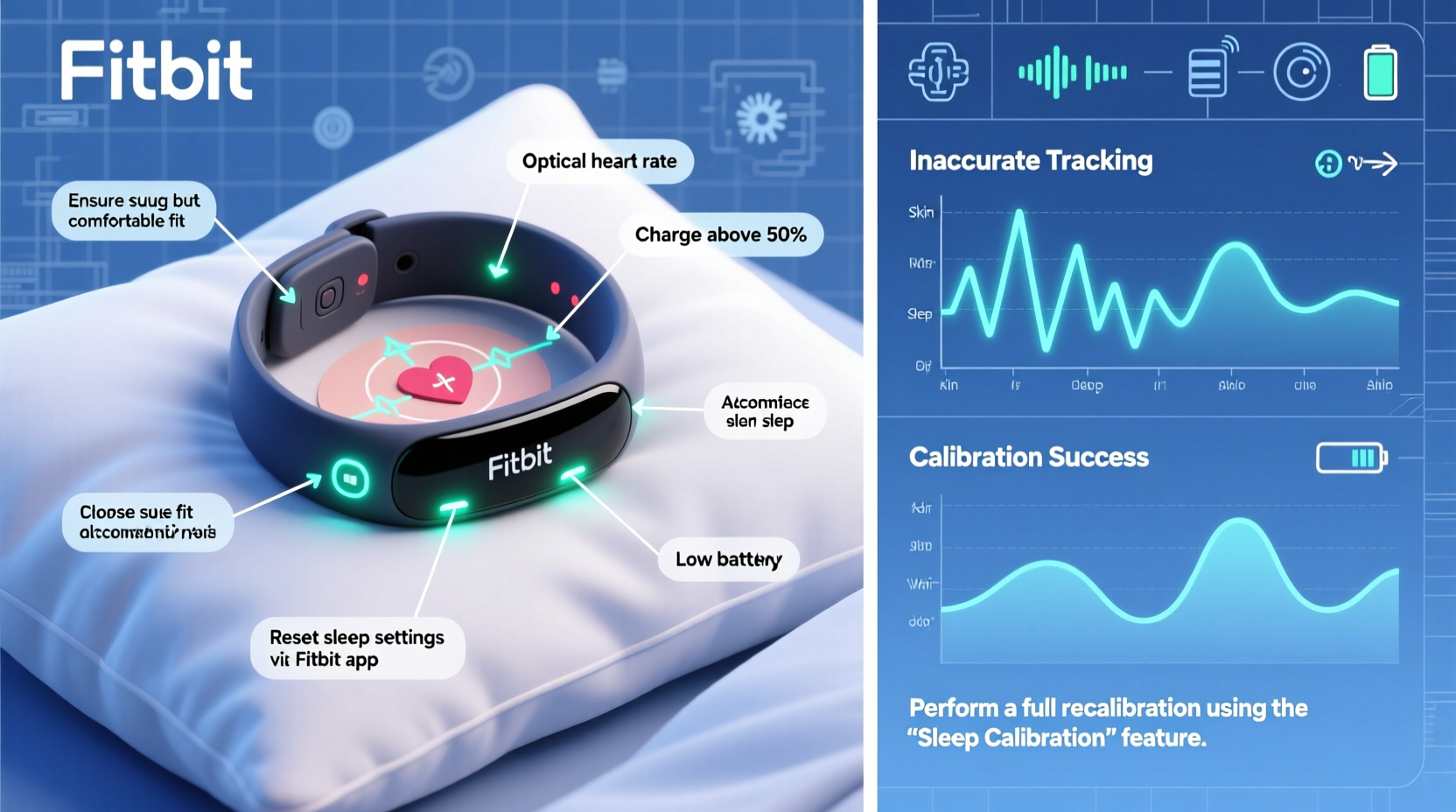
Fitbit uses a combination of heart rate monitoring (via PurePulse technology), movement detection, and algorithmic analysis to determine when you fall asleep, how deeply you sleep, and when you wake up. Several factors can interfere with this process, leading to inconsistent or incorrect data.
- Inconsistent wear: If the device is too loose or removed during the night, it won’t detect movement or heart rate changes effectively.
- Low battery: A nearly depleted battery can cause sensors to power down intermittently, disrupting tracking.
- Dirty sensor: Accumulated sweat, oils, or residue on the optical heart rate sensor can block accurate readings.
- Firmware or app glitches: Outdated software or syncing errors between the Fitbit app and device can lead to data loss or misinterpretation.
- User behavior changes: Shifts in bedtime routines, travel across time zones, or new medications can confuse the algorithm’s baseline assumptions.
- Aging hardware: Over time, especially after 1–2 years of heavy use, internal components may degrade slightly, affecting performance.
“Even small changes in wrist placement or skin contact can alter how well optical sensors read biometrics overnight.” — Dr. Lena Patel, Biomedical Engineer & Wearable Tech Analyst
How to Recalibrate Your Fitbit for Accurate Sleep Tracking
Recalibrating your Fitbit isn’t just about restarting the device—it involves resetting expectations, updating systems, and re-establishing a strong connection between your body and the tracker. Follow these steps to recalibrate your device and improve sleep data reliability.
Step 1: Clean the Sensor Thoroughly
The optical heart rate sensor on the back of your Fitbit must maintain direct contact with your skin. Sweat, lotions, and dead skin cells can create a barrier that interferes with readings.
- Remove the device from your wrist.
- Use a soft cloth slightly dampened with water or rubbing alcohol.
- Gently wipe the sensor area and let it dry completely before re-wearing.
Step 2: Update Firmware and App
Outdated software is one of the top culprits behind erratic tracking behavior.
- Open the Fitbit app and go to your device settings.
- Check for firmware updates under “Device Info.”
- Ensure the Fitbit app itself is updated via your phone’s app store.
Step 3: Reboot Your Fitbit Device
A simple restart can resolve temporary glitches.
- For most models: Press and hold the side button(s) for 10–12 seconds until the Fitbit logo appears.
- Wait for the device to reboot fully before wearing it again.
Step 4: Re-sync with the App
If your sleep data isn’t appearing or looks corrupted:
- Open the Fitbit app.
- Pull down on the dashboard to force a sync.
- If no sync occurs, temporarily disable Bluetooth on your phone, re-enable it, and try again.
Step 5: Reset Sleep Settings
Adjust your sleep schedule within the app to reflect your current routine.
- Navigate to Today > Profile > Sleep Schedule.
- Set consistent bedtime and wake-up times—even on weekends—to help the algorithm predict sleep onset more accurately.
Step 6: Perform a Factory Reset (If Necessary)
If problems persist, a factory reset may be required. Note: This erases all personal data, so ensure your stats are synced first.
- Go to Fitbit app > Account > your device.
- Select “Remove Device,” then set it up again as new.
- Re-enter your health profile (weight, height, age) accurately.
Do’s and Don’ts for Maintaining Sleep Tracking Accuracy
| Do’s | Don’ts |
|---|---|
| Wear your Fitbit snugly at night | Don’t wear it too loosely or upside-down |
| Clean the sensor weekly | Don’t ignore visible grime on the back of the device |
| Keep firmware updated monthly | Don’t skip software update notifications |
| Charge your Fitbit before bedtime if battery is below 30% | Don’t let the battery die mid-sleep |
| Maintain a regular sleep schedule | Don’t frequently change bedtimes without adjusting app settings |
Real-World Example: Sarah’s Sleep Data Recovery
Sarah, a 38-year-old teacher and long-time Fitbit Charge 5 user, noticed her device began reporting only 4 hours of sleep despite feeling rested after 7–8 hours in bed. Her deep sleep appeared nonexistent, and the app often marked her as awake during periods she knew she was asleep.
She followed a recalibration process: cleaned the sensor, restarted the device, and checked for updates. No improvement. Then, she reviewed her wear habits and realized she had started sleeping with the band turned slightly upward due to discomfort. Repositioning it correctly—sensor flat against her skin—and tightening the strap led to immediate improvements. Within two nights, her sleep stages returned to normal, and total sleep time matched her actual rest.
This case highlights how subtle physical factors—often overlooked—can significantly impact tracking accuracy.
Expert Tips to Improve Long-Term Sleep Tracking Reliability
Beyond basic recalibration, there are proactive strategies to ensure your Fitbit continues delivering trustworthy sleep insights over months and years.
- Establish a charging ritual: Charge your Fitbit every morning after waking so it always starts the night with full power.
- Use Sleep Mode manually: On older models or if automatic detection fails, start Sleep Mode manually before bed.
- Monitor skin sensitivity: If you develop irritation, take short breaks but avoid prolonged removal, which disrupts data continuity.
- Track trends, not single nights: One-off inaccuracies happen. Focus on weekly averages rather than isolated readings.
- Pair with journaling: Manually log how you feel each morning and compare it to Fitbit data to spot inconsistencies.
“The best wearable data isn’t perfect—it’s consistent. Even minor inaccuracies become useful when viewed over time in context.” — Dr. Marcus Lin, Digital Health Researcher at Stanford Medicine
Troubleshooting Checklist: Regain Accurate Sleep Tracking
Use this checklist whenever your Fitbit sleep data seems off:
- ✅ Clean the optical sensor with a soft, slightly damp cloth
- ✅ Ensure the band fits snugly without restricting circulation
- ✅ Check battery level—charge if below 30%
- ✅ Confirm firmware and app are up to date
- ✅ Restart the device by holding the button for 10+ seconds
- ✅ Force a sync in the Fitbit app
- ✅ Verify sleep schedule settings match your routine
- ✅ Consider a factory reset if issues persist after 3 nights
- ✅ Test tracking consistency over 5 consecutive nights post-calibration
Frequently Asked Questions
Why does my Fitbit say I slept less than I actually did?
This usually happens when the device detects frequent movements interpreted as wakefulness, or if the sensor loses contact due to a loose fit. It can also occur if the battery died partway through the night. Recalibrate using the steps above and ensure consistent wear.
Can arm movements during sleep affect tracking?
Yes. While Fitbit algorithms filter out minor motion, excessive tossing, reaching, or sleeping with arms elevated can be misread as wakefulness. Wearing the device properly and minimizing disruptions helps reduce false awakenings in the data.
Does wearing my Fitbit on a different wrist affect sleep tracking?
It can. The non-dominant wrist typically has steadier blood flow and fewer micro-movements, making it ideal for heart rate sensing. Switching wrists may require recalibration and several nights for the algorithm to adapt.
Conclusion: Take Control of Your Sleep Data
Your Fitbit is only as accurate as the conditions you provide it. Inaccurate sleep tracking doesn’t necessarily mean your device is broken—it often signals a need for recalibration, better wear habits, or software maintenance. By understanding the limitations of sensor technology and taking deliberate steps to optimize performance, you can restore confidence in your sleep metrics.
Start tonight: clean your device, tighten the band, charge it fully, and commit to a week of consistent wear. Compare the results—you’ll likely see a dramatic improvement. Remember, the goal isn’t perfection but progress. Reliable data empowers better choices, and with a few adjustments, your Fitbit can continue being a trusted partner in your wellness journey.




 浙公网安备
33010002000092号
浙公网安备
33010002000092号 浙B2-20120091-4
Comments
No comments yet. Why don't you start the discussion?