
It’s a common frustration: you spend time applying your foundation perfectly, only to see it appear ashy, dull, or unnaturally gray the moment you turn on a camera. Whether you're filming a video, joining a virtual meeting, or taking a selfie, poor lighting can completely distort your makeup—especially foundation. This isn’t just about the product you use; it’s often about how light interacts with your skin tone, undertones, and the camera’s white balance settings. Understanding the science behind this phenomenon is the first step toward achieving a natural, even complexion on screen.
The root cause lies in the mismatch between real-life color perception and digital capture. Cameras interpret colors differently than human eyes, particularly under artificial or mixed lighting. When lighting is too cool (blue-toned), warm foundation shades can appear ashen. Conversely, overly warm lighting can make neutral foundations look orange. Add in shadows, glare, or uneven brightness, and your carefully blended base vanishes into a patchy, grayish mess.
The good news? This issue is fixable—with adjustments to both your environment and technique.
Why Foundation Turns Gray Under Camera Lighting
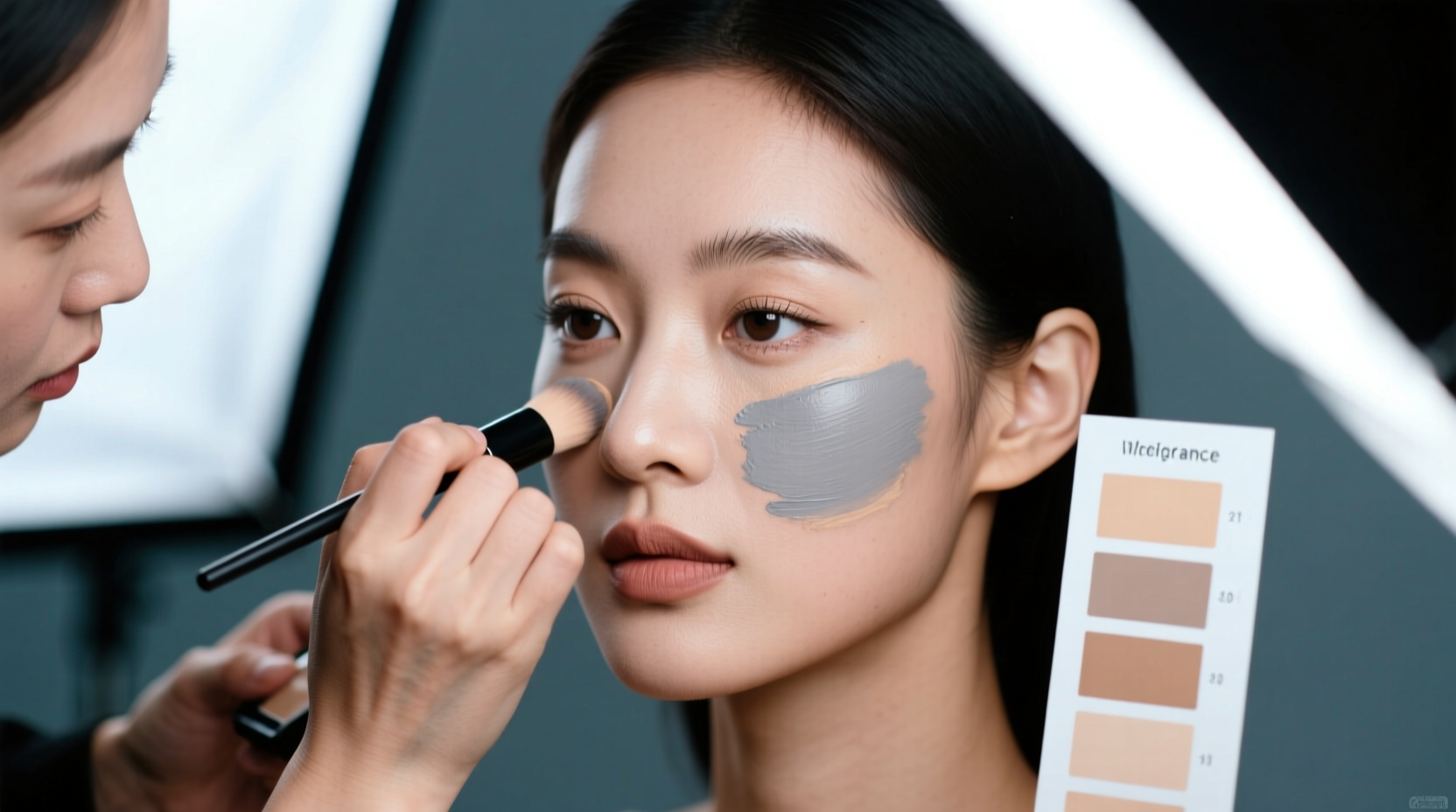
Cameras don’t see color the same way our brains do. While our visual system automatically adjusts for lighting conditions (a process called chromatic adaptation), cameras rely on white balance settings that may not match reality. If the camera interprets the scene as warmer than it actually is, it cools down the image—turning warm foundation tones into ashy grays.
Another factor is undertone confusion. Foundations with yellow, golden, or olive undertones can clash under fluorescent or LED lighting, which emits a high amount of blue spectrum light. This creates a contrast that tricks the lens into rendering your skin as dull or lifeless. Additionally, flash photography or ring lights placed too close can wash out facial features and desaturate skin tones, making even well-matched foundation look flat.
A third contributor is the lack of dynamic range in consumer-grade cameras. Unlike professional cinema equipment, most phone and laptop cameras struggle to capture detail in both highlights and shadows simultaneously. When parts of your face fall into shadow while others are overexposed, the resulting image compresses tonal variation, pushing mid-tones toward gray.
The Role of Light Temperature and Color Rendering Index (CRI)
Light temperature, measured in Kelvin (K), plays a critical role in how your foundation appears on camera. Lower temperatures (2700K–3000K) produce warm, yellowish light similar to incandescent bulbs. Mid-range (3500K–4100K) is neutral, while higher temperatures (5000K–6500K) mimic daylight and appear cooler or bluish.
For accurate skin tone representation, aim for lighting between 4800K and 5600K—the sweet spot used in professional studios. This range closely matches natural daylight and minimizes color distortion. However, even within this ideal range, poor-quality bulbs with low Color Rendering Index (CRI) values will fail to show true colors.
CRI measures how accurately a light source reveals the actual colors of objects compared to natural sunlight (which has a CRI of 100). Lights with a CRI below 90 can distort pigments, especially subtle makeup blends. For example, a foundation with pink undertones might appear gray under a low-CRI LED despite looking perfect in sunlight.
“In broadcast environments, we never use lights with less than 95 CRI. Skin tone accuracy starts with faithful color reproduction.” — Jordan Lee, Lighting Director at MetroVision Studios
Practical Lighting Fixes for Flawless Foundation on Camera
Fixing the gray-foundation effect isn’t about changing your makeup—it’s about controlling your environment. Start by auditing your current lighting setup and making strategic improvements.
1. Use Balanced Daylight-Simulating Lights
Replace standard household bulbs with full-spectrum LED panels or ring lights rated between 5000K and 5500K. These replicate midday sun and provide consistent illumination without extreme warmth or coolness. Position the light source slightly above eye level and angled downward to create soft shadows that define facial structure without harsh contrasts.
2. Employ Diffusion Techniques
Direct, unfiltered light causes glare and flattens skin texture. Place a sheer white curtain, diffusion panel, or softbox between the light and your face to scatter photons evenly. This reduces specular highlights and prevents the camera from blowing out cheekbones or forehead areas, preserving tonal depth in your foundation.
3. Eliminate Mixed Lighting Sources
Never mix different light temperatures in the same frame. A warm desk lamp next to a cool window creates conflicting color casts. Close blinds during evening shoots and rely solely on controlled artificial lighting. If using natural light, shoot near a north-facing window for consistent, indirect daylight.
4. Add Fill Lighting to Reduce Shadows
Use a secondary soft light or reflector opposite your main source to fill in shadows under the eyes, jawline, and neck. Uneven lighting exaggerates foundation imperfections and contributes to the perception of discoloration. A simple foam board or collapsible reflector can bounce light effectively and affordably.
| Lighting Setup | Effect on Foundation | Recommendation |
|---|---|---|
| Cool Fluorescent (4000K+, low CRI) | Makes warm foundations appear gray/ashy | Avoid; replace with high-CRI daylight LEDs |
| Warm Incandescent (2700K) | Can make neutral foundations look orange | Use only if balanced with cool fill light |
| Natural North Light (5500K, high CRI) | Presents most accurate skin tone | Optimal for daytime filming |
| Ring Light (5000K, high CRI) | Even illumination, minimal shadows | Ideal for video calls and selfies |
Makeup Adjustments for On-Camera Wear
While lighting is the primary culprit, minor tweaks to your makeup routine can enhance how your foundation reads on camera.
- Choose luminous, not matte finishes: Matte foundations absorb light and can appear flat or chalky. Opt for satin or radiant formulas that reflect light gently, mimicking healthy skin glow.
- Prime strategically: Use a color-correcting primer to counteract lighting biases. A peach-toned primer counters cool grays; a green one reduces redness amplified by bright lights.
- Blend beyond the jawline: Cameras emphasize edges. Failing to blend foundation onto the neck creates a visible line that distracts from overall tone accuracy.
- Set lightly: Heavy powder kills shine but also diffuses pigment. Use translucent setting spray instead of excessive powder to lock makeup without dulling it.
Real-World Example: Fixing a Virtual Meeting Glow-Up
Samantha, a marketing consultant based in Chicago, noticed her foundation looked “like I hadn’t slept in weeks” during Zoom meetings. She was using a popular warm-beige shade that matched her skin perfectly in natural light. However, her home office had two overhead fluorescent lights (4100K, CRI 75) and no supplemental lighting.
After testing her setup with a friend’s DSLR, she realized the camera rendered her foundation with a distinct gray cast under the cool lights. She replaced the fluorescents with a 5200K LED panel (CRI 96) positioned at a 45-degree angle in front of her. She added a white foam board to her left as a reflector and switched to a radiant-finish foundation with slightly more yellow undertone.
The difference was immediate. Her skin appeared even, warm, and natural on camera—no longer drained or ashy. Colleagues commented on her “great energy” and “glowing skin,” unaware the transformation came from lighting, not skincare.
Step-by-Step Guide to Optimizing Your On-Camera Appearance
- Assess your current lighting: Turn on your camera and observe your skin tone. Is it too yellow, too blue, or flat?
- Eliminate mixed sources: Turn off all unnecessary lights and close curtains to control ambient input.
- Install a high-CRI daylight-balanced light (5000K–5500K): Position it in front of you, slightly above eye level.
- Add diffusion: Use a softbox or place a thin white fabric over the light to soften intensity.
- Place a reflector opposite the light: Bounce light to eliminate dark shadows under eyes and jaw.
- Test with your actual camera: Record a short clip and review playback on multiple devices.
- Adjust foundation if needed: Try a slightly warmer or more luminous formula if gray tones persist.
Frequently Asked Questions
Why does my foundation look gray only on camera but fine in person?
This happens because cameras have limited dynamic range and automatic white balance systems that misinterpret lighting conditions. What your eyes perceive as balanced may be read by the camera as too warm or too cool, causing it to shift colors—often turning warm foundation tones ashy or gray.
Does camera quality affect how my foundation looks?
Yes. Higher-end cameras with better sensors, wider dynamic range, and manual white balance controls capture skin tones more accurately. Budget webcams and older smartphones often oversaturate or desaturate colors and struggle with backlighting, increasing the risk of foundation appearing off-tone.
Can I fix gray foundation in post-production?
You can correct minor color casts using editing software like Adobe Premiere or apps like Snapseed. Adjust white balance, tint, and saturation carefully to restore natural skin tones. However, prevention through proper lighting is always preferable—post-editing can't recover lost detail in overexposed or shadowed areas.
Final Checklist for Flawless Foundation on Camera
- ✅ Use lighting between 5000K and 5500K
- ✅ Choose lights with CRI of 90 or higher
- ✅ Avoid mixing warm and cool light sources
- ✅ Diffuse direct light with softboxes or fabrics
- ✅ Position key light slightly above and in front of face
- ✅ Use a reflector or fill light to balance shadows
- ✅ Apply radiant (not matte) foundation with proper blending
- ✅ Test your look with a real recording before going live
Conclusion: Look Like Yourself—Just Better Lit
Your foundation shouldn’t turn gray every time you hit record. With the right combination of high-quality lighting, thoughtful positioning, and minor cosmetic adjustments, you can ensure your makeup looks as vibrant and natural on screen as it does in real life. Don’t blame your foundation first—check your light. A few small changes can transform your on-camera presence from washed-out to radiant.




 浙公网安备
33010002000092号
浙公网安备
33010002000092号 浙B2-20120091-4
Comments
No comments yet. Why don't you start the discussion?