
If your internet crawls every evening just as you're settling in to stream a show, join a work call, or play online games, you’re not alone. Millions of households experience noticeable slowdowns during peak hours—typically between 7 PM and 11 PM. This isn’t random; it’s the result of network congestion, router limitations, and household usage patterns converging at the worst possible time. Understanding the root causes is the first step toward reclaiming fast, stable speeds when you need them most.
The Science Behind Nighttime Internet Slowdowns
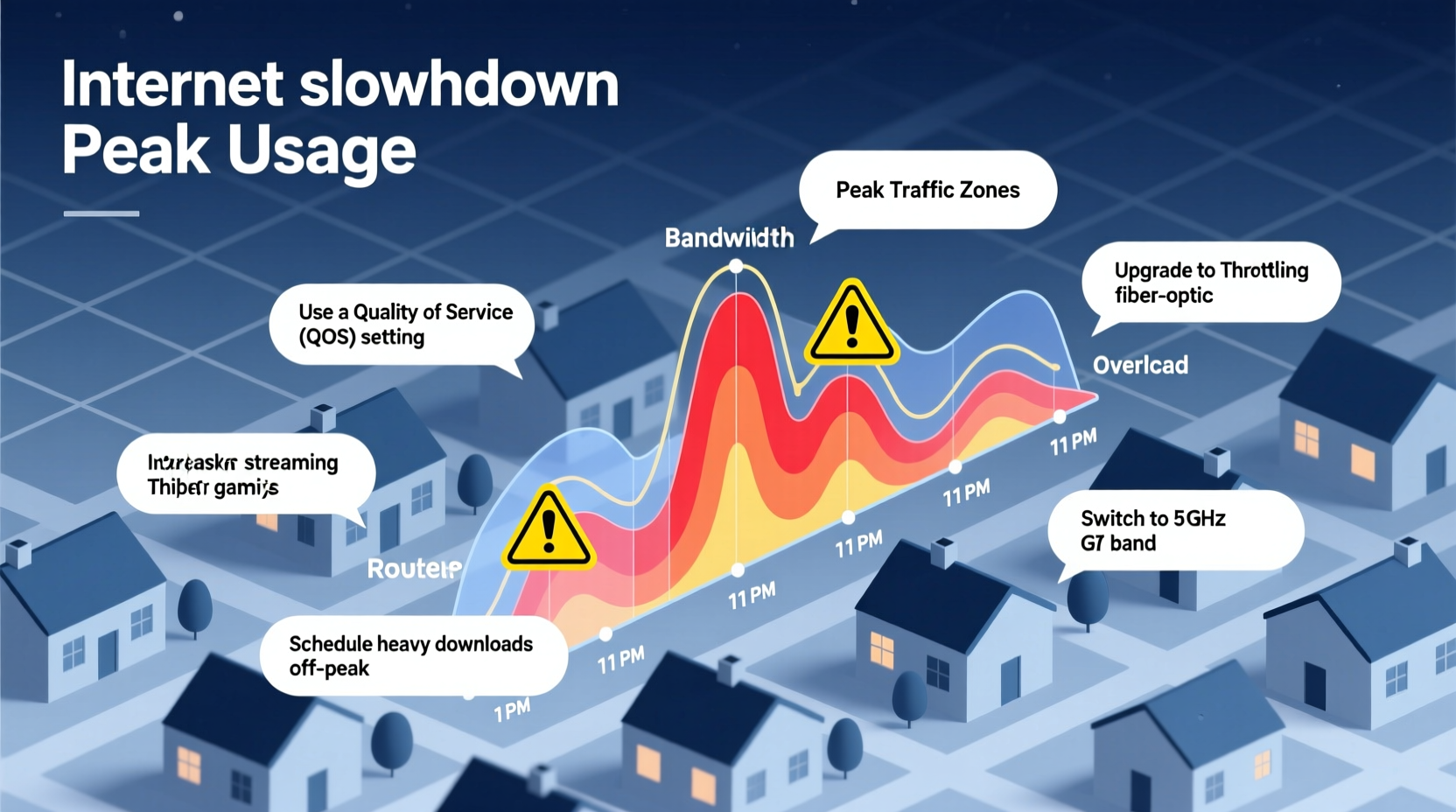
Internet performance doesn’t exist in a vacuum. Your connection shares infrastructure with neighbors, especially if you're on cable broadband. During the day, many people are at work or school, using minimal bandwidth at home. But when evening arrives, usage spikes dramatically: families stream 4K video, kids game online, smart devices update, and video calls multiply.
This surge creates what’s known as network congestion. Think of your internet service provider’s (ISP) local node like a highway. During off-peak hours, traffic flows smoothly. At night, too many cars try to use the same lanes, causing bottlenecks. The result? Slower download speeds, buffering, lag, and higher latency.
According to the Federal Communications Commission (FCC), average prime-time internet speeds can drop by 20% to 50% depending on location and ISP. In densely populated areas, the effect is even more pronounced.
Common Causes of Peak-Time Speed Drops
While network congestion is the primary culprit, several other factors compound the issue:
- Shared Bandwidth (Cable Internet): Unlike fiber, cable internet divides bandwidth among all users on a neighborhood node. More users = less bandwidth per household.
- Wi-Fi Interference: Neighboring Wi-Fi networks operate on the same radio frequencies, increasing interference during high-usage periods.
- Router Overload: Older or low-end routers struggle to manage multiple simultaneous connections, leading to packet loss and disconnections.
- Background Device Activity: Smart TVs, phones, and IoT devices often update apps, back up data, or sync at night without user awareness.
- Throttling by ISPs: Some providers may intentionally slow heavy users during peak times, though this practice is less common now due to net neutrality regulations.
Understanding which of these apply to your setup helps target effective fixes.
How to Fix or Reduce Peak Usage Slowdowns
You don’t have to accept sluggish internet after dark. With strategic adjustments and the right tools, you can significantly improve your nighttime performance.
1. Upgrade Your Router
Your router is the central hub of your home network. An outdated model—even if paired with a fast plan—can bottleneck your entire system. Modern dual-band or tri-band routers support MU-MIMO (Multi-User, Multiple Input, Multiple Output), allowing them to serve multiple devices simultaneously without lag.
Look for Wi-Fi 6 (802.11ax) routers, which offer better efficiency, stronger signals, and improved handling of congested environments.
2. Use Quality of Service (QoS) Settings
QoS lets you prioritize certain devices or activities over others. For example, you can assign higher priority to your work laptop or gaming console while deprioritizing background updates on smart appliances.
- Log into your router’s admin interface (usually via 192.168.1.1 or similar).
- Navigate to QoS settings (often under Advanced or Traffic Management).
- Assign high priority to critical devices by MAC address or IP.
- Save and restart the router.
3. Switch to the 5 GHz Band
Most modern routers broadcast two Wi-Fi bands: 2.4 GHz and 5 GHz. While 2.4 GHz has longer range, it’s also overcrowded and slower. The 5 GHz band offers faster speeds and less interference—but shorter range.
Move high-bandwidth devices (like streaming boxes or laptops) closer to the router and connect them to the 5 GHz network for better performance during peak times.
4. Schedule Updates and Backups Off-Peak
Many devices default to updating at night. While convenient, this consumes bandwidth when you’re trying to use it. Manually schedule large downloads, cloud backups, and system updates for early morning or midday.
On Windows: Go to Settings > Update & Security > Change active hours.
On macOS: System Settings > General > Software Update > Automatic Updates.
For smart TVs and consoles: Check network settings to disable automatic updates or set them for off-hours.
5. Consider a Mesh Network
If dead zones or weak signals plague your home, a mesh Wi-Fi system can eliminate coverage gaps. Unlike extenders, which degrade signal quality, mesh systems create a seamless network with intelligent routing.
Brands like Eero, Google Nest Wifi, and Netgear Orbi provide robust coverage and built-in traffic management features that help maintain stability during high-demand periods.
When to Consider Switching ISPs or Plans
Sometimes, the problem isn’t your equipment—it’s your service. If you’ve optimized everything locally and still face severe slowdowns, your ISP or plan may be the limiting factor.
Fiber-optic internet, where available, is largely immune to peak-time congestion because it doesn’t rely on shared coaxial lines. Providers like Google Fiber, AT&T Fiber, and Verizon Fios offer symmetrical upload/download speeds and consistent performance regardless of neighborhood demand.
If fiber isn’t an option, consider upgrading your cable plan. A higher-tier package provides more bandwidth headroom, reducing the impact of congestion. However, be cautious: some ISPs impose data caps or charge extra for premium tiers.
| Connection Type | Peak-Time Reliability | Best For | Limitations |
|---|---|---|---|
| Cable | Moderate to Low | Urban/suburban areas | Shared bandwidth, prone to congestion |
| Fiber | High | Streaming, gaming, remote work | Limited availability |
| DSL | Low | Rural areas | Slow speeds, distance-sensitive |
| 5G Home Internet | Moderate | Mobile-first users | Data caps, signal variability |
“During peak hours, the difference between a good and bad internet experience often comes down to network architecture. Fiber avoids the shared-medium problem entirely.” — Dr. Lena Patel, Network Engineer at Broadband Insights Group
Real-Life Example: The Johnson Family’s Evening Streaming Struggles
The Johnsons in suburban Chicago subscribed to a 200 Mbps cable plan but found their Netflix streams constantly buffering after dinner. Their two kids were gaming, their smart home devices were syncing, and video calls with grandparents added strain.
After running tests, they discovered their actual evening speeds dropped to 65 Mbps. They upgraded to a Wi-Fi 6 router, enabled QoS to prioritize the TV and work laptop, and moved their gaming consoles to wired Ethernet connections. They also switched their backup schedules to run at 5 AM.
Result: Evening speeds stabilized around 160 Mbps, and streaming became seamless. They avoided a costly ISP upgrade simply by optimizing their existing setup.
Action Checklist: How to Regain Fast Nighttime Internet
Follow this practical checklist to diagnose and resolve peak-time slowdowns:
- ✅ Run speed tests at different times to confirm congestion
- ✅ Restart your router and modem regularly
- ✅ Upgrade to a Wi-Fi 6 or mesh router if outdated
- ✅ Enable QoS and prioritize key devices
- ✅ Connect high-bandwidth devices via Ethernet when possible
- ✅ Switch devices to the 5 GHz Wi-Fi band
- ✅ Disable or reschedule automatic updates and backups
- ✅ Scan for unauthorized devices on your network
- ✅ Contact your ISP to check for local node issues
- ✅ Explore fiber or alternative providers if available
Frequently Asked Questions
Does turning off devices really improve internet speed?
Yes. Every connected device consumes a small amount of bandwidth, even when idle. Turning off unused smartphones, tablets, and smart speakers reduces overhead and frees up router resources, improving responsiveness and throughput.
Can my neighbors really slow down my internet?
If you’re on cable internet, yes. Cable networks share bandwidth across a neighborhood node. If many neighbors are streaming or downloading heavily, your portion of the bandwidth shrinks. This is less of an issue with fiber or DSL.
Is it worth paying for a higher-speed plan?
It depends. If you already have a fast plan (300 Mbps or more) and still experience slowdowns, the bottleneck is likely network congestion or internal Wi-Fi issues—not raw speed. However, if you’re on a 100 Mbps plan with four+ heavy users, upgrading may help. Monitor your usage before deciding.
Final Steps and Long-Term Strategy
Fixing nighttime internet slowdowns isn’t about one magic solution—it’s about layered improvements. Start with low-cost optimizations like adjusting router settings and managing device usage. Then invest in hardware upgrades only if needed. Finally, evaluate your ISP options with an eye toward future-proofing.
Remember: consistency matters. Revisit your network settings every few months, especially as new devices join your home. Firmware updates, changing usage habits, and evolving ISP policies all affect performance over time.




 浙公网安备
33010002000092号
浙公网安备
33010002000092号 浙B2-20120091-4
Comments
No comments yet. Why don't you start the discussion?