
It’s a common scene: you’re lying in bed, scrolling through social media, and plug your phone in to charge. Within minutes, the device grows warm—then uncomfortably hot. You might dismiss it as normal, but persistent overheating during charging, especially while using the phone, can signal deeper issues. This isn’t just about comfort; sustained heat exposure can degrade battery life, slow performance, and even pose safety hazards. Understanding why this happens and how to manage it is essential for both device longevity and personal safety.
The Science Behind Phone Heating During Charging
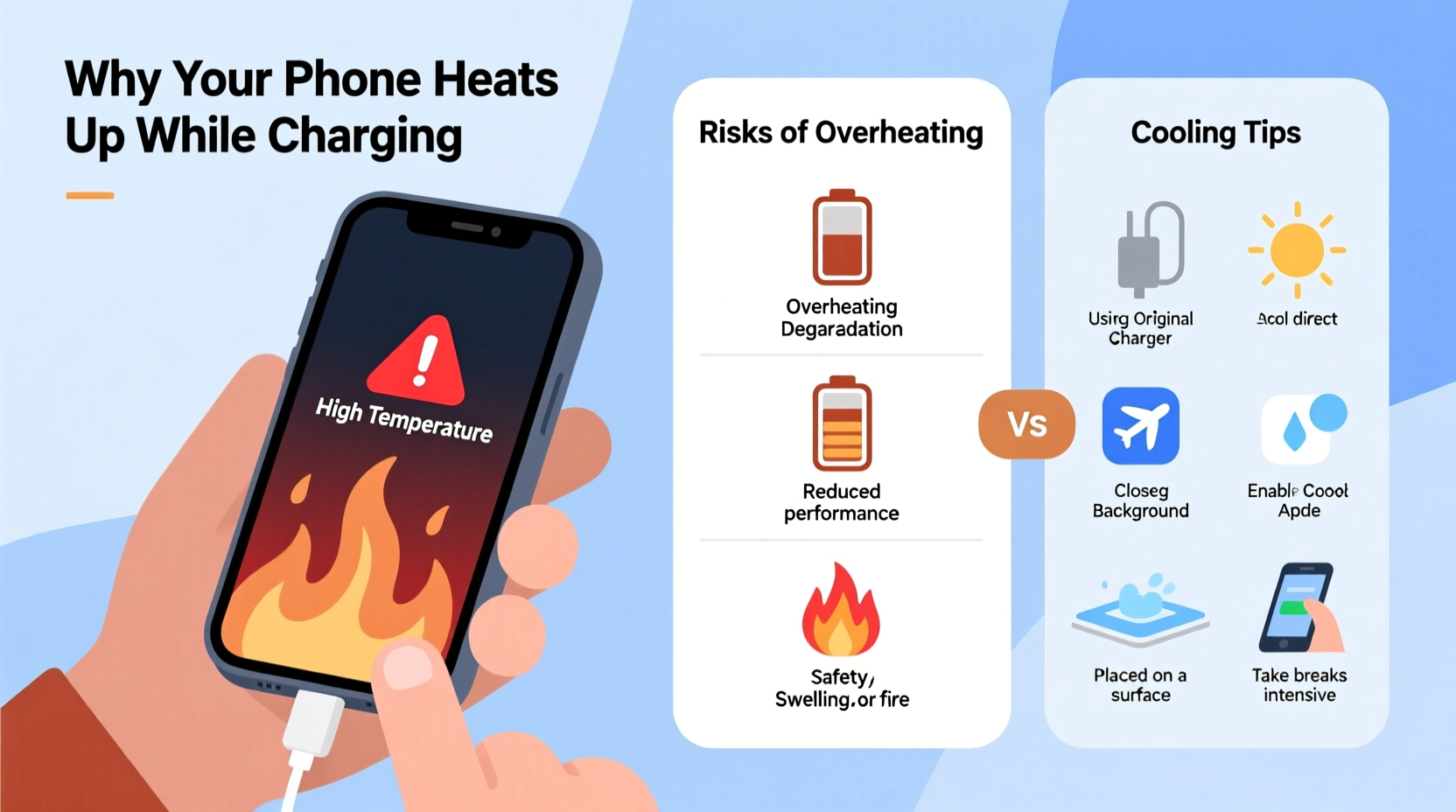
When a phone charges, electrical energy flows from the charger into the battery, where it's stored as chemical energy. This process generates heat due to internal resistance in the battery and circuitry—a phenomenon known as Joule heating. While some warmth is expected, excessive heat usually results from multiple factors compounding at once.
Using your phone while it’s charging intensifies this effect. The processor, screen, and wireless radios (like Wi-Fi and cellular data) all consume power and generate additional heat. When these components run simultaneously with charging circuits, thermal output multiplies. This “triple load” scenario—charging + screen use + app processing—is the most common cause of noticeable overheating.
Lithium-ion batteries, used in nearly all modern smartphones, are particularly sensitive to temperature. They operate efficiently between 20°C and 35°C (68°F–95°F). Beyond that range, chemical reactions inside accelerate, increasing wear on internal materials. Over time, this degrades capacity and shortens overall battery lifespan.
Risks of Using Your Phone While Charging
While convenient, using your phone while it’s plugged in comes with tangible risks—some immediate, others long-term.
Battery Degradation
Heat is the number one enemy of lithium-ion batteries. According to research by Battery University, keeping a battery above 30°C for prolonged periods can reduce its capacity by up to 20% within a year. Charging accelerates this damage because the battery is already under stress. If you frequently use your phone while charging, especially resource-heavy apps, you're likely cutting years off your battery’s usable life.
Performance Throttling
To protect hardware, modern phones employ thermal throttling—automatically reducing CPU speed when temperatures rise. This means your phone may feel sluggish or unresponsive during overheating episodes. In extreme cases, the device may shut down unexpectedly to prevent further damage.
Safety Hazards
Though rare, severe overheating can lead to swelling batteries, melted casings, or, in worst-case scenarios, fire. The U.S. Consumer Product Safety Commission has documented incidents where improper charging practices contributed to battery failures. While most modern phones include safeguards like overcharge protection and thermal sensors, these systems aren’t foolproof—especially with third-party chargers or damaged cables.
“Continuous heat exposure during charging dramatically increases internal resistance and side reactions in the battery, accelerating degradation.” — Dr. Ananya Mukherjee, Electrochemical Engineer, MIT Energy Initiative
Cooling Tips to Prevent Overheating
You don’t need to stop using your phone entirely while charging—but smart habits can minimize heat buildup and extend device life.
1. Remove the Case During Charging
Most phone cases, especially thick silicone or leather ones, trap heat. Removing the case allows better airflow and faster dissipation of warmth. If you must keep it on, opt for thin, breathable materials like TPU or mesh-backed designs.
2. Use Original or Certified Chargers
Third-party chargers often lack proper voltage regulation and temperature monitoring. A poorly regulated charger can over-deliver current, causing excess heat. Always use manufacturer-approved or MFi-certified (for Apple) accessories.
3. Charge in a Cool Environment
Avoid charging on beds, sofas, or carpets—soft surfaces block ventilation vents and insulate heat. Instead, place your phone on a hard surface like a wooden table or desk. Never leave it in direct sunlight or a hot car.
4. Enable Airplane Mode for Faster, Cooler Charging
If you need to charge quickly without usage, turn on Airplane Mode. This disables Wi-Fi, Bluetooth, and cellular signals—major sources of background power draw and heat. Charging efficiency improves by up to 30%, and temperatures stay lower.
Do’s and Don’ts: Charging Best Practices
| Action | Recommended? | Reason |
|---|---|---|
| Use phone while charging | No (avoid heavy tasks) | Increases heat from dual power input/output |
| Charge under pillow or blanket | No | Poor ventilation leads to dangerous heat buildup |
| Use original cable and adapter | Yes | Ensures proper voltage and safety protocols |
| Charge in cool, open area | Yes | Improves heat dissipation |
| Leave phone charging overnight | Yes (with caveats) | Modern phones stop charging at 100%, but heat can still build if apps run in background |
| Play games while fast-charging | No | Fast charging + GPU load = extreme heat risk |
Step-by-Step Guide to Safer Charging Habits
Adopting a consistent routine reduces strain on your phone and prevents avoidable overheating. Follow this daily sequence:
- Unplug non-essential apps: Close background apps before plugging in. This reduces CPU load and lowers idle power consumption.
- Remove the case: Take off any protective cover to allow heat to escape freely.
- Plug into a wall outlet: Avoid USB ports on computers or power banks—they often deliver inconsistent power.
- Place on a hard, flat surface: Ensure vents (usually near the charging port) aren’t blocked.
- Limit screen-on time: If you must use the phone, keep sessions brief and avoid video or gaming.
- Monitor temperature: If the phone feels hot to touch, unplug it and let it cool before resuming use.
- Finish charging before re-casing: Wait until charging completes and the device returns to room temperature before putting the case back on.
Real-World Example: A Cautionary Scenario
Consider Mark, a college student who regularly watched YouTube videos on his phone while charging overnight. After six months, he noticed his battery drained faster—even after a full charge. His phone would shut down at 30% battery, and the back became too hot to hold during video calls.
He visited a repair shop, where diagnostics revealed his battery had degraded to 68% of its original capacity—well below the 80% threshold Apple and Samsung consider “normal.” The technician explained that continuous high-temperature charging, combined with heavy usage, accelerated wear. Replacing the battery cost $69, and Mark now follows strict charging rules: no usage while charging, only original accessories, and regular battery health checks.
This scenario is increasingly common. Users often don’t realize the cumulative impact of daily habits until performance issues become unavoidable.
Expert-Recommended Checklist for Safe Charging
- ✅ Use manufacturer-approved charger and cable
- ✅ Charge on a hard, cool surface (not bed or couch)
- ✅ Remove phone case during charging
- ✅ Avoid gaming, streaming, or GPS navigation while charging
- ✅ Keep software updated (updates often include thermal management improvements)
- ✅ Monitor battery health monthly (available in Settings on iOS and Android)
- ✅ Replace swollen or overheating batteries immediately
- ✅ Avoid charging in high ambient temperatures (e.g., >35°C / 95°F)
Frequently Asked Questions
Is it dangerous if my phone gets hot while charging?
Mild warmth is normal, but if the phone is too hot to hold, shuts down unexpectedly, or shows signs like screen discoloration or a bulging back panel, it’s a warning sign. Persistent overheating can damage internal components and, in rare cases, create fire hazards. Unplug immediately and let it cool in a safe area.
Can I use my phone while it’s fast charging?
It’s not recommended. Fast charging pushes more current into the battery in a shorter time, generating significant heat. Adding usage—especially demanding tasks—multiplies thermal stress. For best results, fast charge when the phone is idle or in Airplane Mode.
How do I check my battery health?
On iPhone: Go to Settings > Battery > Battery Health & Charging. It shows maximum capacity and peak performance capability. On Android: Battery health info varies by brand. Samsung users can find it under Battery > Battery Health. Others may need third-party apps like AccuBattery (use reputable sources only).
Conclusion: Protect Your Device and Yourself
Your phone is designed to handle moderate stress, but constant multitasking during charging pushes it beyond safe limits. Heat isn’t just a nuisance—it’s a silent killer of battery life and performance. By understanding the causes and adopting simple, disciplined habits, you can preserve your device’s functionality, avoid costly repairs, and eliminate potential safety risks.
Start today: unplug from the habit of using your phone while it charges. Choose cooler environments, use certified gear, and monitor your battery’s condition. Small changes yield long-term benefits—longer battery life, smoother performance, and peace of mind.




 浙公网安备
33010002000092号
浙公网安备
33010002000092号 浙B2-20120091-4
Comments
No comments yet. Why don't you start the discussion?