
It’s a familiar frustration: you step into an elevator or descend into a basement, and within seconds, your phone shows “No Service.” Calls drop, messages fail to send, and navigation apps freeze. While it might seem like a flaw in your device or carrier, the real cause lies in the laws of physics and the materials surrounding you. Understanding why this happens involves exploring electromagnetic waves, signal propagation, and structural design. This article breaks down the science behind signal loss in enclosed spaces and offers practical insights for staying connected.
The Basics of Mobile Signal Transmission
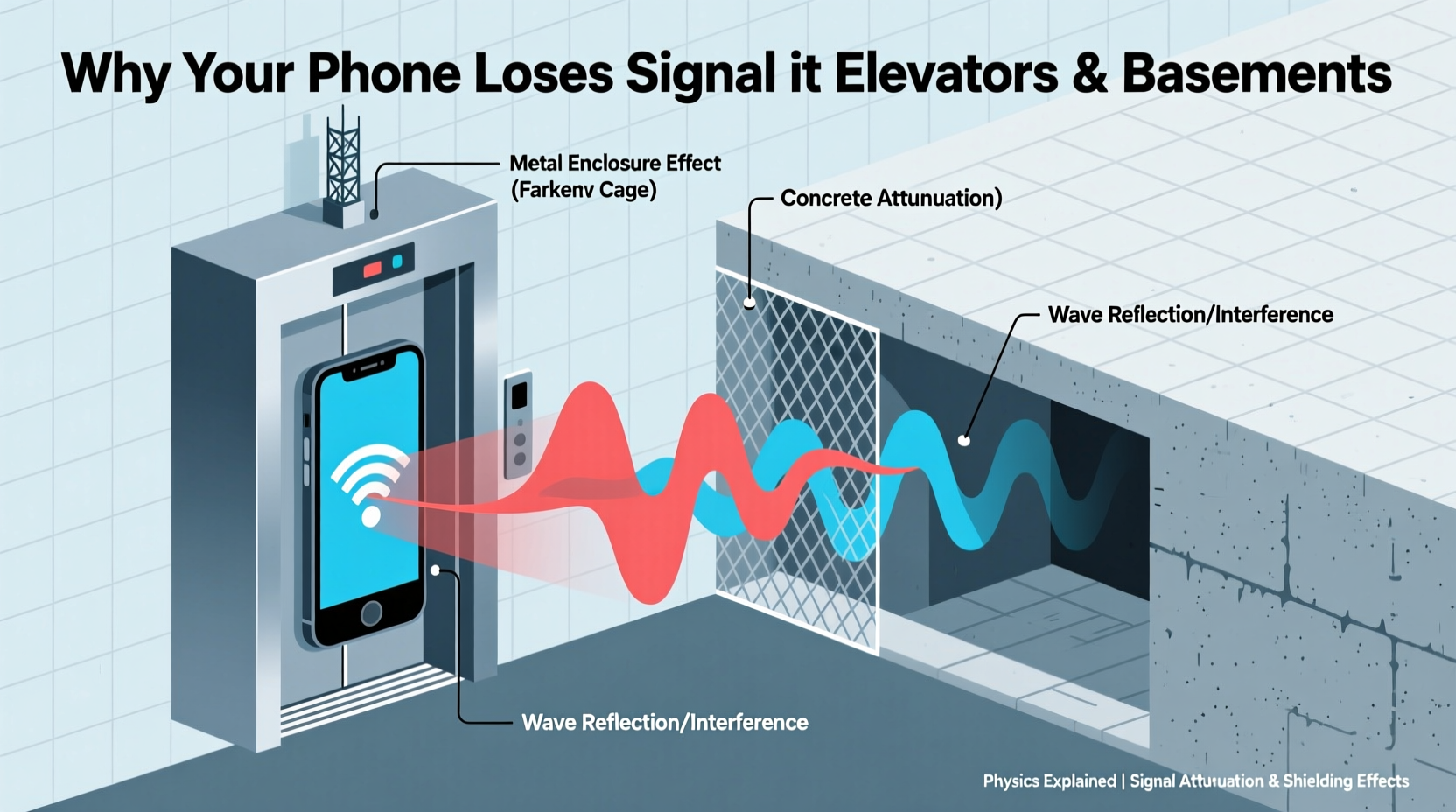
Mobile phones rely on radio frequency (RF) electromagnetic waves to communicate with cell towers. These signals are part of the microwave spectrum, typically ranging from 700 MHz to over 5 GHz depending on the network (4G LTE, 5G, etc.). These waves travel through the air and some solid materials, but their ability to penetrate obstacles depends on several physical factors:
- Frequency: Higher frequencies carry more data but have shorter wavelengths, making them less capable of penetrating dense materials.
- Power: Cell towers transmit at regulated power levels, which may not be sufficient to reach deeply enclosed areas.
- Obstruction: Physical barriers absorb, reflect, or scatter RF signals, weakening or blocking them entirely.
In open environments, these signals can travel several miles under ideal conditions. However, once they encounter buildings—especially those made of concrete, steel, or underground structures—their path is disrupted.
Why Elevators Block Signals: The Faraday Cage Effect
Elevators are among the most notorious spots for signal loss. The primary reason is that they often act as **Faraday cages**—enclosures made of conductive materials that block external electromagnetic fields.
A Faraday cage works by redistributing incoming electromagnetic radiation across its conductive surface, effectively canceling out the field inside. When an elevator car is constructed from metal (such as steel walls and doors), it forms a partial or complete enclosure that shields its interior from RF signals. As the door closes, the continuity of the metal structure increases, enhancing this shielding effect.
“An elevator is essentially a moving metal box surrounded by reinforced shafts—both of which are excellent at attenuating radio waves.” — Dr. Lena Torres, RF Propagation Engineer
The phenomenon isn’t limited to elevators. Cars, airplanes, and even microwave ovens use similar principles. In fact, the mesh on your microwave door blocks 2.45 GHz waves from escaping—just as elevator walls block cellular frequencies from entering.
Basements and Underground Spaces: Depth and Material Matter
Basements pose a different challenge. Unlike elevators, they aren’t always fully enclosed in metal, but their location below ground level creates significant signal attenuation. Several factors contribute:
- Soil and Concrete Overhead: Earth and reinforced concrete are highly effective at absorbing RF energy. A typical basement ceiling may include layers of concrete, rebar, insulation, and flooring—all contributing to signal degradation.
- Distance from Towers: Being underground increases the physical distance between your phone and the nearest cell tower. Even small vertical drops can equate to substantial signal loss.
- Lack of Line-of-Sight: Radio waves travel best with a clear line of sight. Basements are shielded from direct exposure to external antennas, forcing signals to take indirect, weakened paths.
Studies show that a single floor below ground can reduce signal strength by 10–20 dB, enough to drop a strong 4-bar connection to unusable levels. In parking garages or sub-basements, losses can exceed 30 dB, rendering most phones ineffective without internal repeaters.
Common Building Materials and Their Signal Attenuation
| Material | Typical Thickness | Signal Loss (dB) | Impact on Reception |
|---|---|---|---|
| Drywall | 0.5 inches | 2–3 dB | Minimal loss |
| Wood Framing | 6 inches | 4–6 dB | Slight reduction |
| Concrete Wall | 8 inches | 10–15 dB | Moderate loss |
| Reinforced Concrete | 12 inches | 20–30 dB | Severe loss |
| Steel Frame / Metal Cladding | N/A | 25+ dB | Blocks most signals |
| Earth (soil) | 3 feet | 15–25 dB | Significant barrier |
As shown, modern construction materials—while structurally sound—are often detrimental to wireless communication. High-rise buildings with steel skeletons and thick concrete floors compound the issue across multiple levels.
Solutions and Workarounds: Staying Connected Indoors
While physics sets the limits, technology and planning offer ways to mitigate signal loss. Here are actionable strategies:
1. Enable Wi-Fi Calling
If your carrier and phone support Wi-Fi calling, enable it. This allows voice and text services to run over a local internet connection rather than cellular networks. Most modern smartphones support this feature, and it works seamlessly in basements with Wi-Fi access.
2. Use a Femtocell or Microcell
Carriers like Verizon and AT&T offer mini cell towers (femtocells) that connect to your broadband and create a localized cellular signal. These devices are ideal for basements or offices where outdoor signal penetration is poor.
3. Install a Signal Booster (Repeater System)
A cellular repeater system consists of three parts: an outdoor antenna, an amplifier, and an indoor antenna. The outdoor unit captures weak signals, amplifies them, and rebroadcasts them indoors. These systems can restore service in large basements, warehouses, or multi-level homes.
4. Choose the Right Phone
Not all phones handle weak signals equally. Devices with advanced antenna designs and carrier aggregation perform better in low-signal zones. For example, newer iPhones and flagship Android models often include enhanced RF front-end modules for improved reception.
Mini Case Study: Office Building Connectivity Upgrade
A mid-sized tech firm in downtown Chicago occupied the lower two floors of a 1970s-era office building. Employees consistently reported dropped calls and failed video conferences in meeting rooms located in the basement. Initial attempts—like boosting Wi-Fi—did not resolve cellular issues.
An RF audit revealed that the building’s limestone facade and steel-reinforced concrete reduced external signal strength by over 28 dB. The solution was a distributed antenna system (DAS) installed throughout the basement level. External antennas were mounted on the roof, feeding amplified signals via fiber cables to internal nodes.
Within two weeks, cellular performance improved from 0% reliability to over 95%. Employees regained consistent access to mobile networks, and emergency call functionality was restored. The project cost $18,000 but eliminated productivity losses estimated at $5,000 per month.
Checklist: Improving Indoor Cellular Reception
- ✅ Confirm if your carrier supports Wi-Fi calling and enable it.
- ✅ Test signal strength in problem areas using built-in phone diagnostics (e.g., Field Test Mode on iPhone).
- ✅ Assess whether a femtocell is available from your provider.
- ✅ Consider installing a commercial-grade signal booster if coverage is critical.
- ✅ Ensure your router provides strong Wi-Fi to support VoIP and messaging apps.
- ✅ Contact building management—larger properties may already have DAS infrastructure.
Frequently Asked Questions
Can 5G signals reach basements better than 4G?
No, ironically, 5G often performs worse in enclosed spaces. While low-band 5G (below 1 GHz) has decent penetration, most high-speed 5G uses millimeter wave (mmWave) frequencies (24–47 GHz), which are easily blocked by walls, glass, and even human hands. These signals struggle to enter buildings, let alone basements.
Why does my phone sometimes regain signal inside an elevator?
This usually occurs when the elevator shaft has gaps in shielding, or when the building has an internal signal repeater. Some modern elevators include passive antennas or leaky feeder cables that extend coverage into the cab. Additionally, brief signal bursts may occur near floor landings where doors open partially.
Does airplane mode help restore signal after exiting a dead zone?
Yes. Switching to airplane mode forces your phone to disconnect from all networks. Turning it off again prompts a fresh network scan, which can be faster than waiting for the phone to recover automatically from a prolonged search state.
Conclusion: Physics Can't Be Defied, But It Can Be Outsmarted
The loss of mobile signal in elevators and basements is not a glitch—it’s a predictable outcome of electromagnetic physics interacting with architectural design. Metal enclosures, dense materials, and subterranean positioning all work against radio wave propagation. However, awareness of these limitations empowers smarter choices.
From enabling Wi-Fi calling to investing in signal boosters, practical solutions exist to maintain connectivity where it matters most. As cities grow vertically and underground spaces become more common, integrating robust wireless infrastructure will no longer be optional—it will be essential.




 浙公网安备
33010002000092号
浙公网安备
33010002000092号 浙B2-20120091-4
Comments
No comments yet. Why don't you start the discussion?