
It’s a familiar frustration: you plug in your phone at the end of a long day, only to find it still dead hours later. The charging cable is connected, the power source is live, but nothing happens. No LED indicator, no battery symbol, just silence. While this issue can feel alarming, it’s often caused by simple, fixable problems rather than permanent hardware failure. Understanding the root causes—from dirty ports to faulty cables—can save time, money, and unnecessary panic. This guide walks through the most common reasons your phone won’t charge and provides clear, actionable steps to diagnose and resolve each one.
Common Causes Behind Charging Failures
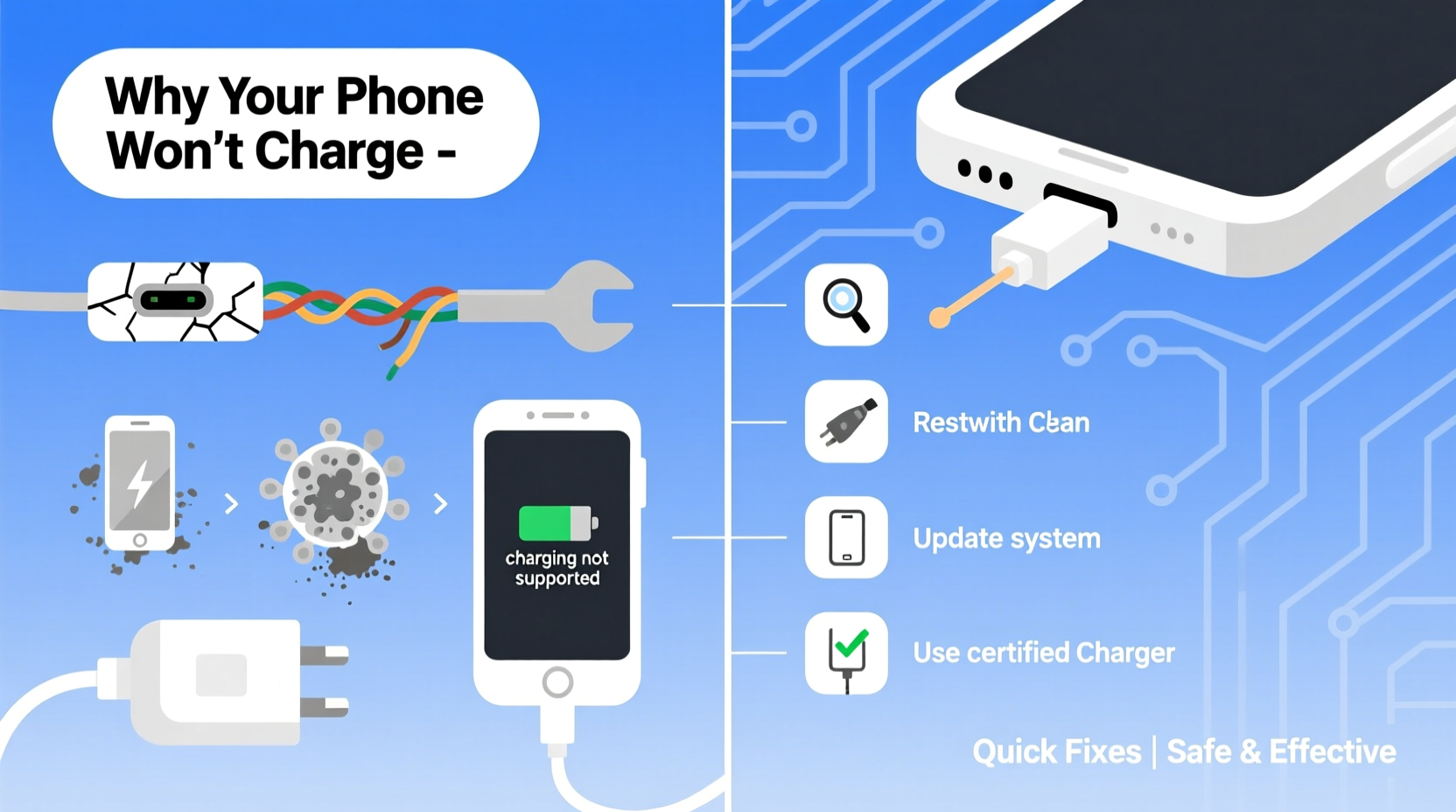
Phones rely on a precise connection between multiple components: the charger, cable, power source, and the phone’s internal circuitry. Any disruption in this chain can interrupt charging. Most issues fall into one of three categories: hardware, software, or environmental.
- Physical damage: Bent pins, frayed cables, or cracked connectors.
- Dirt and debris: Lint, dust, or moisture blocking the charging port.
- Power supply issues: Weak adapters, incompatible chargers, or faulty outlets.
- Software glitches: System bugs that interfere with battery recognition.
- Battery degradation: Aging batteries that no longer hold a charge efficiently.
Before jumping to conclusions about a broken phone, systematically eliminate the simplest possibilities first. Many users replace functional devices simply because they didn’t troubleshoot effectively.
Step-by-Step Guide to Diagnose and Fix Charging Issues
Follow this logical sequence to identify and resolve your phone’s charging problem without professional help.
- Check the basics: Ensure the outlet works by plugging in another device. Test a different power source if possible.
- Inspect the charging cable: Look for kinks, exposed wires, or loose connections. Try a known-working cable.
- Examine the adapter: If using a wall charger, test it with another compatible device.
- Clean the charging port: Use a dry toothbrush or wooden toothpick to gently remove lint and debris. Avoid metal tools to prevent short circuits.
- Restart your phone: A quick reboot can resolve temporary software hiccups affecting battery detection.
- Try wireless charging (if supported): If your phone charges wirelessly but not via cable, the issue is likely with the port or cable.
- Test with a different USB port or computer: Some USB ports deliver insufficient power for charging.
This process isolates variables to pinpoint whether the fault lies with the phone, cable, or power source. In most cases, the culprit is external and easily replaceable.
When Software Is the Culprit
Occasionally, the problem isn’t physical at all. Operating system bugs, especially after updates, can cause incorrect battery readings or disable charging functionality temporarily.
For Android devices, try booting into Safe Mode to rule out third-party apps interfering with system functions. On iPhones, check for pending iOS updates or restore from a backup if the issue persists.
“Many so-called ‘dead’ phones are actually suffering from software freezes that prevent the charging circuit from initializing.” — Dr. Alan Reyes, Mobile Hardware Engineer
Hardware Problems and How to Identify Them
If basic troubleshooting fails, the issue may be hardware-related. Here’s how to assess each component.
Charging Cable and Adapter
The cable is the most vulnerable part of the charging setup. Frequent bending, pulling, and exposure to elements degrade its internal wiring over time. Even if it looks intact, internal breaks can prevent current flow.
USB-C and Lightning cables are prone to wear at stress points near the connectors. If your phone charges intermittently—only when the cable is held at a certain angle—the cable is likely damaged.
Charging Port Damage
The phone’s charging port accumulates pocket lint, dust, and corrosion. Over time, this buildup prevents proper contact between the plug and the port’s pins. In severe cases, repeated forceful insertions can bend or break internal pins.
Symptoms include:
- Cable wiggles loosely in the port
- Phone charges only in a specific position
- Visible debris or discoloration inside the port
Battery and Internal Circuitry
If the battery itself is failing, your phone might shut down unexpectedly even at 20% or refuse to power on despite being charged. Modern lithium-ion batteries degrade after 500 full charge cycles, typically within 2–3 years of regular use.
Some phones display battery health stats. On iPhone, go to Settings > Battery > Battery Health. On Android, dial *#*#4636#*#* or use a third-party app like AccuBattery.
Do’s and Don’ts: Charging Best Practices
| Do’s | Don’ts |
|---|---|
| Use manufacturer-approved or MFi-certified chargers | Use cheap, unbranded charging accessories |
| Keep the charging port clean and dry | Plug in a wet phone |
| Replace frayed or stiff cables immediately | Force a cable into a tight port |
| Charge in moderate temperatures (16°C–22°C) | Leave your phone in direct sunlight while charging |
| Unplug once fully charged to reduce battery stress | Charge overnight regularly |
Following these guidelines extends both your phone’s lifespan and the reliability of its charging system.
Real-World Example: Sarah’s Intermittent Charging Issue
Sarah, a freelance photographer, noticed her iPhone stopped charging unless she held the cable at an odd angle. She tried multiple outlets and restarted the phone, but the problem persisted. After reading about port cleaning, she used a wooden toothpick to gently remove compacted lint from the bottom of the port. To her surprise, the phone began charging normally within seconds. What she thought was a dying battery turned out to be a $0 fix. Her experience highlights how everyday debris can mimic serious hardware failure.
Expert-Recommended Checklist for Immediate Action
Use this checklist the next time your phone refuses to charge:
- ✅ Verify the power outlet works with another device
- ✅ Swap in a different charging cable (preferably original or certified)
- ✅ Try a different wall adapter or USB port
- ✅ Inspect the charging port for visible debris or damage
- ✅ Clean the port gently with a dry brush or toothpick
- ✅ Restart your phone
- ✅ Check battery health in settings (if available)
- ✅ Test wireless charging (if supported)
- ✅ Boot into Safe Mode (Android) or DFU mode (iPhone) if software is suspected
- ✅ Contact authorized service if all else fails
Completing this list takes less than 15 minutes and resolves the majority of charging issues without cost.
Frequently Asked Questions
Why does my phone show it’s charging but the battery percentage doesn’t increase?
This usually means the phone is receiving just enough power to stay on but not enough to charge the battery. It could be due to a weak power source, a damaged cable, or background apps consuming energy faster than it’s being replenished. Try a higher-wattage charger and close unused apps.
Can a software update cause charging problems?
Yes. Occasionally, updates introduce bugs that affect power management. Apple and Google have released patches specifically to fix post-update charging issues. If the problem started right after an update, check for a newer version or consider restoring the previous OS version (if backed up).
Is it safe to keep using a phone that charges intermittently?
Not ideal. Intermittent charging stresses the battery and can lead to deeper discharge cycles, reducing overall lifespan. It also increases the risk of sudden shutdowns during critical use. Address the issue promptly to avoid long-term damage.
Conclusion: Take Control Before Replacing Your Phone
A phone that won’t charge isn’t necessarily broken. More often than not, the solution lies in overlooked details—a dusty port, a worn cable, or a simple reboot. By methodically testing each component and following best practices, you can restore reliable charging without spending a dime. Electronics are designed for longevity, but they require mindful maintenance. Instead of rushing to buy a new device, invest 20 minutes in troubleshooting. You might just breathe new life into your current phone and reduce electronic waste in the process.




 浙公网安备
33010002000092号
浙公网安备
33010002000092号 浙B2-20120091-4
Comments
No comments yet. Why don't you start the discussion?