
Leaving your phone plugged in overnight is a common habit. For many, it’s the most convenient way to ensure a full charge by morning. But if you’ve noticed your device getting unusually hot during these long charging sessions, you’re not alone—and it’s not normal. Excessive heat during charging can degrade your battery, slow performance, and even pose safety risks. Understanding why this happens and how to stop it is essential for protecting your investment and ensuring your phone lasts as long as possible.
What Causes Your Phone to Overheat While Charging?
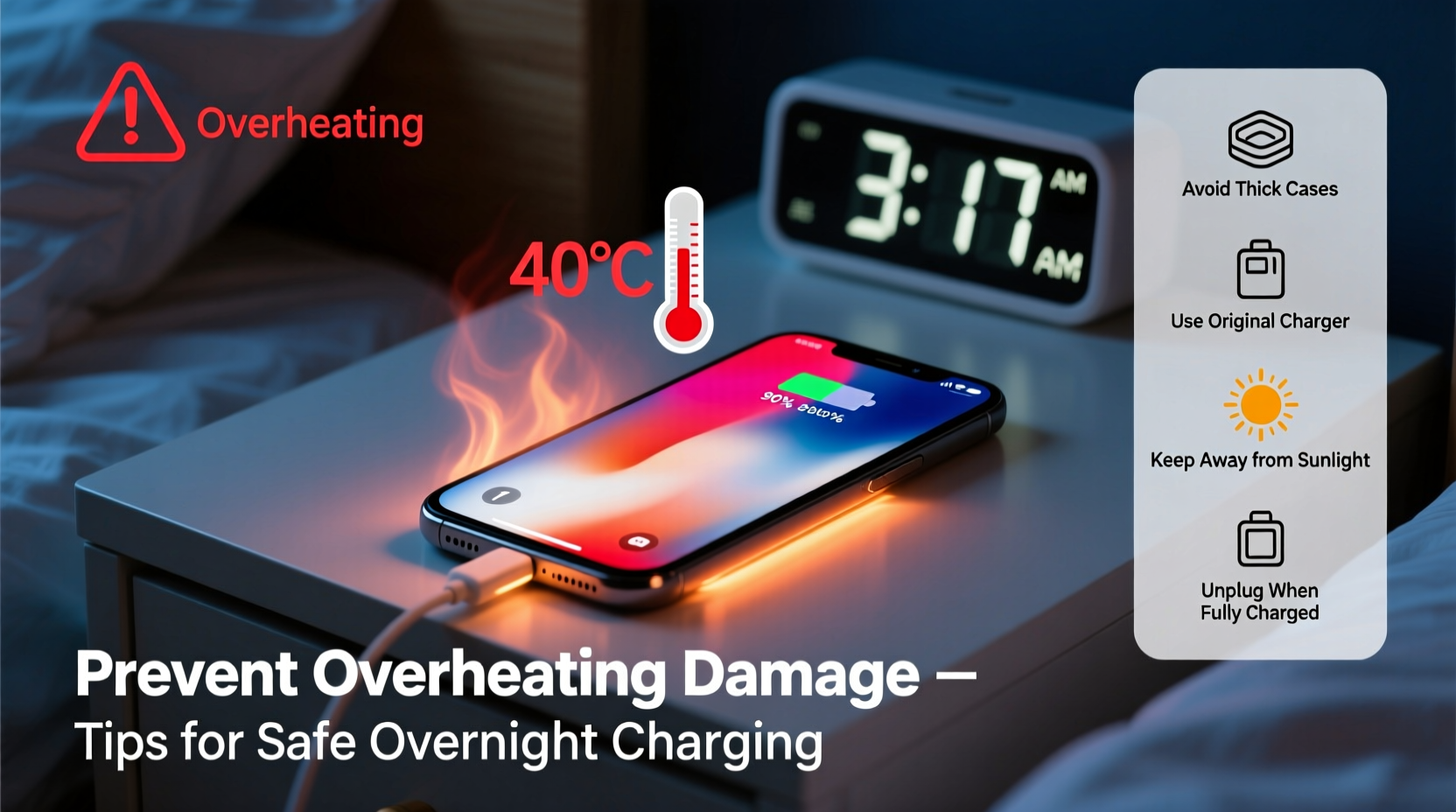
Heat generation during charging is natural to some extent—electrical energy converts into chemical energy inside the battery, and inefficiencies in that process produce heat. However, excessive or prolonged heating is a sign of underlying issues. Several factors contribute to overheating, especially during extended charging periods like overnight.
- Inferior or counterfeit chargers: Third-party chargers that don’t meet safety standards often deliver inconsistent voltage, causing the phone to work harder and generate more heat.
- Battery aging: As lithium-ion batteries degrade over time, their internal resistance increases, making them less efficient and more prone to overheating.
- Background app activity: Even when idle, apps may run updates, sync data, or use GPS in the background, increasing CPU load and heat production.
- Thick or insulating cases: Silicone, leather, or rubber cases trap heat, preventing proper dissipation during charging.
- High ambient temperatures: Charging in a warm room or under a pillow exacerbates thermal buildup.
- Fast charging at night: While fast charging is convenient, it generates more heat. Leaving the phone on a fast charger overnight keeps it in a high-energy state longer than necessary.
The Risks of Chronic Overheating During Charging
Repeated exposure to high temperatures doesn’t just make your phone uncomfortable to touch—it accelerates hardware degradation. The lithium-ion batteries used in modern smartphones are particularly sensitive to heat. According to research from Battery University, sustained exposure to temperatures above 35°C (95°F) can permanently reduce battery capacity and shorten lifespan.
“Every 8–10°C above ideal operating temperature can halve the life of a lithium-ion battery.” — Dr. Isidor Buchmann, CEO of Cadex Electronics and battery technology expert
Overheating can also trigger safety mechanisms that throttle performance, leading to slower speeds and delayed responses. In extreme cases, swollen batteries or even combustion have been reported, though such events are rare with certified devices and chargers.
Long-Term Consequences Include:
- Reduced battery health and shorter charge cycles
- Screen discoloration or “burn-in” on OLED displays
- Camera sensor degradation due to thermal stress
- Increased likelihood of software crashes or unexpected shutdowns
How to Prevent Overnight Charging Overheating
Preventing overheating doesn’t require drastic changes—just smarter habits and a few strategic adjustments. The goal is to minimize thermal stress while still maintaining convenience.
1. Use OEM or Certified Charging Accessories
Always opt for original equipment manufacturer (OEM) chargers or those certified by reputable standards like USB-IF, MFi (for Apple), or CE/FCC. These chargers regulate voltage and current precisely, reducing strain on the battery.
2. Remove the Case While Charging
If your phone gets hot during charging, remove its case. This simple step allows heat to escape more efficiently. Reapply the case only after charging completes and the device has cooled down.
3. Charge in a Cool, Well-Ventilated Area
Avoid placing your phone on beds, sofas, or near heat sources like radiators. Instead, charge it on a hard surface like a nightstand or desk where air can circulate freely around the device.
4. Enable Optimized Charging Features
Modern smartphones include built-in features designed to reduce overnight wear. For example:
- iOS: \"Optimized Battery Charging\" learns your routine and delays charging past 80% until just before you wake up.
- Android: \"Adaptive Charging\" (on Pixel) or similar OEM features (Samsung's \"Protect Battery\") do the same.
Ensure these settings are enabled in your battery or system menu.
5. Avoid Fast Charging Overnight
While tempting, using a fast charger overnight keeps the battery in a high-power state for too long. If possible, switch to a standard 5W or 10W charger at night. It charges more slowly but generates far less heat.
Step-by-Step Guide to Safer Overnight Charging
Follow this nightly routine to protect your phone from overheating and long-term damage:
- At 9–10 PM: Plug in your phone using an OEM charger and standard-speed cable.
- Remove the protective case to allow better heat dissipation.
- Place the phone on a cool, hard surface away from direct sunlight or heat sources.
- Close all unnecessary apps and disable features like Bluetooth, hotspot, or location services if not needed.
- Enable airplane mode or Do Not Disturb to minimize background activity.
- Verify optimized charging is active in your phone’s battery settings.
- In the morning: Unplug once fully charged and let the phone cool before reapplying the case.
Do’s and Don’ts of Overnight Charging
| Do’s | Don’ts |
|---|---|
| Use manufacturer-approved chargers | Use cheap, unbranded chargers |
| Charge on a hard, flat surface | Charge under pillows or blankets |
| Enable adaptive/optimized charging | Ignore battery health warnings |
| Remove thick cases during charging | Leave phone in direct sunlight while charging |
| Keep the room temperature moderate | Use fast charging all night |
Real-World Example: A Cautionary Tale
Consider the case of Mark, a 32-year-old graphic designer who left his Android phone charging under his pillow every night. After six months, he began noticing sluggish performance and rapid battery drain. Upon inspection, a technician found the battery had swollen slightly—a clear sign of thermal stress. The confined space prevented heat from escaping, and combined with frequent app updates running overnight, the phone regularly exceeded 45°C (113°F). Though the device didn’t fail catastrophically, the battery needed replacement after just 18 months—half its expected lifespan.
After switching to a nightstand charging setup, removing the case, and enabling adaptive charging, Mark’s next phone maintained 91% battery health after two years. Small changes made a measurable difference.
Checklist: How to Charge Safely Overnight
Print or bookmark this checklist to ensure your phone stays cool and healthy:
- ✅ Use a certified charger and cable
- ✅ Remove the phone case before plugging in
- ✅ Place the phone on a non-insulating surface
- ✅ Keep the room temperature below 25°C (77°F)
- ✅ Enable optimized/adaptive charging in settings
- ✅ Turn off unnecessary background processes
- ✅ Avoid gaming or streaming while charging
- ✅ Monitor battery health monthly (iOS: Settings > Battery > Battery Health; Android: Settings > Battery > Battery Care)
Frequently Asked Questions
Is it safe to leave my phone charging all night?
Modern phones have safeguards that stop charging at 100%, so leaving it plugged in isn’t inherently dangerous. However, repeated full charging cycles and heat buildup can accelerate battery wear. Using optimized charging features mitigates much of this risk.
Can overheating permanently damage my phone?
Yes. Prolonged exposure to high temperatures degrades the battery, display, and internal components. You may notice reduced battery life, screen discoloration, or increased app crashes over time. Prevention is key to avoiding irreversible damage.
How hot is too hot for a charging phone?
If your phone feels uncomfortably warm to the touch—above 40°C (104°F)—it’s overheating. Most manufacturers recommend keeping devices between 0°C and 35°C during use and charging. Sustained temperatures beyond this range increase the risk of long-term harm.
Conclusion: Protect Your Device with Smarter Charging Habits
Your smartphone is a sophisticated piece of engineering designed to last years—but only if treated with care. Nightly overheating during charging might seem minor, but cumulatively, it takes a heavy toll on performance and longevity. By understanding the causes and adopting safer practices, you can prevent avoidable damage and keep your phone running smoothly.
Start tonight: unplug old habits, switch to a certified charger, remove the case, and let your phone breathe. These small actions add up to major gains in battery health and device reliability. Your future self—and your next phone bill—will thank you.




 浙公网安备
33010002000092号
浙公网安备
33010002000092号 浙B2-20120091-4
Comments
No comments yet. Why don't you start the discussion?