
It’s a familiar scenario: you plug in your phone, only to notice it getting uncomfortably warm—sometimes even hot—within minutes. While a slight temperature rise during charging is normal, excessive heat can signal deeper issues and may compromise both performance and longevity. Overheating doesn’t just make your device uncomfortable to hold; it accelerates battery degradation, slows down processing speeds, and in extreme cases, triggers safety shutdowns. Understanding why this happens and how to prevent it isn’t just about comfort—it’s about preserving your phone’s lifespan.
The root causes of overheating are often a mix of hardware, software, and user behavior. Fortunately, most can be addressed with practical, low-cost solutions. From charger selection to app usage habits, small changes can make a significant difference. This guide breaks down the science behind phone heating, identifies common culprits, and provides actionable steps to keep your device cool and efficient.
What Causes Your Phone to Overheat During Charging?
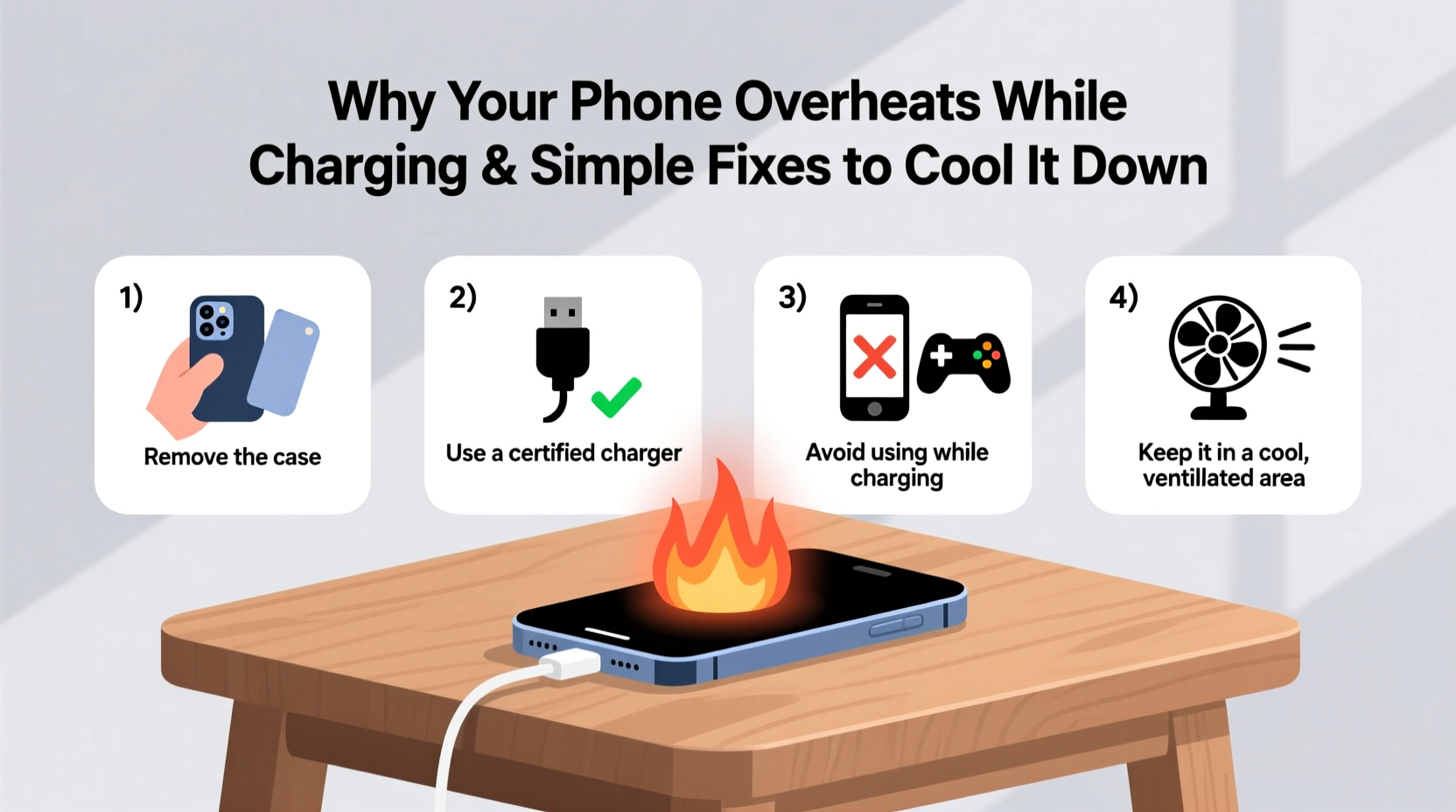
When your phone charges, electrical energy converts into chemical energy stored in the battery. This process generates heat as a natural byproduct. However, several factors can intensify that heat beyond safe levels:
- Inefficient or damaged chargers – Cheap or counterfeit chargers often deliver inconsistent voltage, forcing the phone to work harder and generate more heat.
- Background apps and processes – Running resource-heavy apps like games, video editors, or GPS navigation while charging increases CPU load, compounding heat production.
- Poor ventilation – Placing your phone under a pillow, on a bed, or inside a thick case traps heat and prevents proper airflow.
- High ambient temperatures – Charging in direct sunlight or hot environments (like a car in summer) pushes thermal limits further.
- Battery age and health – As lithium-ion batteries degrade, their internal resistance increases, leading to more heat during charge cycles.
- Fast charging technology – While convenient, delivering high power quickly inherently produces more heat than standard charging.
According to Dr. Lin Zhao, a mobile electronics engineer at the Institute of Electrical and Electronics Engineers (IEEE), “The combination of fast charging and multitasking is the most common trigger for thermal stress in modern smartphones.” He adds, “Manufacturers design safeguards, but sustained overheating still wears down components faster than expected.”
Do’s and Don’ts When Charging Your Phone
Simple behavioral adjustments can drastically reduce overheating risks. The following table outlines best practices versus common mistakes:
| Do’s | Don’ts |
|---|---|
| Use manufacturer-approved chargers and cables | Use third-party or unbranded charging accessories |
| Charge in a cool, well-ventilated area | Charge under blankets, pillows, or on soft surfaces |
| Remove thick or insulated phone cases during charging | Leave rubberized or metal cases on while charging |
| Turn off unnecessary background apps | Run intensive apps like games or video editors while charging |
| Enable battery-saving or optimized charging modes | Ignore persistent overheating warnings from the system |
Following these guidelines not only keeps your phone cooler but also extends battery cycle life. Lithium-ion batteries perform best between 20°C and 25°C (68°F–77°F). Exceeding 35°C (95°F) regularly can cut battery lifespan by up to 30% over time.
Step-by-Step Guide to Cool Down an Overheating Phone
If your phone is already hot to the touch while charging, immediate action can prevent long-term damage. Follow this timeline to safely reduce temperature and assess underlying issues:
- Unplug immediately – Continuing to charge an overheated device increases stress on the battery and internal circuits.
- Power off or enable airplane mode – This stops active data transmission, app syncing, and background processes that contribute to heat.
- Remove the case – Take off any protective cover to allow heat to dissipate more efficiently.
- Cool passively – Place the phone on a hard, cool surface (like a wooden table or stone countertop). Do not put it in the refrigerator or freezer—condensation can cause internal damage.
- Wait 15–20 minutes – Let the device return to room temperature before attempting to restart or recharge.
- Inspect charger and cable – Look for fraying, bent connectors, or branding inconsistencies. Replace if questionable.
- Restart and monitor – Turn the phone back on and check for unusual behavior. If overheating persists without charging, consider a service visit.
This protocol helps mitigate immediate risk and identifies whether the issue is transient or systemic. Repeated overheating after following these steps suggests either a failing battery or a software malfunction requiring professional diagnosis.
Real-World Example: How One User Fixed Chronic Overheating
Samantha, a freelance photographer from Austin, noticed her smartphone frequently shut down during photo uploads while charging. Initially dismissing it as normal, she began experiencing reduced battery life and sluggish performance. After reading about thermal throttling, she decided to investigate.
She started by switching from a generic USB-C wall adapter to her phone’s original charger. She also removed her silicone case during charging sessions and avoided editing photos while plugged in. Within days, the phone remained significantly cooler, and unexpected shutdowns stopped entirely. A battery health check revealed her battery had degraded to 78% capacity—likely exacerbated by months of overheating. She replaced the battery six months later and now maintains optimal conditions by following consistent cooling practices.
Samantha’s experience highlights how seemingly minor habits compound over time. What felt like a convenience—editing photos while charging—was silently damaging her device. By adjusting her routine, she extended her phone’s usable life by over a year.
Expert Tips to Prevent Future Overheating
Prevention is far more effective than reacting after damage occurs. Here are key strategies endorsed by mobile engineers and tech support professionals:
- Use adaptive or optimized charging features – Modern phones (e.g., iPhone’s Optimized Battery Charging, Android’s Adaptive Charging) learn your routine and slow charging when full charge isn’t immediately needed, reducing thermal stress.
- Avoid wireless charging pads on soft surfaces – These generate more heat than wired options and require direct contact with cool, flat materials for heat dissipation.
- Keep software updated – OS updates often include thermal management improvements and bug fixes for rogue background processes.
- Monitor battery health monthly – On iPhones, go to Settings > Battery > Battery Health. On Android, use built-in diagnostics or apps like AccuBattery to track capacity trends.
- Limit fast charging to emergencies – Reserve turbo or super-fast charging for times when you truly need a quick boost, not overnight charging.
“Thermal management is the silent guardian of smartphone longevity. Users who control heat extend their device’s peak performance window by 18–24 months.” — Rajiv Mehta, Senior Mobile Technologist, Consumer Tech Review Lab
Frequently Asked Questions
Is it dangerous if my phone gets hot while charging?
Mild warmth is normal, but if the phone is too hot to hold comfortably, emits a burning smell, or repeatedly shuts down, it poses a safety risk. Persistent overheating can damage the battery, screen, and internal circuitry. Stop using the device and inspect your charging setup immediately.
Can a software update cause my phone to overheat?
Yes. Major OS updates sometimes introduce inefficient background processes or bugs that increase CPU usage. If overheating begins right after an update, check for a patch release or reset settings to default. Clearing cache partitions on Android or restarting the device can also help stabilize performance.
Does dark mode help reduce heat during charging?
Indirectly. On OLED screens, dark mode uses fewer pixels, reducing display power consumption. While the effect on overall temperature is small, every bit of reduced load helps—especially when combined with other cooling practices.
Checklist: Keep Your Phone Cool While Charging
Print or bookmark this checklist to ensure safe charging habits:
- ✅ Use the original or certified charger and cable
- ✅ Remove phone case during charging
- ✅ Charge on a hard, flat surface away from fabric or bedding
- ✅ Avoid using the phone for gaming, video calls, or navigation while charging
- ✅ Disable unused features like Bluetooth, GPS, and hotspot
- ✅ Enable battery optimization settings
- ✅ Monitor ambient temperature—avoid charging in direct sunlight or hot cars
- ✅ Inspect battery health every few months
Conclusion: Take Control of Your Phone’s Temperature Today
Your phone’s temperature is more than a comfort issue—it’s a critical indicator of its health and longevity. Overheating during charging is preventable with informed habits and attention to detail. From using genuine accessories to managing app usage, each choice contributes to a cooler, more efficient device. You don’t need technical expertise to make a difference; consistency and awareness are enough.
Start tonight: unplug that worn-out third-party charger, remove the bulky case, and let your phone breathe while it recharges. Small actions today can delay costly replacements tomorrow. Share your own cooling tips in the comments—your insight might help someone avoid a melted battery or a midday shutdown.




 浙公网安备
33010002000092号
浙公网安备
33010002000092号 浙B2-20120091-4
Comments
No comments yet. Why don't you start the discussion?