
It’s a common experience: you step outside on a frosty morning, pull out your phone, and notice the screen flickering—sometimes dimming, sometimes flashing erratically. You didn’t drop it, the battery is fine, and yet something seems off. This phenomenon isn’t random or a sign of imminent device failure; it’s rooted in real physics and engineering limitations. Understanding why this happens can help you protect your device and use it more effectively in colder environments.
Modern smartphones are marvels of technology, but they’re not immune to environmental stressors. Cold temperatures affect various components inside your phone, particularly the display system. While most users assume their device is built for all conditions, manufacturers typically design phones to operate within specific temperature ranges—usually between 0°C and 35°C (32°F to 95°F). When temperatures fall below that threshold, especially in freezing conditions, several interrelated technical factors come into play that can lead to screen flickering.
The Science Behind LCD and OLED Screens in Cold Temperatures
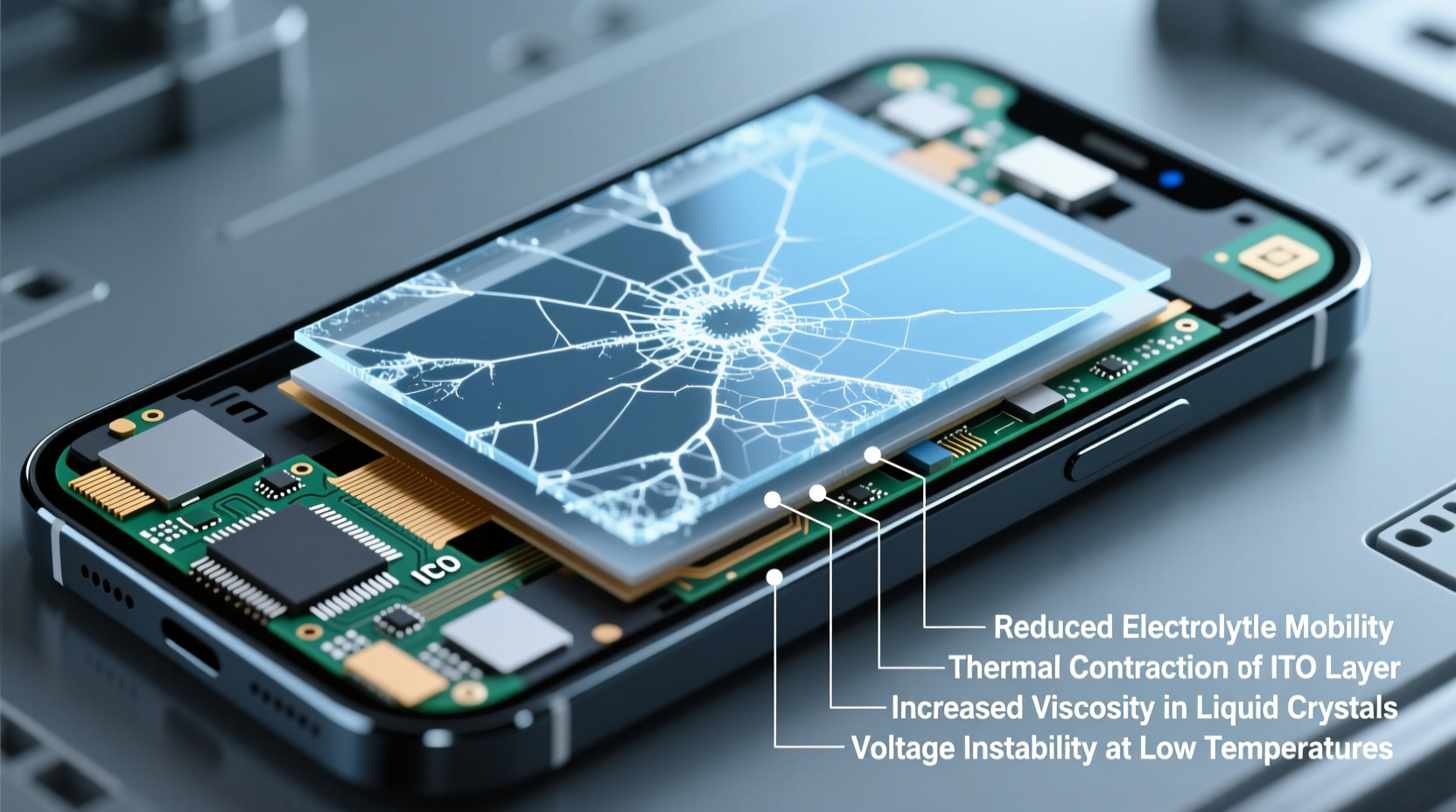
Smartphone screens primarily use two technologies: LCD (Liquid Crystal Display) and OLED (Organic Light-Emitting Diode). Both respond differently to cold, but both are vulnerable to performance shifts when exposed to low temperatures.
In LCD screens, liquid crystals are sandwiched between layers of glass and polarizing filters. These crystals don’t generate light themselves—they modulate backlight to produce images. The “liquid” part of liquid crystals is crucial: they rely on fluidity to twist and untwist in response to electrical signals, controlling pixel brightness and color. As temperatures drop, these crystals become more viscous, slowing their response time. This sluggishness can cause visible flickering, ghosting, or delayed touch response.
OLED displays don’t use liquid crystals or a separate backlight. Each pixel emits its own light through organic compounds when electric current passes through them. However, OLED materials also exhibit reduced efficiency in cold conditions. While they don’t suffer from viscosity issues like LCDs, the electronic drivers that regulate pixel brightness can misfire due to thermal contraction and altered electrical resistance, leading to inconsistent illumination—perceived as flickering.
How Battery Chemistry Contributes to Screen Instability
The lithium-ion batteries powering smartphones are highly sensitive to temperature. In cold environments, the chemical reactions inside the battery slow down significantly. This reduces ion mobility between electrodes, lowering voltage output and available power.
When the battery cannot deliver consistent voltage, the phone’s power management system may struggle to maintain stable operation across components—including the display driver. Fluctuating power supply can result in intermittent screen behavior such as flickering, dimming, or even temporary shutdowns, even if the battery percentage appears normal.
Apple and Samsung both warn that iPhones and Galaxy devices may shut down temporarily in extreme cold—not because the battery is dead, but because the protection circuitry prevents operation at unsafe voltages. Once warmed, the device often resumes normal function. But during the transition, erratic screen behavior is common.
“Cold doesn’t permanently damage most modern phone batteries, but it forces them into a low-power hibernation state that disrupts connected systems like the display.” — Dr. Lena Park, Materials Scientist at MIT Energy Initiative
Thermal Expansion and Contraction in Internal Components
Beyond the screen and battery, the physical structure of your phone reacts to temperature swings. Metals, plastics, and circuit boards expand when heated and contract when cooled. Sudden exposure to freezing air causes microscopic shifts in component alignment.
Display connectors, ribbon cables, and solder joints linking the screen to the motherboard are particularly vulnerable. Tiny gaps or pressure changes can interrupt signal transmission, resulting in flickering or partial screen failure. This effect is often temporary—if the phone warms up and materials re-expand, contact may be restored.
This issue is more pronounced in older devices or those with prior physical damage. A slightly loose connector that functions normally at room temperature might fail under cold-induced contraction. It’s one reason why some users report increased flickering after their phone has been dropped—even if the screen looks intact.
Software Compensation and Firmware Limitations
Manufacturers incorporate software safeguards to manage hardware under stress. For example, iOS and Android include thermal throttling algorithms that reduce processor speed or screen brightness when temperatures go beyond safe limits. However, these systems are primarily designed for overheating scenarios—not cold.
While firmware can detect low battery voltage, it lacks precise sensors to monitor screen panel viscosity or driver stability in real time. As a result, the operating system may not adjust display refresh rates or backlight intensity proactively in cold conditions. This lack of adaptive control increases the likelihood of flickering, especially during high-demand tasks like scrolling or video playback.
Some high-end devices now include ambient temperature sensors and predictive algorithms. For instance, certain Samsung Galaxy models dynamically lower screen refresh rate in cold environments to reduce strain on the display driver. But such features remain rare and inconsistent across brands.
| Factor | Effect on Screen in Cold | Reversibility |
|---|---|---|
| Liquid crystal viscosity (LCD) | Slowed response, flickering, ghosting | Fully reversible when warmed |
| OLED driver instability | Inconsistent brightness, pixel flicker | Mostly reversible |
| Battery voltage drop | Power fluctuations affecting display | Reversible with warming |
| Component contraction | Loose connections, signal loss | Temporary; risk of permanent damage if repeated |
| Lack of cold-mode firmware | No adaptive brightness or refresh adjustments | Design limitation; requires update |
Real-World Example: Winter Commuting and Phone Performance
Consider Maria, a nurse in Minneapolis who uses her phone during outdoor breaks in January. Her Pixel 7 frequently flickers when she steps outside, making it hard to check messages or navigate. At first, she assumed the screen was failing. After replacing it once, the same issue returned.
Upon consulting a technician, she learned that the problem wasn’t hardware failure—it was environmental. Her phone spent hours indoors at 21°C (70°F), then was exposed to -15°C (5°F) air. The rapid temperature change caused both battery voltage sag and LCD response lag. The technician advised her to keep the phone in an inner pocket, minimizing direct exposure. He also suggested disabling 90Hz refresh rate in cold weather to reduce display load.
Following this advice, Maria noticed a dramatic improvement. The flickering became rare and brief. This case illustrates how user behavior, combined with technical awareness, can mitigate cold-weather screen issues without costly repairs.
Practical Tips to Minimize Cold-Induced Flickering
- Minimize outdoor screen use: Keep your phone covered or in a pocket until needed.
- Use protective cases: Insulated cases provide mild thermal buffering, slowing heat loss.
- Avoid rapid reheating: Don’t place a cold phone near radiators or in direct sunlight—condensation can damage internal circuits.
- Lower screen brightness: Reduces power draw and display driver stress in cold conditions.
- Reduce refresh rate: Switch from 90Hz/120Hz to 60Hz in settings to ease the burden on the display subsystem.
Step-by-Step Guide: Responding to Cold-Weather Flickering
- Limit exposure: Keep your phone in an inside jacket or coat pocket when outdoors.
- Warm gradually: If the screen flickers, return indoors and allow the device to warm naturally—do not use external heat sources.
- Check responsiveness: Once at room temperature, test touch accuracy and screen uniformity.
- Restart the device: A reboot can clear any temporary firmware glitches triggered by voltage drops.
- Inspect for lasting damage: If flickering persists after full warming, consult a repair technician—there may be underlying hardware issues exacerbated by cold.
Frequently Asked Questions
Can cold weather permanently damage my phone screen?
Occasional exposure to cold is unlikely to cause permanent damage if the device is allowed to warm gradually. However, repeated thermal cycling (rapid heating and cooling) can weaken internal connections over time, increasing the risk of long-term display issues.
Why does my phone work fine in the cold but flicker when I come inside?
This is often due to condensation forming on internal components as warm, moist indoor air hits the cold device. The moisture can temporarily short-circuit connections or interfere with signals. Always let your phone acclimate in a dry environment before using it heavily.
Do newer phones handle cold better than older models?
Somewhat. Newer devices often have better sealing, improved battery chemistry, and smarter power management. However, fundamental physical limitations—like liquid crystal viscosity and metal contraction—remain unchanged. No consumer smartphone is designed for sustained sub-zero operation.
Conclusion: Smart Habits for All-Season Device Reliability
Your phone’s flickering screen in cold weather isn’t a flaw—it’s physics in action. From slowed chemical reactions in the battery to stiffened liquid crystals and contracting metal traces, multiple systems interact under thermal stress. While manufacturers continue refining materials and firmware, no device is immune to environmental extremes.
The key to maintaining reliable performance lies in understanding these limitations and adapting your usage. Simple habits—like keeping your phone insulated, avoiding sudden temperature shifts, and adjusting display settings—can preserve functionality and extend your device’s lifespan. Technology serves us best when we respect its boundaries.




 浙公网安备
33010002000092号
浙公网安备
33010002000092号 浙B2-20120091-4
Comments
No comments yet. Why don't you start the discussion?