
Smart bulbs offer convenience, energy efficiency, and customizable lighting—but nothing disrupts the experience like an annoying flicker when you try to dim them. This subtle yet persistent issue can be distracting, reduce bulb lifespan, or even trigger headaches in sensitive individuals. The good news? Most flickering problems are fixable with simple troubleshooting steps that don’t require technical expertise or costly replacements.
Flickering during dimming is not normal behavior for a properly functioning smart bulb. While occasional glitches happen, consistent flickering points to underlying compatibility, electrical, or firmware issues. Understanding the root causes allows you to diagnose and resolve the problem quickly, restoring smooth, reliable lighting control.
Understanding How Smart Bulbs Dim
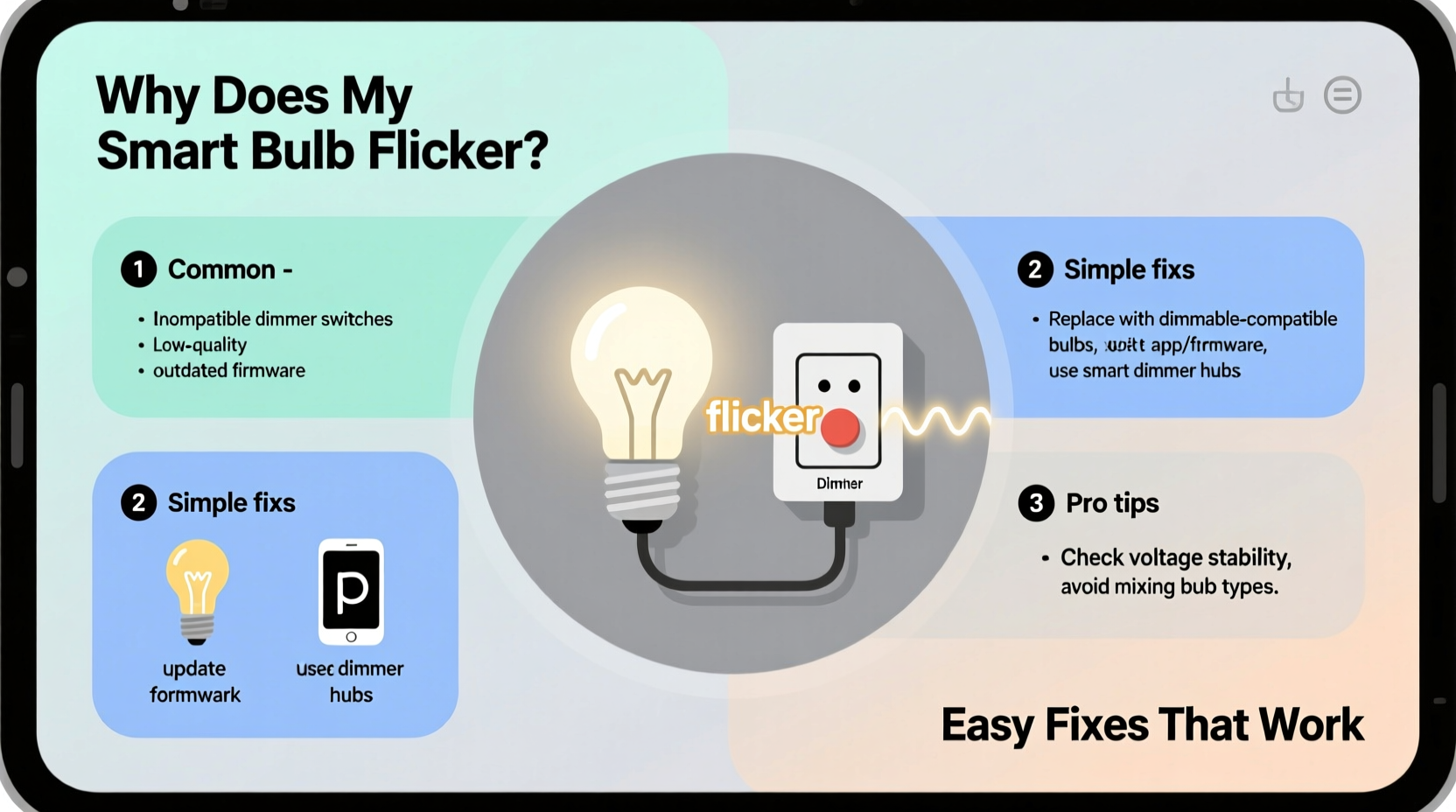
Unlike traditional incandescent bulbs that dim by reducing voltage, most smart bulbs use pulse-width modulation (PWM) to simulate brightness changes. Instead of lowering power continuously, the LED rapidly turns on and off—so fast that the human eye perceives it as a steady, dimmer light. The ratio of \"on\" time to \"off\" time determines perceived brightness.
This method works efficiently under ideal conditions. However, if the bulb receives inconsistent power or conflicts with the dimming mechanism (especially when paired with physical wall dimmers), the timing of these pulses can become unstable, resulting in visible flickering.
“Flicker in LEDs often stems from mismatched control signals or inadequate driver design—not necessarily a faulty bulb.” — Dr. Alan Reeves, Lighting Systems Engineer at Illuminex Labs
Common Causes of Flickering When Dimming
Flickering isn’t random. It’s usually tied to one of several predictable factors. Identifying the source is the first step toward resolution.
1. Incompatible Wall Dimmer Switches
Many homes still use legacy dimmer switches designed for high-wattage incandescent bulbs. These dimmers rely on triac-based circuits that reduce voltage by cutting parts of the AC waveform. Smart bulbs, however, draw far less power and operate on complex internal drivers that may not respond well to this chopped signal.
When a low-load device like a smart LED interacts with a high-threshold dimmer, the result is often erratic current flow—leading to flickering, buzzing, or failure to turn on at low brightness levels.
2. Poor Power Supply or Voltage Fluctuations
Even minor fluctuations in household voltage can affect how consistently a smart bulb regulates its internal circuitry. If your home has aging wiring, overloaded circuits, or shared lines with large appliances (like refrigerators or HVAC systems), momentary dips or surges can cause flicker during dimming.
3. Firmware Bugs or Outdated Software
Smart bulbs depend on firmware to interpret commands from apps or voice assistants. A bug in the software—or outdated firmware—can lead to incorrect dimming behavior. Some brands have released patches specifically addressing flicker issues after user reports.
4. Signal Interference or Weak Connectivity
If your smart bulb uses Wi-Fi or Bluetooth, interference from other devices (routers, microwaves, baby monitors) can disrupt communication. When the bulb loses sync with the command signal during dimming transitions, it may flicker or jump between brightness levels unpredictably.
5. Using Non-Dimmable Bulbs on Dimming Circuits
Not all smart bulbs are dimmable. Installing a non-dimmable bulb on a circuit controlled by a dimmer—even a smart one—can result in flickering, overheating, or permanent damage. Always verify the product specifications before installation.
Step-by-Step Guide to Fix Smart Bulb Flicker
Follow this systematic approach to identify and eliminate the cause of flickering.
- Confirm the bulb is dimmable. Check manufacturer documentation or the product listing. Replace any non-dimmable bulbs immediately.
- Remove wall dimmer switches temporarily. Bypass the physical dimmer by setting it to full brightness and controlling dimming only through the app or voice command. If flickering stops, the dimmer is likely incompatible.
- Update firmware. Open your smart lighting app (e.g., Philips Hue, LIFX, TP-Link Kasa) and check for available updates. Install them even if no obvious bugs were reported.
- Test on a different circuit. Move the bulb to a known stable fixture without a dimmer. If flickering persists, the issue may lie with the bulb itself.
- Reduce wireless interference. Place your router closer to the bulb or switch your network to the 5 GHz band (if using Wi-Fi). For Zigbee or Z-Wave bulbs, ensure your hub is nearby and unobstructed.
- Check for loose connections. Turn off power and inspect the bulb’s seating in the socket. A poor connection can cause intermittent power delivery.
- Replace old dimmers with smart-compatible models. If you want to keep wall controls, install ELV (electronic low voltage) or MLV (magnetic low voltage) dimmers designed for LEDs.
Solutions Comparison: What Works Best?
| Solution | Effectiveness | Cost | Difficulty |
|---|---|---|---|
| Bypass wall dimmer, use app-only control | High | Free | Easy |
| Update bulb firmware | Medium-High | Free | Easy |
| Install LED-compatible dimmer switch | High | $30–$80 | Moderate (may require electrician) |
| Use a smart dimmer switch (Lutron Caséta, etc.) | Very High | $50–$120 | Moderate |
| Replace bulb with higher-quality model | High | $15–$50 per bulb | Easy |
Mini Case Study: Solving Persistent Flicker in a Living Room Setup
Jamie installed four Philips Hue White Ambiance bulbs in her living room ceiling fixture, controlled by a Lutron Maestro wall dimmer. Initially, everything worked well—until she tried dimming below 40%. At lower levels, the lights began flickering erratically.
She first checked the Hue app for updates—none were pending. Then she removed the bulbs one by one, testing each in a lamp elsewhere in the house. All functioned perfectly when not connected to the dimmer.
The culprit? The Lutron Maestro switch, while marketed as LED-compatible, was not designed for smart bulbs with internal drivers. After replacing it with a Lutron Caséta smart dimmer (which communicates directly with the Hue bridge), the flickering stopped completely. Now, she controls brightness seamlessly via app, voice, or the new rocker switch.
This case illustrates how even reputable dimmers can fail with modern smart lighting—and why upgrading to a fully integrated smart dimmer often provides the cleanest fix.
Do’s and Don’ts of Smart Bulb Dimming
“Pairing smart bulbs with outdated dimming tech is like putting diesel fuel in a gasoline engine—it might run, but not well.” — Maria Tran, Home Automation Consultant
| Do’s | Don’ts |
|---|---|
| Use app-based dimming instead of wall dimmers when possible | Assume all dimmers work with smart bulbs |
| Choose bulbs with proven PWM stability (check user reviews) | Overload circuits with multiple high-power devices |
| Keep firmware updated monthly | Ignore flickering as “normal” behavior |
| Install dedicated LED or smart dimmers if keeping wall controls | Use non-dimmable bulbs on dimming circuits |
| Ensure strong, stable Wi-Fi or mesh network coverage | Place bulbs near sources of electromagnetic interference |
Expert Tips for Long-Term Stability
- Stick to one ecosystem. Mixing brands (e.g., Kasa bulbs with a Hue dimmer) increases compatibility risks. Use bulbs and switches from the same manufacturer when possible.
- Consider zero-dimming features. Some advanced smart dimmers (like those from Lutron or Leviton) support “soft on/off,” which gradually ramps brightness to eliminate abrupt changes that stress LEDs.
- Monitor heat buildup. Enclosed fixtures trap heat, affecting driver performance. Choose bulbs rated for enclosed spaces if needed.
- Use a kill-a-watt meter. Measure actual power draw to confirm compatibility with your dimmer’s minimum load requirement (usually 25W for older models).
FAQ: Common Questions About Smart Bulb Flickering
Can a flickering smart bulb be dangerous?
Occasional flickering is typically not a fire hazard, but persistent flicker may indicate electrical instability, loose wiring, or component failure. If accompanied by buzzing, burning smells, or frequent resets, disconnect the bulb and consult an electrician.
Why do my smart bulbs flicker only at night?
This often occurs due to increased electrical demand during evening hours or interference from other devices turned on simultaneously (e.g., TVs, heaters). It can also stem from automatic brightness calibration in some bulbs that misread ambient light levels.
Will switching to Zigbee or Z-Wave reduce flickering?
Yes—Zigbee and Z-Wave protocols are more stable than Wi-Fi for lighting control, with lower latency and better mesh networking. Bulbs using these standards (like Philips Hue or IKEA Tradfri) tend to dim more smoothly and resist interference better than Wi-Fi-only models.
Conclusion: Take Control of Your Lighting Experience
Flickering smart bulbs aren’t something you should tolerate. With the right knowledge, most dimming issues can be resolved in under an hour—often at no cost. Start by eliminating incompatible hardware, update your firmware, and consider transitioning to app-based or smart-dimmer control for the smoothest performance.
Lighting sets the mood in your home. Don’t let flickering undermine comfort, productivity, or relaxation. Apply these solutions today and enjoy seamless, flicker-free dimming that enhances your space the way smart technology was meant to.




 浙公网安备
33010002000092号
浙公网安备
33010002000092号 浙B2-20120091-4
Comments
No comments yet. Why don't you start the discussion?