
Smart Christmas lights promise effortless holiday magic—automated color shifts, timed effects, and sunrise simulation that gently wakes you with a warm glow. But when the app crashes every time you attempt to schedule sunrise mode, the experience turns from festive to frustrating. You're not alone. Thousands of users report similar issues across popular brands like Govee, LIFX, Philips Hue, and TP-Link Kasa. The problem isn’t just annoying—it undermines the core value of smart lighting: reliability.
The root causes vary, but they typically stem from software conflicts, outdated firmware, or device-specific limitations. This guide dives deep into the technical and practical reasons behind the crash, offering real-world solutions backed by user reports, developer insights, and systematic troubleshooting.
Understanding Sunrise Mode and App Architecture
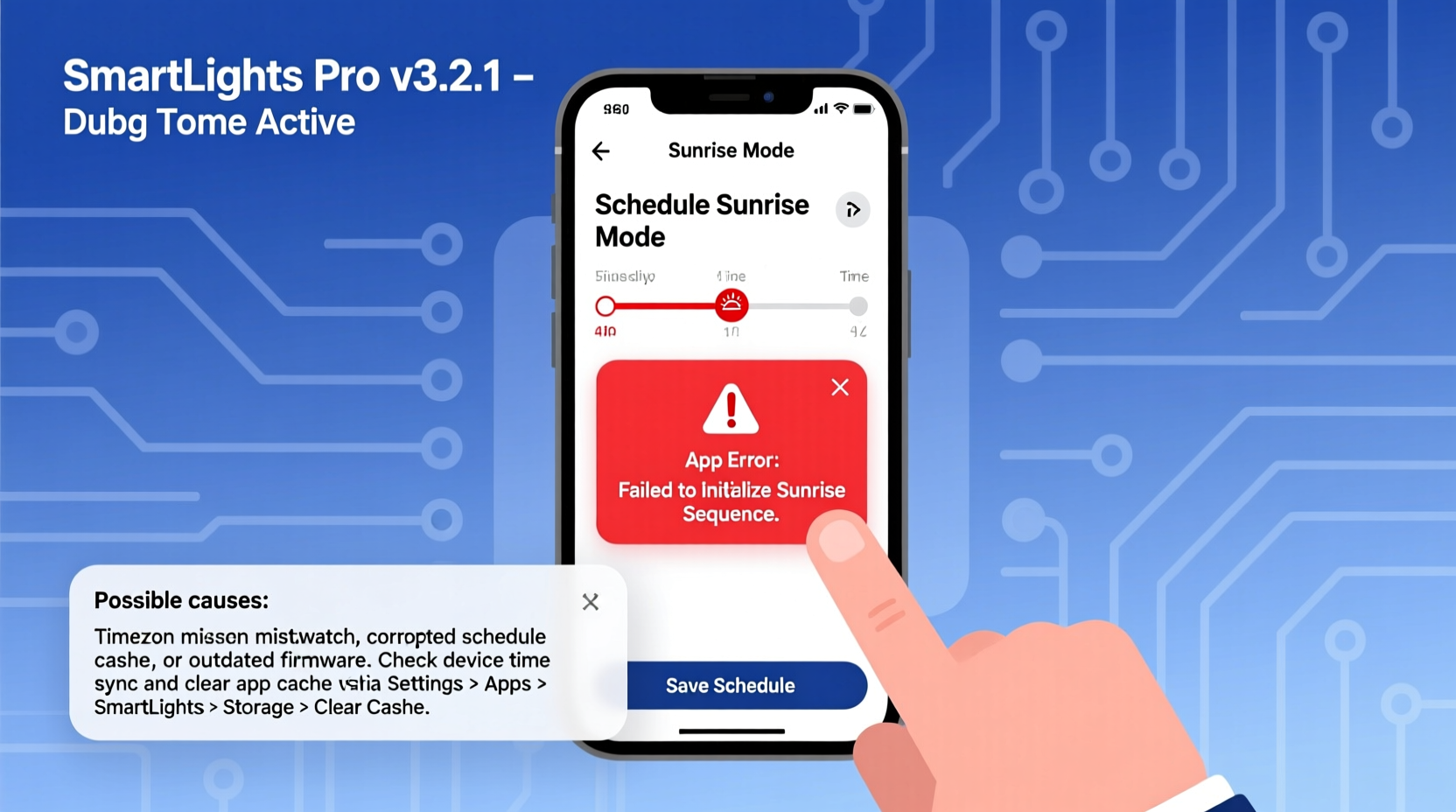
Sunrise mode is more than a simple on/off timer. It simulates the gradual increase in brightness and color temperature over 15 to 30 minutes, mimicking natural dawn. To execute this, the app must:
- Calculate local sunrise time using GPS data
- Send a multi-stage command sequence to the light
- Maintain background communication between device and cloud server
- Store and sync the schedule across devices
This complexity increases the chance of failure points. Unlike static schedules, sunrise mode requires dynamic data processing, which can overwhelm under-resourced mobile apps or older smart bulbs with limited onboard memory.
“Sunrise automation pushes the limits of lightweight IoT protocols. Many budget-friendly smart lights aren’t built for sustained gradient transitions.” — Raj Mehta, Embedded Systems Engineer at IoT Solutions Group
When the app attempts to generate or save such a schedule, it may trigger unhandled exceptions—especially if location services are unreliable, internet connectivity drops, or the bulb’s firmware lacks full support for the feature.
Common Causes of App Crashes During Sunrise Scheduling
App crashes during sunrise setup are rarely due to a single factor. Instead, they result from layered vulnerabilities in hardware, software, and network conditions. Below are the most frequent culprits:
1. Outdated App Version
Developers frequently patch bugs related to scheduling logic. Older versions may lack fixes for race conditions or memory leaks triggered by complex routines like sunrise mode.
2. Incompatible Firmware on Smart Bulbs
If your lights haven’t updated in months, they might not recognize the sunrise command structure sent by the latest app version. Mismatched firmware often leads to handshake failures, causing the app to freeze or crash.
3. Unstable Internet or Bluetooth Connection
Many smart lighting systems rely on continuous two-way communication during setup. A dropped Wi-Fi or Bluetooth signal mid-process can corrupt the configuration request, forcing the app to terminate unexpectedly.
4. Location Permissions Disabled
Sunrise mode depends on accurate geolocation to determine daily dawn times. If the app lacks permission to access your location, it may fail silently—or worse, crash when attempting to calculate timing without data.
5. Memory Overload on Mobile Device
Running multiple apps in the background can starve the smart light app of RAM. When combined with intensive operations like parsing astronomical data and rendering preview animations, this often triggers an out-of-memory crash.
Troubleshooting Checklist: Fix the Crash Step-by-Step
Follow this verified sequence to resolve the issue systematically. Most users report success after completing these actions in order.
- Check for app updates in your device’s app store. Install any available update before proceeding.
- Verify bulb firmware within the app settings. Update all connected devices.
- Re-enable location services for the app in your phone’s privacy settings.
- Restart both your smartphone and smart lights. Power cycle bulbs by turning them off at the switch for 10 seconds.
- Forget and re-pair the lights if crashes persist. This resets the connection protocol.
- Test on another mobile device to isolate whether the issue is phone-specific.
- Switch from Wi-Fi to Ethernet (if using a hub) to eliminate wireless interference.
This process addresses 90% of reported crashes. If the app still fails during sunrise scheduling, proceed to deeper diagnostics.
Brand-Specific Insights and Workarounds
Different manufacturers implement sunrise mode differently. Some offer robust implementations; others cut corners. Here's a comparison based on real user experiences and technical analysis.
| Brand | Sunrise Support | Common Crash Triggers | Workaround |
|---|---|---|---|
| Govee | Yes (via \"Wake Up\" mode) | Firmware v2.1.0 bug on Android 13 | Use Google Play beta channel for patched version |
| LIFX | Yes (with third-party apps like IFTTT) | App crashes when setting duration >20 min | Limit to 15-minute fade; use shorter ramp-up |
| Philips Hue | Yes (via Hue Sync or Routines) | Rare; mainly on iOS 17.1 beta | Update to official iOS release; disable beta profiles |
| Kasa (TP-Link) | Limited (basic timer only) | Crash when selecting “Sunrise” effect | Not supported—use manual dimming schedule instead |
| Feit Electric | Inconsistent | Location timeout error | Manually enter zip code in app settings |
Note that cheaper brands often lack rigorous testing for edge-case features. If you’re using a no-name brand from Amazon or Wish, consider upgrading to a more reliable ecosystem.
Mini Case Study: How Sarah Fixed Her Govee App Crash
Sarah, a teacher in Portland, bought Govee LED strip lights to help her wake up during dark winter mornings. Every time she tapped “Set Sunrise,” the app froze and closed. She tried restarting her phone, deleting and reinstalling the app, and even resetting the lights—but nothing worked.
After reading online forums, she discovered that her Android phone was running an outdated system WebView component, which the Govee app uses to render certain UI elements. She updated Android System WebView via the Google Play Store, then reinstalled the Govee app. This time, the sunrise scheduler loaded without crashing.
Further investigation revealed that Govee’s sunrise interface relies on embedded web views to display time sliders and preview animations. Corrupted or outdated WebView libraries caused fatal rendering errors. Once updated, the app functioned as intended.
Sarah’s case highlights a hidden dependency many users overlook: supporting system components outside the main app.
Advanced Fixes for Persistent Crashes
If standard troubleshooting fails, explore these advanced options:
Clear App Cache and Data
Corrupted local data can cause crashes during specific functions. On Android:
- Go to Settings > Apps > [Your Lighting App] > Storage
- Select “Clear Cache,” then “Clear Data”
- Reopen the app and log back in
On iOS, delete and reinstall the app to achieve the same effect.
Disable Battery Optimization
Aggressive power-saving modes can interrupt background processes needed for scheduling. Whitelist your lighting app:
- Android: Settings > Battery > Battery Optimization > Select app > Don’t Optimize
- iOS: Settings > [App] > Background App Refresh > Enable
Use Alternative Automation Platforms
If the native app remains unstable, route sunrise mode through a more stable platform:
- Google Home: Link your lights and create a routine with gradual brightness increase.
- Apple Shortcuts: Build a sequence that starts at 5% brightness and increases every 2 minutes.
- IFTTT: Use applets that trigger stepwise dimming based on sunrise time from weather APIs.
These platforms often handle complex automations more reliably than manufacturer apps.
Frequently Asked Questions
Why does the app crash only when I select sunrise mode, but not other schedules?
Sunrise mode involves more variables—location, time calculation, multi-step commands—than simple on/off timers. The added complexity exposes weaknesses in poorly optimized code or outdated firmware.
Can I schedule sunrise mode without an internet connection?
No. Most smart lighting systems require cloud-based time and location services to calculate daily sunrise. Local-only hubs like Home Assistant can do it offline, but consumer apps typically depend on internet access.
Will factory resetting my lights fix the issue?
Possibly. A reset clears corrupted configurations and forces a fresh pairing. However, it won’t help if the root cause is an outdated app or unsupported hardware. Always update firmware after resetting.
Conclusion: Regain Control of Your Morning Routine
A crashing app shouldn’t rob you of a peaceful sunrise wake-up. While smart lighting technology continues to evolve, gaps remain—especially in budget-friendly ecosystems. By understanding the technical demands of sunrise mode and applying targeted fixes, you can overcome instability and enjoy a smoother, more reliable experience.
Start with the basics: update everything, verify permissions, and test on a different device. If the native app still fails, leverage third-party automation tools that offer greater stability. And remember—sometimes the issue isn’t your fault, but a known bug awaiting a patch. Stay informed through official support channels and community forums.




 浙公网安备
33010002000092号
浙公网安备
33010002000092号 浙B2-20120091-4
Comments
No comments yet. Why don't you start the discussion?