
Every holiday season, millions of homes light up with festive cheer—smart bulbs twinkle in sync, voice assistants trigger light shows, and schedules automate the magic. But for many, this joy comes with a frustrating downside: system crashes the moment the Christmas lights are plugged in. If your smart home suddenly freezes, disconnects, or fails entirely when you add seasonal decor, you're not imagining things. The culprit is often an invisible but serious issue—overload. Understanding why this happens—and how to prevent it—is essential for both performance and safety.
How Smart Home Systems Work (And Where They Break)
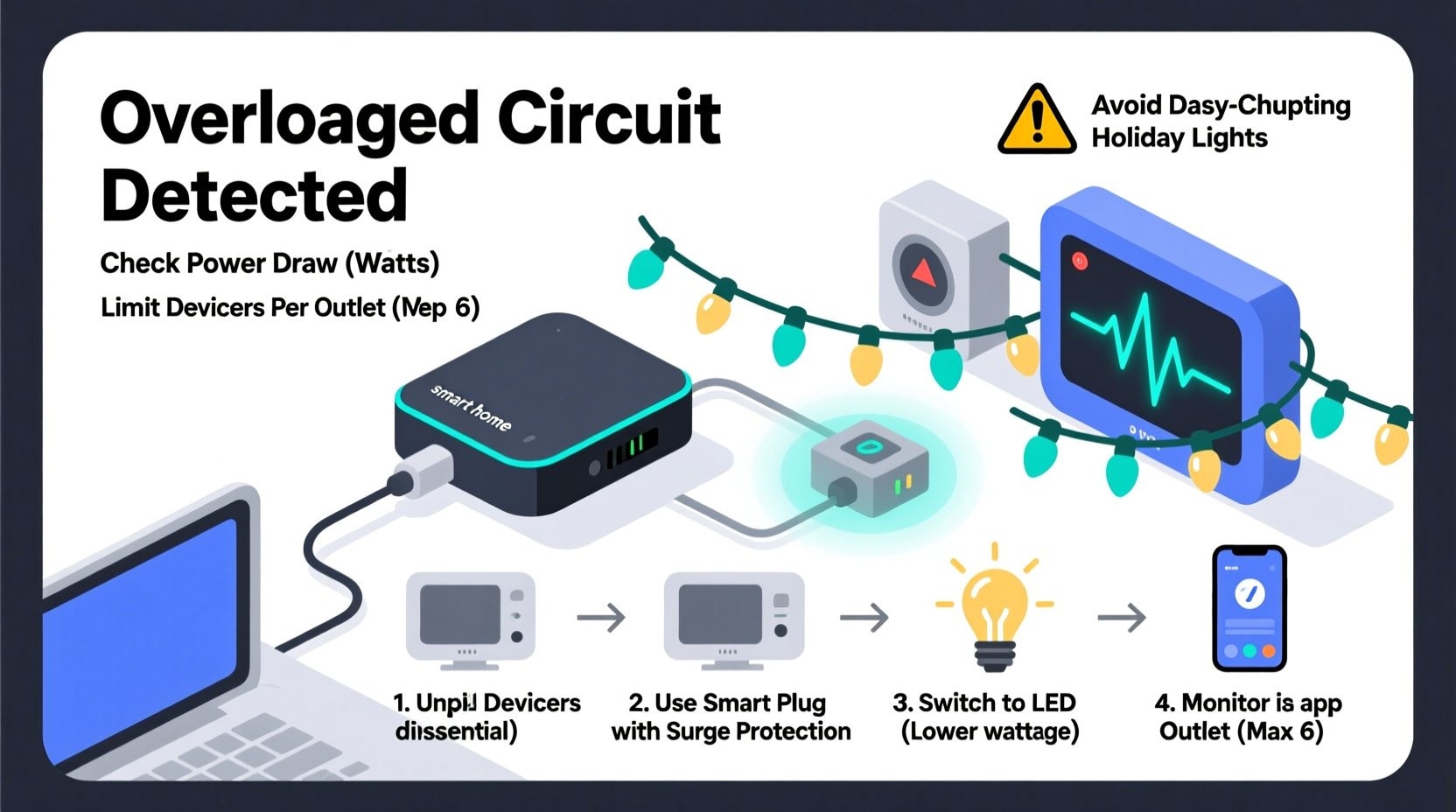
Modern smart home ecosystems rely on three interconnected layers: power delivery, network communication, and device coordination. When one layer becomes unstable, the entire system can fail. Adding Christmas lights introduces stress across all three.
Power-wise, most smart devices operate on low voltage but depend on stable household circuits. Many decorative lights, especially older incandescent strands or poorly regulated LED sets, draw inconsistent current. When connected to outlets shared with smart hubs, routers, or voice assistants, even minor power fluctuations can reset sensitive electronics.
On the network side, smart lights themselves generate data traffic. A single strand might seem harmless, but ten synchronized RGB strips sending real-time commands to a hub via Wi-Fi or Zigbee can congest bandwidth. Combine that with motion-triggered routines, music synchronization, and app notifications, and your router may struggle to keep up.
Device coordination is the third weak point. Platforms like Google Home, Apple HomeKit, or Amazon Alexa manage complex automation trees. Introducing new devices forces re-pairing, firmware checks, and rule recalculations. If too many devices join at once—or if they’re incompatible—the system may freeze or reboot.
“Over 60% of smart home outages during holidays are caused by circuit overloads or signal interference from decorative lighting.” — Dr. Alan Reyes, IoT Infrastructure Engineer at SmartGrid Labs
Why Christmas Lights Trigger System Crashes
Christmas lights aren’t just another appliance—they’re a unique stress test for your smart ecosystem. Here’s what typically goes wrong:
- Power Surge from Inrush Current: When lights turn on, they often experience a brief surge in current demand—especially cheaper LED strings with poor drivers. This spike can momentarily brownout nearby devices.
- Circuit Overloading: Homes built before the 2000s often have fewer circuits. Plugging multiple light strands into outlets on the same circuit as your router or smart hub risks tripping breakers or causing voltage drops.
- Electromagnetic Interference (EMI): Low-quality power adapters and dimmer modules emit radio noise that interferes with Wi-Fi and Bluetooth signals. This disrupts communication between devices.
- Firmware Conflicts: Some smart plugs or light controllers use outdated firmware that conflicts with newer hubs, leading to timeouts or failed connections.
- Network Flooding: Synchronized light displays send rapid-fire commands. If your hub isn’t designed for high-frequency updates, it may buffer or crash under load.
Step-by-Step Guide to Prevent Overload
Preventing crashes isn’t about avoiding festive lights—it’s about integrating them safely. Follow this timeline to protect your smart system:
- Week Before Setup – Audit Your Circuits
Locate your home’s electrical panel and map which outlets share circuits. Use a circuit breaker finder ($20–$30) to identify which breaker controls your router, smart speakers, and entertainment systems. Avoid using outlets on those circuits for lights. - Day of Installation – Test One Strand at a Time
Plug in a single light string and observe. Check for flickering in other devices, Wi-Fi dropouts, or unusual hub behavior. If issues occur, unplug immediately and inspect the adapter. - During Setup – Use Surge-Protected Power Strips
Never daisy-chain light strands beyond manufacturer limits. Instead, use UL-listed power strips with built-in surge protection and individual switches. This isolates each group and prevents cascading failures. - After Connection – Monitor Network Load
Open your router’s admin dashboard (usually 192.168.1.1) and check device list and bandwidth usage. If smart lights show high ping or frequent reconnects, consider moving them to a Zigbee or Z-Wave hub instead of Wi-Fi. - Ongoing – Schedule Off-Peak Operation
Run light shows during low-usage hours. For example, avoid syncing lights during video calls or streaming. Use scheduling tools to turn off non-essential devices when the display is active.
Do’s and Don’ts of Smart Holiday Lighting
| Action | Recommended? | Reason |
|---|---|---|
| Daisy-chaining more than 3 light strands | No | Exceeds safe current load; risk of overheating |
| Using smart plugs rated for outdoor use indoors | Yes | Higher durability and better surge handling |
| Connecting lights directly to wall outlets near the hub | No | Potential EMI and shared circuit instability |
| Using a dedicated 15A circuit for all lights | Yes | Prevents overload and improves reliability |
| Running all lights on the same Wi-Fi band (2.4 GHz) | No | Causes congestion; use mesh networks or extenders |
| Updating all smart device firmware before setup | Yes | Reduces compatibility issues and improves stability |
Real Example: How One Family Fixed Their Crashing System
The Thompson family in Portland loved their annual light show—500 LEDs, motion sensors, and music sync powered through Alexa. But every year, their smart home would crash within minutes of turning everything on. Cameras went offline, thermostats disconnected, and their doorbell stopped responding.
After consulting an electrician, they discovered the root cause: all their outdoor outlets were tied to the same 15A circuit as their media closet, which housed the router, smart hub, and NAS drive. The combined startup surge from 12 light strands was enough to cause a voltage dip, resetting sensitive gear.
The fix? They installed a new 20A circuit dedicated solely to holiday lighting, moved their smart hub to a UPS-backed outlet on a different phase, and switched their lights to a dedicated Zigbee controller. Result: no crashes, smoother operation, and a display twice as bright.
Checklist: Preparing Your Smart Home for Holiday Lights
- ✅ Identify which circuits power critical smart devices (router, hub, cameras)
- ✅ Avoid plugging lights into outlets on the same circuit
- ✅ Use only UL- or ETL-certified power strips with surge protection
- ✅ Limit daisy-chained strands to 3 per manufacturer guidelines
- ✅ Update firmware on all smart plugs, hubs, and controllers
- ✅ Switch high-traffic devices (like lights) to Zigbee or Z-Wave if possible
- ✅ Install a UPS (uninterruptible power supply) for your router and hub
- ✅ Test the system incrementally—add one light group at a time
- ✅ Monitor Wi-Fi signal strength near light installations
- ✅ Set up automated off-times to reduce daily load
Frequently Asked Questions
Can Christmas lights really crash my smart home system?
Yes. While lights themselves don’t “crash” software, the electrical and network strain they introduce can destabilize connected systems. Voltage drops, electromagnetic interference, and network congestion are common culprits behind unexpected disconnections or reboots.
Should I use Wi-Fi, Zigbee, or Z-Wave for holiday lights?
Zigbee or Z-Wave are better choices for large installations. Wi-Fi consumes more bandwidth and is prone to interference, especially with multiple devices. Dedicated mesh protocols handle bulk device management more efficiently and reduce router load.
How do I know if my circuit is overloaded?
Signs include flickering lights, warm outlets, buzzing sounds from switches, or breakers that trip when multiple devices run. Use a plug-in power meter to measure total draw—anything above 80% of a circuit’s capacity (e.g., >12A on a 15A circuit) is unsafe.
Expert Tips for Long-Term Stability
Beyond the holidays, the habits you build now can improve your smart home’s resilience year-round. Consider these advanced strategies:
- Invest in a Smart Panel Upgrade: Modern electrical panels like the Span Smart Panel allow per-circuit monitoring and remote shutoff—ideal for managing seasonal loads.
- Use VLANs for Device Segmentation: Advanced users can configure their router to isolate smart lighting on a separate virtual network, reducing interference with critical devices.
- Label Everything: Tag outlets and breakers clearly. A $10 label kit can save hours of troubleshooting later.
- Adopt a “No Daisy-Chaining” Rule: Even if the manual allows it, limit physical chaining. Use multiple power sources instead.
“The best smart homes aren’t the ones with the most gadgets—they’re the ones designed with load management in mind.” — Lena Patel, Smart Home Architect & IEEE Member
Conclusion: Enjoy the Holidays Without the Crash
Your smart home should enhance the holiday spirit, not ruin it with technical failures. By understanding the real reasons behind system crashes—power surges, circuit overloads, and network strain—you can take proactive steps to prevent them. From separating circuits to choosing the right communication protocol, small changes make a big difference in reliability and safety.
This season, don’t just decorate—engineer your setup for resilience. Test early, monitor closely, and plan ahead. A stable smart home means more time enjoying the lights and less time debugging errors.




 浙公网安备
33010002000092号
浙公网安备
33010002000092号 浙B2-20120091-4
Comments
No comments yet. Why don't you start the discussion?