
Smart speakers have become central to modern homes, simplifying everything from setting alarms to controlling lights. Yet one common frustration undermines their convenience: they often mishear commands. You say “Play jazz music,” and it responds with the weather in Jakarta. This isn’t a flaw in artificial intelligence alone—it’s frequently due to poor microphone performance, ambient noise, or incorrect setup. Understanding why these devices mishear—and how to fix it—can dramatically improve your experience.
Voice assistants like Amazon Alexa, Google Assistant, and Apple Siri rely on sensitive microphones and complex algorithms to interpret speech. But even slight environmental changes or hardware limitations can degrade their ability to understand you. The good news? Most of these issues are fixable with proper microphone calibration, strategic placement, and routine maintenance.
Why Smart Speakers Mishear Commands
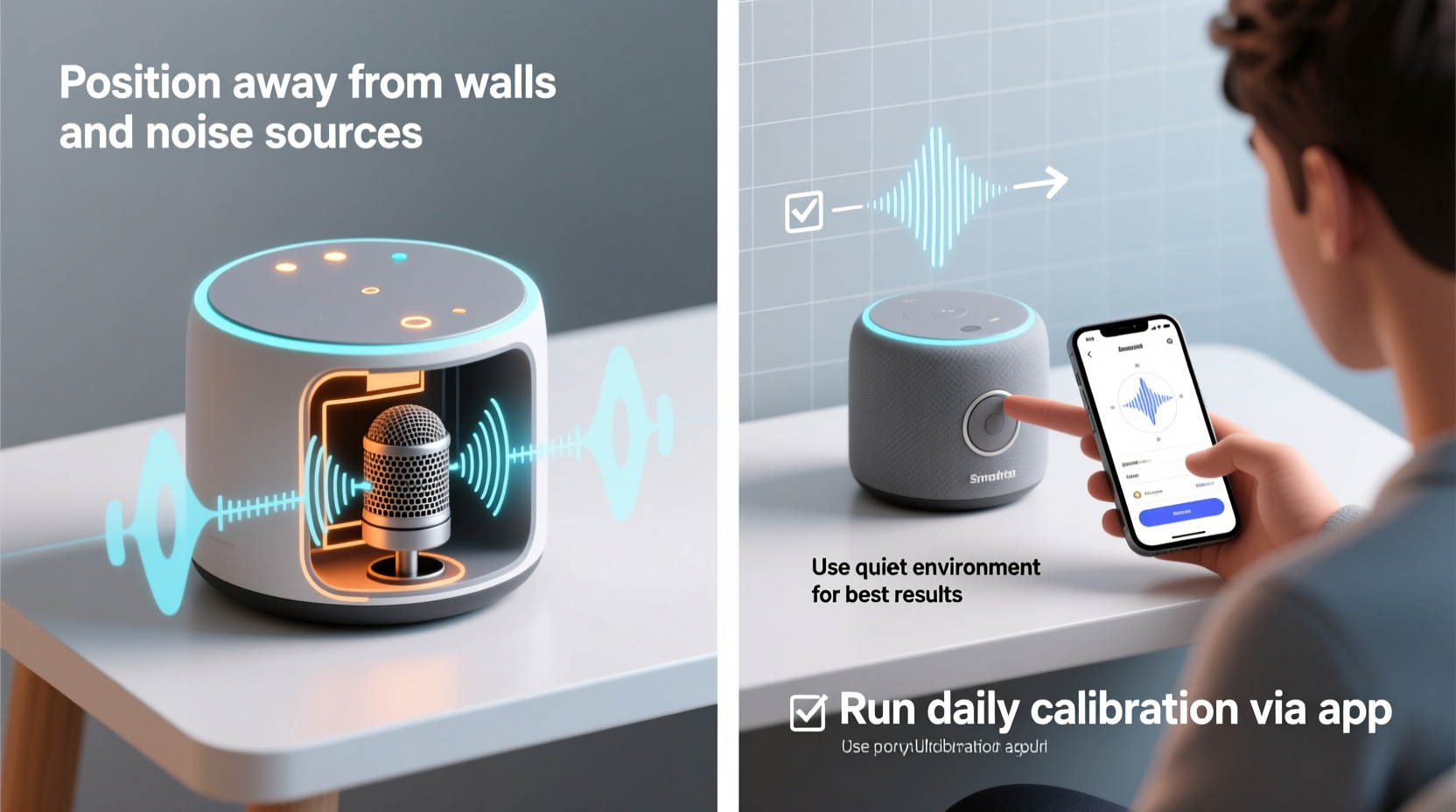
The root causes of misheard commands go beyond simple background noise. Several technical and environmental factors contribute to voice recognition errors:
- Ambient noise interference: HVAC systems, fans, TVs, or household appliances generate constant low-level noise that masks speech.
- Poor microphone sensitivity: Dust buildup or age-related wear can reduce microphone responsiveness.
- Acoustic reflections: Hard surfaces like glass, tile, or bare walls cause sound to bounce, distorting voice input.
- Distance and angle: Speaking from too far away or at an awkward angle reduces clarity.
- Speech patterns: Accents, fast talking, or mumbling challenge even advanced AI models.
- Firmware or software lags: Outdated voice processing algorithms may not recognize newer speech patterns.
These factors don’t operate in isolation. A speaker placed near a window (reflective surface) in a noisy kitchen with dusty vents faces multiple challenges simultaneously. Recognizing this interplay is key to solving the problem holistically.
Microphone Calibration: What It Is and Why It Matters
Microphone calibration adjusts how your smart speaker listens. Unlike factory settings, which assume ideal conditions, calibration tailors audio sensitivity to your actual environment. Think of it as tuning a musical instrument before a performance—without tuning, even skilled players sound off-key.
Most major platforms offer built-in calibration tools:
- Amazon Echo: Uses “Room Setup” in the Alexa app to analyze acoustics and adjust mic sensitivity.
- Google Nest: Features “Sound Calibration” that plays test tones and adapts based on room response.
- Apple HomePod: Automatically calibrates using spatial awareness when first set up and after relocation.
These tools work by emitting subtle audio signals and measuring how sound reflects back. Based on the data, the system fine-tunes its noise cancellation filters and voice pickup focus. Skipping this step means your device operates blindly, increasing error rates.
“Voice recognition accuracy improves by up to 40% when devices are calibrated to their specific acoustic environment.” — Dr. Lena Torres, Acoustic Engineer at MIT Media Lab
Step-by-Step Guide to Calibrate Your Smart Speaker
Follow this universal process to optimize your speaker’s microphone performance. While interface details vary slightly between brands, the core steps remain consistent.
- Open the companion app: Launch Alexa, Google Home, or Apple Home depending on your device.
- Navigate to device settings: Select your speaker from the list of connected devices.
- Find calibration option: Look for “Audio Settings,” “Room Setup,” or “Sound Check.”
- Start calibration: Tap “Begin” or “Run Calibration.” The speaker will emit soft beeps or chimes.
- Clear the area: Ensure no one speaks or walks nearby during testing (about 30–60 seconds).
- Repeat if needed: If you move the speaker later, rerun calibration for best results.
This process should be repeated whenever you relocate the device or make significant changes to the room layout, such as adding rugs or rearranging furniture.
Optimizing Placement for Better Voice Recognition
Location is just as important as calibration. Even the most advanced microphone fails if placed poorly. Consider these guidelines:
| Do | Don't |
|---|---|
| Place on a hard, flat surface away from walls | Shove into a bookshelf or cabinet |
| Elevate slightly (e.g., on a nightstand) | Place directly on thick carpet without support |
| Position centrally in high-use areas | Put near running appliances (fridge, AC unit) |
| Aim top-facing mics toward conversation zones | Cover with decorative cloths or objects |
| Maintain 3–6 feet from primary user positions | Install behind curtains or plants that absorb sound |
For multi-room setups, consider using more than one speaker rather than relying on a single unit across large open spaces. Smaller devices like Echo Dot or Nest Mini can fill gaps where larger speakers struggle.
Real-World Example: Fixing a Persistent Mishearing Issue
Sarah, a remote worker in Chicago, struggled with her Google Nest Mini in the kitchen. Every morning, she’d say, “Hey Google, start my work playlist,” only to get replies like “Turning on the fan” or “Searching for pork recipes.” Frustrated, she assumed the device was faulty.
After reviewing her setup, she noticed three problems: the speaker sat inside a lower cabinet, faced backward toward the sink, and was inches from a humming refrigerator. She moved it to an open counter, turned it to face the room, and cleaned dust from the mic holes using a soft brush. Then, she reran Sound Calibration in the Google Home app.
The result? Voice accuracy improved immediately. Her commands were recognized correctly 95% of the time within two days. Sarah also enabled voice match so the speaker responded only to her voice, reducing accidental triggers from TV dialogue.
This case illustrates how small physical adjustments, combined with digital calibration, resolve what seems like a technological failure.
Advanced Tips to Boost Accuracy Beyond Calibration
Calibration is essential but not sufficient on its own. For maximum reliability, combine it with ongoing optimization practices.
1. Clean Microphones Regularly
Dust and grime clog microphone ports, muffling input. Use a dry cotton swab or compressed air to gently clean around the mic array every 4–6 weeks. Never use liquids or abrasive materials.
2. Enable Voice Profiles
Both Alexa and Google Assistant allow voice training. By recording sample phrases, the system learns your pronunciation, cadence, and accent. This personalization reduces confusion between similar-sounding words.
3. Reduce Background Noise Sources
Identify and minimize competing sounds. Simple actions like closing windows during loud street activity or using quieter appliances help. Consider white noise machines that mask irregular sounds without overwhelming the speaker.
4. Update Firmware Frequently
Manufacturers release regular updates that enhance speech recognition models. Ensure automatic updates are enabled in your device settings.
5. Use Clear Command Structure
Instead of saying “Turn on,” say “Turn on the living room lights.” Specificity gives context, helping AI distinguish intent. Avoid overlapping commands like “Play music and turn down the volume” in a single sentence.
“Users who complete voice profile training see a 30% reduction in command errors over untrained profiles.” — Google AI Research Team, 2023 Speech Performance Report
Checklist: Improve Your Smart Speaker’s Listening Accuracy
Use this actionable checklist monthly or after any major room change:
- ✅ Run microphone calibration via the companion app
- ✅ Clean microphone ports with a dry tool
- ✅ Verify optimal placement (central, elevated, unobstructed)
- ✅ Confirm firmware is up to date
- ✅ Review and retrain voice profile if necessary
- ✅ Test recognition from different angles and distances
- ✅ Disable unused wake words to reduce false triggers
- ✅ Evaluate room acoustics—add rugs or curtains if echo persists
Frequently Asked Questions
Can I manually adjust microphone sensitivity?
Most consumer smart speakers don’t offer direct sensitivity sliders. However, calibration indirectly adjusts sensitivity by analyzing ambient conditions. Some enterprise-grade devices and developer kits do allow manual gain control, but this is rare in home products.
Why does my speaker hear me better at night?
Nighttime typically has less ambient noise—fewer appliances running, reduced outdoor traffic, and quieter household activity. This makes voice input clearer. If performance drops during the day, focus on noise reduction strategies like relocating the speaker or muting nearby electronics.
Does Wi-Fi strength affect voice recognition?
Indirectly, yes. While the microphone captures sound locally, voice processing usually occurs in the cloud. A weak Wi-Fi signal delays transmission, causing timeouts or incomplete command uploads. Ensure your speaker has strong signal strength (at least -65 dBm) for reliable performance.
Conclusion: Take Control of Your Smart Speaker’s Accuracy
Your smart speaker doesn’t need to be a source of daily frustration. Misheard commands are rarely inevitable—they’re symptoms of preventable setup oversights. By understanding the acoustic and technical factors at play, you gain the power to transform an unreliable device into a responsive, intelligent assistant.
Start today: recalibrate your speaker, clean its microphones, and reassess its position. Train your voice profile and run through the checklist. Small efforts compound into seamless interactions. When your technology listens accurately, it stops feeling like a gadget and starts feeling like part of your home.




 浙公网安备
33010002000092号
浙公网安备
33010002000092号 浙B2-20120091-4
Comments
No comments yet. Why don't you start the discussion?