
Smart speakers have become central to modern homes, offering hands-free control over music, lighting, calendars, and more. But when your device suddenly turns on without prompting—responding to a noise that wasn’t your command—it can be unsettling, intrusive, or even raise privacy concerns. This phenomenon, commonly known as \"false wake-up\" or \"random activation,\" affects users across brands like Amazon Echo, Google Nest, and Apple HomePod. Understanding the root causes and knowing how to address them is essential for regaining control and confidence in your smart home setup.
How Smart Speakers Detect Voice Commands
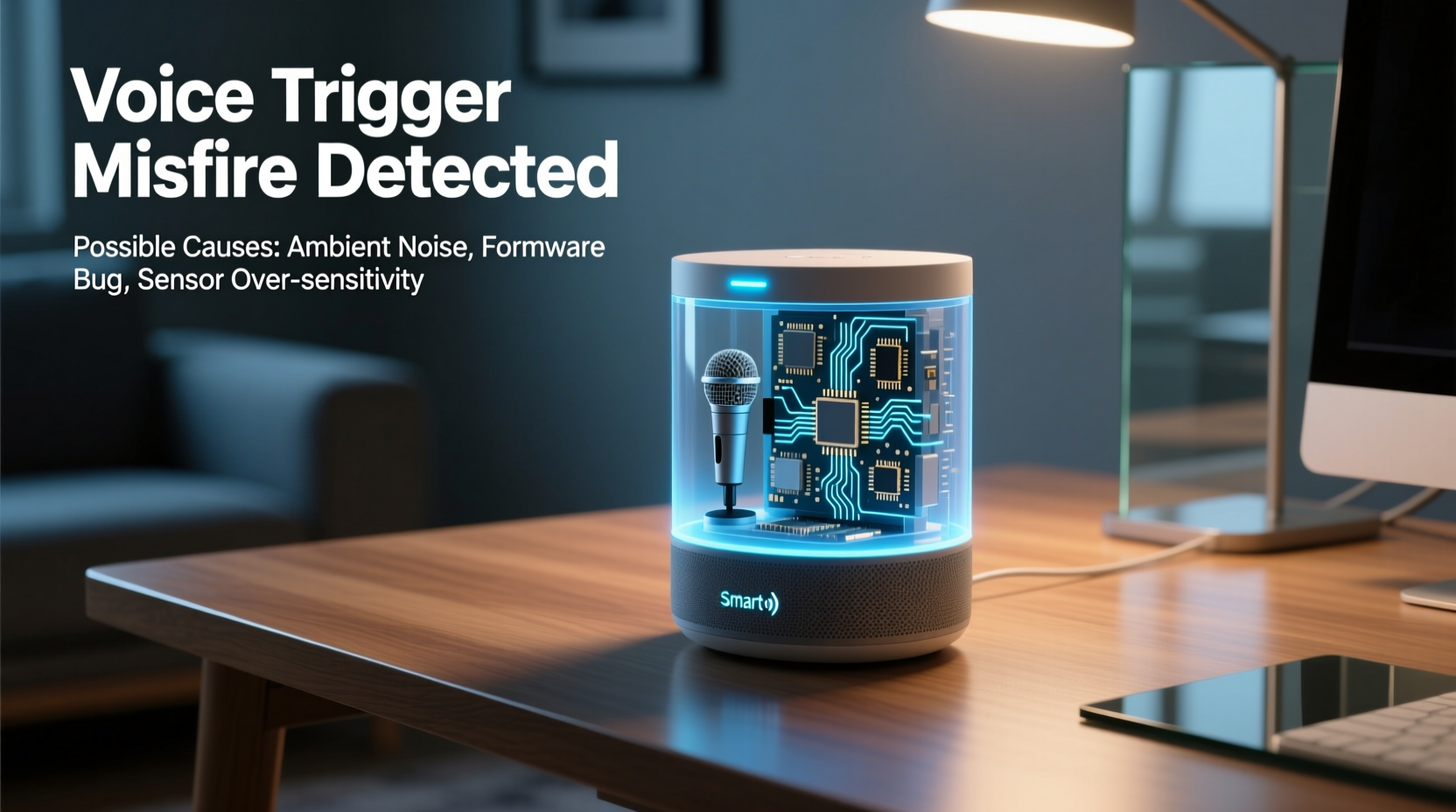
At the core of every smart speaker is a wake-word detection system. Devices are constantly listening—not recording—but analyzing ambient audio for specific trigger phrases such as “Alexa,” “Hey Google,” or “Hey Siri.” When the onboard processor identifies a close match, it activates the microphone fully, sends the audio to the cloud, and executes the request.
This system relies on machine learning models trained on thousands of voice samples. However, no model is perfect. Background sounds, similar-sounding words, and environmental factors can trick the algorithm into thinking it heard the wake word when it didn’t.
Common Causes of Random Activations
Random activations stem from a mix of technical limitations and real-world acoustic environments. Below are the most frequent culprits:
- Phonetically similar words: Phrases like “I’ll check the weather” (“Alexa”), “Hey, gorgeous” (“Hey Google”), or “A cappella” (“Siri”) can confuse the detection model.
- Media content: Commercials, TV shows, or YouTube videos mentioning wake words can activate nearby devices—even if you’re not using that brand.
- Noisy environments: High background noise forces microphones to amplify sound, increasing sensitivity to false positives.
- Hardware sensitivity: Some devices have overly sensitive microphones, especially newer models designed to hear commands from across large rooms.
- Firmware glitches: Software bugs after updates may temporarily disrupt normal wake-word filtering.
- Multiple devices: Homes with several smart speakers may experience echo-triggering, where one device activates another.
“Wake-word systems are designed for accessibility, not perfection. The trade-off between responsiveness and accuracy means occasional false triggers are inevitable.” — Dr. Lena Patel, Audio AI Researcher at MIT Media Lab
Troubleshooting Steps to Reduce False Activations
If your smart speaker keeps turning on unexpectedly, follow this structured approach to identify and resolve the issue.
Step 1: Review Recent Activations
Check your voice assistant’s history to confirm whether activations were legitimate.
- Open the companion app (e.g., Alexa, Google Home).
- Navigate to the “History” or “Voice & Audio” section.
- Review timestamps and transcribed audio snippets.
- Look for patterns—such as time of day, nearby media sources, or recurring phrases.
Step 2: Adjust Microphone Sensitivity
Some platforms allow sensitivity tuning:
- Amazon Echo: In the Alexa app, go to Device Settings > Your Echo > Microphone Sensitivity. Lower the setting if false triggers occur frequently.
- Google Nest: While direct sensitivity controls aren't available, you can disable \"Hey Google\" and use only the physical button via Settings > Voice Match.
Step 3: Relocate the Device
Position matters. Avoid placing smart speakers near:
- Televisions or soundbars (risk of media-based triggers)
- Kitchen appliances (clattering pots mimic vocal plosives)
- Windows or exterior walls (outside voices or sirens)
- Other smart speakers (prevents cross-talk loops)
Instead, place the device at ear level, away from reflective surfaces, and centered in frequently used areas.
Step 4: Disable Unused Wake Words
If you rarely use voice activation, consider disabling it entirely during high-risk periods.
- Use mute buttons when watching ads or streaming content.
- Schedule quiet hours via routines (e.g., mute at night).
- Turn off voice purchasing to prevent accidental orders.
Do’s and Don’ts: Managing Voice Triggers
| Do’s | Don’ts |
|---|---|
| ✅ Regularly review voice history for anomalies | ❌ Ignore repeated false activations—they often worsen |
| ✅ Mute the mic during commercials or podcasts | ❌ Place multiple speakers in the same room without coordination |
| ✅ Update firmware to benefit from improved detection models | ❌ Assume all activations are user error—software plays a role |
| ✅ Use strong Wi-Fi to reduce processing delays that affect recognition | ❌ Leave devices unmaintained for months; dust can impair microphone function |
Real-World Example: The Case of the Midnight “Alexa”
A homeowner in Denver reported their Echo Dot activating every night around 2:17 AM, playing random songs or announcing the weather. No one was awake, and the room was silent. After weeks of frustration, they reviewed the Alexa app history and discovered the device had recorded faint audio resembling “Alexa, turn on the lights.”
Investigation revealed a neighbor’s security light activated at 2:15 AM, producing a mechanical click followed by a low hum. The sound spectrum analysis showed the click mimicked the sharp onset of an “Ah” vowel, while the hum resembled the “lexa” tail. Combined, the audio pattern fell within the detection threshold of the wake-word model.
The solution? Repositioning the Echo away from the shared wall and lowering microphone sensitivity reduced nighttime triggers to zero. This case highlights how non-speech sounds can exploit gaps in audio recognition algorithms.
Advanced Fixes and Long-Term Prevention
For persistent issues, deeper interventions may be necessary:
Reset and Reconfigure
A factory reset can clear corrupted settings or outdated firmware caches:
- Unplug the device.
- Press and hold the Action button (usually a dot or dash) for 20 seconds.
- Wait for the ring light to turn orange, then release.
- Reconnect via the app and reapply settings carefully.
Use Alternative Wake Words
Some platforms offer wake-word customization:
- Amazon: Choose between “Alexa,” “Echo,” “Computer,” or “Ziggy” in Device Settings > Wake Word.
- Google: Limited to “Hey Google” and “OK Google”; no alternatives yet.
- Apple: “Hey Siri” is fixed, but pronunciation adjustments help.
Selecting a less common word like “Ziggy” significantly reduces false triggers, especially in multi-brand households.
Enable Voice Profiles
Voice Match (Google) and Voice ID (Amazon) learn your unique speech patterns and ignore others. Train the system with your voice for better accuracy.
- Say your wake word followed by simple commands 10–15 times.
- Repeat in different tones and volumes.
- Avoid training during noisy conditions.
Frequently Asked Questions
Can someone remotely activate my smart speaker?
Legitimate remote activation is extremely rare and requires account compromise. Most random triggers are local audio events. To protect yourself, enable two-factor authentication, review connected devices regularly, and avoid sharing your account.
Why does my speaker react to the TV even when I’m not saying the wake word?
Broadcasters sometimes use wake words in ads or programming. In 2017, a children’s cartoon mentioning “Alexa” caused widespread unintended activations. While companies now discourage this, it still occurs. Muting the mic during streaming prevents these incidents.
Is my smart speaker always recording me?
No. Devices process audio locally in short buffers and only upload data after detecting a wake word. Pre-trigger audio is deleted unless sent to the cloud. You can delete stored recordings anytime in your account settings.
Expert Recommendations for Ongoing Management
Maintaining reliable smart speaker performance requires periodic attention. Industry experts recommend the following routine checks:
- Monthly: Review voice history for unexplained activity.
- Quarterly: Clean microphone ports with a dry brush to remove dust.
- Biannually: Re-train voice profiles, especially after illness or voice changes.
- Annually: Evaluate placement and upgrade outdated models with improved AI filtering.
“User education is half the battle. Knowing how these systems work empowers people to use them safely and effectively.” — Mark Tran, Senior Product Manager at a leading smart home security firm
Conclusion: Take Control of Your Smart Environment
Random smart speaker activations are frustrating but rarely malicious. They result from the inherent challenges of real-time voice recognition in unpredictable environments. By understanding how wake-word systems operate, identifying common triggers, and applying targeted fixes, you can minimize disruptions and restore trust in your devices.
Start today: review your last five voice logs, adjust microphone sensitivity, and consider switching to a less common wake word. Small changes yield significant improvements in reliability. A well-maintained smart speaker enhances convenience without compromising peace of mind.




 浙公网安备
33010002000092号
浙公网安备
33010002000092号 浙B2-20120091-4
Comments
No comments yet. Why don't you start the discussion?