
If your smartwatch starts the day fully charged but gasps for power by lunchtime, you're not alone. Millions of users face frustratingly short battery life despite paying premium prices for sleek, feature-rich devices. The truth is, modern smartwatches pack powerful processors, bright displays, and constant connectivity into tiny frames—each a drain on limited battery capacity. But premature depletion isn’t inevitable. With smarter usage habits and a few strategic adjustments, you can double or even triple your watch’s daily endurance.
Battery anxiety shouldn’t overshadow the convenience of health tracking, notifications, and fitness monitoring. Understanding what drains your device—and how to manage those demands—is the first step toward reliable all-day use.
Why Smartwatch Batteries Drain So Fast
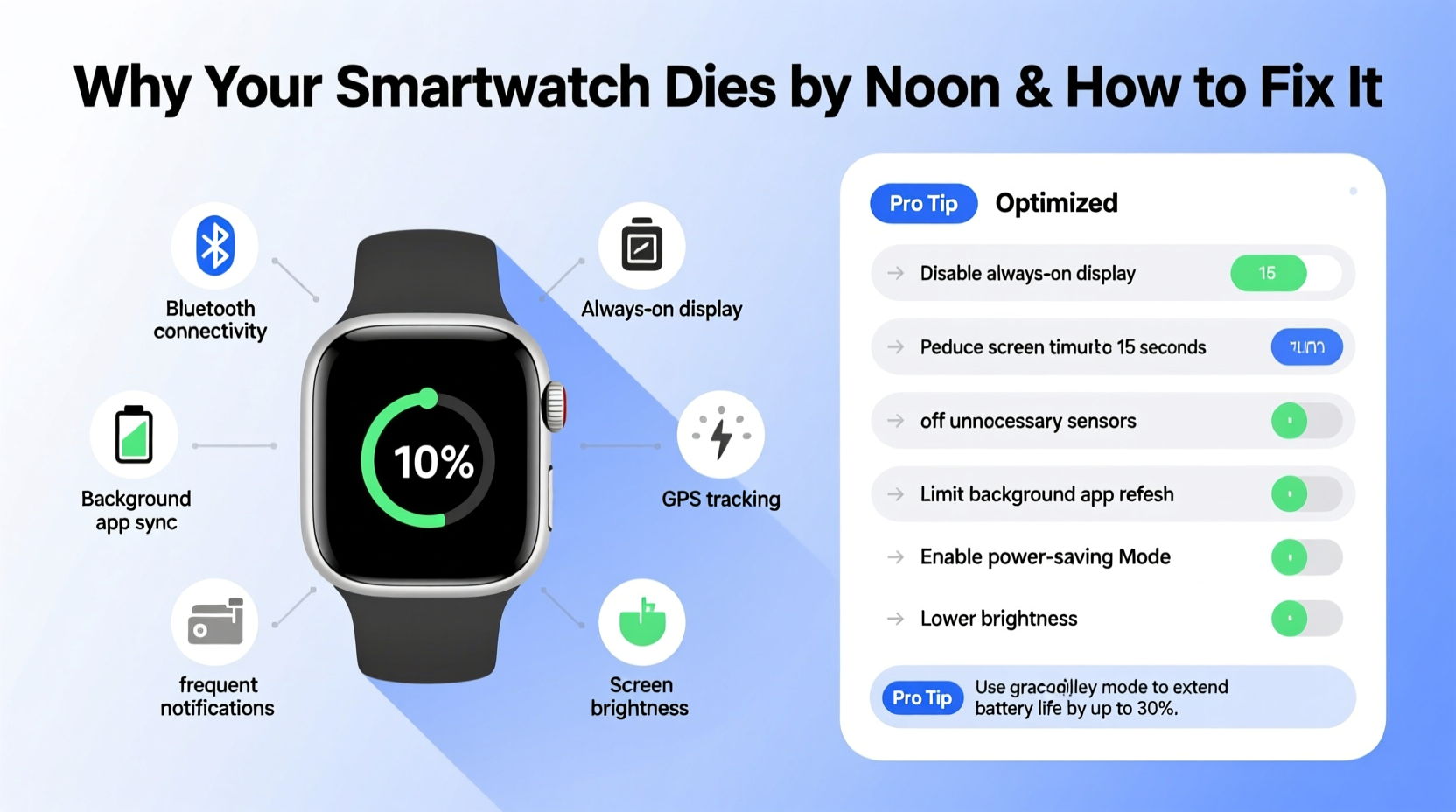
Smartwatches are marvels of miniaturization, but their compact size comes at a cost: small batteries with high energy demands. A typical smartwatch battery ranges from 200mAh to 450mAh—less than 10% of a modern smartphone’s capacity. Yet, these devices run full operating systems, process sensor data continuously, sync with phones, and maintain vibrant displays.
The most common culprits behind rapid battery drain include:
- Always-on display (AOD): Keeping the screen lit consumes significant power, especially on OLED models where every pixel draws current.
- Frequent heart rate and SpO2 monitoring: Sensors that operate every few seconds add up over time.
- GPS and workout tracking: Using built-in GPS for runs or hikes can deplete 30–50% of the battery in under an hour.
- Notifications and app syncing: Constant Bluetooth and Wi-Fi polling keeps radios active, increasing power draw.
- Third-party apps: Some poorly optimized apps run background processes even when idle.
- Software bugs: Firmware updates sometimes introduce inefficiencies or memory leaks.
Smart Battery-Saving Techniques That Actually Work
Unlike smartphones, smartwatches offer fewer user-accessible settings, but the right tweaks can yield dramatic improvements. Here are proven strategies used by tech-savvy users and engineers alike.
Optimize Display Settings
The screen is often the biggest power consumer. Adjusting brightness and activation behavior makes a major difference.
- Set screen brightness to auto or manually reduce it to 40–50%.
- Shorten screen timeout to 5–7 seconds.
- Disable \"always-on\" mode unless essential.
- Use darker watch faces—especially on AMOLED screens, black pixels use no power.
Manage Sensor Frequency
Continuous health monitoring sounds useful, but constant sampling is inefficient. Most users don’t need heart rate checks every 10 seconds.
- Adjust heart rate monitoring to “on demand” or “during workouts only.”
- Turn off automatic blood oxygen (SpO2) measurements overnight.
- Limit stress tracking to specific times of day.
Control Connectivity Smarter
Bluetooth, Wi-Fi, and cellular radios are always searching for signals, which uses energy even when idle.
“Background radio activity accounts for up to 25% of passive battery drain in wearables.” — Dr. Lena Torres, Senior Power Systems Engineer at WearTech Labs
To reduce this load:
- Use Airplane Mode during sleep or meetings to disable all wireless functions.
- Turn off Wi-Fi if you’re always near your phone.
- For LTE models, disable cellular data unless needed—pairing via Bluetooth is far more efficient.
Step-by-Step Guide to Extending Your Smartwatch Battery Life
Follow this daily and weekly routine to maximize efficiency without sacrificing usability.
- Morning (Pre-Use Setup):
- Ensure the watch is fully charged.
- Enable “Battery Saver” mode if you anticipate being away from a charger.
- Verify only essential apps are set to sync notifications.
- During the Day (Active Use):
- Tap the screen instead of raising your wrist to wake it.
- Pause non-critical sensors during low-activity periods.
- Close unused apps running in the background.
- Workout Time:
- Prefer connected GPS (using your phone’s antenna) over standalone GPS when possible—it uses less power.
- Disable music streaming from the watch; stream from your phone instead.
- Nighttime (Maintenance & Charging):
- Enable Do Not Disturb or Sleep Mode to limit alerts.
- Turn off SpO2 and continuous heart rate monitoring unless medically necessary.
- Charge between 20% and 80% regularly to prolong battery health long-term.
Do’s and Don’ts: Smartwatch Battery Management Table
| Do | Don’t |
|---|---|
| Use dark watch faces on OLED screens | Use animated or bright white watch faces constantly |
| Schedule sensor checks instead of continuous monitoring | Run 24/7 heart rate and SpO2 tracking unnecessarily |
| Update firmware regularly for efficiency fixes | Ignore software updates—they often include battery optimizations |
| Enable battery saver during low-use periods | Leave GPS running after finishing a workout |
| Store in cool, dry place when not in use | Expose to extreme heat (e.g., left in a car) |
Real User Case: How Sarah Doubled Her Watch’s Battery Life
Sarah, a project manager in Austin, relied on her Galaxy Watch6 for calendar alerts, step tracking, and calls. But she found herself charging it twice a day—one in the morning, another mid-afternoon. After researching battery issues, she implemented a few key changes:
- Switched from an animated watch face to a minimalist black design.
- Disabled always-on display and set screen timeout to 5 seconds.
- Changed heart rate monitoring to “every 30 minutes” instead of continuous.
- Turned off LTE and used Bluetooth-only pairing.
Within two days, her battery lasted from 7 AM to 10 PM consistently. She regained confidence in using her watch throughout the workday and evening workouts without fear of shutdown. “I didn’t lose functionality,” she said. “I just stopped wasting power on things I didn’t actually need.”
Essential Battery Longevity Checklist
Use this checklist weekly to ensure optimal performance and longevity:
- ✅ Calibrate battery once a month (drain to 0%, charge to 100%)
- ✅ Review installed apps—delete unused or power-hungry ones
- ✅ Check for OS updates—install promptly
- ✅ Clean charging contacts with a dry cloth
- ✅ Verify sensor settings align with actual needs
- ✅ Test battery saver mode for extended outings
- ✅ Avoid full discharges more than once a month—regular top-ups are better
FAQ: Common Smartwatch Battery Questions
How long should a smartwatch battery last in a day?
Most modern smartwatches should last 1.5 to 2 full days under normal use. However, heavy usage—including GPS, frequent notifications, and always-on display—can reduce this to 12–18 hours. If your device dies before noon regularly, settings adjustments or battery degradation may be the cause.
Does turning off Wi-Fi really save battery?
Yes. While Wi-Fi uses less power than cellular, it still consumes energy scanning for networks. If your watch stays within Bluetooth range of your phone, disabling Wi-Fi prevents unnecessary background searches and improves efficiency, especially in areas with weak signals.
Is it bad to charge my smartwatch every night?
No, nightly charging is fine—but avoid keeping it at 100% for extended periods. Lithium-ion batteries degrade faster when held at maximum voltage. For best long-term health, try to keep charge levels between 20% and 80% when possible, and unplug once charged.
When It’s Time to Replace the Battery
Even with perfect care, smartwatch batteries degrade over time. Most lithium-ion cells retain about 80% of their original capacity after 500 full charge cycles—roughly 1.5 to 2 years of daily use. Signs it may be time for a replacement include:
- Battery drops from 60% to 20% in under an hour with minimal use.
- Device shuts down unexpectedly despite showing 10–15% charge.
- Charging takes significantly longer than before.
While many brands discourage user replacements due to waterproof seals, authorized service centers can often replace the battery for 30–50% of the cost of a new model. Consider this option before upgrading unnecessarily.
Conclusion: Take Control of Your Smartwatch Battery Life
Your smartwatch doesn’t have to die by noon. With informed settings, disciplined usage, and regular maintenance, you can reclaim hours of daily use. The key is understanding that every glowing pixel, vibrating alert, and background sync has a cost. By prioritizing what truly matters to you—whether it’s fitness tracking, call alerts, or sleep analysis—you can tailor your device for efficiency without losing functionality.
Start today: audit your current settings, apply the tips above, and monitor the difference over the next 48 hours. You’ll likely see immediate improvements. And if you’ve cracked the code on extending your battery life, share your insights below—your experience could help someone else break free from the charging cable.




 浙公网安备
33010002000092号
浙公网安备
33010002000092号 浙B2-20120091-4
Comments
No comments yet. Why don't you start the discussion?