
As holiday lights twinkle across homes each season, many homeowners notice an unexpected sound coming from their surge protectors: a distinct clicking noise when turning on their displays. While it might seem like a minor quirk, this sound can raise concerns about electrical safety, equipment longevity, and whether something is malfunctioning. The truth is, a clicking surge protector isn’t always dangerous—but understanding the cause is essential for preventing hazards, especially when managing high-wattage seasonal lighting.
This article explores the science behind the clicking sound, identifies when it’s normal versus a warning sign, and provides practical steps to keep your holiday setup safe and efficient. Whether you're running a modest porch display or a full-blown neighborhood light show, knowing what’s happening inside that power strip could save you from costly damage—or worse, a fire hazard.
What Causes a Surge Protector to Click?
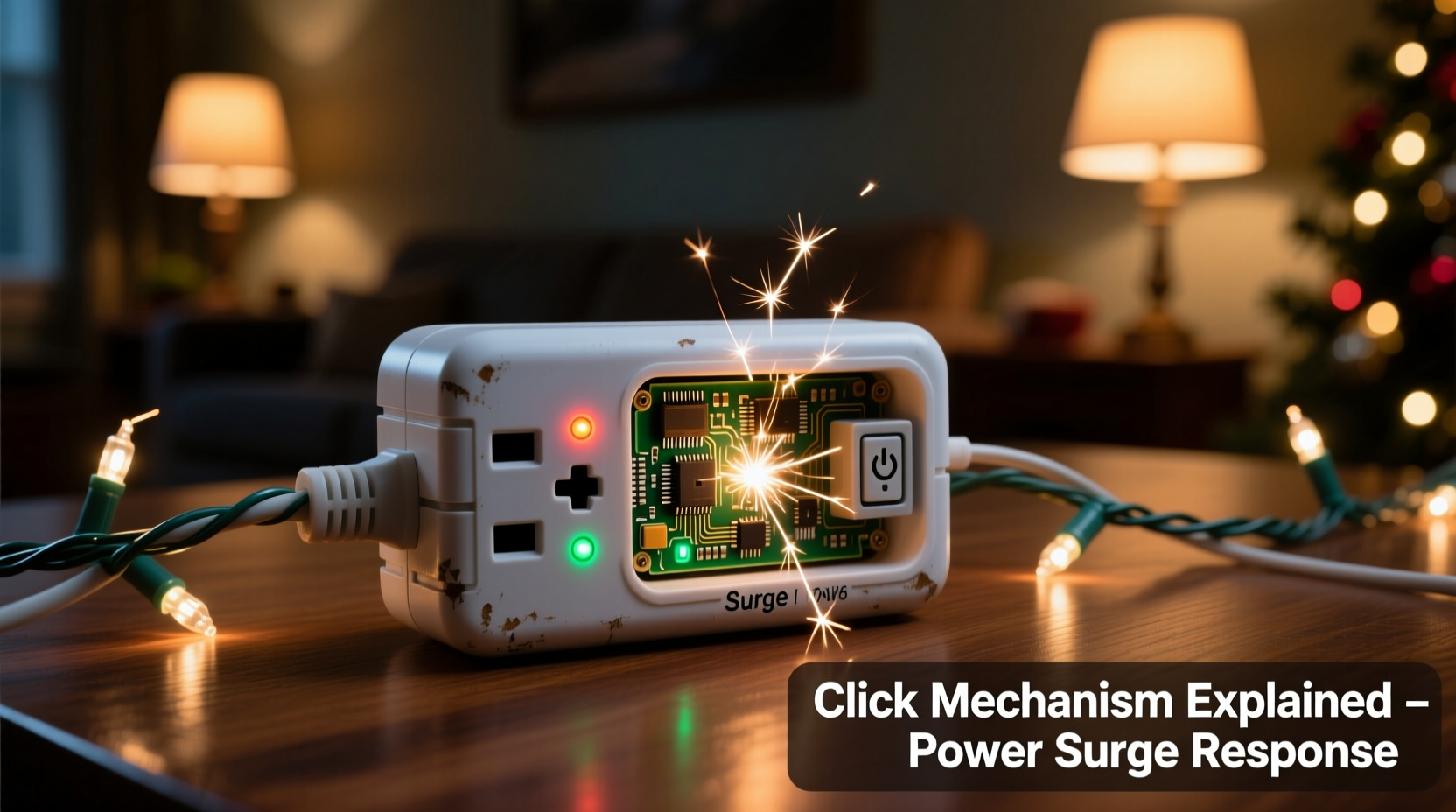
The clicking sound most commonly originates from internal mechanical components reacting to changes in electrical load. In many surge protectors, particularly those with built-in circuit breakers or relays, the act of switching on a large number of lights simultaneously creates a sudden demand for current. This rapid draw can trigger physical movement within the device.
One primary source of the click is the thermal circuit breaker. When power flows through the surge protector, metal strips inside the breaker heat up slightly due to resistance. As they expand, they may shift position just enough to produce an audible snap or click—especially noticeable in quiet environments. Similarly, some advanced models use electromagnetic relays that physically close contacts when activated, generating a small but perceptible sound.
Another factor is inrush current—the brief surge of electricity required to energize multiple cold filaments in incandescent bulbs or the capacitors in LED strings. Even if the total wattage seems within limits, this initial spike can momentarily stress internal components, leading to mechanical feedback in the form of a click.
“Surge protectors are designed with moving parts, especially in overcurrent protection systems. A single click at power-on is often just physics in action—not a defect.” — Daniel Reeves, Electrical Systems Engineer, Northeast Power Safety Group
Normal vs. Dangerous Clicking: How to Tell the Difference
Not all clicking is created equal. Some sounds are harmless byproducts of operation; others signal serious issues. Understanding the context—timing, frequency, and accompanying symptoms—is key to assessing risk.
A one-time click when flipping the switch is typically benign. It usually occurs as the circuit stabilizes and should not repeat unless the device is cycled off and on again. However, repeated clicking—especially rhythmic or continuous ticking—can indicate overheating, loose wiring, or a failing breaker trying to reset itself.
If the clicking is accompanied by any of the following, treat it as a red flag:
- Visible discoloration or melting on the outlet or housing
- Burning smell or ozone odor (a sharp, metallic scent)
- Frequent tripping of the breaker
- Sparks or flickering lights when connecting devices
- Warmth or heat radiating from the surge protector
In such cases, continued use poses a fire hazard. Unplug immediately and replace the unit.
How Holiday Displays Stress Surge Protectors
Holiday lighting setups are uniquely demanding on power management devices. Unlike typical household electronics, which draw steady power, decorative lights often combine dozens of strands operating simultaneously. Even low-wattage LED strings add up quickly when multiplied across hundreds of bulbs.
Consider a standard 100-light mini string using approximately 4 watts. Ten strands equal 40 watts—but connect 30 strands, and you’re drawing 120 watts. That may still seem modest, but factor in inflatables, motorized figures, and synchronized music systems, and total loads can exceed 500–800 watts per circuit. Many consumers unknowingly daisy-chain multiple surge protectors together, compounding the strain.
Moreover, outdoor installations introduce environmental stressors: moisture, temperature fluctuations, and voltage drops due to long extension cords. These conditions reduce efficiency and increase resistance, forcing surge protectors to work harder. Combined with inrush current, this can push marginal units beyond their design tolerance.
The cumulative effect? Internal components degrade faster, connections loosen, and protective mechanisms become more prone to activation—including audible responses like clicking.
Do’s and Don’ts for Managing Holiday Electrical Loads
| Do | Don’t |
|---|---|
| Calculate total wattage before plugging in | Exceed 80% of the surge protector’s rated capacity |
| Use heavy-duty, outdoor-rated surge protectors | Use indoor-only models outside, even under cover |
| Space out high-draw items across circuits | Daisy-chain multiple surge protectors together |
| Inspect cords and plugs for wear annually | Ignore frayed wires or cracked insulation |
| Unplug displays during storms or extended absences | Leave holiday lights on unattended for days |
Step-by-Step Guide to Safely Powering Your Display
To minimize risks and eliminate unnecessary clicking, follow this systematic approach when setting up your holiday lighting:
- Inventory your display components. List every item: light strings, inflatables, projectors, timers, etc., along with their wattage (found on labels or manuals).
- Calculate total load per circuit. Add up the wattage for all devices on each planned circuit. Remember: circuit breakers trip at 15–20 amps (1800–2400 watts at 120V), so stay below 80% (1440–1920 watts) for sustained use.
- Select appropriate surge protectors. Choose models rated for outdoor use with a joule rating above 1000 and a clamping voltage under 400V. Look for ones with individual switches to isolate sections.
- Test one section at a time. Plug in and power up each group separately. Listen for abnormal sounds and check for heat buildup after five minutes.
- Monitor during initial operation. Stay nearby for the first 30 minutes after full activation. Watch for flickering, delayed responses, or repeated clicking.
- Install timers or smart controllers. Automate on/off cycles to reduce runtime and thermal stress. Smart plugs also allow remote shutdown in case of anomalies.
- Schedule periodic inspections. Every few days, visually inspect connections and feel for warmth. Replace any unit showing signs of wear.
Real Example: A Neighborhood Display Gone Wrong
In suburban Ohio, homeowner Marcus T. installed a 3,000-bulb LED display across his roofline, trees, and driveway. He used three standard indoor surge protectors linked together, each powering roughly 600 watts. On the first night of activation, he heard a series of rapid clicks from one unit near the garage.
Assuming it was normal, he left the system running overnight. By morning, the middle surge protector had melted slightly at one outlet, and two light strands no longer worked. An electrician later confirmed that the daisy-chained setup caused uneven current distribution, overheating the central unit. The clicking was the thermal breaker cycling repeatedly as it tried—and failed—to regulate temperature.
After replacing damaged components and reconfiguring the layout with dedicated outdoor-rated protectors on separate house circuits, Marcus eliminated the issue. His new setup includes labeled zones, smart timers, and monthly checks. “I thought I was being clever saving outlets,” he said. “Turns out I was one spark away from disaster.”
When to Replace Your Surge Protector
Surge protectors have a finite lifespan. Most manufacturers recommend replacement every 3–5 years, even if no visible damage exists. Internal components degrade with each surge event—even minor ones from local grid fluctuations. Over time, this reduces effectiveness and increases the likelihood of mechanical failure.
Signs it’s time to replace your unit include:
- Frequent clicking or popping unrelated to load changes
- Indicator lights that no longer illuminate
- Loose or wobbly plug connections
- Discoloration, warping, or residue around outlets
- Known exposure to lightning strikes or power spikes
Keep in mind: surge protection is not infinite. Each joule absorbed brings the device closer to end-of-life. High-use seasonal applications accelerate this process significantly.
FAQ
Is a clicking sound always dangerous?
No. A single, soft click when turning on the display is often normal and caused by thermal expansion or relay engagement. However, repeated, loud, or erratic clicking—especially with heat or smell—should be investigated immediately.
Can cold weather cause surge protectors to click?
Indirectly, yes. Cold temperatures make plastic housings more brittle and metal components contract. When power flows, the sudden warming can create micro-movements that result in audible clicks. While usually harmless, frequent cycling in extreme cold may fatigue materials over time.
Should I use a power strip or a surge protector?
Always choose a surge protector over a basic power strip for holiday displays. Power strips offer no protection against voltage spikes, which are common during winter storms. A quality surge protector safeguards your investment and reduces fire risk.
Final Checklist Before Lighting Up
Before flipping the switch on your holiday display, run through this final verification list:
- ✅ All surge protectors are rated for outdoor use (if applicable)
- ✅ Total load per circuit is under 80% capacity
- ✅ No daisy-chaining of power strips or surge protectors
- ✅ Cords are elevated off ground and away from water sources
- ✅ Units are securely mounted and not overloaded with adapters
- ✅ Indicator lights confirm surge protection is active
- ✅ Timers or smart controls are programmed correctly
- ✅ Replacement date is marked and within service life
Conclusion
The clicking sound from a surge protector during holiday display activation is often nothing more than the hum of physics at work—a momentary response to electrical demand. But dismissing every click as normal can be a dangerous assumption. With tens of thousands of home fires linked to decorative lighting each year, vigilance matters.
By understanding the causes, recognizing warning signs, and following best practices for load management and device maintenance, you can enjoy a dazzling, safe holiday display season after season. Don’t wait for smoke or sparks to act. Inspect your setup now, upgrade where needed, and power your celebrations with confidence.




 浙公网安备
33010002000092号
浙公网安备
33010002000092号 浙B2-20120091-4
Comments
No comments yet. Why don't you start the discussion?