
Touch lamps offer a sleek, modern alternative to traditional lighting with their intuitive on/off controls. But when your lamp begins flickering unexpectedly—dimming, pulsing, or turning off mid-use—it disrupts both function and ambiance. This behavior isn’t just annoying; it can signal underlying electrical or sensor issues that, if ignored, may shorten the lamp’s lifespan or pose safety risks. The good news is that most flickering problems are fixable with targeted troubleshooting. Understanding the root causes—from environmental interference to component wear—empowers you to restore stability and enjoy consistent performance.
Understanding How Touch Lamps Work
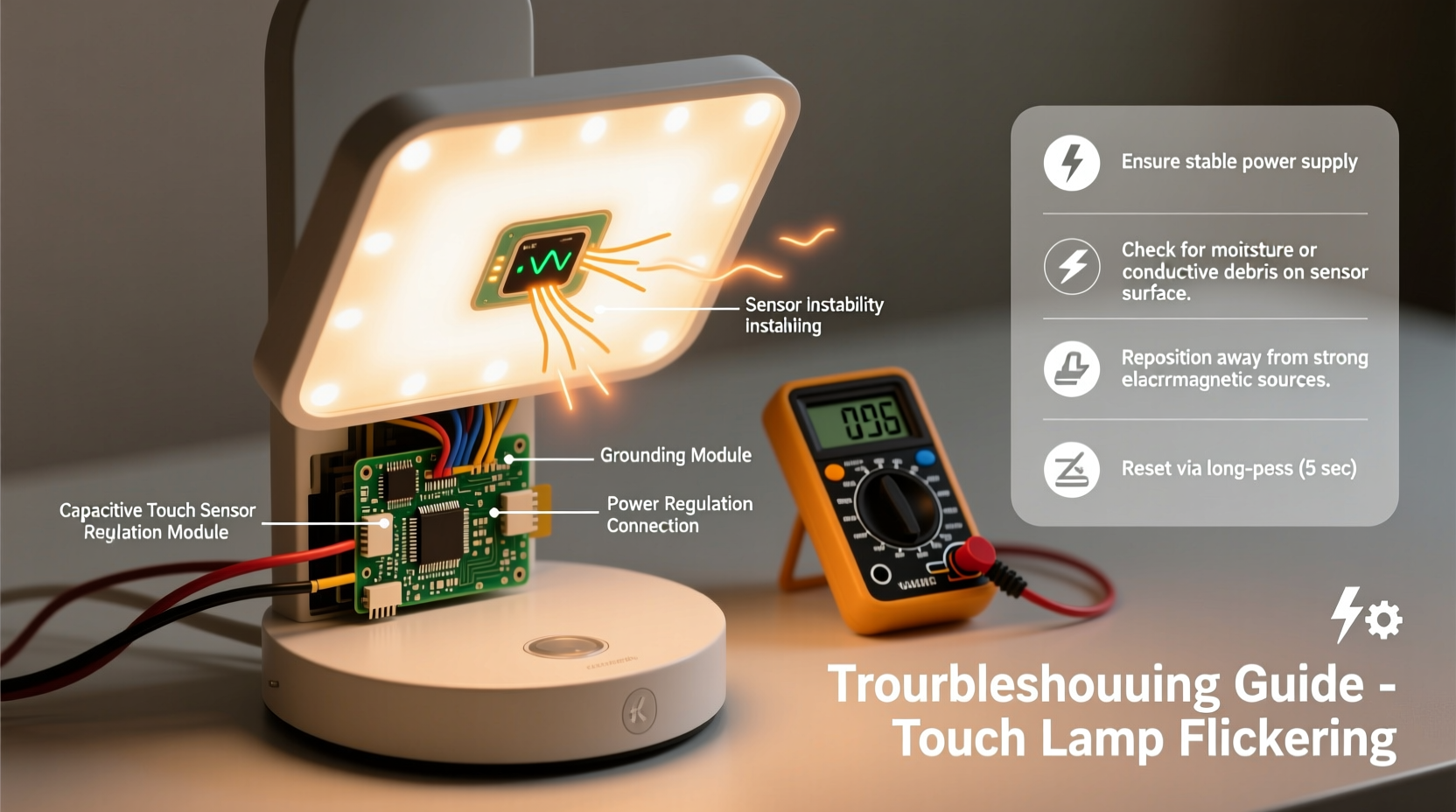
Unlike standard lamps controlled by mechanical switches, touch lamps rely on capacitive sensing technology. When you touch the metal base or designated surface, your body acts as a conductor, altering the lamp’s internal electric field. This change triggers a control circuit to cycle through brightness levels or turn the lamp on and off.
The core components include:
- Touch Sensor Plate: Typically embedded in the lamp’s base or shaft, this detects changes in capacitance when touched.
- Control Board (PCB): Processes the signal from the sensor and regulates power to the bulb.
- Bulb Type Compatibility: Most touch lamps require incandescent or halogen bulbs, though newer models support specific dimmable LEDs.
- Power Supply: Converts AC current to low-voltage DC for the sensor and circuitry.
Because these systems operate on subtle electrical variations, they’re sensitive to interference, degradation, and improper setup. A flicker isn’t random—it’s feedback from the system indicating imbalance.
Common Causes of Flickering in Touch Lamps
Flickering stems from disruptions in the sensor-to-bulb pathway. Identifying the source requires evaluating both hardware and environment.
1. Incompatible or Failing Light Bulbs
The most frequent culprit is using the wrong bulb type. While many touch lamps were designed for incandescent bulbs, users often substitute energy-efficient LEDs without checking compatibility. Non-dimmable LEDs introduce electrical noise that destabilizes the control board. Even dimmable LEDs with poor driver circuits can cause flickering.
Additionally, bulbs nearing end-of-life may draw inconsistent current, prompting the sensor to misread signals.
2. Electrical Interference from Nearby Devices
Capacitive sensors detect minute changes in electromagnetic fields. Devices like smartphones, chargers, Wi-Fi routers, or even nearby fluorescent lights emit electromagnetic interference (EMI) that can mimic touch inputs or confuse the sensor.
This often results in phantom touches—where the lamp turns on or flickers without contact—or erratic dimming cycles.
3. Poor Grounding or Faulty Wiring
Touch lamps depend on a stable ground reference to measure capacitance changes. If the outlet lacks proper grounding, or if the lamp’s internal wiring is frayed or loose, the sensor receives unstable input. This leads to intermittent operation and flickering.
Older homes with outdated electrical systems are especially prone to this issue.
4. Moisture or Humidity Buildup
High humidity or condensation inside the lamp base can create unintended conductive paths on the sensor board. This mimics constant touch input, causing the lamp to flicker or remain stuck at one brightness level.
Bathrooms or basements increase exposure risk, particularly in seasonal transitions.
5. Sensor or Control Board Degradation
Over time, dust accumulation, heat stress, or manufacturing defects can degrade the control board’s components. Electrolytic capacitors dry out, solder joints crack, and sensor traces corrode—all contributing to unstable performance.
If the lamp flickers even after bulb replacement and environmental fixes, internal electronics are likely failing.
“Touch lamps are elegant but finicky. Their sensitivity is both their strength and weakness. A flicker often points to mismatched components or environmental stress.” — Dr. Alan Reeves, Electrical Systems Engineer, MIT Lincoln Laboratory
Step-by-Step Guide to Stabilize Your Touch Lamp Sensor
Follow this systematic approach to diagnose and resolve flickering issues. Start with simple checks before moving to advanced repairs.
- Replace the Bulb with a Compatible One
Use a known-compatible incandescent, halogen, or manufacturer-approved dimmable LED. Check the lamp’s label or manual for wattage and type limits. Screw the bulb in tightly to ensure full contact. - Test in a Different Outlet
Plug the lamp into a grounded outlet in another room. Avoid power strips or extension cords initially. This isolates whether the issue lies with the circuit or grounding. - Eliminate Electronic Interference
Move the lamp away from routers, microwaves, phone chargers, and other electronics. Turn off nearby devices temporarily to test if flickering stops. - Clean the Lamp Base and Contacts
Unplug the lamp. Wipe the exterior with a dry microfiber cloth. Remove the bulb and inspect the socket for corrosion. Use a cotton swab lightly dampened with isopropyl alcohol to clean metal contacts. Let dry completely before reassembly. - Check for Moisture
If used in humid areas, disassemble the base (if possible) and inspect for condensation or water residue. Allow the unit to air-dry for 24 hours in a warm, dry space. - Reset the Control Board
Unplug the lamp for at least 15 minutes to discharge residual electricity. This resets the control circuit and clears false memory states. Plug back in and test with a single touch. - Verify Grounding
Use an outlet tester to confirm the receptacle is properly grounded. If not, consult an electrician. Never bypass grounding for convenience. - Inspect Internal Wiring (Advanced)
For persistent issues, open the base carefully. Look for loose wires, burnt components, or cracked solder joints. Re-solder connections if skilled. Replace the control board if visibly damaged.
Troubleshooting Checklist
- ✅ Replace bulb with compatible incandescent or dimmable LED
- ✅ Test in a different, grounded outlet
- ✅ Move away from electronic devices
- ✅ Clean bulb socket and metal base
- ✅ Dry thoroughly if exposed to moisture
- ✅ Unplug for 15+ minutes to reset sensor
- ✅ Confirm outlet has proper grounding
- ✅ Inspect internal wiring and control board
Do’s and Don’ts: Maintaining Touch Lamp Performance
| Do’s | Don’ts |
|---|---|
| Use only bulbs rated for touch/dimmer use | Never install non-dimmable LEDs |
| Keep the lamp base clean and dry | Avoid placing near high-EMI devices |
| Plug directly into wall outlets | Don’t use damaged cords or adapters |
| Reset the lamp monthly by unplugging | Don’t ignore persistent flickering |
| Store in climate-controlled environments | Don’t attempt internal repairs without experience |
Real-World Example: Resolving Bedroom Lamp Flickering
Sarah, a graphic designer in Portland, noticed her bedside touch lamp flickered every evening around 8 PM. It worked fine during the day. She replaced the bulb twice with standard LEDs, but the issue returned. After reading about EMI, she observed that the flickering coincided with her router rebooting—a scheduled update occurred nightly at 8:00 PM.
She moved the lamp three feet away from the nightstand where the router sat. The flickering stopped immediately. To prevent recurrence, she switched to a dimmable LED recommended by the lamp manufacturer and added a ferrite core to the lamp’s power cord to suppress interference. The lamp has operated smoothly for eight months since.
This case illustrates how environmental factors and component choices interact. A quick observation and small adjustments resolved what seemed like a hardware defect.
Frequently Asked Questions
Can I use any LED bulb in a touch lamp?
No. Only dimmable LED bulbs explicitly labeled as compatible with touch or triac dimmers should be used. Many LEDs have built-in drivers that conflict with the lamp’s control circuit, causing flickering or failure. Always check the manufacturer’s recommendations.
Why does my touch lamp turn on by itself?
This is typically caused by electromagnetic interference, moisture on the sensor, or a failing control board. Devices emitting radio frequencies (like cordless phones or baby monitors) can trigger false inputs. Ensure the lamp is in a dry area and away from electronics. If the problem persists, the internal circuitry may need replacement.
Is a flickering touch lamp dangerous?
Persistent flickering can indicate electrical faults such as poor grounding or short circuits, which pose fire or shock risks. While occasional flicker from a dying bulb is low-risk, ongoing instability should be addressed promptly. Discontinue use if you notice burning smells, discoloration, or warmth in the base.
Expert Tips for Long-Term Sensor Stability
Prevention is more effective than repair. Incorporate these habits to extend your touch lamp’s reliability:
- Monthly Reset: Unplug the lamp for 10–15 minutes to clear electronic memory and recalibrate the sensor.
- Dust Management: Wipe the base weekly with a dry cloth. Dust buildup can insulate or short the sensor surface.
- Stable Environment: Avoid placing touch lamps in bathrooms, kitchens, or garages where humidity and temperature fluctuate.
- Surge Protection: Use a surge-protected outlet to shield the sensitive control board from voltage spikes.
- Upgrade Smart Components: Consider replacing aging control modules with modern, noise-resistant PCBs available online for common models.
Conclusion
A flickering touch lamp is more than a nuisance—it’s a signal that something in the system is out of balance. Whether it’s an incompatible bulb, electromagnetic noise, or internal wear, each cause has a logical solution. By methodically testing components, optimizing placement, and maintaining the lamp properly, you can restore smooth, responsive control. Modern touch lamps blend form and function, but they demand attention to detail. Treat them not as plug-and-forget devices, but as precision instruments that thrive under informed care.




 浙公网安备
33010002000092号
浙公网安备
33010002000092号 浙B2-20120091-4
Comments
No comments yet. Why don't you start the discussion?