
Wireless charging has become a staple of modern smartphone convenience—no more fumbling for cables, no wear on charging ports, just set your phone down and go. But many users report a frustrating issue: their wireless charger works perfectly one day, then suddenly stops when they switch to a slightly thicker case. This isn’t random. There’s solid physics behind the problem, and understanding it can save you time, money, and unnecessary device replacements.
The core issue lies in how wireless charging operates. Unlike traditional plug-in charging, which relies on direct electrical contact, wireless charging uses electromagnetic induction to transfer power from the charger to your phone. This process is sensitive to distance, alignment, and material interference—all of which can be affected by even a modestly thicker case.
How Wireless Charging Works: The Basics
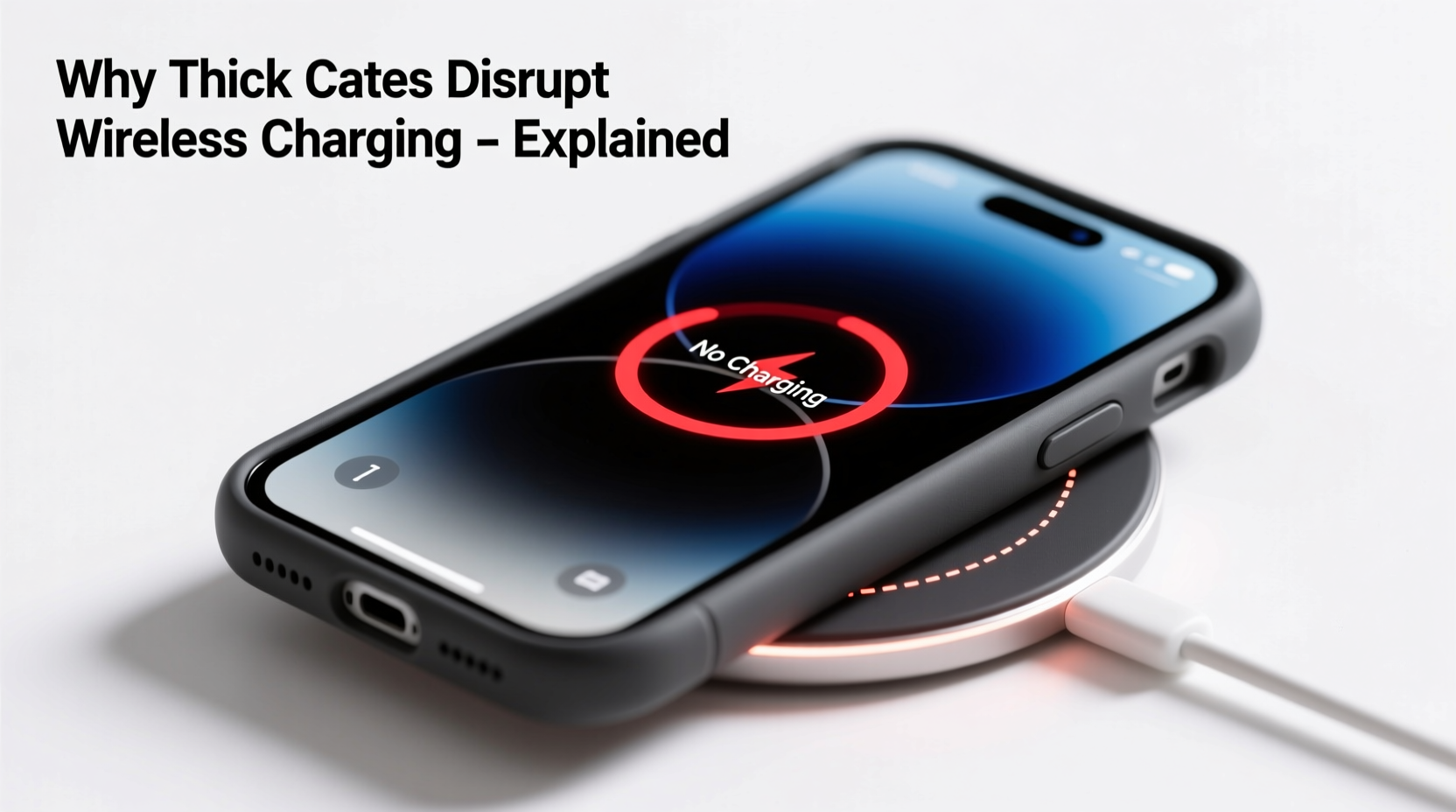
Wireless charging relies on two main components: a transmitter coil in the charging pad and a receiver coil inside your smartphone. When the phone is placed on the charger, an alternating current in the transmitter coil generates a magnetic field. This field induces a current in the receiver coil, which then powers the battery.
This method is efficient only when the coils are very close—typically within 5 millimeters of each other. Any increase in distance reduces efficiency dramatically. The energy transfer follows the inverse-square law: double the distance, and the power drops to roughly a quarter. That’s why even a small increase in case thickness can disrupt the connection.
Moreover, not all materials are transparent to magnetic fields. While plastic, silicone, and TPU (thermoplastic polyurethane) are generally compatible, metals, carbon fiber, or magnetized layers can block or distort the magnetic field, preventing effective charging.
“Even a 1mm increase in separation between the coils can reduce charging efficiency by up to 30%. Thickness matters more than most users realize.” — Dr. Alan Zhou, Electromagnetic Systems Engineer at MIT
Why Case Thickness Matters More Than You Think
Most manufacturers design wireless chargers with a tolerance of about 3–5mm between the charging surface and the phone’s internal coil. Standard phone cases (0.7–1.2mm thick) typically fall within this range. However, rugged, protective, or multi-layered cases often exceed 2.5mm—and that’s where problems begin.
A thicker case pushes the phone’s receiver coil further from the charger’s transmitter coil. As the gap widens, the magnetic field weakens, resulting in:
- Slower charging speeds
- Intermittent charging (starts and stops)
- Complete failure to initiate charging
- Increased heat generation due to inefficient energy transfer
In some cases, the phone may detect the inefficiency and disable wireless charging altogether as a safety measure. This is common with iPhones and high-end Android devices that monitor coil alignment and temperature.
Material Interference: Not Just About Thickness
While thickness is a primary factor, the material composition of your case plays an equally critical role. Some materials that seem harmless can severely disrupt wireless charging:
| Case Material | Wireless Charging Friendly? | Notes |
|---|---|---|
| Silicone | Yes | Flexible and thin; ideal for wireless charging |
| TPU (Soft Plastic) | Yes | Common in clear cases; usually safe if under 2mm |
| Leather (synthetic or real) | Limited | Thin leather is okay; thick or layered styles may block signal |
| Carbon Fiber | No | Conductive and blocks magnetic fields |
| Metal (aluminum, steel accents) | No | Causes shielding and overheating risks |
| Magnet-embedded (e.g., MagSafe-compatible) | Only if designed for it | Non-MagSafe magnets can misalign coils |
For example, a wallet-style case with metal clasps or built-in credit card slots might seem convenient, but the metal interferes with the magnetic field. Similarly, cases marketed as “anti-radiation” or “signal-blocking” often contain metallic mesh layers that kill wireless charging performance.
Real-World Example: The Rugged Case Dilemma
Consider Sarah, a landscape photographer who uses her iPhone 14 Pro daily in harsh outdoor conditions. She switched from a slim silicone case to a military-grade OtterBox Defender for better drop and water protection. Within days, she noticed her MagSafe charger stopped recognizing her phone unless she removed the case.
She contacted Apple Support, reset her phone, and even bought a new charger—none worked. Only after reading a forum post did she realize the issue: the OtterBox added nearly 4mm of thickness and included internal plastic ribs that increased the gap between the coils. Additionally, the built-in screen protector had a metallic anti-glare coating that further disrupted the field.
Her solution? She kept the rugged case for fieldwork but switched to a thinner case at home for overnight wireless charging. She also began using a wired charger when traveling—a small compromise for the durability she needed.
Step-by-Step Guide to Diagnose & Fix the Issue
If your wireless charger fails with a thicker case, follow this logical sequence to identify and resolve the problem:
- Test without the case: Place your bare phone on the charger. If it charges normally, the case is the culprit.
- Check case thickness: Use calipers or compare with a known thin case. Anything over 2.5mm may cause issues.
- Inspect for metal or magnets: Look for metallic buttons, kickstands, or embedded accessories. Even small metal pieces can interfere.
- Try different positioning: Rotate the phone slightly on the charger. Misalignment worsens with distance.
- Test with another charger: Use a friend’s wireless charger or a different model to rule out charger defects.
- Check for overheating alerts: If your phone displays a “Charging paused due to heat” message, remove the case and let it cool.
- Use a charging stand: Vertical stands often apply more pressure, reducing air gaps and improving contact.
If none of these steps restore charging, the case is incompatible. Consider switching to a wireless charging-optimized model or using a hybrid approach: a protective case for daily use and a slim one for charging.
Do’s and Don’ts of Phone Cases and Wireless Charging
| Do | Don’t |
|---|---|
| Choose cases labeled “Qi-certified” or “MagSafe-compatible” | Use cases with metal plates, magnets, or carbon fiber |
| Keep case thickness under 2mm for reliable charging | Stack multiple cases or add screen protectors with metal layers |
| Clean both the charger and phone back regularly to avoid debris buildup | Ignore overheating warnings—remove the case immediately |
| Use a charging stand to improve alignment and pressure | Assume all “compatible” cases work equally well |
| Carry a thin backup case for charging at home or in the office | Force charge a phone that keeps disconnecting—inefficiency harms battery life |
FAQ: Common Questions About Thick Cases and Wireless Charging
Can I modify my thick case to make it work with wireless charging?
Not safely. Attempting to sand down or cut parts of the case risks damaging the phone or exposing internal components. It may also void warranties. Your best bet is switching to a compatible case.
Will a thicker case eventually wear out my wireless charger?
Not directly, but inefficient charging causes the charger and phone to generate more heat. Over time, excessive heat can degrade both the charger’s electronics and your phone’s battery. Consistent poor alignment may also strain the charger’s circuitry.
Are there wireless chargers designed for thick cases?
Some high-power chargers (15W+) claim better penetration, but physics limits remain. No consumer charger can reliably charge through cases thicker than 4–5mm. Industrial or medical chargers exist but are not practical for everyday use.
Expert Tips for Balancing Protection and Convenience
Finding the right balance between phone protection and charging convenience is key. Here are actionable strategies used by tech-savvy professionals:
- Use dual-case strategy: Keep a rugged case for travel and a slim, Qi-friendly one at home or in the office.
- Invest in MagSafe-certified cases: These are tested for compatibility and maintain proper coil alignment.
- Charge overnight with the case off: Remove the case before bed and place the phone directly on the charger for fastest, coolest charging.
- Monitor charging logs: On iOS, check Battery Settings to see if “Optimized Charging” is being interrupted. Frequent pauses suggest interference.
- Upgrade to a cooling-enabled charger: Some premium pads include fans or thermal sensors to mitigate heat from inefficient transfers.
“The future of wireless charging depends on smarter coils and adaptive power delivery—but until then, case thickness remains a hard physical limit.” — Dr. Lena Park, Senior Researcher at Qualcomm Powerline Division
Conclusion: Smart Choices for Seamless Charging
Your phone case shouldn’t force you to choose between protection and convenience. Understanding the science behind wireless charging empowers you to make informed decisions. While a slightly thick case might look durable or stylish, it can silently undermine one of your phone’s most useful features.
Start by evaluating your current case: measure its thickness, inspect for hidden metals, and test charging performance. If it fails, explore alternatives that don’t sacrifice safety for functionality. With the right setup, you can enjoy fast, reliable wireless charging every day—without constantly removing your case.




 浙公网安备
33010002000092号
浙公网安备
33010002000092号 浙B2-20120091-4
Comments
No comments yet. Why don't you start the discussion?