
Drone drifting—especially sideways—is one of the most common yet frustrating issues pilots face, whether flying casually or capturing aerial footage. When your drone veers off course without input, it compromises control, stability, and safety. While modern drones are engineered for precision, environmental factors, hardware wear, and software misalignment can disrupt their balance. The good news: most cases of lateral drift stem from correctable causes, primarily related to improper or outdated calibration. Understanding the root causes and applying proven fixes can restore smooth, predictable flight behavior.
Understanding Drone Drift: What Causes Sideways Movement?
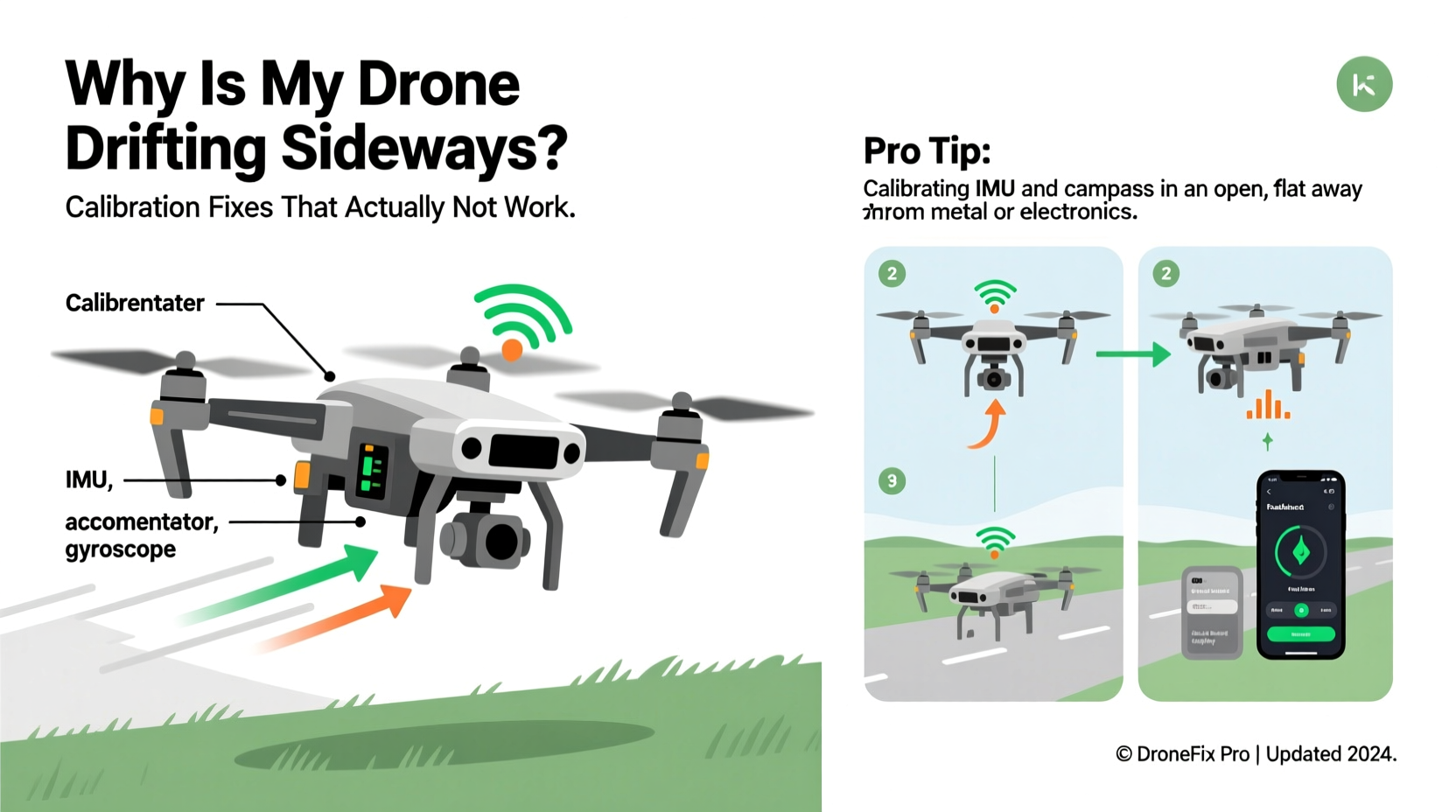
Sideways drift occurs when a drone moves laterally without pilot input. This typically happens due to sensor inaccuracies, especially in the inertial measurement unit (IMU), compass, or accelerometer. These components help the drone maintain orientation and position relative to its environment. When they’re out of sync or improperly calibrated, the flight controller receives flawed data, leading to unintended corrections.
Common contributors include:
- Uncalibrated IMU: The IMU combines gyroscope and accelerometer data. If not calibrated, it may misread tilt or movement.
- Magnetic interference: Nearby metal structures, power lines, or even smartphone mounts can distort compass readings.
- Uneven propeller wear: Damaged or unbalanced props generate uneven thrust, causing lateral pull.
- Firmware glitches: Outdated or corrupted firmware can impair sensor interpretation.
- Wind or GPS signal loss: In outdoor environments, weak GPS signals force the drone into ATTI mode (attitude mode), where it relies more on internal sensors and is prone to drift.
While wind and external forces play a role, persistent drift—even in calm conditions—points to an internal calibration issue. Addressing this starts with proper diagnostics and recalibration.
Step-by-Step Guide to Calibrate Your Drone Properly
Calibration isn’t just a quick fix—it’s essential maintenance. Skipping steps or rushing through the process often leads to incomplete correction. Follow this detailed sequence to ensure accurate recalibration:
- Power on in a neutral location: Turn on your drone and remote controller in a flat, open area away from metal surfaces, vehicles, or electronic devices. Avoid indoor spaces with reinforced concrete or steel beams.
- Launch the companion app: Open your drone’s official app (e.g., DJI Fly, Autel Sky, etc.) and check for any error messages related to sensors or GPS.
- Initiate IMU calibration: Navigate to the settings menu and select “Sensor Calibration” or “IMU Calibration.” Confirm initiation. The drone will prompt you to place it on a level surface.
- Complete horizontal calibration: Let the drone sit completely still on a flat, non-metallic surface. Do not touch it during the 30–60 second process. The motors may spin briefly—this is normal.
- Perform vertical calibration: Once horizontal calibration finishes, the app will instruct you to rotate the drone vertically. Hold it upright (nose down) and slowly rotate it 360 degrees around its vertical axis as directed.
- Compass calibration: Move to an open outdoor area. Hold the drone horizontally and rotate it 360 degrees in both directions (as prompted). Then flip it vertically and repeat. Ensure no magnetic interference is present.
- Wait for confirmation: Do not skip steps or interrupt the process. Wait for full completion and success notification before powering off.
Do’s and Don’ts During Calibration
| Action | Recommended? | Reason |
|---|---|---|
| Calibrate on a marble countertop | No | Marble may contain metallic minerals affecting compass accuracy |
| Use a bubble level app to verify flatness | Yes | Ensures true horizontal alignment for IMU calibration |
| Calibrate near your car | No | Vehicles contain large metal masses that distort magnetic fields |
| Repeat calibration after firmware update | Yes | Updates can reset sensor parameters |
| Calibrate indoors on a wooden table | Risky | Only if no rebar or wiring is below; outdoor is always better |
Real-World Example: Fixing Persistent Drift on a DJI Mini 3 Pro
A landscape photographer in Colorado reported consistent leftward drift during sunrise shoots near a rocky ridge. Despite calm winds and full GPS lock, the drone would slowly veer off while hovering. Initial attempts to rebalance props and clean motors had no effect.
After reviewing logs via the DJI Fly app, the user noticed frequent “compass error” warnings. Upon relocating 100 feet from the rock formation—which contained iron-rich minerals—and performing a full outdoor compass and IMU calibration, the drift ceased entirely. Subsequent flights remained stable, confirming that localized magnetic interference was the culprit.
This case illustrates how environmental factors invisible to the eye can severely impact drone behavior. It also highlights the importance of interpreting app diagnostics and choosing calibration locations wisely.
Expert Insight: Why Sensor Health Matters
“Many users treat calibration like a last resort, but it should be routine—like checking tire pressure on a car. A well-calibrated IMU and compass are the foundation of stable flight. Neglect them, and even advanced stabilization algorithms can’t compensate.” — Rafael Mendez, UAV Systems Engineer at SkyIntegrity Labs
Troubleshooting Checklist: Eliminate Drift in 7 Steps
If your drone continues to drift after initial calibration, work through this checklist to isolate and resolve the issue:
- ✅ Ensure firmware is up to date across drone, remote, and app.
- ✅ Inspect all propellers for cracks, warping, or looseness; replace damaged ones.
- ✅ Verify motor alignment and cleanliness—dust or debris can affect RPM consistency.
- ✅ Check battery health; low voltage or imbalance between cells impacts motor output.
- ✅ Fly in GPS-rich environments; avoid dense urban areas or valleys with poor satellite reception.
- ✅ Reset home point before takeoff to ensure accurate return-to-home and positioning.
- ✅ Perform a factory reset and recalibrate if drift persists across multiple sessions.
When Calibration Isn’t Enough: Hardware and Environmental Factors
Even perfect calibration fails if physical or environmental conditions interfere. Consider these often-overlooked elements:
Propeller Quality: Aftermarket or worn propellers may not generate uniform lift. Stick to manufacturer-recommended replacements and inspect them regularly.
Motor Wear: Over time, brushless motors degrade. One motor running slightly slower than others creates asymmetric thrust, mimicking calibration errors. Use the motor test function in your app to check RPM symmetry.
GPS Signal Strength: Drones rely on GPS satellites for position holding. In ATTI mode (used when GPS is weak), they depend solely on barometers and IMUs, which are less precise. Always wait for a solid GPS lock (8+ satellites) before taking off.
Temperature Extremes: Cold weather thickens lubricants and reduces battery efficiency, impacting motor responsiveness. Allow your drone to acclimate to outdoor temperatures for 10–15 minutes before flight.
Frequently Asked Questions
How often should I calibrate my drone?
Calibrate the IMU and compass every 2–3 months under normal use. However, recalibrate immediately after: firmware updates, hard landings, traveling over 30 miles, or noticing erratic flight behavior. Frequent flyers in varied locations may need monthly calibration.
Can I calibrate my drone indoors?
IMU calibration can be done indoors on a perfectly level, non-metallic surface. However, compass calibration should always be performed outdoors, away from interference. Indoor compass calibration risks false readings due to hidden metal structures in walls or floors.
Does wind cause permanent drift issues?
No. Wind pushes drones sideways temporarily, but a healthy drone corrects itself using GPS and sensors. Persistent drift after landing and relaunching indicates a calibration or hardware issue, not wind damage. However, prolonged exposure to strong gusts may stress motors and require inspection.
Conclusion: Regain Control with Consistent Maintenance
Sideways drone drift isn’t inevitable—it’s a solvable problem rooted in sensor accuracy and system health. By understanding the role of the IMU, compass, and environmental factors, you can diagnose issues quickly and apply targeted fixes. Regular calibration, mindful flight practices, and attention to hardware condition ensure your drone remains responsive and reliable.
Don’t wait for drift to ruin a shot or compromise safety. Treat calibration as routine maintenance, not emergency repair. With the right knowledge and habits, you’ll enjoy smoother flights, sharper footage, and greater confidence in the air.




 浙公网安备
33010002000092号
浙公网安备
33010002000092号 浙B2-20120091-4
Comments
No comments yet. Why don't you start the discussion?