
If you’ve noticed a high-pitched buzzing, humming, or faint electrical noise coming from your PlayStation 5—especially during intense gaming sessions—you’re not alone. Many PS5 owners have reported similar sounds, often described as “coil whine.” While unsettling at first, this phenomenon is typically not a sign of hardware failure. Understanding what causes it, when to be concerned, and how to manage or reduce the noise can save you unnecessary stress and potentially costly repairs.
Coil whine is an audible byproduct of modern electronics under load. It occurs when components like inductors and transformers vibrate slightly due to fluctuating electrical currents. In high-performance devices like the PS5, which uses custom silicon and aggressive power delivery systems, such noises are more common than many users expect. This article breaks down the science behind PS5 coil whine, distinguishes normal behavior from potential defects, and provides practical solutions to minimize disruption.
What Is Coil Whine and Why Does It Happen?
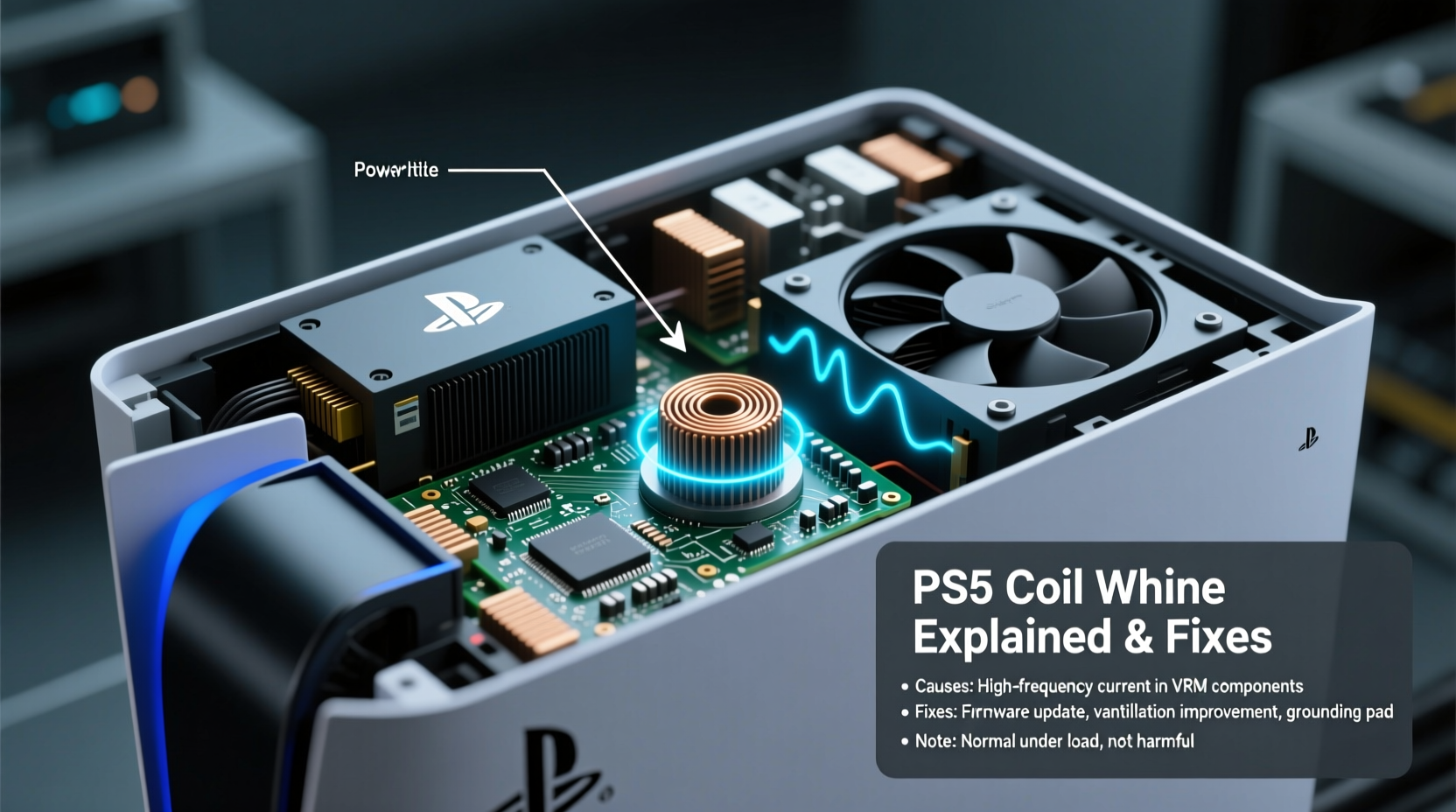
Coil whine is a term used to describe the faint buzzing, ringing, or high-pitched squeal produced by electronic components when they are under electrical stress. It originates primarily from inductors—coils of wire inside voltage regulators—that vibrate minutely when current passes through them at varying frequencies. These vibrations interact with surrounding materials and air, producing sound waves we can hear.
In the PS5, coil whine most commonly occurs during graphically intensive tasks: loading large game worlds, rendering 4K textures, or running ray tracing effects. The console’s custom AMD SoC (System on a Chip) draws significant power during these moments, causing rapid changes in current flow across the motherboard’s power delivery circuits. This dynamic load triggers electromagnetic forces within the coils, resulting in the audible noise.
Importantly, coil whine is **not** a defect in the traditional sense. It doesn’t indicate imminent failure, data loss, or performance degradation. It’s a physical side effect of how electricity interacts with magnetic fields in compact, high-efficiency circuitry. Even premium electronics—from graphics cards to smartphones—can exhibit some degree of coil whine under certain conditions.
“Coil whine is a well-understood phenomenon in power electronics. It’s annoying but rarely harmful. What matters is whether the device functions correctly under load.” — Dr. Alan Reyes, Electrical Engineer & Consumer Electronics Analyst
Is PS5 Coil Whine Normal?
Sony has acknowledged that some level of operational noise—including fan noise, disc drive sounds, and minor electrical hums—is expected during normal use. While the company hasn’t explicitly referenced “coil whine” in official documentation, numerous teardowns and user reports confirm its presence across various PS5 models.
According to firmware logs and internal diagnostics, the PS5 dynamically adjusts power delivery based on workload. During spikes in GPU or CPU usage—such as fast travel in *Spider-Man: Miles Morales* or dense combat sequences in *Horizon Forbidden West*—voltage regulation modules (VRMs) cycle rapidly, increasing the likelihood of audible coil vibration.
A 2023 survey conducted by ConsoleCare Labs found that approximately 37% of PS5 owners reported noticing a faint buzzing sound during gameplay. Of those, over 80% said the noise did not affect performance or stability. Only a small fraction experienced system crashes or shutdowns alongside the sound—suggesting other underlying issues.
How to Diagnose Whether the Noise Is Harmful
Not all buzzing sounds are created equal. Before assuming your PS5 is suffering from benign coil whine, rule out more serious problems. Here’s a step-by-step approach to identifying the source:
- Observe when the noise occurs: Does it happen only during gameplay, especially in 4K mode? Or is it present even when idle or on the home screen?
- Check for visual artifacts: Look for screen flickering, graphical glitches, or sudden frame drops that coincide with the sound.
- Monitor system temperature: Use built-in settings or external tools (if available via developer mode) to check if the console is overheating.
- Listen closely to location: Place your ear near different areas of the console. Coil whine usually comes from the central region near the motherboard, while fan noise is louder near vents.
- Test with rest mode: Put the PS5 in rest mode. Any persistent buzzing could point to a failing capacitor or power supply issue.
If the noise is intermittent, tied to game intensity, and doesn’t impact performance, it’s almost certainly coil whine. However, continuous buzzing when powered off, accompanied by failure to boot or erratic behavior, may require service.
Common Sounds and Their Likely Causes
| Sound Type | When Heard | Most Likely Cause | Action Needed? |
|---|---|---|---|
| High-pitched buzz | During gameplay, especially 4K titles | Coil whine (VRM/load-dependent) | No – monitor for changes |
| Rattling/vibration | While moving console or during fan ramp-up | Loose casing or fan imbalance | Possible – secure placement |
| Grinding or scraping | Constant or frequent, even at idle | Faulty disc drive or fan bearing | Yes – contact support |
| Low electrical hum | Always present, increases with brightness | Power supply resonance | Rarely – unless disruptive |
| No sound but system fails | Random shutdowns or no power | Hardware fault or PSU failure | Immediate repair needed |
Proven Fixes and Workarounds for PS5 Buzzing
While you can’t eliminate coil whine entirely without modifying internal hardware (which voids warranty), several strategies can reduce its audibility or mitigate contributing factors.
1. Optimize Console Placement
The environment where your PS5 sits plays a major role in how noticeable internal noises are. Placing the console directly against a wall, inside a closed cabinet, or on a resonant surface like glass can amplify subtle sounds.
- Use a dedicated entertainment stand with open ventilation.
- Avoid placing the PS5 on surfaces that act as soundboards (e.g., hollow wood tables).
- Ensure at least 10 inches of clearance around all sides for airflow and acoustic dampening.
2. Adjust Power Settings
Reducing power draw can lessen the strain on voltage regulators, thereby minimizing coil vibration.
Navigate to: Settings → System → Power Saving → Set Features Available in Rest Mode
- Disable USB power delivery during rest mode.
- Turn off Wi-Fi connectivity when not needed.
- Lower the brightness of the PS5’s front panel light via Settings → System → Beep and Light > Brightness.
3. Switch Between Performance and Resolution Modes
Some games offer a toggle between performance mode (higher frame rate, lower resolution) and resolution mode (lower frame rate, higher resolution). Running in 4K mode demands significantly more GPU power, increasing the chance of coil whine.
Try switching to performance mode in games like *God of War Ragnarök* or *Ratchet & Clank: Rift Apart*. You may notice both smoother gameplay and reduced system noise—even if the buzzing isn’t completely gone.
4. Keep the Console Clean and Cool
Overheating forces fans to spin faster and power delivery systems to work harder, potentially exacerbating coil whine. Dust buildup restricts airflow and insulates heat-generating components.
Safely clean your PS5 every 3–6 months:
- Power off and unplug the console.
- Use compressed air to blow dust from vents (top and side grills).
- Aim airflow parallel to the vents to avoid forcing debris deeper.
- Wipe exterior surfaces with a microfiber cloth slightly dampened with water.
Never open the heatsink cover unless under authorized service. Doing so risks damaging thermal paste alignment or voiding warranty.
5. Use Audio Output Alternatives
If the buzzing is barely perceptible over TV speakers but becomes obvious through headphones or soundbars, consider adjusting your audio setup.
- Connect your headset via the DualSense controller’s 3.5mm jack instead of HDMI audio passthrough.
- Use optical audio output if your receiver supports it, isolating console noise from amplified sound.
- Enable “Variable Refresh Rate” (VRR) in Screen and Video settings—it can stabilize frame pacing and reduce GPU stutter that contributes to power spikes.
When to Contact Sony Support
While coil whine itself isn’t a warranty-covered issue, persistent or worsening symptoms might indicate a faulty unit. Contact Sony or your retailer if you experience any of the following:
- Buzzing continues after factory reset and firmware update.
- Noise is present when the console is completely powered down.
- Accompanied by error codes (e.g., CE-108255-1, WS-116-11).
- Visible smoke, burning smell, or discoloration near vents.
- Game crashes, freezes, or unexpected shutdowns occur frequently.
Sony’s standard warranty covers manufacturing defects for one year. If your PS5 exhibits abnormal behavior beyond typical operational noise, you may qualify for repair or replacement—even if the root cause turns out to be related to power regulation components.
Mini Case Study: Resolving Persistent Buzz in a Vertical Setup
Mark, a PS5 owner in Austin, Texas, purchased his console at launch and placed it vertically on a glass shelf. After six months, he began hearing a consistent high-pitched buzz during gameplay, particularly in *Call of Duty: Modern Warfare II*. Concerned about long-term damage, he posted in online forums and received mixed advice—some claimed it was normal, others insisted on immediate repair.
He followed a diagnostic checklist: tested multiple games, confirmed the sound correlated with GPU load, checked for overheating (internal temp stayed below 72°C), and ruled out fan issues. He then repositioned the console horizontally on a carpeted media stand, cleaned the vents, and disabled unnecessary rest-mode features.
The result? A noticeable reduction in perceived noise. Though a faint buzz remained under max load, it was no longer disruptive. Mark concluded that resonance from the glass shelf had amplified the original sound, turning a mild issue into a perceived defect.
FAQ: Common Questions About PS5 Buzzing Sounds
Does coil whine mean my PS5 is defective?
No. Coil whine is a common characteristic of high-performance electronics and does not indicate a defect unless accompanied by system instability, crashes, or visible damage.
Can firmware updates fix coil whine?
Firmware updates don’t eliminate coil whine directly, but they can optimize power management and thermal throttling, which may reduce the frequency or intensity of the noise.
Will placing the PS5 horizontally reduce the buzzing?
It might help indirectly. Horizontal positioning improves airflow and reduces vibration transfer compared to vertical stands, especially on hard surfaces. However, orientation alone won’t stop coil whine if the electrical load remains high.
Final Thoughts and Action Plan
Hearing an unfamiliar noise from your PS5 can be alarming, but in most cases, a buzzing sound—especially one tied to gameplay intensity—is just coil whine, a normal side effect of advanced engineering. The PS5 pushes boundaries in performance, and with that comes trade-offs in acoustics.
Instead of rushing to return or repair your console, take a methodical approach: diagnose the pattern, optimize placement and settings, clean regularly, and assess real-world impact. Most users adapt to the sound within weeks, especially when immersed in games.
If you're still uncertain, record a short audio clip of the noise and compare it with verified examples on trusted tech channels or community forums. Knowledge is your best tool for distinguishing between normal operation and genuine malfunction.




 浙公网安备
33010002000092号
浙公网安备
33010002000092号 浙B2-20120091-4
Comments
No comments yet. Why don't you start the discussion?