
If your Ring Doorbell shows as offline in the app while your Wi-Fi network appears fully functional, you're not alone. Thousands of users face this frustrating issue—especially during critical moments like deliveries or security alerts. The disconnect between a working internet connection and an unresponsive doorbell can stem from subtle technical mismatches rather than outright outages. Understanding why this happens and how to resolve it requires more than just restarting your router. This guide dives deep into real-world causes, structured diagnostics, and long-term fixes that restore reliability.
Understanding the Disconnect: Why Wi-Fi Works But Your Ring Doesn’t
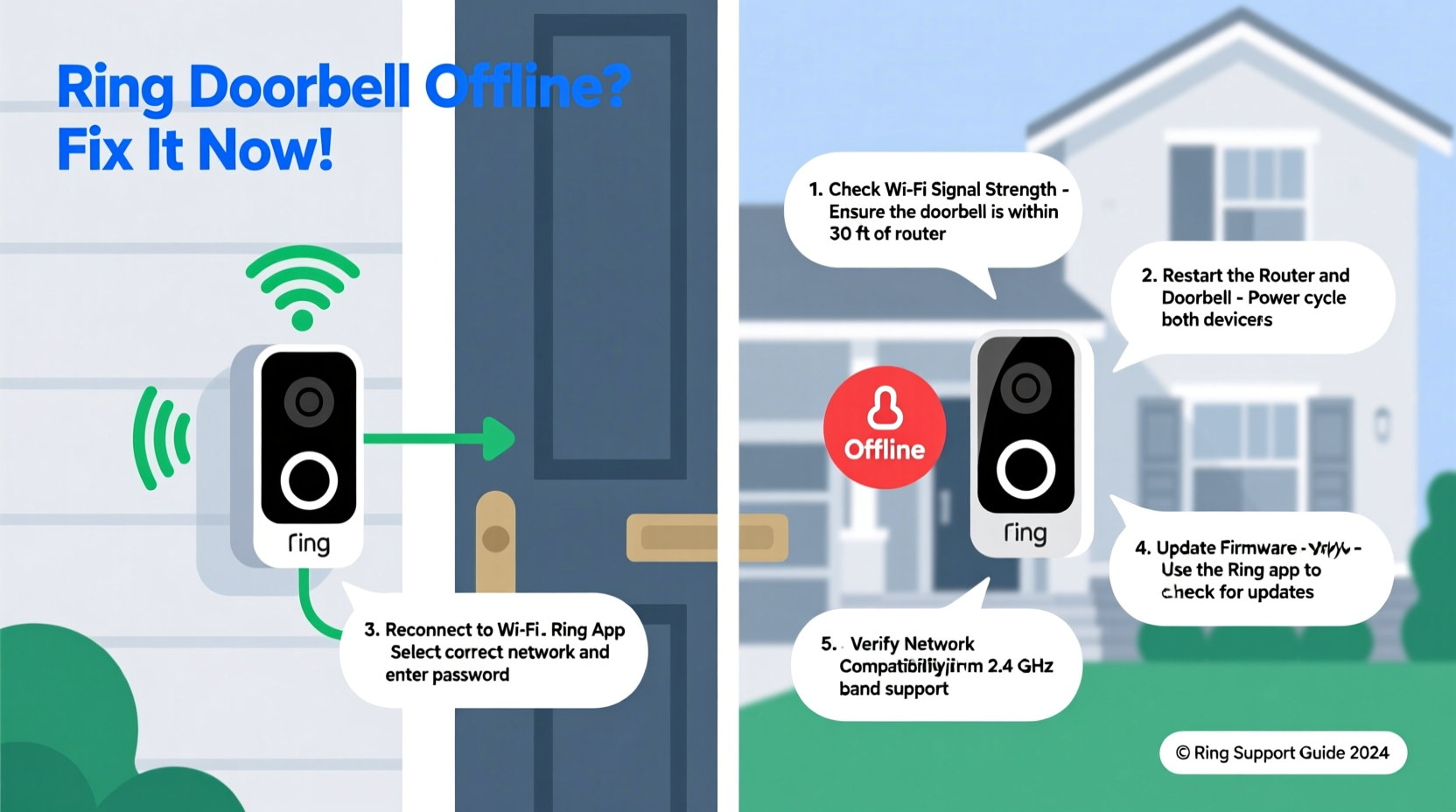
It’s entirely possible for your home Wi-Fi to function normally—phones stream, laptops browse, smart TVs load content—while your Ring Doorbell remains unreachable. This apparent contradiction arises because different devices interact with your network in unique ways. While your smartphone may connect via 5 GHz bands or seamlessly switch networks, Ring Doorbells have specific hardware limitations and protocol requirements.
Rather than assuming the entire network is down, consider that the problem might be isolated to:
- The doorbell’s ability to maintain a stable connection
- Signal strength at the device's physical location
- Incompatibility with certain router settings (e.g., band steering, MAC filtering)
- Firmware bugs or cloud sync delays
As noted by networking expert David Lin, “IoT devices like Ring Doorbells operate on older Wi-Fi standards and are often less resilient to interference than modern smartphones. A strong signal doesn’t guarantee a stable link.”
“Just because your phone connects fine doesn’t mean every device will. IoT gadgets are sensitive to latency, channel congestion, and outdated protocols.” — David Lin, Network Infrastructure Consultant
Step-by-Step Troubleshooting Guide
Follow this systematic approach to identify and resolve the root cause of your offline doorbell. Each step builds on the previous one, eliminating common culprits before moving to advanced fixes.
- Verify the Doorbell Status in the App
Open the Ring app and check if the device shows “Offline” or “No Connection.” Tap the device to view detailed status. Sometimes, temporary server-side syncing delays cause false alerts. Wait 5–10 minutes and refresh. - Reboot the Doorbell
Remove the faceplate and press the orange button (on most models) for 15 seconds until the LED flashes. Release and wait for the reconnection sequence (usually indicated by spinning lights). This forces a fresh handshake with your router. - Restart Your Router and Modem
Power cycle your modem and router: unplug both, wait 60 seconds, then plug in the modem first, followed by the router after another 30 seconds. This clears IP conflicts and resets DHCP assignments that may exclude the doorbell. - Check Signal Strength at the Device
In the Ring app, go to Device Health > Network. Look for RSSI (Received Signal Strength Indicator). Values above -60 dBm are excellent; below -75 dBm indicate weak signal. If poor, consider relocating your router or adding a Wi-Fi extender. - Test with a Mobile Hotspot
Use your phone’s hotspot to temporarily connect the doorbell. If it comes online, the issue lies within your home network—not the device itself. - Update Firmware and App
Ensure both the Ring app and doorbell firmware are current. Outdated software can prevent proper authentication with updated router security protocols. - Review Router Settings
Log into your router admin panel and verify:- WPA2 or WPA3 encryption is enabled (not WEP or open networks)
- SSID broadcasting is active
- MAC filtering isn’t blocking the doorbell
- AP isolation is disabled (prevents device-to-device communication)
Common Hidden Causes and Fixes
Beyond basic reboots, several overlooked factors disrupt Ring Doorbell connectivity—even when other devices work flawlessly.
Wi-Fi Band Incompatibility
Many Ring models only support 2.4 GHz networks. If your router uses band steering to merge 2.4 GHz and 5 GHz under one SSID, the doorbell may fail to latch onto the correct frequency. Solution: Split your bands into separate network names (e.g., HomeNet-2G and HomeNet-5G), then manually connect the doorbell to the 2.4 GHz version.
IP Address Conflicts
DHCP mismanagement can assign duplicate IPs. When two devices share an address, one drops off. Fix: Assign a static IP to your Ring Doorbell through your router settings, reserving it exclusively.
Network Overload
Too many connected devices can overwhelm older routers. Even with strong signal, bandwidth saturation causes timeouts. Try disconnecting non-essential devices and observe if the doorbell reconnects.
Firewall or Parental Controls
Some ISPs or third-party firmware (like OpenWRT or DD-WRT) include aggressive firewall rules that block unknown IoT traffic. Temporarily disable such features to test connectivity.
Cloud Sync Delays
Rarely, Ring’s servers experience regional outages. Check downdetector.com/ring to see if others report similar issues. These typically resolve within hours without user intervention.
Troubleshooting Checklist
Use this concise checklist to methodically eliminate issues:
- ✅ Confirm Wi-Fi is active on other devices
- ✅ Restart Ring Doorbell via reset button
- ✅ Power cycle modem and router
- ✅ Check Wi-Fi signal strength in Ring app (RSSI > -75 dBm)
- ✅ Ensure router broadcasts 2.4 GHz separately
- ✅ Disable AP isolation and MAC filtering
- ✅ Update Ring app and device firmware
- ✅ Test connection using mobile hotspot
- ✅ Assign static IP to doorbell in router settings
- ✅ Verify no ongoing Ring service outage
Real-World Example: The Front Door Blind Spot
Sarah in Portland installed her Ring Video Doorbell 3 near a stone entryway. Her iPhone showed full Wi-Fi bars throughout the house, yet the doorbell frequently went offline. She rebooted everything repeatedly with no lasting fix.
After checking Device Health, she found her RSSI was -82 dBm—too weak for reliable streaming. The thick masonry wall blocked signals despite strong indoor coverage. She split her dual-band network and placed a $30 Wi-Fi extender in the foyer. Post-adjustment, the RSSI improved to -64 dBm, and the doorbell remained online consistently.
This case illustrates that perceived Wi-Fi strength doesn’t always reflect actual performance at the device’s location. Environmental barriers matter.
Do’s and Don’ts: Best Practices Table
| Do’s | Don’ts |
|---|---|
| Do use a dedicated 2.4 GHz network name | Don’t rely solely on mesh systems without testing placement |
| Do place the router centrally or use extenders | Don’t ignore firmware updates for router or doorbell |
| Do assign a static IP to prevent conflicts | Don’t enable AP isolation on IoT networks |
| Do monitor Device Health monthly | Don’t assume all Wi-Fi extenders work equally well with Ring |
| Do test with a hotspot when troubleshooting | Don’t factory reset unless absolutely necessary |
Frequently Asked Questions
Can a Ring Doorbell go offline even with strong Wi-Fi?
Yes. Strong signal strength doesn’t guarantee stability. Issues like IP conflicts, outdated firmware, or router settings (e.g., AP isolation) can disconnect the device even with full bars. Always check Device Health metrics beyond just signal level.
How do I know if my router is blocking my Ring Doorbell?
Access your router’s admin interface and look for logs showing blocked devices or failed authentications. Also, check if MAC filtering is enabled and whether your doorbell’s MAC address is excluded. Temporarily disabling filters can confirm if they’re the culprit.
Will resetting my Ring Doorbell delete my videos?
No. All recorded footage stored in the Ring Cloud remains intact after a reset. However, local settings like motion zones and notification preferences may need reconfiguration post-restart.
Final Steps for Lasting Reliability
Maintaining a consistently online Ring Doorbell involves more than fixing one-time glitches. Proactive maintenance ensures long-term performance. Schedule quarterly reviews of your network setup, especially if you’ve added new devices or changed router configurations. Monitor the Device Health section regularly and note trends in signal fluctuation.
Consider upgrading to a Wi-Fi 6 router if you run multiple smart devices. These offer better device management, reduced latency, and improved QoS (Quality of Service) for video streams. For homes with dead zones, invest in a Ring-certified extender or hardwire a secondary access point near the front entrance.
If all troubleshooting fails, contact Ring Support with your device logs. They can analyze backend data to detect authentication failures or regional server anomalies invisible to users.
“Prevention beats repair. A five-minute monthly check can prevent weeks of missed alerts.” — Lena Patel, Smart Home Systems Technician
Conclusion: Stay Connected, Stay Secure
Your Ring Doorbell is only as reliable as the network it depends on. Just because Wi-Fi works elsewhere doesn’t mean your doorbell is receiving clean, consistent connectivity. By following structured diagnostics—from simple reboots to strategic network adjustments—you regain control over your home’s digital threshold.
Don’t accept intermittent outages as normal. Apply these steps today to ensure your doorbell stays online when it matters most. Share your experience or ask questions in the comments—your insight could help another homeowner solve the same silent disconnect.




 浙公网安备
33010002000092号
浙公网安备
33010002000092号 浙B2-20120091-4
Comments
No comments yet. Why don't you start the discussion?