
Suddenly noticing a faint silhouette or dark shape moving across your laptop screen can be disorienting. It might look like a glitch, a software bug, or even a hardware defect. But in most cases, what you're seeing isn’t an issue with your device—it’s a visual artifact caused by lighting conditions and reflections. This phenomenon, often referred to as a \"shadow\" on the screen, is surprisingly common and usually harmless. Understanding its causes and knowing how to fix it can save you time, stress, and unnecessary repair costs.
The appearance of a shadow on your laptop screen typically results from ambient light reflecting off nearby surfaces and casting indirect shadows onto the display. Unlike physical damage or backlight bleeding, this kind of shadow moves with changes in your position or lighting, which is a key clue that the issue lies in your environment—not your hardware.
What Causes Shadows to Appear on Laptop Screens?
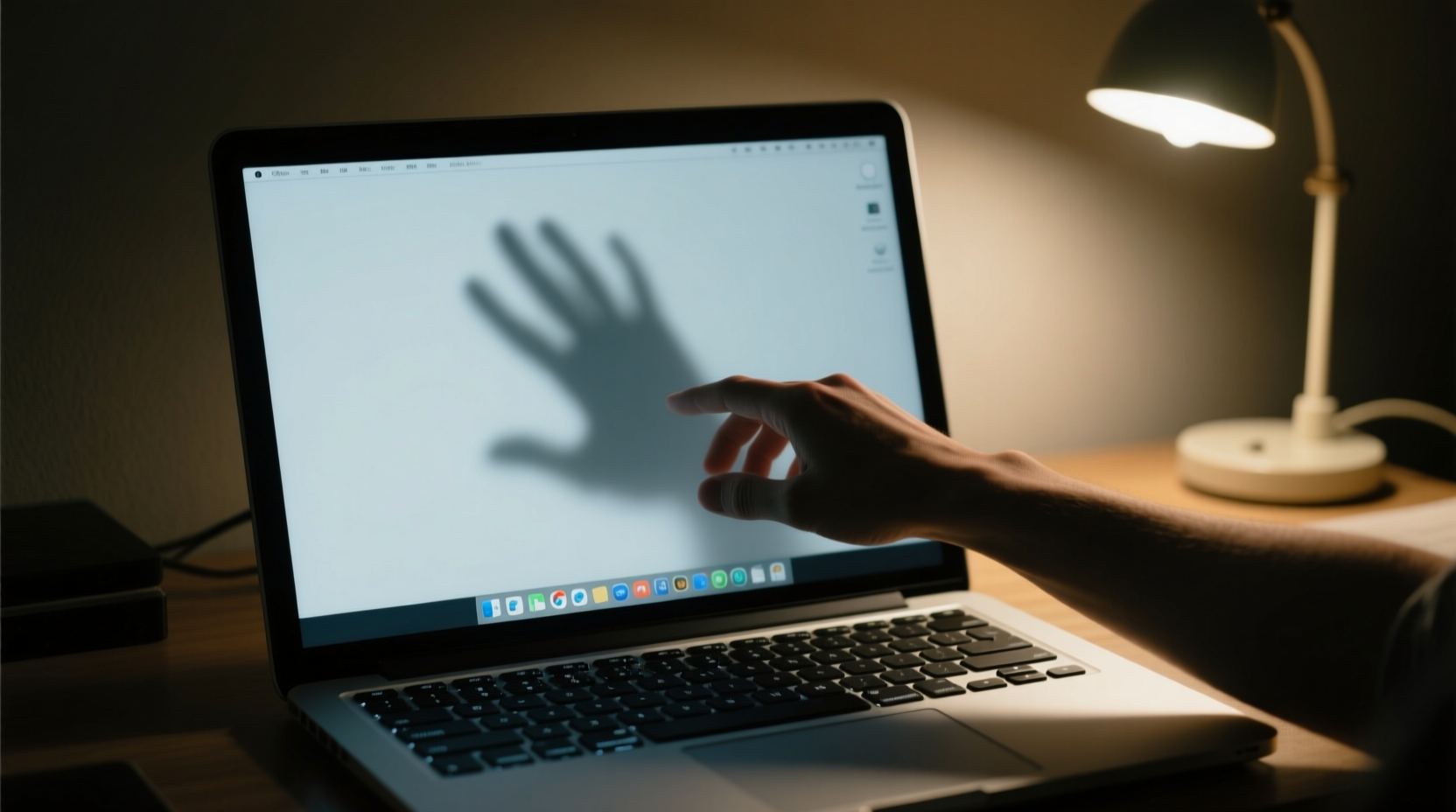
Laptop screens are designed to emit light, not reflect it, but modern displays—especially glossy ones—are highly susceptible to external lighting interference. When light from a window, lamp, or overhead fixture hits objects near you (like your hand, head, or furniture), those objects can cast soft shadows that appear superimposed on the screen due to reflection.
This effect is amplified in brightly lit environments or when using high screen brightness settings. The contrast between the bright display and darker surrounding areas makes subtle shadows more visible. Additionally, some users report seeing their own silhouette, particularly when working at night with a single directional light source behind them.
It's important to distinguish between actual screen defects and optical illusions:
- True screen issues — such as dead pixels, backlight bleed, or LCD damage — remain static regardless of lighting or viewing angle.
- Reflected shadows — move when you shift your body or change the room’s lighting.
If the shadow disappears when you dim the lights or reposition yourself, it’s almost certainly a reflection-based illusion.
Environmental Factors That Contribute to Screen Shadows
Your immediate surroundings play a major role in whether shadows appear on your screen. Several environmental elements interact to create this effect:
1. Lighting Placement
Overhead lighting, desk lamps, or natural sunlight entering from one side can create strong directional illumination. When light comes from behind or beside you, it casts your profile or nearby objects onto the screen surface via reflection.
2. Screen Finish Type
Laptops come with either matte (anti-glare) or glossy screens. Glossy displays offer richer colors and deeper blacks but are far more reflective. If you’re using a MacBook, many Ultrabooks, or gaming laptops, chances are you have a glossy panel that’s prone to picking up environmental shadows.
3. Room Reflectivity
Surfaces around your workspace—white walls, glass tables, mirrors, or metallic furniture—can bounce light toward your screen. Even light-colored clothing can contribute to diffuse reflections that make shadows more pronounced.
4. Viewing Angle and Distance
The angle at which you view your screen affects how much reflected light reaches your eyes. Leaning forward or sitting too close may increase the visibility of soft shadows, especially if there's a light source above or behind you.
“Many users mistake environmental reflections for screen defects. A simple test—changing the lighting—often resolves the concern.” — Dr. Alan Reyes, Display Technology Consultant at VisionEdge Labs
Step-by-Step Guide to Eliminate Screen Shadows
Follow this structured approach to identify and resolve the cause of the shadow on your laptop screen:
- Observe Shadow Behavior
Move your head or hand slightly. Does the shadow shift? If yes, it’s likely a reflection. - Dim or Turn Off Lights
Switch off nearby lamps or overhead fixtures. If the shadow disappears, lighting is the culprit. - Adjust Natural Light
Close blinds or curtains if sunlight is streaming in. Reposition your laptop so windows are to your side, not behind or in front. - Change Your Seating Position
Sit directly in front of the screen with no strong light sources behind you. Avoid backlit scenarios where your body blocks light and creates a silhouette. - Lower Screen Brightness
Excessively bright screens act like mirrors in low-light conditions. Reduce brightness to match ambient lighting levels. - Clean the Screen
Dust, smudges, or fingerprints can scatter light and enhance reflections. Use a microfiber cloth and screen-safe cleaner to wipe the display gently. - Test in Another Room
Move your laptop to a different environment. If the shadow doesn’t reappear, the original location was the issue.
When to Suspect Hardware Issues
If the shadow remains fixed, doesn't change with lighting, and appears even in complete darkness, consider these potential hardware problems:
- Backlight Bleed: Uneven lighting around the edges of the screen, common in LCD panels.
- Pressure Marks: Physical pressure on the screen (e.g., from closing the lid with an object inside) can leave temporary or permanent dark spots.
- Loose Cable or Inverter Issue: Older laptops may suffer from faulty internal connections affecting display uniformity.
In such cases, professional diagnosis may be required.
Do’s and Don’ts: Managing Screen Reflections
| Do’s | Don’ts |
|---|---|
| Position light sources to the side or in front of you | Place bright lights directly behind you |
| Use matte screen protectors to reduce glare | Use abrasive cloths or ammonia-based cleaners on the screen |
| Keep screen brightness balanced with room lighting | Work in completely dark rooms with max brightness |
| Angle the screen slightly downward to minimize reflections | Ignore persistent shadows that don’t respond to environmental changes |
| Regularly clean the screen with appropriate tools | Assume all screen anomalies are hardware failures |
Real-Life Example: Solving a Home Office Shadow Problem
Jamie, a freelance graphic designer, began noticing a dark smudge in the upper left corner of her laptop screen while editing photos. At first, she assumed it was a pixel defect and considered sending the device in for repair. However, she observed that the shape changed slightly when she leaned forward. Curious, she turned off her desk lamp—an LED positioned behind her right shoulder—and the shadow vanished instantly.
After experimenting, Jamie realized the lamp was reflecting off a white bookshelf behind her, and the angled light path created a soft shadow on the glossy screen. She solved the issue by relocating the lamp to the front-left side of her desk and adding a matte screen protector. The shadow never returned, and her workflow improved without costly repairs or downtime.
Preventive Measures and Long-Term Solutions
Once you’ve resolved the immediate issue, take steps to prevent recurrence:
- Invest in a Matte Screen Protector: These anti-reflective films diffuse light and significantly reduce glare and shadow effects. They’re affordable, easy to apply, and removable.
- Optimize Workspace Lighting: Use indirect or diffused lighting. Floor lamps with upward-facing shades or adjustable task lights provide illumination without harsh beams.
- Reevaluate Monitor Position: Align your screen perpendicular to windows. Avoid facing reflective surfaces like mirrors or glass doors.
- Consider Ambient Light Sensors: Some premium laptops automatically adjust brightness based on surroundings. Enable adaptive brightness in system settings if available.
- Upgrade to a Matte Display (if possible): While most consumer laptops now ship with glossy screens, certain business-grade models (like Dell Latitude or Lenovo ThinkPad variants) offer matte display options specifically designed for reduced glare.
Frequently Asked Questions
Can a virus cause shadows on my laptop screen?
No. Software issues, including malware, cannot create visual shadows on your display. What you see is either a hardware anomaly or an environmental reflection. Run a standard virus scan if you suspect security issues, but do not confuse digital threats with optical phenomena.
Is it harmful to keep using my laptop if I see a shadow?
If the shadow is due to lighting or reflections, continued use poses no risk to your device. However, if you suspect physical damage (e.g., pressure marks or cracked layers), avoid pressing on the screen and consult a technician to prevent further deterioration.
Will a screen replacement fix a shadow?
Only if the shadow is caused by a genuine hardware defect such as backlight failure or internal panel damage. Replacing a perfectly functional screen because of environmental reflections is unnecessary and costly. Always rule out external factors first.
Final Checklist: Is It a Shadow or a Defect?
Use this quick checklist to determine the nature of the shadow:
- ✅ Does the shadow move when you shift your position? → Likely reflection.
- ✅ Does it disappear when lights are turned off? → Confirmed environmental cause.
- ✅ Is it visible only on certain backgrounds (e.g., white documents)? → Common with glossy screens under bright light.
- ✅ Does it persist in total darkness? → Potential hardware issue.
- ✅ Can you see it from multiple angles? → Fixed shadows suggest internal damage.
Conclusion: Take Control of Your Visual Environment
Seeing a shadow on your laptop screen doesn’t mean your device is failing. In most cases, it’s a simple interaction between your screen and the world around you. By understanding how light behaves and making thoughtful adjustments to your workspace, you can eliminate distractions and maintain a clear, comfortable viewing experience.
Don’t rush to replace hardware or assume the worst. Start with the basics: adjust lighting, clean your screen, and observe how the shadow responds. Small changes often yield dramatic improvements. If you've successfully resolved your screen shadow issue, consider sharing your solution with others who might be struggling with the same confusion. Knowledge turns frustration into empowerment.




 浙公网安备
33010002000092号
浙公网安备
33010002000092号 浙B2-20120091-4
Comments
No comments yet. Why don't you start the discussion?