
Smart bulbs offer convenience, energy efficiency, and customizable lighting experiences. But when they start flickering—especially during dimming—it disrupts both ambiance and functionality. While a flicker might seem like a minor annoyance, it can signal deeper compatibility, electrical, or firmware issues. The good news: most causes are diagnosable and fixable without replacing hardware. This guide walks through the common reasons behind dimming-related flicker and provides clear, step-by-step solutions you can apply immediately.
Understanding Why Smart Bulbs Flicker When Dimmed
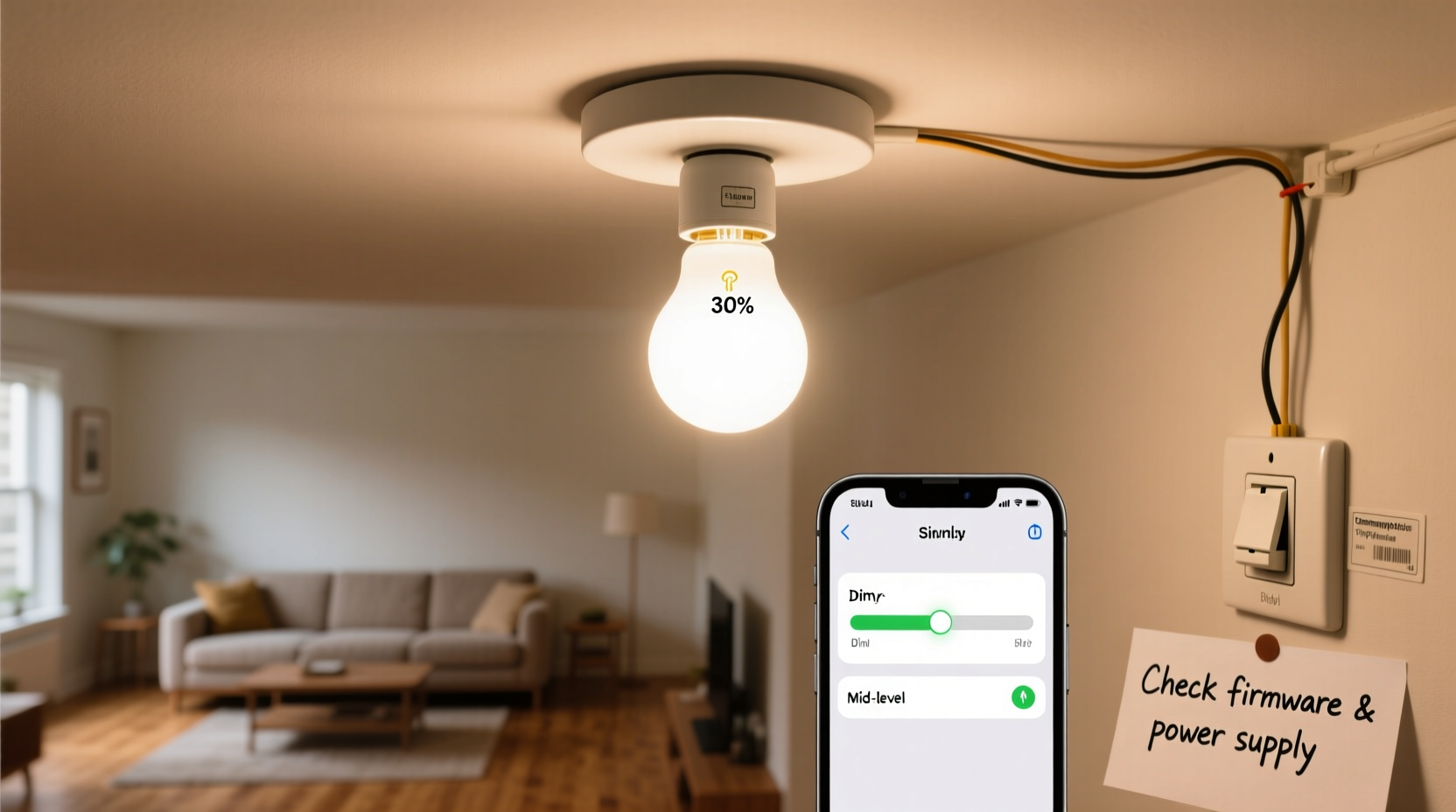
Flickering in smart bulbs during dimming is rarely random. It typically stems from mismatches between the bulb’s internal electronics and the way power is delivered. Unlike traditional incandescent bulbs, which respond predictably to voltage changes, smart bulbs use LED technology and embedded circuitry that require stable current flow. When dimmed, these bulbs rely on pulse-width modulation (PWM) or phase-cut dimming techniques. If the signal isn’t clean or compatible, the result is visible flicker.
Common culprits include incompatible dimmer switches, outdated firmware, poor Wi-Fi signal, or even interactions with other devices on the same circuit. Some flicker may be subtle; others are obvious enough to cause eye strain or discomfort. Identifying the root cause requires methodical testing—not guesswork.
“Flicker in smart lighting systems is often a symptom of control incompatibility rather than bulb failure. Always check the ecosystem first.” — Dr. Alan Reyes, Lighting Systems Engineer at the Institute for Energy Innovation
Step-by-Step Diagnostic Process
Follow this structured approach to isolate the source of flickering. Each step eliminates one potential cause, helping you avoid unnecessary replacements or technician visits.
- Test the bulb in a non-dimmer fixture: Install the smart bulb in a standard on/off socket (e.g., a lamp). If it doesn’t flicker at any brightness level, the issue is likely related to dimming infrastructure.
- Check if all bulbs flicker or just one: If only one bulb flickers, the problem may be isolated to that unit. If multiple bulbs on the same circuit flicker, the issue could be the switch, hub, or network.
- Dim manually via app vs. wall switch: Use your smart home app to dim the bulb. If flickering stops, the wall dimmer switch is incompatible. If it still flickers, the issue lies within the bulb or communication layer.
- Observe flicker timing: Does flickering occur only at low brightness? Only when turning on? Or consistently across levels? Low-level flicker often points to PWM instability or minimum load issues.
- Restart your smart hub and router: Network latency can cause delayed commands, making bulbs appear to flicker as they receive inconsistent signals.
Compatibility Issues: The Hidden Culprit Behind Most Flickering
One of the leading causes of dimming-related flicker is using smart bulbs with legacy dimmer switches designed for incandescent loads. Traditional triac-based dimmers reduce voltage by cutting parts of the AC waveform. LEDs draw much less power, so these dimmers often fail to maintain a stable “hold” current, causing erratic behavior.
Smart bulbs expect full line voltage and adjust brightness internally via software. When paired with a physical dimmer, you’re essentially trying to dim an already digitally controlled device—leading to conflict.
| Dimmer Type | Compatible with Smart Bulbs? | Recommended Action |
|---|---|---|
| Traditional Triac (Leading Edge) | No | Replace with trailing edge or bypass dimmer |
| Trailing Edge (ELV) | Limited | Use only if bulb manufacturer specifies compatibility |
| No Physical Dimmer (App Control Only) | Yes | Best setup for reliable performance |
| Smart Dimmer Switch (Lutron Caséta, etc.) | Yes, with integration | Ensure pairing with correct ecosystem (e.g., HomeKit, Alexa) |
If you must keep a wall dimmer, consider upgrading to a smart dimmer switch that communicates directly with your bulbs via Zigbee or Z-Wave. These eliminate analog signal conflicts by sending digital commands instead of altering voltage.
Real-World Example: Sarah’s Kitchen Lights
Sarah installed Philips Hue bulbs under her kitchen cabinets and paired them with a Lutron toggle dimmer she’d used for years. At full brightness, the lights worked fine. But below 40%, they pulsed rhythmically. She assumed the bulbs were defective and considered returning them. Instead, she tried dimming via the Hue app—no flicker. That confirmed the wall dimmer was the issue. After installing a Lutron Caséta smart dimmer that integrates with Hue, the flickering stopped completely. The fix cost $45 but saved her $120 in replacement bulbs.
Firmware, Signal, and Power Quality Factors
Even with perfect hardware compatibility, flickering can persist due to software or environmental factors.
- Outdated firmware: Manufacturers release updates to improve dimming algorithms. Check your bulb’s app for pending updates.
- Poor Wi-Fi or Zigbee signal: If the bulb intermittently disconnects, dimming commands may arrive late or not at all, causing abrupt changes that look like flicker.
- Voltage fluctuations: Appliances like refrigerators or HVAC units cycling on and off can cause brief sags in household voltage, affecting sensitive electronics.
- Overloaded circuits: Too many devices on one circuit increase electrical noise, interfering with clean power delivery.
To test signal strength, use apps like Philips Hue Sync or Samsung SmartThings to view signal quality (RSSI). A reading above -70 dBm is generally acceptable; below -80 dBm indicates weak connectivity.
Quick Fix Checklist
Use this checklist to resolve flickering efficiently:
- ✅ Remove any physical dimmer switch or set it to full brightness if kept
- ✅ Update all smart bulb firmware via the manufacturer’s app
- ✅ Test the bulb in a different, non-dimming fixture
- ✅ Re-pair the bulb with your hub or bridge
- ✅ Ensure strong Wi-Fi or mesh network coverage in the bulb’s location
- ✅ Replace old LED drivers or transformers in recessed fixtures if applicable
- ✅ Try a different brand or model known for smooth dimming (e.g., Philips Hue, LIFX)
When to Consider Replacement or Professional Help
If diagnostics don’t resolve the flicker, it may be time to reassess your setup. Some older smart bulbs lack advanced dimming smoothing features now standard in newer models. Similarly, homes with outdated wiring or multi-way switching setups may need professional evaluation.
A licensed electrician can assess whether neutral wire availability, grounding issues, or circuit loading are contributing. In retrofit installations, the absence of a neutral wire at the switch box can destabilize smart switches and indirectly affect bulb performance.
Also consider that some budget smart bulbs use lower-quality drivers that struggle with low-light PWM precision. Investing in reputable brands often pays off in smoother dimming and longer lifespan.
Frequently Asked Questions
Can I use smart bulbs with any dimmer switch?
No. Most smart bulbs should not be used with traditional wall dimmers. They are designed to be dimmed digitally via app or voice command. Using them with analog dimmers causes flickering and can shorten bulb life.
Why does my smart bulb flicker only at low brightness?
This usually occurs when the bulb’s driver cannot maintain stable current at low PWM duty cycles. It may also indicate incompatibility with the dimming curve programmed into the bulb. Adjusting the dimming profile in the app (if available) or enabling “flicker-free” mode can help.
Is flickering harmful to my smart bulb or home electrical system?
Occasional flicker is unlikely to damage the bulb, but persistent flickering stresses internal components and reduces lifespan. While not typically a fire hazard, chronic electrical instability should be investigated, especially if other devices behave erratically.
Final Thoughts and Next Steps
Flickering smart bulbs aren’t a dead end—they’re a signal that something in your lighting ecosystem needs adjustment. Whether it’s a mismatched dimmer, outdated firmware, or weak signal, each issue has a logical solution. By following a structured diagnostic path, you regain smooth, flicker-free dimming and extend the life of your investment.
The key is patience and precision. Don’t rush to replace hardware until you’ve ruled out configuration and compatibility factors. With the right approach, most flickering problems can be resolved in under an hour—often with no additional cost.




 浙公网安备
33010002000092号
浙公网安备
33010002000092号 浙B2-20120091-4
Comments
No comments yet. Why don't you start the discussion?