
Smart refrigerators are marvels of modern kitchen technology—offering Wi-Fi connectivity, internal cameras, voice control, and precise temperature management. But when an unfamiliar error code flashes on the display, that convenience can quickly turn into frustration. Unlike older models that simply stopped cooling, today’s fridges communicate problems through alphanumeric alerts. Understanding what these codes mean—and how to respond—is essential for minimizing food spoilage and avoiding unnecessary service calls.
Error codes aren’t random; they’re diagnostic signals built into your appliance by the manufacturer. Each brand uses its own system, but most follow logical patterns tied to components like compressors, sensors, defrost systems, or communication modules. The key to resolving issues quickly lies in accurate interpretation and timely action. This guide breaks down the most common causes behind smart fridge error codes, provides decoding strategies, and offers practical steps to restore normal operation—often without professional help.
Common Causes Behind Smart Fridge Error Codes
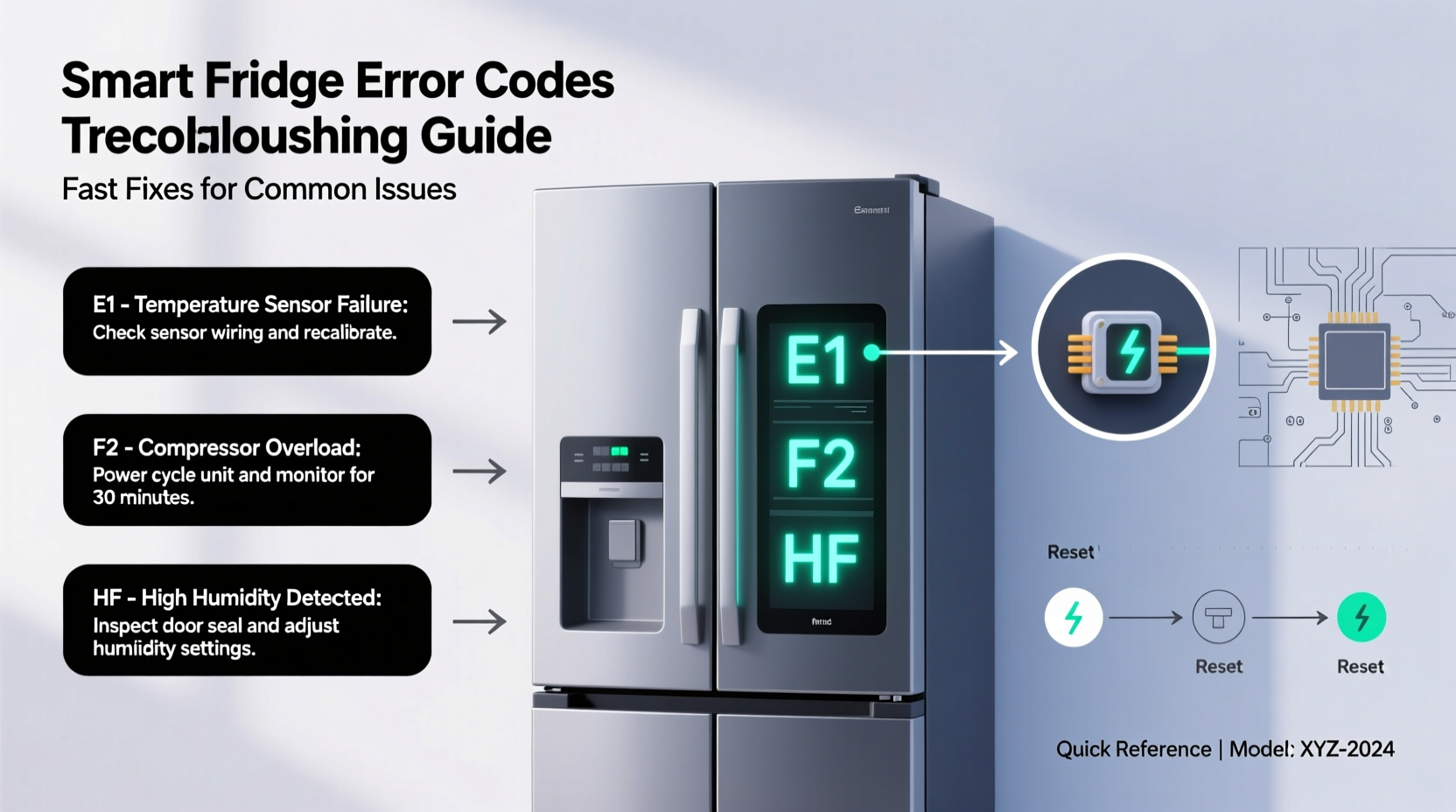
Error codes appear for a variety of reasons, ranging from simple user errors to complex hardware malfunctions. Knowing the root causes helps you assess urgency and decide whether DIY fixes are safe.
- Sensor failures: Temperature, humidity, and door-open sensors are critical for regulating internal conditions. A faulty sensor may send incorrect data, triggering errors like “FF” (freezer fault) or “SE” (sensor error).
- Power fluctuations: Voltage drops or surges can disrupt the control board, leading to communication errors such as “CE” (communication error) or “PF” (power failure).
- Defrost system issues: If ice builds up due to a failed heater, thermostat, or timer, the fridge may display “FD” (defrost error) or “HE” (heating error).
- Door seal problems: A poorly sealed door tricks the system into thinking it's open too long, causing “dO” or “Dr” alerts.
- Wi-Fi or software glitches: Connectivity issues often trigger “NO NET,” “E-NET,” or “WiFi” warnings, especially after router changes or firmware bugs.
- Compressor or refrigerant problems: These are serious faults indicated by codes like “CL” (cooling loss) or “CP” (compressor protection), usually requiring technician intervention.
Not all errors indicate permanent damage. Many stem from temporary disruptions—like a power outage or accidental button press—that can be resolved with a reset.
How to Decode Error Codes by Brand
Manufacturers use proprietary coding systems, so a universal decoder doesn’t exist. However, familiarizing yourself with major brands’ patterns gives you a significant advantage when troubleshooting.
| Brand | Common Error Code | Meaning | Quick Fix |
|---|---|---|---|
| Samsung | 5E or OE | Drain error (clogged drain pump) | Clean drain hose and reset |
| LG | ER FF | Freezer fan failure | Check for ice blockage, restart unit |
| Whirlpool | F1-E2 | Thermistor failure (temperature sensor) | Replace sensor or recalibrate |
| GE | PF | Power failure detected | Restore power, check outlet |
| Maytag | DF | Defrost failure | Inspect defrost heater and thermostat |
| KitchenAid | SC | System communication error | Reset control board via power cycle |
Always refer to your model-specific manual for exact interpretations. Most manufacturers include a troubleshooting section listing every possible code. If you’ve misplaced the physical copy, visit the brand’s support website and enter your model number to download a digital version.
“Understanding error codes reduces service call misdiagnosis by up to 60%. Consumers who attempt basic diagnostics save time and money.” — Carlos Mendez, Appliance Repair Technician with 15 years of field experience
Step-by-Step Guide to Diagnose and Resolve Errors Fast
When an error appears, follow this structured approach to identify and resolve the issue efficiently:
- Note the exact code: Write down the letters and numbers precisely. “E23” is not the same as “E32.” Include any blinking patterns or accompanying messages.
- Power cycle the refrigerator: Unplug it or switch off the circuit breaker for 5–10 minutes. This resets the control board and clears false alarms caused by electrical noise.
- Check for obvious issues: Ensure the door closes fully, verify that vents aren’t blocked by food items, and listen for unusual sounds (clicking, buzzing, silence where there should be fan noise).
- Consult the manual or online database: Search “[Your Brand] + [Model Number] + error code” in Google. Manufacturer forums and YouTube tutorials often provide visual walkthroughs.
- Test related components: For temperature-related errors, use a standalone thermometer inside the fridge and freezer compartments to confirm readings. If the displayed temp differs significantly, the sensor may need replacement.
- Perform targeted maintenance: Clean condenser coils (located at the back or bottom front), clear drain tubes with warm water and a pipe cleaner, and ensure proper ventilation around the unit (minimum 2 inches clearance).
- Update firmware: Some smart fridges receive updates automatically, but others require manual initiation via the companion app. Outdated software can cause erratic behavior.
- Contact support if unresolved: If the error returns after resetting and basic checks, contact customer service with the full code and steps already taken. This speeds up diagnosis and may qualify you for warranty coverage.
This methodical process prevents hasty decisions—like scheduling a repair technician for a problem you could have solved in 20 minutes.
Real-World Example: Decoding a Samsung “8C” Error
A homeowner in Austin noticed their Samsung Family Hub fridge displaying “8C” and refusing to cool properly. The internal lights worked, and the touchscreen responded, but temperatures rose above 50°F. Panicked about spoiled groceries, they called a technician, who quoted $350 for a control board replacement.
Before agreeing, the owner searched online and found that “8C” indicates a cooling imbalance due to high ambient temperature or poor airflow. They checked the garage location—where the fridge was installed—and realized afternoon sun heated the space beyond 90°F. Additionally, the condenser coils were covered in dust.
They moved the fridge to a shaded indoor area, cleaned the coils with a brush, and ensured 3 inches of rear clearance. After a 10-minute power reset, the code disappeared, and cooling resumed normally. Total cost: $0.
This case illustrates how environmental factors and maintenance neglect can mimic hardware failure. Taking time to decode the signal correctly saved hundreds of dollars.
Preventive Checklist to Minimize Future Errors
Proactive care drastically reduces the frequency of error codes. Use this checklist monthly to keep your smart fridge running smoothly:
- ✅ Clean condenser coils with a coil brush or vacuum attachment
- ✅ Wipe down door seals with vinegar solution to prevent mold and maintain suction
- ✅ Verify Wi-Fi connection stability in the kitchen (use a signal meter app)
- ✅ Check for software updates in the brand’s mobile app (e.g., SmartThings, LG ThinQ)
- ✅ Inspect drain pan under the fridge for cracks or debris
- ✅ Ensure temperature settings are appropriate (37°F fridge, 0°F freezer)
- ✅ Avoid overloading shelves to allow air circulation
- ✅ Listen weekly for abnormal noises (grinding, constant humming)
Setting calendar reminders ensures consistency. A well-maintained smart fridge typically operates without errors for years, even in demanding environments.
Frequently Asked Questions
Can I ignore a flashing error code if the fridge still seems to work?
No. Even if cooling continues, an active error code indicates a component is failing or operating outside safe parameters. Ignoring it can lead to compressor burnout or complete system failure. Address the issue promptly to prevent escalation.
Do smart fridge error codes always mean something is broken?
Not necessarily. Many codes result from temporary conditions like voltage dips, sensor drift, or software hiccups. A successful reset or environmental adjustment may resolve the issue without part replacement.
Is it safe to replace parts like sensors or control boards myself?
Basic components like temperature sensors or door switches can be replaced by DIYers with moderate skill and the correct tools. However, working with sealed refrigerant lines, compressors, or main control boards should be left to licensed technicians due to safety and warranty concerns.
Conclusion: Take Control of Your Smart Fridge’s Health
Error codes don’t have to be mysterious or intimidating. With the right knowledge, you can decode most alerts quickly and determine whether a fix is simple or requires expert help. The ability to interpret these signals transforms you from a passive appliance user into an informed caretaker of your kitchen’s most important machine.
Start by identifying your model number, downloading the manual, and familiarizing yourself with common codes. Apply the step-by-step guide the next time a warning appears. You’ll likely resolve the issue faster—and cheaper—than expected. Share your experiences with others facing similar problems; community knowledge is one of the most powerful tools in modern appliance care.




 浙公网安备
33010002000092号
浙公网安备
33010002000092号 浙B2-20120091-4
Comments
No comments yet. Why don't you start the discussion?