
Smart refrigerators have transformed the way we store food, offering features like Wi-Fi connectivity, internal cameras, touchscreen displays, and real-time diagnostics. But when your fridge suddenly flashes an error code, it can be alarming. Instead of immediately scheduling a technician, many common issues can be resolved at home with basic troubleshooting. Understanding what these codes mean—and how to respond—can save you time, reduce repair costs, and prevent minor problems from becoming major failures.
Error codes on smart fridges are not random. Manufacturers program them to pinpoint specific malfunctions, from temperature fluctuations to communication breakdowns between components. While some issues do require professional help, others stem from simple oversights like power interruptions or clogged filters. By learning the most frequent error codes and their likely causes, you empower yourself to act quickly and effectively.
Understanding Smart Fridge Error Codes
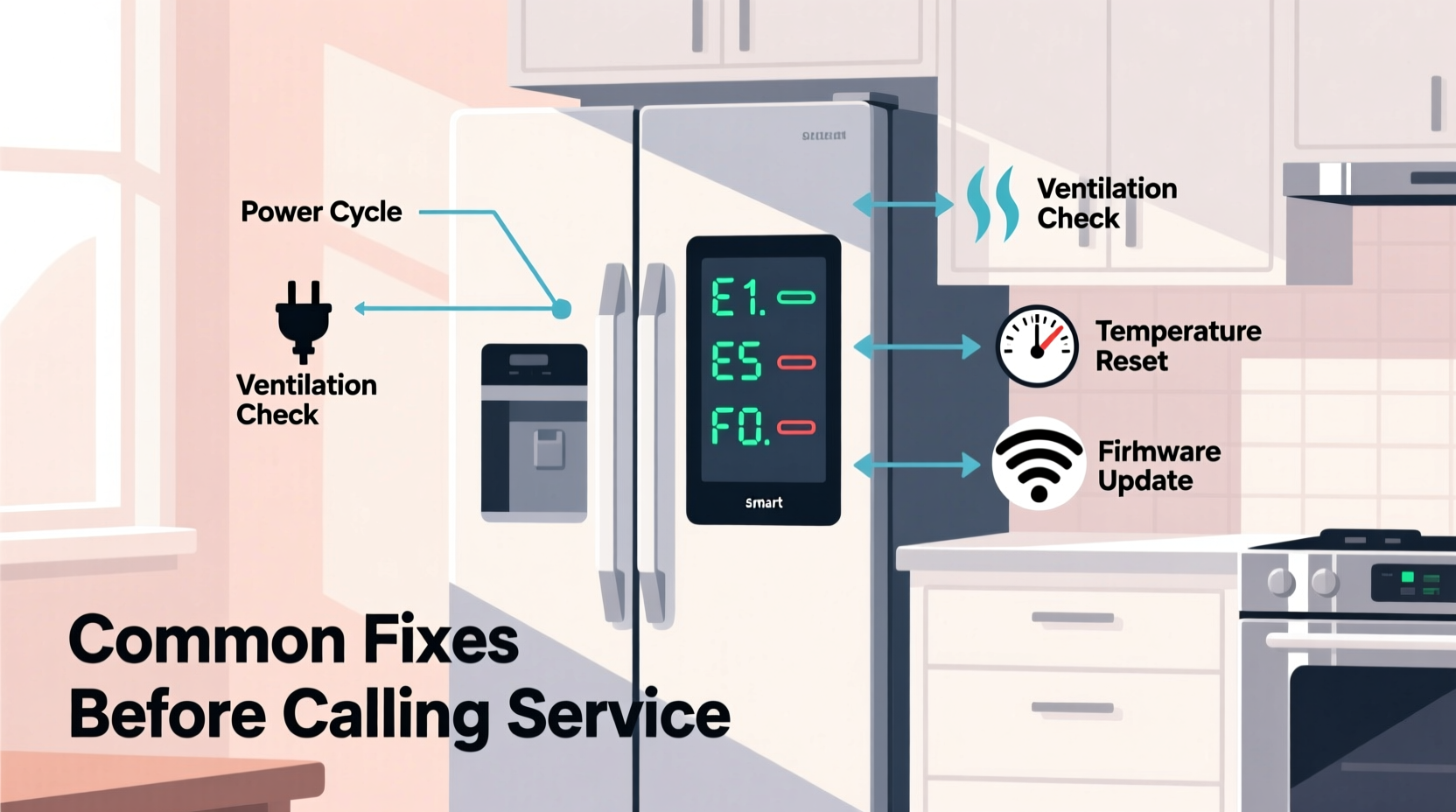
Every brand uses its own system for error notifications. Samsung, LG, Whirlpool, GE, and Bosch all display different codes for similar issues. However, most follow a pattern: a combination of letters and numbers (e.g., “ER FF,” “5C,” or “SE”) appears on the display panel when the fridge detects an anomaly. These alerts indicate everything from sensor failures to ice maker jams.
The first step in troubleshooting is identifying the exact code. Refer to your user manual or the manufacturer’s website—most brands maintain online databases where you can search by model number and code. If you don’t have the manual, simply type “[Your Brand] + [Model Number] + error codes” into a search engine to find a digital copy.
“Error codes are diagnostic tools, not death sentences. Many indicate temporary glitches that reset after a power cycle.” — David Lin, Appliance Engineer & Field Technician
Common Causes Behind Error Messages
- Power surges or outages: Sudden voltage changes can confuse internal processors.
- Clogged water lines or filters: Impede ice makers and water dispensers.
- Faulty sensors: Temperature or humidity sensors may drift over time.
- Blocked vents: Airflow restrictions cause cooling inefficiencies.
- Wi-Fi disconnections: Smart features fail if network connection drops.
- Door left ajar: Triggers alarms and affects internal temperatures.
Step-by-Step Guide to Diagnose and Fix Common Errors
Before calling customer service, go through this systematic process. Many users resolve issues within 30 minutes using these steps.
- Record the error code. Take a photo or write it down exactly as displayed.
- Check power supply. Ensure the fridge is plugged in securely and the outlet is functional. Test with another device.
- Perform a soft reset. Unplug the fridge for 5–10 minutes, then plug it back in. This clears temporary software glitches.
- Inspect door seals. Look for cracks or food debris preventing a tight seal. Clean with warm soapy water.
- Verify temperature settings. Accidental button presses can change cooling levels.
- Examine water supply (if applicable). For models with ice/water dispensers, ensure the shut-off valve is open and hoses aren’t kinked.
- Clear obstructions around vents. Rear and internal vents must remain unblocked for proper airflow.
- Reconnect to Wi-Fi. Navigate to network settings and re-enter your password if needed.
When to Perform a Factory Reset
If the error persists after a soft reset, consider a factory reset. This restores default settings but erases custom preferences like saved recipes or voice assistant pairings.
To initiate a factory reset:
- Open the fridge’s settings menu via the touchscreen.
- Navigate to “General” or “System.”
- Select “Reset All Settings” or “Factory Reset.”
- Confirm and wait 5–10 minutes for reboot.
Note: Some models require holding specific buttons (e.g., “Freezer” and “Fridge” simultaneously) for 10 seconds. Consult your manual for exact instructions.
Brand-Specific Error Codes and Fixes
Different manufacturers use unique coding systems. Below is a comparison of frequently encountered errors across top brands.
| Brand | Error Code | Meaning | Potential Fix |
|---|---|---|---|
| Samsung | OF ON | Child lock or demo mode enabled | Hold “Power Cool” and “Fridge” for 3 sec to disable |
| LG | ER IS | Ice maker stuck or jammed | Remove ice clump; check water supply line |
| Whirlpool | FF | Freezer fan failure | Clean fan blades; check for blockages |
| GE | 5C | Communication error between boards | Power cycle; inspect wiring connections |
| Bosch | E20 | Drain pump blocked | Clean condensate drain; remove debris |
This table highlights why knowing your brand matters. A universal fix doesn’t always apply—Samsung’s OF ON isn’t an actual malfunction, while LG’s ER IS often resolves with mechanical intervention.
Mini Case Study: Resolving a Persistent ER FF Code
Jamie, a homeowner in Portland, noticed her LG French-door refrigerator displaying “ER FF” every few hours. The freezer worked intermittently, causing frost buildup. She called support twice, only to be told a technician would cost $175 for diagnosis.
Instead, she researched the code and learned it indicated a faulty freezer fan. She unplugged the unit, removed the rear panel inside the freezer compartment, and found the fan blade obstructed by a small piece of packaging foam left during installation. After removing the object and powering the fridge back on, the error vanished and normal operation resumed.
No parts were replaced, no service call was made. Jamie saved over $200 and restored full function in under 20 minutes.
Essential Maintenance Checklist to Prevent Future Errors
Prevention is more effective than repair. Use this checklist monthly to keep your smart fridge running smoothly and minimize error occurrences.
- ✅ Clean condenser coils with a brush or vacuum (located at back or bottom front)
- ✅ Replace water filter every 6 months (or per manufacturer recommendation)
- ✅ Wipe down door gaskets with mild detergent to prevent mold and improve seal
- ✅ Defrost freezer manually if ice exceeds ¼ inch (even frost-free models benefit)
- ✅ Check drain pan underneath for dust or standing water
- ✅ Verify Wi-Fi signal strength near the appliance; move router closer if needed
- ✅ Inspect water line for kinks or leaks (especially under sink connection)
- ✅ Update firmware via app or settings menu when prompted
Regular maintenance reduces strain on components, improves energy efficiency, and helps avoid false error triggers caused by dirty sensors or restricted airflow.
Do’s and Don’ts When Handling Error Codes
Avoid making common mistakes that could worsen the problem or void your warranty.
| Do’s | Don’ts |
|---|---|
| Consult the user manual before taking action | Don’t ignore repeated error messages—even if cooling seems normal |
| Unplug the fridge before inspecting internal parts | Don’t use sharp tools to remove ice—risk damaging evaporator coils |
| Keep spare water filters on hand | Don’t attempt electrical repairs without training |
| Document error frequency and conditions | Don’t bypass safety switches or override locks permanently |
“Most warranty claims get denied due to unauthorized tampering. Always check what’s covered before opening control panels.” — Maria Tran, Customer Support Lead at Major Appliance Brand
FAQ: Frequently Asked Questions About Smart Fridge Errors
What does it mean when my fridge says ‘No Network’?
This isn’t a critical error—it means your fridge lost Wi-Fi connection. Go to Settings > Network and reconnect. Ensure your router is working and signal strength is adequate. If the issue persists, restart your router and retry pairing.
Can I still use my fridge if it shows an error code?
In many cases, yes. If cooling continues normally, the error may relate to non-essential functions like the display, camera, or dispenser. However, if temperature fluctuates or freezing stops, unplug the unit and investigate promptly to protect food safety.
How do I know if an error requires a technician?
If you’ve completed a full reset, verified power and connections, cleaned relevant components, and the code returns consistently, it likely involves internal hardware—such as a failed compressor, control board, or sealed refrigerant system. At that point, professional diagnosis is necessary.
Conclusion: Take Control Before Calling for Help
Your smart fridge is designed to communicate with you—not just cool food. Error codes are part of that dialogue. Rather than reacting with frustration or panic, treat them as early warnings. With a methodical approach, most issues can be diagnosed and fixed without professional assistance.
Start with simple solutions: power cycle, clean key areas, verify connections, and consult your manual. Document each step so you can report accurately if service becomes unavoidable. Not only will you potentially avoid costly repairs, but you’ll also extend the lifespan of your appliance through informed care.




 浙公网安备
33010002000092号
浙公网安备
33010002000092号 浙B2-20120091-4
Comments
No comments yet. Why don't you start the discussion?