
As holiday lights twinkle and festive appliances hum, many homeowners rely on smart plugs to automate their seasonal routines. But nothing disrupts the cheer faster than a smart plug that refuses to respond during the busiest time of year. If your smart plug seems unresponsive when you need it most—especially during peak Christmas usage—you’re not alone. The issue is common, but more importantly, it’s usually solvable.
The root causes often lie in network congestion, power overload, outdated firmware, or device compatibility issues. Understanding these factors—and knowing how to address them—can restore control over your smart home setup just in time for the holidays.
Why Smart Plugs Fail During High-Demand Holiday Periods
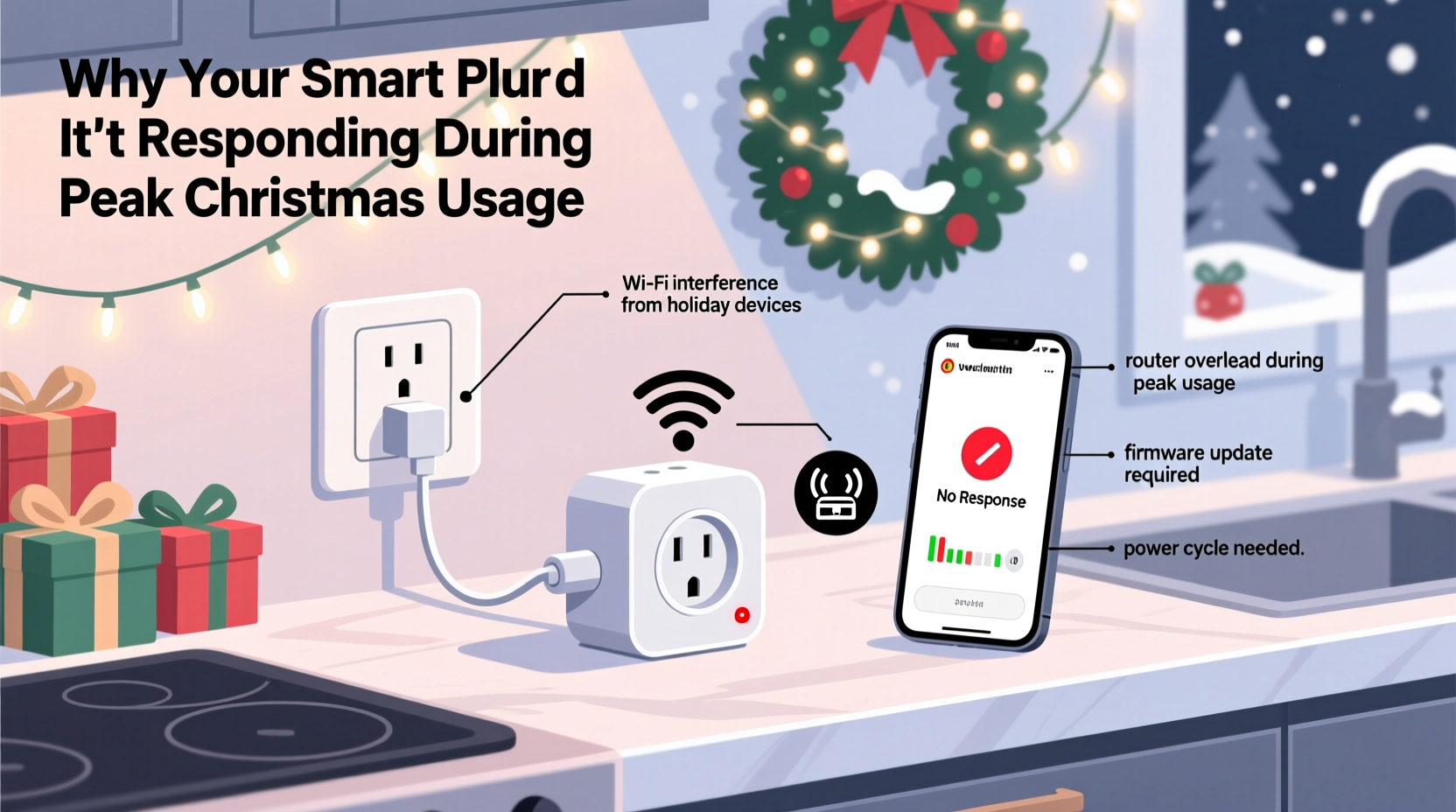
Smart plugs are simple devices in concept: they allow remote control of electrical outlets via Wi-Fi and a mobile app. However, their simplicity belies a dependency on several interconnected systems—your home network, router performance, power supply stability, and the overall load on your circuit.
During Christmas, homes typically experience a surge in both electrical and digital traffic. String lights, tree projectors, coffee makers, space heaters, and entertainment systems all draw power simultaneously. At the same time, streaming services, video calls, and smart home apps increase bandwidth demands. This dual strain can overwhelm the infrastructure that smart plugs depend on.
According to data from the U.S. Department of Energy, average household electricity consumption increases by 30% during December compared to other months. Meanwhile, a 2023 report by OpenVault revealed that internet usage spikes by up to 45% on Christmas Eve due to streaming and connected device activity. These overlapping peaks create the perfect storm for smart plug failures.
“During holiday seasons, we see a noticeable uptick in support tickets related to unresponsive smart home devices. Most stem from network saturation, not hardware failure.” — Jordan Lee, Senior Network Engineer at HomeNet Labs
Common Causes of Smart Plug App Disconnection
When your smart plug doesn’t respond to commands, the problem likely originates from one of several technical areas. Identifying the source is the first step toward resolution.
1. Wi-Fi Network Overload
Most smart plugs connect via 2.4 GHz Wi-Fi, a band already crowded with devices. During Christmas, additional gadgets—from smart speakers to security cameras—compete for bandwidth. If your router cannot manage the load, latency increases, and some devices may drop off entirely.
2. Power Circuit Overload
If multiple high-wattage appliances run through the same circuit as your smart plug, voltage fluctuations can occur. Some smart plugs automatically shut down or reboot under unstable conditions, breaking the connection to the app.
3. Firmware or App Glitches
Outdated firmware can cause communication errors between the plug and the cloud server. Similarly, app bugs introduced during updates may prevent proper command transmission—even if the plug itself is functioning.
4. Signal Interference from Holiday Decorations
Metallic tinsel, dense garlands, and large ornaments can block or reflect Wi-Fi signals. If your smart plug is located behind such materials, signal strength may degrade significantly.
5. Device Compatibility Issues
Some smart plugs don’t perform well with voice assistants or automation platforms when system loads increase. For example, a plug working flawlessly with Alexa under normal conditions might fail when dozens of scheduled events trigger at once.
Troubleshooting Checklist: Regain Control of Your Smart Plug
Follow this actionable checklist to diagnose and resolve unresponsiveness quickly:
- Reboot the smart plug – Unplug it for 10 seconds, then reconnect.
- Restart your router – Power cycle your modem and router to clear congestion.
- Check Wi-Fi signal strength – Use a Wi-Fi analyzer app to verify signal quality near the plug.
- Reduce connected devices – Temporarily disconnect non-essential devices to free up bandwidth.
- Verify power load – Ensure the circuit isn’t overloaded; avoid daisy-chaining multiple high-draw devices.
- Update firmware and app – Check the manufacturer’s app for available updates.
- Reconnect to Wi-Fi – Remove the plug from the app and re-pair it to your network.
- Test on another outlet – Rule out circuit-specific power issues.
- Use Ethernet where possible – If using a smart hub, connect it via Ethernet for better stability.
- Switch to a mesh network – Consider upgrading to a mesh Wi-Fi system for broader coverage.
Step-by-Step Guide to Restore Smart Plug Functionality
If your smart plug remains unresponsive after basic checks, follow this detailed recovery process:
- Isolate the Device
Unplug the smart plug and wait 30 seconds. This clears any temporary memory glitches. - Power Cycle Your Network
Turn off your modem and router. Wait two minutes, then power them back on. Allow five minutes for full reconnection. - Check Router Settings
Log into your router’s admin panel (usually via 192.168.1.1). Confirm that:- 2.4 GHz band is enabled
- No MAC filtering is blocking the plug
- QoS (Quality of Service) settings prioritize smart home devices
- Test Signal Strength
Download a free Wi-Fi analyzer app (e.g., Wi-Fi Analyzer for Android or NetSpot for desktop). Walk to the smart plug’s location and check the signal. Anything below -70 dBm indicates poor reception. - Move the Plug Closer or Add a Repeater
If signal is weak, relocate the plug closer to the router or install a Wi-Fi extender. Avoid placing extenders near microwaves or corded phones, which emit interference. - Re-Pair the Device
In your smart home app (e.g., Kasa, Smart Life, or Google Home), remove the plug from your device list. Then go through setup again, ensuring you enter the correct Wi-Fi password. - Monitor Power Draw
Check the wattage of devices connected to the smart plug. If total exceeds 80% of the plug’s rated capacity (e.g., more than 1440W on a 15A/120V plug), redistribute the load. - Enable Static IP Assignment
In your router settings, assign a static IP to the smart plug. This prevents IP conflicts during high-traffic periods and improves reliability.
Do’s and Don’ts During Peak Usage
| Do | Don’t |
|---|---|
| Use a dedicated circuit for high-load holiday devices | Daisy-chain multiple smart plugs on one outlet strip |
| Update all smart home firmware before the holidays | Ignore app update notifications |
| Group low-priority devices on a separate SSID | Place smart plugs inside enclosed furniture or behind mirrors |
| Label each smart plug by room and function | Run space heaters or air conditioners through standard smart plugs without checking ratings |
| Set up automated schedules early to avoid last-minute app stress | Assume a non-responsive plug is broken—test systematically first |
Real Example: A Family’s Christmas Eve Smart Plug Failure
The Thompson family in Portland decorated their home with synchronized lights controlled by four smart plugs. On Christmas Eve, only two responded. Panic set in as guests arrived and the display flickered unpredictably.
They first tried restarting the app—no change. Then they rebooted the plugs individually, but the issue persisted. After consulting an online forum, they checked their Wi-Fi signal near the front porch, where two plugs were installed. The signal was at -82 dBm—very weak.
They moved one plug indoors temporarily and reset the outdoor ones using a mobile hotspot. Once reconnected, they installed a weatherproof Wi-Fi extender near the garage. All four plugs responded instantly. The display lit up perfectly just in time for midnight.
The culprit? A combination of distance from the router and interference from aluminum siding and holiday net lights. Their solution wasn’t replacement—it was smarter placement and network support.
Expert Insight: Building a Resilient Smart Home for the Holidays
Long-term reliability requires proactive planning. Rather than reacting to failures, experts recommend building redundancy and monitoring into your setup.
“A resilient smart home isn’t about having the most devices—it’s about managing load and maintaining communication pathways. During peak times, even small bottlenecks become critical.” — Dr. Lena Patel, IoT Systems Researcher at MIT Media Lab
Dr. Patel suggests treating your smart home like a mini IT network: monitor bandwidth, segment devices, and plan for peak demand. She also recommends using local control hubs (like Home Assistant or Hubitat) that don’t rely on cloud servers, reducing latency and outage risks.
Frequently Asked Questions
Can too many smart plugs trip a circuit breaker?
Yes. While individual smart plugs consume minimal power, the devices plugged into them may draw significant current. If the total load exceeds 80% of your circuit’s capacity (typically 15–20 amps), it can trip the breaker. Always calculate combined wattage and distribute loads across circuits.
Why does my smart plug work in the morning but not at night?
This pattern often points to network congestion. In the evening, more people are home using Wi-Fi for streaming, gaming, or video calls. The resulting bandwidth competition can delay or block commands to low-priority devices like smart plugs. Consider setting up a guest network or prioritizing smart home traffic via QoS settings.
Should I replace my smart plug if it keeps disconnecting?
Not necessarily. Frequent disconnections are more commonly caused by environmental or network issues than hardware failure. Before replacing, try relocating the plug, improving Wi-Fi coverage, updating firmware, and testing on a different circuit. Replacement should be the last step after thorough troubleshooting.
Conclusion: Stay in Control This Holiday Season
A smart plug that won’t respond during Christmas doesn’t mean your tech has failed—it means your environment has changed. By understanding the interplay between power, network, and physical setup, you can maintain seamless control even during the busiest moments of the year.
Start today: audit your smart plug placements, test your Wi-Fi coverage, and ensure your router can handle the load. Small adjustments now can prevent frustration later. With a few strategic fixes, your smart home can shine as brightly as your holiday lights.




 浙公网安备
33010002000092号
浙公网安备
33010002000092号 浙B2-20120091-4
Comments
No comments yet. Why don't you start the discussion?