
Smart thermostats are designed to make life easier—automating heating and cooling, learning your habits, and saving energy. But when they start behaving unpredictably—turning on at odd times, refusing commands, or showing inaccurate temperatures—the convenience quickly turns into frustration. The good news? Most issues aren’t permanent hardware failures. In fact, the majority stem from simple, fixable problems like connectivity glitches, calibration errors, or outdated software. Understanding what’s going wrong—and how to resolve it swiftly—can restore comfort without a service call or replacement.
Common Signs Your Smart Thermostat Is Acting Up
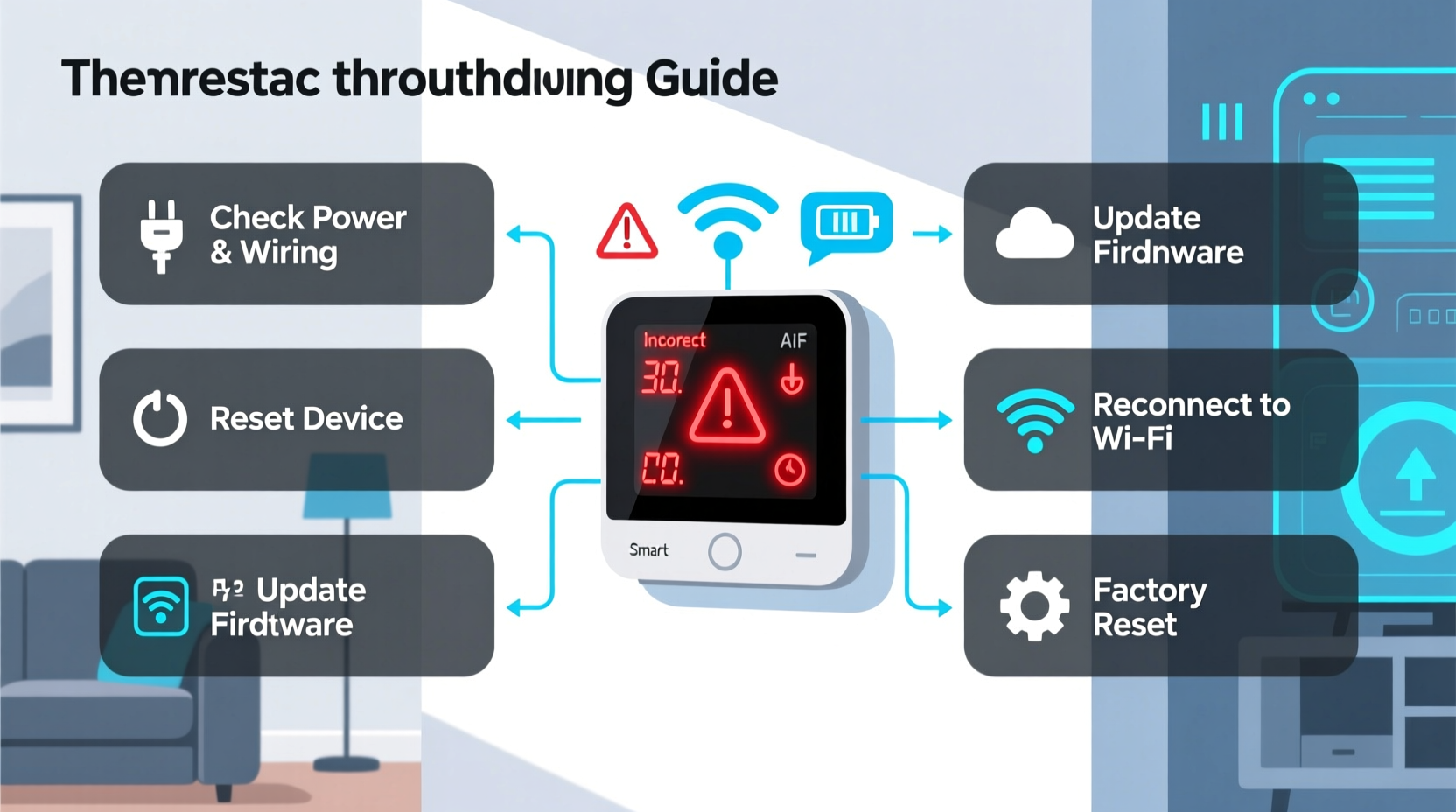
Before diving into fixes, it’s important to recognize the symptoms of a malfunctioning smart thermostat. These behaviors often point to underlying technical or environmental issues:
- Inconsistent temperature readings: The display shows 72°F, but the room feels much colder or hotter.
- Sudden schedule changes: The thermostat ignores programmed settings and reverts to manual mode.
- Wi-Fi disconnections: The app reports “offline” status despite your router working normally.
- Delayed response to input: Adjusting the temperature takes several seconds—or doesn’t register at all.
- Frequent cycling: HVAC system turns on and off too rapidly, causing wear and inefficiency.
- No power or blank screen: The unit appears dead, even though other devices are functioning.
These symptoms may seem random, but they’re usually tied to one of five core areas: power supply, network connectivity, sensor accuracy, software integrity, or HVAC compatibility.
Step-by-Step Guide to Diagnose and Fix Issues Fast
When your smart thermostat acts up, follow this structured troubleshooting process. It starts with the simplest checks and moves toward deeper diagnostics—all within 30 minutes or less.
- Check for power issues. A blank screen or erratic behavior often stems from insufficient power. Verify that:
- The circuit breaker for your HVAC system is on.
- The thermostat is properly seated on its base.
- If using a C-wire (common wire), ensure it’s securely connected.
- Battery-powered models have fresh batteries installed.
- Restart the thermostat. Just like any smart device, a reboot can clear temporary glitches. Remove it from the wall or cut power at the breaker for 30 seconds, then restore power.
- Verify Wi-Fi connection. Open the manufacturer’s app and check if the thermostat is online. If not:
- Ensure your router is operational.
- Move the thermostat closer to the router or use a Wi-Fi extender.
- Re-enter Wi-Fi credentials through setup mode.
- Update firmware. Outdated software can cause bugs. Check the app or web portal for available updates. Most modern thermostats update automatically, but some require manual initiation.
- Test HVAC wiring. Loose or corroded wires behind the thermostat can disrupt communication. Turn off power, remove the faceplate, and inspect terminals labeled R, W, Y, G, and C. Reconnect any loose wires gently.
- Recalibrate the temperature sensor. Compare the thermostat reading with a standalone digital thermometer placed nearby. If there’s a discrepancy of more than 2°F, recalibrate via the settings menu (Nest, Ecobee, and Honeywell offer this option).
- Reset to factory settings. As a last resort, perform a full reset. Note: This erases schedules and preferences, so only do this after backing up settings if possible.
Do’s and Don’ts When Troubleshooting
| Action | Do | Don’t |
|---|---|---|
| Power cycling | Turn off HVAC power before removing the thermostat. | Don’t leave wires exposed or touch bare terminals. |
| Wi-Fi setup | Use a strong 2.4 GHz network (not 5 GHz). | Don’t connect to guest networks with restricted access. |
| Firmware updates | Install updates during mild weather to avoid heating/cooling disruption. | Don’t interrupt an update once started. |
| Sensor calibration | Wait 15 minutes for internal sensors to stabilize. | Don’t place thermometers near vents or windows. |
| Factory reset | Re-pair with apps immediately after resetting. | Don’t skip reconfiguring geofencing or voice assistant links. |
Real-World Example: The Case of the Overheating Living Room
Jamie, a homeowner in Denver, noticed her Ecobee was turning on the heat every night—even when she set it to cool. The house felt stuffy, and energy bills spiked. After ruling out scheduling errors, she checked the thermostat location: mounted next to a recessed light that stayed on until midnight. The heat from the bulb was tricking the sensor into thinking the room was cooler than it actually was, triggering unnecessary heating.
She moved the thermostat two feet down the hallway, away from the light fixture. Within hours, the system stabilized. She also enabled “smart recovery” mode, which adjusted run times based on actual indoor conditions. The fix cost nothing and restored both comfort and efficiency.
“Thermostat placement is just as critical as calibration. Even high-end models can misread environments if installed near heat sources or drafts.” — Mark Tran, HVAC Systems Engineer at ClimateLogic Inc.
Quick Checklist: Restore Function in Under 20 Minutes
Use this actionable checklist whenever your smart thermostat behaves oddly. Complete most steps in under five minutes each.
- ✅ Confirm HVAC breaker is ON.
- ✅ Ensure thermostat has power (check lights or screen).
- ✅ Reboot the device by disconnecting power for 30 seconds.
- ✅ Verify Wi-Fi signal strength in the app.
- ✅ Manually reconnect to Wi-Fi if needed.
- ✅ Check for pending firmware updates.
- ✅ Inspect wiring connections behind the unit.
- ✅ Calibrate temperature using a reference thermometer.
- ✅ Test HVAC operation manually via the thermostat.
- ✅ Reset to factory settings only if all else fails.
When Software Isn’t the Problem: Environmental Factors
Even perfectly configured thermostats can act strangely due to external influences. Consider these often-overlooked factors:
- Drafts from windows or doors: Cold air hitting the unit can trigger false heating calls.
- Sunlight exposure: Direct rays warm the thermostat body, leading to inaccurate cooling signals.
- Proximity to appliances: Ovens, refrigerators, or entertainment systems emit heat that affects sensors.
- Poor airflow around the unit: Wall coverings or decorative plates can trap heat.
- Multi-story homes: A single thermostat may struggle to represent temperatures across floors.
To mitigate these, consider relocating the thermostat to a central, interior wall away from thermal interference. Alternatively, install remote sensors (available with brands like Ecobee) to average temperatures across key rooms.
Frequently Asked Questions
Why does my thermostat turn on even when I set it to ‘off’?
This usually occurs due to safety features or auxiliary functions. Some thermostats activate the fan periodically to maintain air circulation, even in ‘off’ mode. Check settings for options like “Auto Fan” or “Circulate.” If the HVAC system itself powers on, inspect for stuck relays or wiring faults—consult an HVAC technician if the issue persists.
Can a smartphone app glitch affect my thermostat?
Yes. While the thermostat operates independently, app-based commands rely on cloud servers and local network stability. If the app shows incorrect modes or fails to send updates, log out and back in, reinstall the app, or restart your phone. The physical device should continue running scheduled programs regardless of app status.
How often should I recalibrate my smart thermostat?
Once per year is sufficient under normal conditions. However, if you notice consistent discrepancies between displayed and actual room temperatures, recalibrate immediately. Seasonal shifts—especially transitioning between heating and cooling months—are ideal times to verify accuracy.
Preventing Future Issues: Maintenance Best Practices
Regular maintenance prevents many common problems before they start. Incorporate these habits into your seasonal home care routine:
- Quarterly inspection: Remove the thermostat face and check for dust buildup on terminals. Use compressed air to clean gently.
- Biannual Wi-Fi audit: Test signal strength near the thermostat using a mobile speed test app. Boost coverage if below 10 Mbps.
- Annual professional check: Have an HVAC technician verify system compatibility, wiring integrity, and thermostat integration.
- Seasonal calibration: Before winter and summer, compare thermostat readings with a trusted thermometer in the same room.
- Monitor app alerts: Enable push notifications for offline status, filter change reminders, or extreme temperature warnings.
These small efforts pay off in long-term reliability and energy savings. A well-maintained smart thermostat can last 8–10 years without major issues.
Conclusion: Regain Control Quickly and Confidently
A malfunctioning smart thermostat doesn’t mean you need a new device or a costly repair. Most issues stem from easily correctable causes—power interruptions, weak Wi-Fi, improper placement, or minor software hiccups. By following a systematic approach, you can diagnose and resolve the problem in under half an hour. Start with the basics: power, connectivity, and placement. Then move to advanced steps like recalibration or reset only when necessary. With proper care, your smart thermostat will continue delivering comfort, efficiency, and automation for years to come.




 浙公网安备
33010002000092号
浙公网安备
33010002000092号 浙B2-20120091-4
Comments
No comments yet. Why don't you start the discussion?