
Smart thermostats are designed to make home climate control effortless, efficient, and precise. But when your device starts reporting temperatures that don’t match reality—like showing 74°F in a room that feels like 65°F—it undermines trust in the system and can lead to discomfort or wasted energy. Inaccurate readings aren’t always a sign of hardware failure. Often, they stem from placement issues, calibration drift, environmental interference, or software quirks. Understanding the root causes and knowing how to recalibrate properly can restore accuracy and performance.
Why Smart Thermostats Give Inaccurate Readings
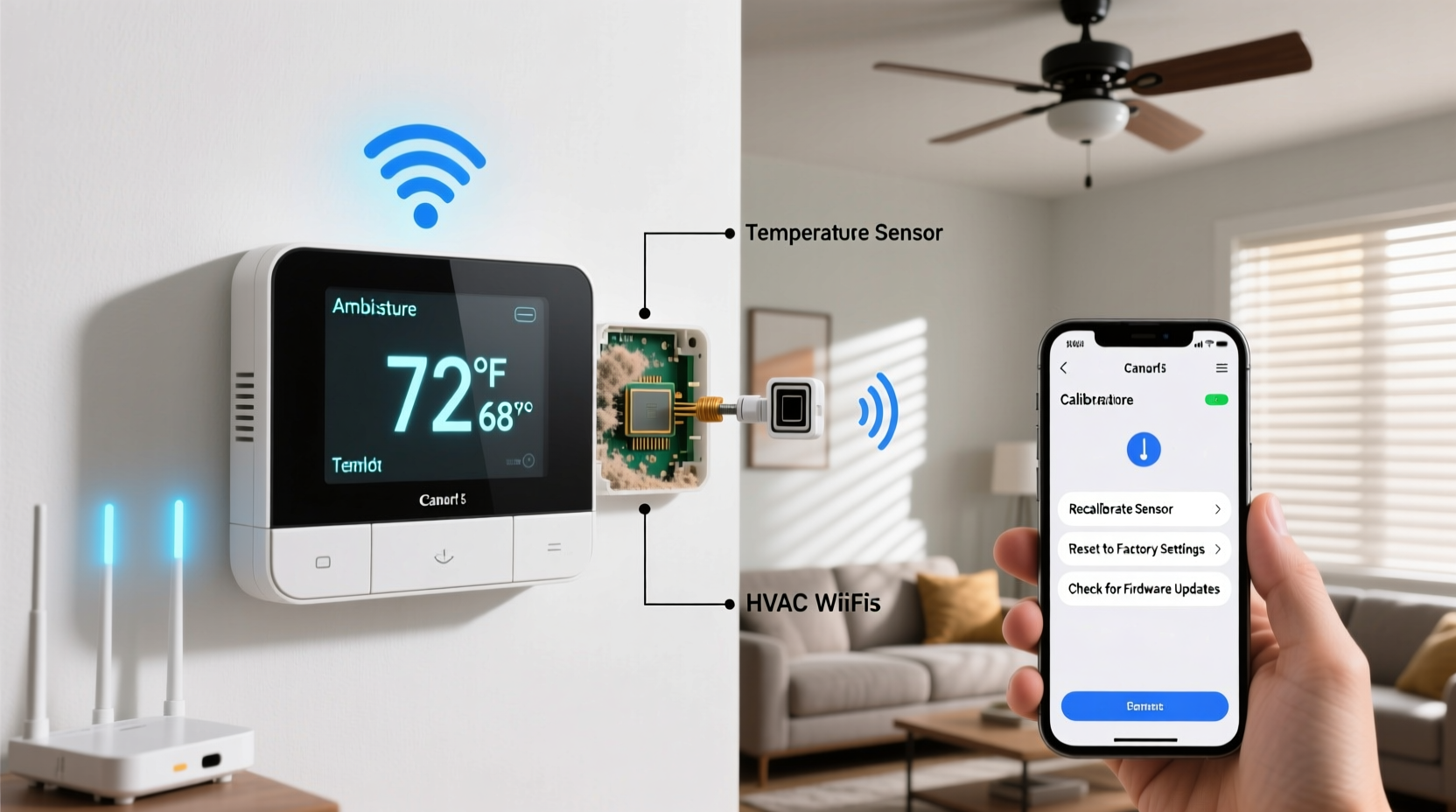
Modern smart thermostats use digital sensors to monitor ambient temperature, but several factors can skew their data. Unlike older mechanical thermostats, smart models rely on microprocessors and wireless connectivity, which introduces more variables that affect precision.
The most common reasons for erratic or incorrect temperature readings include:
- Poor placement: Installing near heat sources (like lamps, ovens, or direct sunlight) can cause false high readings.
- Airflow obstructions: Being inside cabinets, behind furniture, or near drafty windows disrupts sensor accuracy.
- Sensor aging: Over time, internal sensors may drift due to component wear or exposure to dust and humidity.
- Firmware bugs: Software updates sometimes introduce glitches affecting temperature logic or display.
- Heat from internal electronics: Some thermostats generate slight internal heat, which can influence the sensor if not thermally isolated.
- Incorrect room representation: If the thermostat isn’t in a central, frequently used area, it won’t reflect actual living conditions.
How to Diagnose Temperature Inaccuracy
Before attempting recalibration, confirm whether the thermostat is actually inaccurate. Use a standalone digital thermometer as a reference point. Place it next to the thermostat, away from direct sunlight or airflow, and let both stabilize for at least 30 minutes.
If the difference exceeds 2–3 degrees Fahrenheit, the thermostat likely needs adjustment. Note that minor discrepancies (within 1°F) are normal and often due to different sensor types or response times.
To ensure a valid test:
- Turn off HVAC systems for 30 minutes to eliminate radiant heat effects.
- Use a calibrated digital thermometer with a current reading (not one stored in extreme conditions).
- Test during stable indoor conditions—avoid peak heating/cooling cycles.
- Repeat the test at different times of day to rule out transient influences.
Mini Case Study: The Sunlit Hallway Problem
Mark installed a popular smart thermostat in his upstairs hallway. During winter, the house felt cold even though the app showed 72°F. He placed a digital thermometer beside the unit and found it read 68°F consistently. After investigation, he realized afternoon sun streamed through a nearby window, warming the thermostat’s surface. By relocating it to a shaded interior wall, readings aligned within 1°F of the reference thermometer. No recalibration was needed—just better placement.
Step-by-Step Guide to Recalibrate Your Smart Thermostat
Recalibration procedures vary by brand, but most modern devices offer built-in tools or require manual adjustments via settings. Follow this universal process tailored to major brands:
- Verify the issue: Confirm inaccuracy using a trusted thermometer.
- Clean the unit: Gently wipe the casing with a dry cloth. Dust buildup can insulate the sensor.
- Check for firmware updates: Open the companion app and ensure the latest firmware is installed.
- Access calibration settings:
- Nest Learning Thermostat: Go to Settings > Equipment > Temperature Calibration (if available). Not all models expose this directly; some apply automatic corrections.
- Ecobee: Navigate to Menu > Settings > Installation Settings > Thresholds > Temperature Offset. Adjust the offset in ±5°F increments.
- Honeywell Home T9/T10: Press Menu > Preferences > System > Temp Adjustment. Input correction value.
- Apply offset based on testing: If your thermostat reads 3°F too high, enter -3°F. If too low, enter +2°F, etc.
- Save and wait: Allow 15–30 minutes for changes to take effect. Retest with the reference thermometer.
- Reassess placement if issues persist: Even perfect calibration fails if the environment misleads the sensor.
“Thermostat accuracy impacts both comfort and energy bills. A miscalibrated unit can cause up to 10% more HVAC runtime.” — Dr. Lena Patel, Building Efficiency Researcher, National Institute of Sustainable Homes
Do’s and Don’ts of Smart Thermostat Maintenance
| Do’s | Don’ts |
|---|---|
| Install in a central, lived-in area away from drafts | Place near heat-generating appliances or electronics |
| Use a calibrated thermometer for verification | Rely solely on feel or phone weather apps for comparison |
| Update firmware regularly | Ignore error messages or inconsistent behavior |
| Apply small calibration offsets (±3°F max) | Overcorrect with large offsets that mask deeper issues |
| Clean the unit every 6 months | Use liquids or compressed air near the sensor |
When to Consider Replacement or Professional Help
Despite troubleshooting, some thermostats remain unreliable. Signs that indicate replacement or service include:
- Consistent drift beyond 5°F after multiple calibrations
- Frequent disconnections from Wi-Fi or unresponsive controls
- Erratic behavior such as sudden temperature spikes in logs
- No calibration option available and confirmed inaccuracy
If your thermostat is over five years old, consider upgrading. Newer models feature improved sensors, adaptive algorithms, and remote room sensing (e.g., Ecobee’s room sensors), which address many accuracy limitations of single-point measurement.
For complex HVAC systems (zoned heating, multi-stage cooling), consult an HVAC technician. They can verify that equipment signals match thermostat output and perform advanced diagnostics using calibrated field tools.
Advanced Tips for Optimal Accuracy
Beyond basic calibration, you can enhance long-term reliability with these strategies:
- Use remote sensors: Devices like the Ecobee SmartSensor allow you to average temperatures across key rooms, reducing reliance on a single location.
- Enable occupancy detection: Many thermostats adjust based on presence. Ensure motion sensors aren’t blocked or triggered falsely.
- Monitor historical data: Review temperature logs in the app. Sudden jumps or plateaus may reveal environmental interference.
- Seasonal recalibration: Perform checks at the start of heating and cooling seasons. Thermal expansion and humidity shifts affect sensor performance.
Checklist: Fixing Weird Temperature Readings
- ✅ Test accuracy with a standalone digital thermometer
- ✅ Check thermostat placement and relocate if necessary
- ✅ Clean the unit gently with a dry microfiber cloth
- ✅ Update to the latest firmware version
- ✅ Access calibration settings and apply temperature offset
- ✅ Verify correction with repeated testing
- ✅ Install remote sensors if supported and needed
- ✅ Contact support or replace if problems persist
Frequently Asked Questions
Can I calibrate my smart thermostat without a reference thermometer?
It’s not recommended. Guessing the offset reduces effectiveness. A $10 digital thermometer ensures reliable results. Alternatively, compare against another known-accurate thermostat in the same room after stabilization.
Why does my thermostat show different temps than my phone’s weather app?
Weather apps report outdoor conditions, often from distant stations. Indoor and outdoor temperatures differ significantly. Always compare your thermostat to an indoor measuring device, not external forecasts.
Does humidity affect smart thermostat temperature sensors?
Indirectly, yes. High humidity can slow sensor response time and contribute to condensation on internal components over time. Most sensors are designed for standard indoor humidity (30–60%), but prolonged extremes may degrade accuracy.
Conclusion: Take Control of Your Home’s Climate Accuracy
Inaccurate temperature readings compromise comfort, efficiency, and trust in automation. The good news is that most issues are fixable with simple steps: verifying placement, cleaning the unit, updating software, and applying precise calibration offsets. Regular maintenance ensures your smart thermostat delivers on its promise of intelligent climate control.
Start today by comparing your thermostat to a reliable thermometer. If there’s a discrepancy, follow the recalibration steps outlined here. Small adjustments can yield significant improvements in comfort and energy savings. For persistent problems, leverage remote sensors or consider upgrading to a newer model with enhanced sensing capabilities.




 浙公网安备
33010002000092号
浙公网安备
33010002000092号 浙B2-20120091-4
Comments
No comments yet. Why don't you start the discussion?