
If you’ve ever settled in to enjoy your favorite playlist only for Spotify to abruptly pause mid-song—without warning or explanation—you’re not alone. Millions of users encounter unexpected pauses across devices, from smartphones to desktops and smart speakers. While frustrating, these interruptions are rarely random. They stem from a mix of connectivity problems, software glitches, device-specific bugs, or account-related conflicts. Understanding the root causes and applying targeted solutions can restore smooth, uninterrupted playback. This guide dives into the technical and practical aspects of why Spotify keeps pausing—and how to fix it permanently.
Common Causes Behind Spotify Playback Interruptions
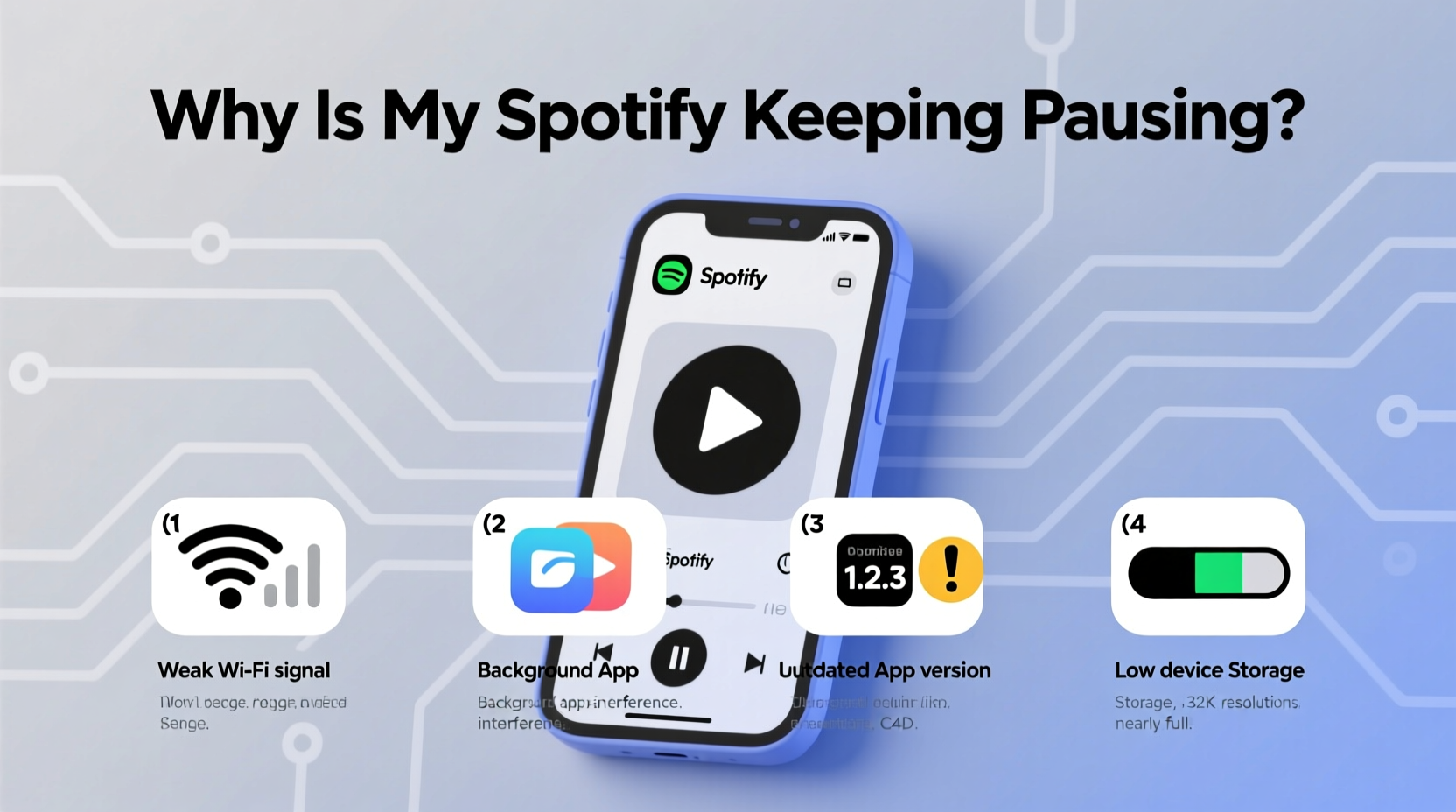
Spotify’s streaming model relies on a stable connection between your device, the app, and Spotify’s servers. Any break in this chain can trigger automatic pausing. The most frequent culprits include unstable internet connections, outdated app versions, background app restrictions, low battery modes, and corrupted cache files. Less obvious factors—like third-party app interference, Bluetooth instability, or account syncing errors—can also play a role.
For example, when network latency spikes or bandwidth drops below the threshold needed for streaming, Spotify may buffer briefly before pausing entirely. Similarly, aggressive battery-saving settings on Android or iOS often throttle background processes, including music apps, causing them to stop unexpectedly.
Step-by-Step Troubleshooting Guide
Resolving playback issues requires a methodical approach. Start with basic checks and escalate only if necessary. Follow this sequence to identify and eliminate the source of the problem.
- Check Your Internet Connection – Test whether other apps load data smoothly. Try switching between Wi-Fi and mobile data to see if one performs better.
- Restart the App – Close Spotify completely (swipe it away from recent apps) and reopen it.
- Reboot Your Device – A full restart clears temporary memory glitches that might affect app performance.
- Update Spotify – Go to your app store and ensure you're running the latest version.
- Clear Cache (Mobile) – In Spotify Settings > Storage, tap “Delete Cache” to remove potentially corrupted temporary files.
- Reinstall the App – If problems persist, uninstall and reinstall Spotify to reset all local configurations.
- Test on Another Device – Log into your account on a different phone, tablet, or computer to determine if the issue follows your account or stays with the original device.
This process isolates variables and helps pinpoint whether the problem is device-specific, network-related, or tied to your account settings.
Network & Connectivity Fixes That Work
Since Spotify streams audio in real time, even brief network hiccups can interrupt playback. Weak Wi-Fi signals, congested routers, or restrictive firewalls are common triggers.
Try these network-specific actions:
- Move closer to your router or switch to a less crowded Wi-Fi band (e.g., 5 GHz instead of 2.4 GHz).
- Forget and rejoin your Wi-Fi network to refresh the handshake.
- Restart your router to clear DNS congestion and reset active connections.
- Use Airplane Mode + Manual Reconnect: Enable airplane mode for 10 seconds, disable it, then reconnect to Wi-Fi. This forces a clean network state.
- On public networks (like cafes or offices), check if bandwidth throttling is enabled. Some networks limit media streaming by default.
For mobile users, enabling \"Preload Next Episode\" (under Playback settings) allows Spotify to download upcoming tracks ahead of time, reducing reliance on live connectivity.
“Streaming stability starts with consistent packet delivery. Even minor latency spikes can cause buffering loops or silent pauses.” — Rajiv Mehta, Network Engineer at OpenSignal
Device-Specific Issues and Solutions
Different platforms behave differently under stress. What works on iOS may not apply to Android, and desktop environments introduce their own quirks.
| Platform | Common Issue | Solution |
|---|---|---|
| Android | Battery optimization killing background apps | Go to Settings > Apps > Spotify > Battery > Unrestricted |
| iOS | Low Power Mode disabling background refresh | Disable Low Power Mode in Control Center or Settings |
| Windows/Mac | Outdated drivers or conflicting software | Update audio drivers; close resource-heavy apps like browsers |
| Web Player | Browser extensions blocking scripts | Try incognito mode or disable ad blockers temporarily |
| Smart Speakers | Bluetooth/Wi-Fi handoff failures | Re-pair device; restart speaker and router |
One often-overlooked factor is Bluetooth interference. If you’re using wireless headphones or speakers, nearby devices operating on the 2.4 GHz band (microwaves, cordless phones, USB 3.0 ports) can disrupt signal stability, leading to dropouts that Spotify interprets as disconnection—prompting an automatic pause.
Mini Case Study: Sarah’s Commute Woes
Sarah, a daily commuter in Chicago, found her morning playlist constantly pausing after two songs. She assumed it was a Spotify bug until she noticed the issue only occurred on her train ride. After testing multiple fixes, she discovered her phone was switching erratically between Wi-Fi (from her hotspot) and cellular data due to poor tunnel coverage. Each network handoff interrupted the stream. Her solution? Downloading playlists for offline use eliminated dependency on live connectivity. By preloading her commute music, she restored seamless playback—even underground.
Account and Sync Conflicts
Spotify allows simultaneous playback on multiple devices, but this flexibility introduces synchronization risks. If you start a song on your laptop and then press play on your phone, the first session may pause automatically. However, bugs in session management can cause unintended pauses even without user input.
To resolve account-level conflicts:
- Open Spotify on all devices and manually stop playback.
- Log out of inactive sessions via spotify.com/account/overview.
- Ensure only one device is actively playing at a time unless using Group Session (Premium feature).
- Check for pending updates or beta features that may destabilize playback logic.
In rare cases, corrupted profile data can interfere with playback continuity. Resetting your app password or re-authorizing connected devices through your account settings can help restore normal behavior.
Expert Insight: Why Background Processes Fail
“Modern mobile OSes aggressively manage background tasks to save power. Music apps must be explicitly whitelisted to run continuously. Without proper permissions, Spotify gets suspended silently.” — Lin Zhao, Mobile Systems Analyst at TechInsight Labs
This explains why users on newer Android versions (10+) or iOS 15+ report more frequent pauses—especially after screen lock. The operating system, not Spotify, is often the culprit.
Preventive Maintenance Checklist
Stay ahead of future issues with regular maintenance. Use this checklist monthly to keep Spotify running smoothly:
- ✅ Clear app cache (Settings > Storage > Delete Cache)
- ✅ Update Spotify and your operating system
- ✅ Verify battery optimization settings exclude Spotify
- ✅ Test Bluetooth connection stability with paired devices
- ✅ Review active sessions and log out unused ones
- ✅ Redownload frequently used playlists to ensure offline availability
- ✅ Restart your router every few weeks to maintain clean DNS flow
Proactive care reduces the likelihood of sudden disruptions and ensures optimal performance across all your devices.
Frequently Asked Questions
Why does Spotify pause when I lock my phone?
This typically happens when battery-saving modes restrict background activity. On Android, disable battery optimization for Spotify. On iOS, turn off Low Power Mode and ensure Background App Refresh is enabled for Spotify in Settings > General > Background App Refresh.
Does a poor internet connection always cause Spotify to pause?
Not always—but it’s the most common trigger. Spotify buffers several seconds of audio to handle minor fluctuations. However, prolonged latency, packet loss, or bandwidth throttling will eventually deplete the buffer, forcing a pause. Using downloaded content bypasses this issue entirely.
Can antivirus or firewall software block Spotify?
Yes. Some security suites classify streaming traffic as high-risk or data-intensive and may throttle or block it. Add Spotify to your firewall’s exception list or temporarily disable the scanner to test if it resolves playback issues.
Final Thoughts: Take Control of Your Listening Experience
Spotify pausing unexpectedly isn’t a mystery—it’s a symptom of deeper technical interactions between your device, network, and account settings. While the app is generally reliable, modern digital ecosystems introduce variables that require user awareness and occasional intervention. By understanding how connectivity, power management, and device compatibility influence playback, you gain the ability to diagnose and fix issues quickly—often before they recur.
The key is consistency: routine updates, smart settings adjustments, and leveraging offline features when appropriate. These habits transform frustration into control, letting you enjoy music without interruption.




 浙公网安备
33010002000092号
浙公网安备
33010002000092号 浙B2-20120091-4
Comments
No comments yet. Why don't you start the discussion?