
It’s a familiar frustration: you buy a sleek new printer for $79.99—only to find that replacing the ink costs nearly as much. A single set of color cartridges can run over $60, sometimes exceeding the original price of the printer itself. Why is printer ink priced like liquid gold? The answer lies not in production cost, but in a decades-old business strategy that turns printers into loss leaders and ink into a recurring revenue engine.
The high price of ink isn’t an accident—it’s by design. Major manufacturers like HP, Canon, Epson, and Brother rely on a model so effective it has shaped consumer electronics for generations. To understand why your ink runs out fast and costs a fortune, we need to peel back the layers of pricing psychology, technological control, and long-term profitability.
The Razor-and-Blades Business Model: Ink’s Hidden Engine
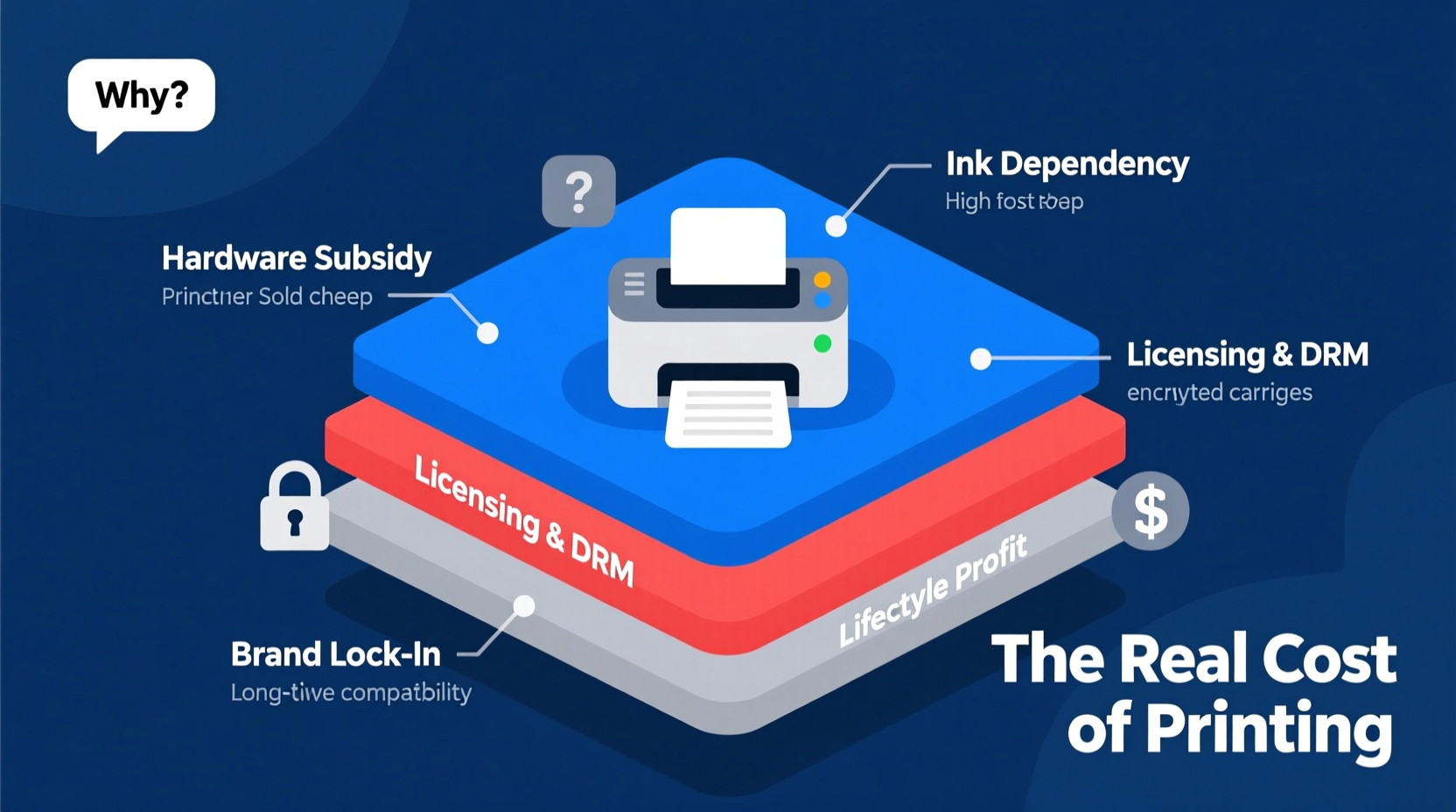
The most critical concept behind expensive printer ink is the “razor-and-blades” business model. First popularized by Gillette in the early 20th century, this strategy involves selling a primary product (the razor) at a low price—or even at a loss—to lock customers into buying high-margin consumables (the blades) repeatedly over time.
In the printing world, the “razor” is the printer itself. Manufacturers sell printers below cost or at minimal profit, knowing they will earn their real margins from ink sales. This approach transforms the printer from a one-time purchase into a long-term revenue stream.
Consider this: HP reported in its 2022 financial statements that its printing division generated over $18 billion in revenue, with operating margins exceeding 20%. These margins are only possible because ink and toner cartridges are among the most profitable consumer goods per ounce—more expensive than champagne, perfume, or even human blood plasma.
“HP makes more money from ink than from hardware. The printer is just the delivery mechanism.” — Analyst report, Morgan Stanley Technology Review, 2021
How Printer Companies Maximize Ink Profits
Manufacturers use multiple tactics to ensure ongoing dependence on proprietary ink. These strategies go beyond simple branding—they’re engineered into both hardware and software.
Proprietary Cartridge Design
Each brand designs ink cartridges with unique shapes, chips, and electrical contacts that prevent cross-compatibility. Even within a brand, different printer models often require specific cartridges, eliminating generic substitution.
This exclusivity allows companies to maintain full control over pricing and supply. Third-party or remanufactured cartridges may work, but manufacturers actively discourage their use through warnings, firmware updates, and compatibility blocks.
Smart Chips and Firmware Locks
Modern ink cartridges contain microchips that communicate with the printer. These chips track ink levels, authenticate cartridges, and can even disable third-party options—even if the cartridge is full.
Firmware updates sometimes introduce new restrictions retroactively. Users have reported that after an update, previously functional compatible cartridges suddenly stopped working. This practice, known as “crippleware,” protects market share at the expense of consumer choice.
Artificially Limited Page Yields
Manufacturers quote estimated page yields based on ISO standards—typically 5% page coverage (a few lines of text). Real-world usage often exceeds this, meaning actual output is far lower than advertised.
Additionally, some printers perform routine maintenance cycles that consume ink even when no printing occurs. Head cleaning, nozzle purging, and alignment tests all deplete ink reserves silently.
Breaking Down the Cost: What You're Really Paying For
The raw materials for ink—dyes, pigments, solvents—are inexpensive. Producing a standard black ink cartridge likely costs less than $3 to manufacture. Yet retail prices range from $20 to $60. Where does the rest go?
| Cost Component | Estimated Share of Retail Price |
|---|---|
| Raw Materials & Manufacturing | 5–10% |
| R&D and Printer Subsidy | 20–25% |
| Marketing and Distribution | 15–20% |
| Profit Margin | 40–50% |
The largest portion of the price supports the broader ecosystem: subsidizing cheap printers, funding R&D for new models, and maintaining high shareholder returns. In essence, you're not just paying for ink—you're paying for the entire business model.
Alternatives and Workarounds: Taking Back Control
While the system is designed to keep you dependent, savvy users have found ways to reduce ink costs significantly. Some solutions require upfront investment but pay off over time.
Use Printers with Tank Systems
Models with continuous ink systems (CIS) or refillable ink tanks—like Epson’s EcoTank series or Canon’s MegaTank—eliminate cartridges altogether. These printers come with large bottles of ink included and can print thousands of pages before refilling.
Though these printers cost more upfront ($200–$400), the cost per page drops dramatically—from 5–10 cents per page with cartridges to under 1 cent with tank systems.
Choose Monochrome Laser Printers for Text
If you mostly print documents, consider a monochrome laser printer. Black toner lasts longer, is cheaper per page, and doesn’t dry out like inkjet ink. Entry-level models start around $100, and replacement toner cartridges offer 1,500+ pages for under $40.
Refill Kits and Compatible Cartridges
Third-party ink suppliers offer refill kits and compatible cartridges at 30–70% lower prices. While quality varies, many brands now meet OEM standards. Refilling requires care to avoid leaks or printhead damage, but it remains one of the most effective cost-saving measures.
“We switched our small office to remanufactured cartridges and cut our annual printing costs by 62%.” — Sarah Lin, Office Manager, Seattle-based marketing firm
Mini Case Study: The Home User Who Beat the System
Jamie Rivera, a freelance writer in Austin, used to spend $120 annually on ink for her entry-level HP printer. After realizing she was spending more on ink than on paper, she researched alternatives.
She upgraded to an Epson EcoTank ET-2800, paying $250 upfront. The printer came with enough ink to print approximately 4,500 black pages. Over two years, she printed 3,200 pages and spent only $18 on refills. Her break-even point arrived within 14 months. Now, she pays less than $10 per year in ink costs.
“I thought I was saving money with the cheap printer,” Jamie said. “But I was actually paying a premium every time I printed. Switching was one of the easiest tech upgrades I’ve made.”
Checklist: How to Reduce Your Printing Costs
- ✅ Assess your printing needs: Do you print photos, graphics, or mostly text?
- ✅ Consider switching to a tank-based ink system if you print frequently.
- ✅ Use draft mode for internal documents to reduce ink usage by up to 50%.
- ✅ Enable double-sided printing to cut paper and ink consumption.
- ✅ Buy high-yield or XL cartridges when available—they cost more upfront but save per page.
- ✅ Try reputable third-party or remanufactured cartridges to test quality and savings.
- ✅ Disable automatic printer updates if they interfere with non-OEM ink.
- ✅ Clean print heads manually only when necessary to avoid wasting ink.
FAQ: Common Questions About Printer Ink Pricing
Is printer ink really more expensive than champagne?
Yes, by volume. Premium champagne costs about $50 per liter. Printer ink can cost anywhere from $2,000 to $15,000 per liter depending on the brand and model. Even accounting for formulation complexity, the markup is extreme.
Why do ink cartridges expire?
Cartridges have expiration dates due to drying concerns and chip programming. However, many cartridges remain usable months or even years past their date. The expiration is often enforced by software, not physical degradation.
Can using third-party ink damage my printer?
Poor-quality ink can clog printheads or cause smudging, but reputable brands rarely cause permanent damage. Most issues arise from improper refilling techniques. If you choose third-party options, stick to well-reviewed suppliers and monitor print quality.
Step-by-Step Guide: Transitioning to a Low-Cost Printing Setup
- Evaluate your current printing habits. Track how many pages you print monthly and what type (color vs. black).
- Calculate your cost per page. Divide the cartridge price by the manufacturer’s claimed yield. Compare across models.
- Research alternative printers. Focus on models with tank systems or high-yield toner options.
- Compare total cost of ownership. Include upfront price, ink/toner cost, and expected page yield.
- Test third-party supplies. Buy one compatible cartridge to assess print quality and reliability.
- Switch settings to economy mode. Adjust default print quality to “draft” for non-critical documents.
- Maintain your printer properly. Run cleanings sparingly and store it in a dust-free environment.
Conclusion: Rethink the Print Cycle
The high cost of printer ink isn’t a mystery—it’s a calculated business decision. By selling printers cheap and ink expensive, manufacturers secure long-term profits while consumers foot the bill. But awareness changes power dynamics. Once you understand the model, you can make informed choices: opting for tank-based systems, leveraging compatible supplies, or shifting to laser printers for document-heavy work.
Printing doesn’t have to be a financial burden. With the right setup, you can slash your per-page costs by 90% or more. The key is looking beyond the initial price tag and focusing on long-term value. Stop subsidizing corporate profits with every page you print. Choose wisely, print efficiently, and take back control of your home or office workflow.




 浙公网安备
33010002000092号
浙公网安备
33010002000092号 浙B2-20120091-4
Comments
No comments yet. Why don't you start the discussion?