
When it comes to making calls on the go, clarity matters. Whether you're in a virtual meeting, catching up with family, or taking a client call from a busy café, poor audio can derail communication. The two most common options—wireless earbuds with built-in microphones and traditional headsets—are often compared, but one question remains: which provides clearer call quality?
The answer isn't as simple as declaring a winner. It depends on design, microphone technology, usage context, and environmental factors. While both have evolved significantly over the past few years, they serve different needs and excel in different scenarios. Understanding their strengths and limitations helps users make informed decisions based on actual performance rather than marketing claims.
Understanding Call Quality: What Makes a Voice Clear?
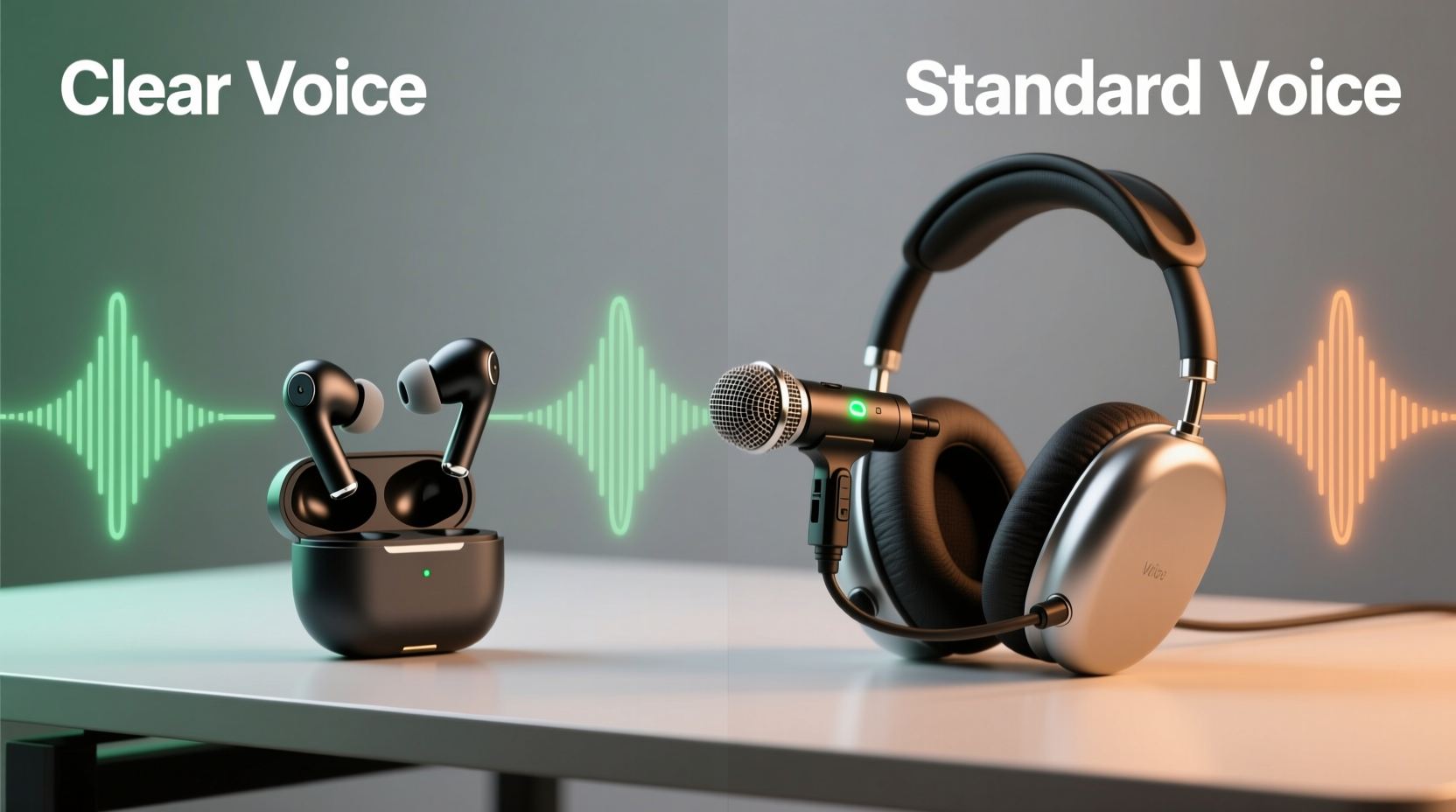
Call clarity isn’t just about volume—it’s a combination of several technical and environmental factors:
- Microphone sensitivity: How well the mic picks up your voice without distortion.
- Noise suppression: The ability to filter out background sounds like traffic, wind, or chatter.
- Audio codecs: Digital formats that affect how voice data is transmitted wirelessly (e.g., AAC, SBC, aptX).
- Positioning: Proximity of the mic to your mouth and its directional focus.
- Environmental acoustics: Echo, reverberation, and ambient noise levels where you’re speaking.
A device may have excellent sound for music playback but still perform poorly on calls if its microphone system isn’t optimized for speech capture. This distinction is critical when comparing wireless earbuds and dedicated headsets.
“Even high-end earbuds can struggle in noisy environments because their mics are small and rely heavily on software processing.” — Dr. Lena Park, Audio Engineer at SoundLabs Research Group
How Wireless Earbuds Handle Calls
Modern wireless earbuds have come a long way. Brands like Apple, Sony, Samsung, and Bose now integrate advanced beamforming microphones and AI-powered noise cancellation into compact designs. Most models use multiple mics per earbud—one facing outward to detect ambient sound and another inward or downward to focus on vocal input.
Many premium earbuds employ machine learning algorithms to separate human voice from background noise. For example, Apple’s H2 chip in AirPods Pro uses computational audio to suppress wind and traffic, while Jabra’s Elite series applies dynamic wind noise reduction through adaptive filtering.
However, due to size constraints, earbud microphones are inherently limited. They sit farther from the mouth than headset boom mics, reducing voice pickup efficiency. In quiet indoor settings, this difference is minimal. But outdoors or in crowded spaces, even top-tier earbuds may allow background voices or gusts of wind to interfere.
Limitations of Earbud Microphone Placement
Because earbuds rest inside or near the ear canal, their microphones aren’t positioned directly in front of the mouth. Instead, they rely on acoustic modeling and digital signal processing to reconstruct voice clarity. This works well in controlled environments but falters when:
- There’s consistent low-frequency noise (e.g., subway rumble).
- Wind blows across the earpiece, creating turbulence.
- The user moves their head frequently, changing mic orientation.
In such cases, voice may sound distant, muffled, or intermittently cut out.
Why Headsets Often Deliver Superior Call Clarity
Dedicated headsets—especially those designed for professional use—typically offer better call quality than consumer-grade earbuds. This advantage stems from intentional design choices focused on voice transmission.
Business-oriented headsets like the Jabra Evolve2 65, Poly Voyager Focus, or Sennheiser MB 660 feature boom-style microphones that extend close to the corner of the mouth. This proximity ensures strong voice pickup while minimizing reliance on digital enhancement. The boom can also be retracted or muted manually, giving users direct control over mic activation.
Additionally, many headsets include physical noise-isolating earcups made of memory foam and dense materials that block external sound passively. Combined with active noise cancellation (ANC), this creates a quiet environment for both listening and speaking—something most open-fit earbuds cannot match.
| Feature | Wireless Earbuds | Dedicated Headset |
|---|---|---|
| Mic-to-mouth distance | 3–5 cm (indirect path) | 1–2 cm (direct alignment) |
| Noise isolation (passive) | Limited; varies by fit | High; sealed earcups |
| Boom mic flexibility | None | Adjustable/retractable |
| Wind noise resistance | Moderate (software-dependent) | High (physical shielding) |
| Battery life (per charge) | 4–8 hours | 15–30 hours |
| Best suited for | Casual calls, mobility | Professional meetings, long sessions |
This structural superiority makes headsets the preferred choice for remote workers, customer service agents, and anyone who spends hours on conference calls daily.
Real-World Example: Remote Worker in a Shared Apartment
Consider Maria, a project manager working remotely from a small apartment shared with roommates. She uses her AirPods Pro for morning stand-ups and finds them sufficient when everyone is quiet. But during afternoon planning calls, kitchen noise and TV audio bleed through, prompting colleagues to ask her to repeat herself.
After switching to a Jabra Evolve2 65, she notices an immediate improvement. Her voice sounds fuller and more present, and background chatter no longer leaks into the mic. Her team comments on the improved clarity, and fewer misunderstandings occur during fast-paced discussions.
The difference wasn’t due to louder volume—it was the headset’s ability to capture clean speech despite distractions.
Technology Trends Closing the Gap
While headsets currently lead in raw call quality, advancements in earbud technology are narrowing the gap. Newer models now incorporate features once exclusive to professional gear:
- AI-powered voice isolation: Algorithms trained to recognize and enhance human speech patterns.
- Multi-mic arrays: Up to four microphones per earbud analyzing sound directionally.
- Adaptive ANC: Real-time adjustment of noise cancellation based on surroundings.
- Transparency modes with voice boost: Enhances nearby speech while suppressing non-human noise.
For instance, the Sony WF-1000XM5 uses a dual-sensor noise cancellation system and integrated VPU (Voice Processing Unit) to deliver studio-quality voice capture. Similarly, Amazon’s Echo Buds (2nd Gen) leverage Alexa’s backend processing to clean up speech in real time.
Still, these improvements depend heavily on software optimization. If firmware updates lag or processing introduces latency, call fluidity suffers—even if voice clarity improves.
Do’s and Don’ts for Maximizing Call Quality
- Do: Choose devices with dedicated voice-enhancing chips (e.g., H2, QCC5171).
- Do: Test call quality in your typical environments before committing to a device.
- Do: Keep firmware updated to benefit from microphone algorithm refinements.
- Don’t: Rely solely on specs—read user reviews focused on call performance.
- Don’t: Use budget earbuds for work calls if clarity is mission-critical.
- Don’t: Ignore battery trade-offs—longer talk time often means larger hardware.
Frequently Asked Questions
Can wireless earbuds ever match a professional headset for calls?
Currently, only in ideal conditions. High-end earbuds with advanced mic arrays and AI processing can approach headset-level clarity in quiet offices or homes. However, in dynamic or noisy environments, physical advantages like boom mic placement and superior passive isolation give headsets a consistent edge.
Does Bluetooth version affect call quality?
Indirectly. Newer versions like Bluetooth 5.2 and 5.3 improve connection stability and power efficiency, reducing dropouts and latency. However, the actual audio fidelity depends more on the codec used (e.g., aptX Voice supports 32kHz sampling for clearer voice) than the Bluetooth version alone.
Are over-ear wireless headsets better than in-ear buds for calls?
Generally, yes. Over-ear designs provide better passive noise isolation, more space for larger microphones, and room for additional sensors. Even compact on-ear headsets tend to outperform true wireless earbuds in sustained call scenarios due to comfort and acoustic sealing.
Step-by-Step Guide: Choosing Based on Your Needs
Follow this decision framework to select the right option for your calling habits:
- Assess your primary environment: Do you call from quiet rooms, public transit, or mixed settings?
- Evaluate call duration: Short personal calls favor portability; long work sessions need comfort and endurance.
- Check for voice-specific features: Look for terms like “voice focus,” “call noise cancellation,” or “boom mic” in product descriptions.
- Test before buying: If possible, try demo units or returnable models to assess real-world performance.
- Prioritize build quality: Well-sealed mics with mesh guards resist moisture and debris, maintaining longevity.
Final Verdict: Which Offers Clearer Call Quality?
Dedicated headsets generally provide clearer call quality than wireless earbuds, especially in challenging acoustic environments. Their superior microphone placement, robust noise isolation, and emphasis on voice engineering make them the standard for professionals who rely on consistent audio performance.
That said, premium wireless earbuds have reached a point where they’re entirely viable for everyday calls. Users prioritizing convenience, discretion, and multi-use functionality (music, podcasts, calls) will find modern earbuds more than adequate—provided they manage expectations in noisy situations.
If your livelihood depends on being heard clearly—whether leading team meetings, conducting interviews, or supporting clients—a purpose-built headset remains the smarter investment.
“The best call experience combines great hardware with smart usage. A $200 headset used in a windy park won’t outperform $100 earbuds in a soundproof room.” — Mark Tran, Senior UX Designer at CommuteTech Inc.
Take Action Today
Don’t assume all wireless audio devices perform equally on calls. Take stock of your daily routine, identify your biggest audio challenges, and choose accordingly. Whether you opt for sleek earbuds or a professional headset, prioritize voice-centric features over aesthetics or brand loyalty. Your next conversation—and the person on the other end—will thank you.




 浙公网安备
33010002000092号
浙公网安备
33010002000092号 浙B2-20120091-4
Comments
No comments yet. Why don't you start the discussion?